


Compare this with other toolsSave it to your board and evaluate your options side by side.
Save to board

Cal.com Reviews & Product Details

Pricing

Pricing provided by Cal.com.

Enterprise

Contact Us
Per Year

Cal.com Media

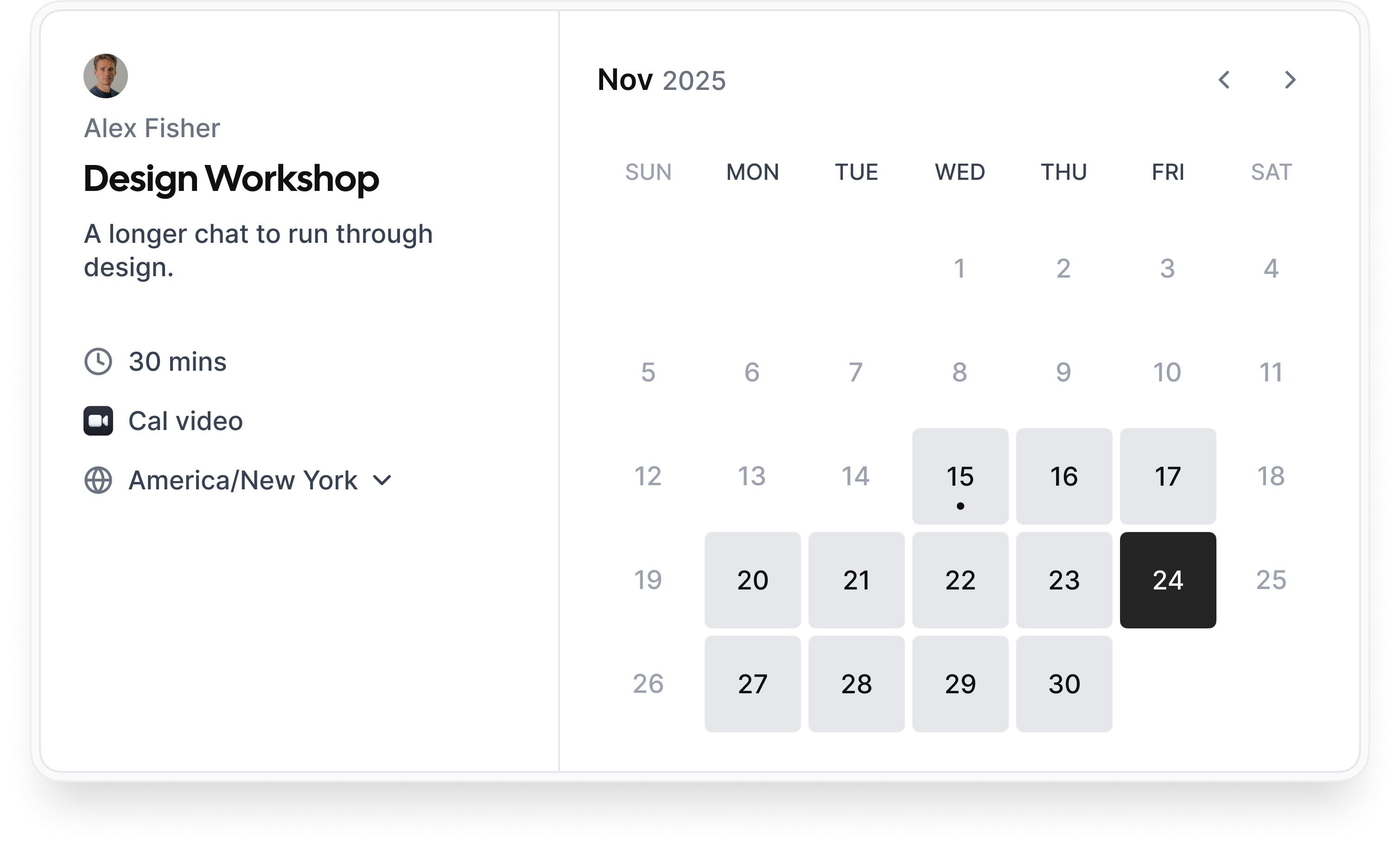
Cal.com Demo - Booking flow
Simple booking flow to schedule calls with customers, businesses, partners, and friends. Easily integrated into modern websites and application.
Cal.com Demo - Secure bookings protect your data
Your scheduling system shouldn’t be the weakest link in your compliance stack. Cal.com’s privacy-by-design architecture gives you the confidence of HIPAA, SOC 2 Type II, ISO 27001, CCPA, and GDPR compliance, without sacrificing usability.
Cal.com Demo - Slack Connect for support
We offer Slack Connect support, allowing direct and rapid communication with our team for quicker resolutions and personalized assistance.
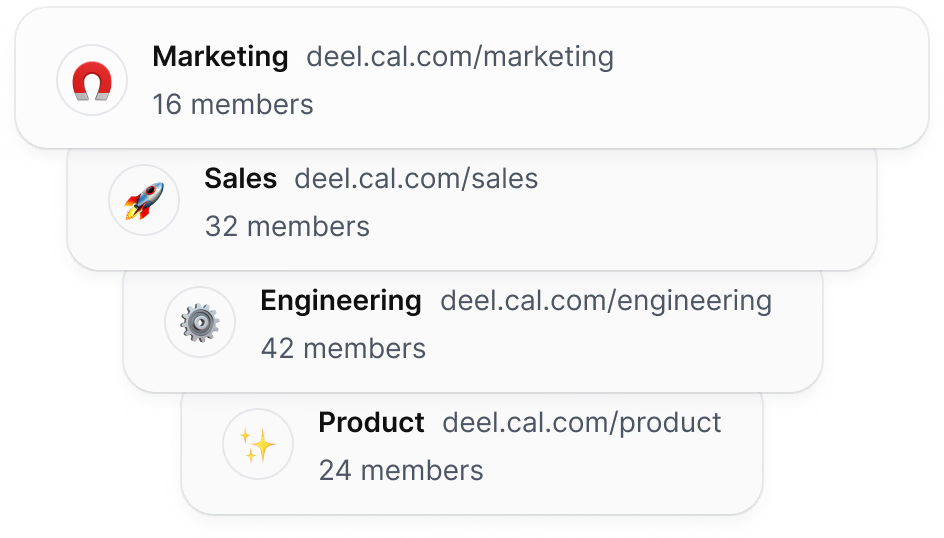
Cal.com Demo - Unlimited sub-teams
Easily organize your teams by creating a parent team and adding unlimited sub-teams, ensuring seamless management and collaboration across your organization.
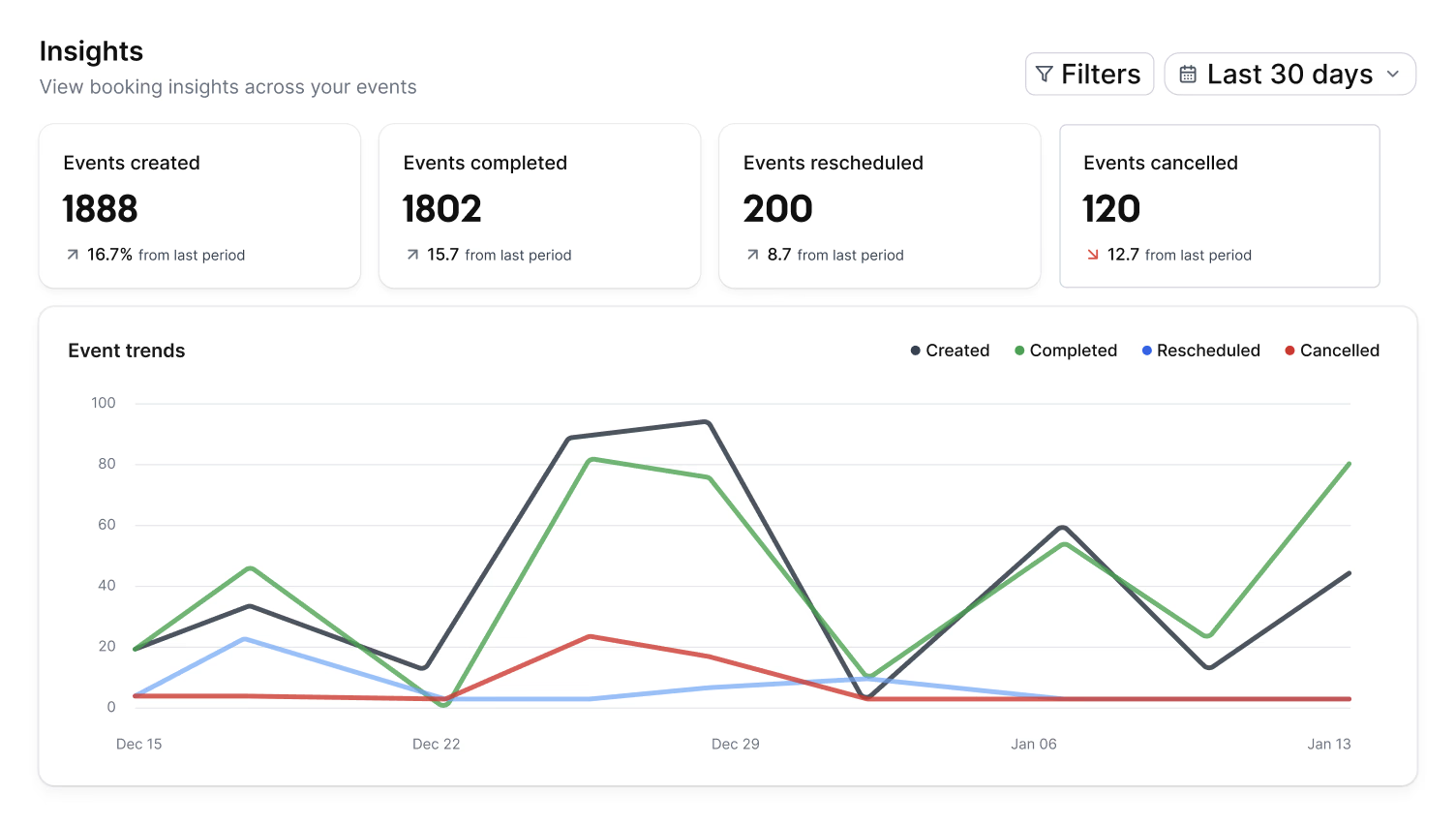
Cal.com Demo - Organization wide insights
The Insights dashboard provides a clear overview of booking data, helping you spot opportunities and top performers with ease.
Cal.com Demo - Domain-wide delegation
Simplify setup and ensure compliance across your organization. Cal.com gives administrators centralized control over calendars, bookings, and access.
How does cal.com compare to other schedulers? Watch this review to find out.
Play Cal.com Video
How does cal.com compare to other schedulers? Watch this review to find out.
Take control of your schedule with
Play Cal.com Video
Take control of your schedule with "Requires confirmation" feature
Instant meetings! Connect with clients instantly
Play Cal.com Video
Instant meetings! Connect with clients instantly
Phone based bookings
Play Cal.com Video
Phone based bookings
Introducing: Cal.com Routing – Cal.com v5.0:
Play Cal.com Video
Introducing: Cal.com Routing – Cal.com v5.0:
Product Avatar Image

Have you used Cal.com before?

Answer a few questions to help the Cal.com community

Cal.com Reviews (152)

Reviews

Cal.com Reviews (152)

4.6
152 reviews

Review Summary

Generated using AI from real user reviews
Users consistently praise Cal.com for its flexibility and customization, allowing them to tailor scheduling processes to their specific needs. The platform's seamless integrations with tools like Google Calendar and Zoom enhance efficiency by automating bookings and reducing manual work. However, many note that the initial setup can be complex, which may pose a challenge for new users.

Pros & Cons

Generated from real user reviews
View All Pros and Cons
Search reviews
Filter Reviews
Clear Results
G2 reviews are authentic and verified.
Adarsh P.
AP
"Open-Source Flexibility with Powerful Scheduling Features"
What do you like best about Cal.com?

I appreciate Cal.com being open-source, which lets me fully customize and self-host without being locked into a vendor. It’s great that I can seamlessly embed branded booking pages into my site or socials, and use APIs to create custom workflows. The smart scheduling rules are really helpful, with features like automatic buffers and daily limits that help prevent burnout and scheduling conflicts. I find the AI via Cal.ai that parses emails to book or reschedule autonomously to be very convenient. The deep calendar syncs with Google, Outlook, and Apple calendars are reliable and prevent double bookings, which is a big plus for me. Review collected by and hosted on G2.com.

What do you dislike about Cal.com?

Cal.com's advanced features overwhelm new users, especially non-technical ones, requiring time to master organizational tools and customizations like event rules. Performance on a large scale is an issue as round-robin events with many team members load slowly, and complex queries can lag. Self-hosting demands technical skills for IP changes or maintenance, risking downtime if mishandled. Granular admin reports lack templates for quick insights, and the interface feels unintuitive for availability tweaks or viewing booked slots in public calendars. The free tier misses advanced personalization like custom booking pages. Review collected by and hosted on G2.com.

Response from Susan Moeller of Cal.com

Thanks for the review. I'm glad that you like using Cal.ai. We're pleased about that feature too.

I appreciate the feedback about people being overwhelmed by features. We are actively working on simplifying that process.

RAJ G.
RG
"Effortless Scheduling with Flexible Customization"
What do you like best about Cal.com?

I like Cal.com because it solves the headache of scheduling by removing the back-and-forth of finding a time that works, allowing people to book directly based on your availability, and handling reminders, automatic time-zone detection, and integrations with the calendars or tools you already use. I appreciate how flexible and customizable it is compared to other scheduling tools. You can design booking pages that match your brand, create different types of events with unique rules, and integrate it deeply with the tools you already use. It provides full control over availability, workflows, and automations, making it work well for solo creators, businesses, or teams. The open-source nature is a big plus too, as you're not locked into a closed system and can adapt it as your needs grow. Plus, it's powerful without being complicated, which makes scheduling feel effortless. I also enjoy how Cal.com works best when paired with other tools, especially with integrations into calendar apps like Google Calendar or Outlook and video meeting platforms such as Zoom, Google Meet, or Teams. It even integrates nicely with CRMs or automation tools like Zapier, making it a full workflow system that saves time and keeps everything organized. Review collected by and hosted on G2.com.

What do you dislike about Cal.com?

A few areas could definitely be smoother in Cal.com, even though it’s already strong overall. The setup process can feel a bit overwhelming at first because there are so many options, so a more guided onboarding or clearer presets would help. Some of the advanced customization features also require technical knowledge, which might be a hurdle for non-technical users. The UI is powerful but occasionally feels dense, especially when managing multiple event types or workflows. And while the integrations are good, certain third-party connections could be more seamless or offer deeper controls. Review collected by and hosted on G2.com.

Arbaz K.
AK
"Flexible Scheduling with Seamless Integration"
What do you like best about Cal.com?

I like how Cal.com makes scheduling calls, meetings, and internal scheduling much easier for us. The flexible platform lets us set roles, availability, booking rules, and workflows, helping to avoid double bookings and confusion. The shared team calendar is great for seeing who is free or busy. The automation features, like reminders and confirmations, help reduce no-shows and keep communication clear. Integrations with tools like Zoom and Google Workspace save us time since everything works together. I love that it helps us stay organized and feel more professional in our scheduling. I also like how flexible it is, allowing us to create separate booking rules and workflows based on meeting types. The ability to set team routing rules to automatically send a call to the right team member is fantastic. These features make scheduling feel organized, smooth, and adaptable as we grow. Review collected by and hosted on G2.com.

What do you dislike about Cal.com?

Even though Cal.com has been helpful, there are a few things that could be improved. One area is the learning curve. Some features are easy, but the advanced settings and workflows took us time to understand. A more guided setup or clearer examples would make onboarding smoother. Another thing is that sometimes certain integrations need extra steps before they work the way we want. Everything eventually works, but the process could feel more seamless. We also noticed that customization is powerful, but it sometimes means extra work when creating new meeting types. Having more ready-made templates for common use cases would save time. One more thing I would add is around the user interface. Everything works, but some menu paths feel a little hidden or require extra clicks. A more streamlined layout or clearer labels would make it easier for new users to find what they need without trial and error. It would also help if there was a simpler way to duplicate or edit existing workflows in bulk. When our team grows or our process changes, we sometimes have to update things one by one. A bulk-edit feature would save time. Finally, having more built-in tutorials or short walkthrough videos inside the dashboard would make the learning process smoother. Overall, these are small improvement ideas, not major complaints. The product already does a great job, and with a few polish updates, it could feel even more effortless. Review collected by and hosted on G2.com.

Yash K.
YK
Academic Counsellor
Mid-Market (51-1000 emp.)
"Powerful Scheduling Tool with Steep Learning Curve"
What do you like best about Cal.com?

I like how I can set my own availability, add different types of meetings, and integrate it with my calendar on Cal.com. Once everything is set up, it all works automatically, which means people can book a slot, and I receive a clean confirmation without any manual work. It feels very professional and saves a lot of time. Review collected by and hosted on G2.com.

What do you dislike about Cal.com?

One thing Cal.com doesn’t work as well for me is the initial setup — it can feel a bit complicated. There are many settings, integrations, and options, so it takes time to understand everything. Once it’s set up, it works great, but the learning curve could definitely be simpler. The main thing Cal.com could improve is its setup process. There are so many features and settings that the initial onboarding feels confusing. A simpler step-by-step setup wizard, preset templates for common meeting types, and clearer explanations of integrations would make the experience much smoother. They could also improve the mobile dashboard and add a more intuitive preview mode so users can quickly see how their booking page will look. Review collected by and hosted on G2.com.

Divyesh P.
DP
"Flexible Scheduling Tool with Robust Customization"
What do you like best about Cal.com?

Our organization adopted Cal.com's Teams/Organizations plan and it has quickly become one of our most valuable operational tools. I really like Cal.com's centralized team scheduling dashboard, which lets us manage availability across departments without switching between individual calendars. The ability to define roles, assign booking rules, and create shared event templates has significantly reduced the workload on our operations team. I appreciate the granular permission controls that still give each team autonomy over their own calendars. Cal.com's native integrations with tools like Slack, Zoom, and our internal CRM automatically sync and update meetings, nearly eliminating double-bookings and scheduling conflicts. The analytics tools in the Organizations plan are surprisingly useful for capacity planning, giving us clear insights into booking volume and team productivity. I am impressed with Cal.com's extremely customizable scheduling, open-source and self-hosting options, and developer-friendly APIs, webhooks, and plugins. The team scheduling features such as round-robin, collective bookings, and pooled availability are very useful, and I find the transparent pricing much simpler and more predictable compared to other SaaS scheduling platforms. Review collected by and hosted on G2.com.

What do you dislike about Cal.com?

1. Setup and configuration can feel complex. Because Cal.com is highly customizable and open-source, its setup—especially self-hosting—can be more technical than 'plug-and-play' tools like Calendly, with multi-service dependency setup (Postgres, Redis, etc.) and needing engineering help for deeper customization. 2. Documentation gaps. Some users feel that the docs don’t always cover edge cases or advanced configs, plugin development examples could be clearer, and self-hosting guidance can lag behind feature updates. 3. Occasional platform instability with new releases. Highly active open-source projects often move fast, leading to frequent changes that sometimes lead to regressions and new features debuting with minor issues. 4. UI/UX feels less polished compared to competitors. The interface feels more 'developer-centric,' with fewer small niceties and animations than competitors, and the admin dashboard could be more streamlined. 5. Marketplace quality varies. Since extensions/plugins can be community-built, some plugins feel incomplete, support levels differ, and quality control varies across contributions. 6. Learning curve for advanced automations. Webhooks, API flows, routing logic, and embed configs require technical skill, and some advanced flows lack step-by-step guidance. 7. Enterprise feature gaps. More refined user management features would help, as well as the need for deeper analytics or forecasting tools and SSO / SCIM setups can require extra tuning. Review collected by and hosted on G2.com.

Samarth P.
SP
"Streamlined Team Scheduling with Cal.com"
What do you like best about Cal.com?

I love how Cal.com supports team-based scheduling with the shared availability feature, which combines all team members’ schedules into one unified calendar. This eliminates back-and-forth coordination and makes booking meetings almost instant. The routing options, like round-robin and group scheduling, are outstanding because they allow meetings to be assigned automatically and fairly, saving time and keeping workloads balanced. I really appreciate the admin dashboard in the Teams/Organization plan, which lets us assign roles, set permissions, and control access or modification of settings, bringing structure to our scheduling process. Customization is another highlight, as we can brand our booking pages, adjust workflows, and use automations to match our internal processes, giving a professional feel aligned with our brand. The analytics provide real value, offering insights into booking patterns, peak times, and team activity, helping us understand and improve our scheduling efficiency. Review collected by and hosted on G2.com.

What do you dislike about Cal.com?

Cal.com works very well for our team overall, but there are a few areas where improvements would make the experience even better. One area is onboarding. Because the Teams/Organization plan includes advanced features like routing rules, workflows, and permission settings, new team members sometimes need extra time to understand everything. More guided in-app tutorials or walkthroughs would make the learning curve smoother. Another area that could improve is integration setup. The integrations work reliably, but some of them require a bit of manual configuration. Having more ready-made templates or simpler 'one-click' setup options would help teams get started faster. Lastly, while the analytics dashboard is useful, adding deeper insights—such as trends over longer time periods or more detailed breakdowns per team member—would make it even more powerful for decision-making. These are not major issues, but improving them would make Cal.com even more user-friendly and efficient for growing teams like ours. Review collected by and hosted on G2.com.

PK
Project Coordinator
Small-Business (50 or fewer emp.)
"Flexible & Customizable Scheduling Solution"
What do you like best about Cal.com?

I use Cal.com to streamline scheduling without the usual back-and-forth. It’s great for booking client meetings, internal team calls, and even personal appointments. The customization options make it easy to match my workflow and branding. I love how Cal.com prevents double-bookings by syncing all my calendars in one place. I also appreciate its customizable and flexible nature compared to other scheduling tools, as I can tailor booking pages, workflows, and integrations exactly to my needs. The open-source nature gives it a level of transparency and control that’s rare, making scheduling genuinely enjoyable. It connects well with my calendar apps, video meeting platforms, and task management tools, helping automate reminders, meeting links, and follow-ups, making scheduling feel more connected and efficient. We were looking for something more flexible and customizable, and Cal.com fit those needs better, offering more control over booking pages and workflows compared to our previous tool, Calendly. Review collected by and hosted on G2.com.

What do you dislike about Cal.com?

One thing that could be improved is the learning curve—some of the advanced customization options take time to understand. A bit more built-in guidance or templates would help. Occasionally, integrations need extra setup or troubleshooting. Ensuring permissions, API keys, or webhooks are set up correctly can take a bit more time than expected. It’s nothing problematic, just an area where clearer setup guidance could make the process easier. Review collected by and hosted on G2.com.

Response from Susan Moeller of Cal.com

Thank you for taking time to review Cal! Glad that you have found we can solve the problems you were having with your previous scheduler.

Revanth R.
RR
"Streamlined Scheduling with Impressive Automation"
What do you like best about Cal.com?

I love Cal.com's strong automation features as they help us manage workflows, generate reminders, send follow-ups, and create intricate routing logic, which significantly decreases administrative time for our teams. I appreciate how Cal.com streamlines our customer service scheduling processes, allowing our sales, support, and onboarding teams to arrange client follow-up meetings, technical consults, and demonstrations without the need for back-and-forth communications. The automated routing and centralized scheduling dashboards optimize our entire scheduling process. The integration with tools like Zoom and Google Workspace, which automatically synchronizes calendars and ensures meeting details are uniform across platforms, is fantastic. I like the customization options it offers, providing greater flexibility for team-based workflows and the capacity to handle several teams, routing rules, and automated workflows in one location. The first setup was very simple, thanks to the clear UI, useful suggestions, and logical actions that aided in configuring team members, event types, and connectors. Review collected by and hosted on G2.com.

What do you dislike about Cal.com?

The team dashboard could be more user-friendly, despite Cal.com's strength. Some options in the Organizations plan are difficult to find. New team members might configure more quickly with a more structured grouping, like collapsible categories or a guided setup. A more simplified layout or faster shortcuts for frequently used settings would enhance the user experience. Review collected by and hosted on G2.com.

Response from Susan Moeller of Cal.com

Thanks! I'm happy you find the routing logic. helpful!

Kuppam S.
KS
"Streamlined Scheduling with Customizable Flexibility"
What do you like best about Cal.com?

I use Cal.com to streamline all my scheduling across internal teams and external clients. It's become the central hub where I coordinate meetings, manage availability, and automate booking workflows. I love how customizable it is—tailoring booking pages, workflows, and team scheduling rules to fit how we operate. The interface feels clean and intuitive, making complex setups easy to manage. It integrates well with existing tools, allowing a smooth workflow without changing how I work. It handles high-volume meeting requests efficiently, keeping my calendar organized, my team aligned, and my scheduling stress-free. I also appreciate how it fits easily into whatever workflow I’m already using. Cal.com is flexible, giving me a sense of control over scheduling. I also switched to Cal.com from another product for its flexibility and the open-source angle, providing more control and customization. Review collected by and hosted on G2.com.

What do you dislike about Cal.com?

Sometimes the setup feels a bit too technical, especially if you’re not familiar with integrations. A cleaner onboarding flow would make it easier for new users. And every now and then, the UI feels like it could be a bit more polished or intuitive. Review collected by and hosted on G2.com.

RK
"Streamlined Scheduling with Powerful Features"
What do you like best about Cal.com?

I like how Cal.com has completely transformed our team's scheduling management by organizing our workflow better. The pooled and round-robin scheduling features are fantastic as they distribute meetings fairly among team members, reducing workload imbalance. Shared event types are extremely useful for saving time and maintaining consistency in meeting setups. Additionally, the centralized dashboard makes it simple to manage permissions, availability, and upcoming bookings. The integrations Cal.com offers with our internal tools have also improved our efficiency by reducing manual errors. I find Cal.com to be a reliable, flexible, and very easy-to-use platform, and I would strongly recommend it to any organization looking to simplify their scheduling process. Review collected by and hosted on G2.com.

What do you dislike about Cal.com?

One area that could be improved is the complexity of certain advanced customization options, which can feel a bit overwhelming for new users. Some settings require extra time to understand, and the navigation for deeper configuration could be more intuitive. Review collected by and hosted on G2.com.

Questions about Cal.com? Ask real users or explore answers from the community

Get practical answers, real workflows, and honest pros and cons from the G2 community or share your insights.

GU
Guest User

What is Cal.com used for?

GU
Guest User
Last activity 4 months ago

What is Cal.com used for?

Pricing Options

Pricing provided by Cal.com.

Enterprise

Contact Us
Per Year

Teams

Starting at $12.00
1 user Per Month

Organizations

Starting at $28.00
1 user Per Month
Cal.com Comparisons
Product Avatar Image
Calendly Sales
Compare Now
Product Avatar Image
TidyCal
Compare Now
Product Avatar Image
zcal
Compare Now
Cal.com Features
Confirmations & Reminders
Appointment Follow-Up
Scheduling Notifications
Time Zone Detection
Availability Settings
Blocked Time Settings
Branding
Links
Multi- Calendar Integration
Website Integration
Payment Acceptance
Product Avatar Image
Cal.com