



Compare this with other toolsSave it to your board and evaluate your options side by side.
Save to board

Cal.com Reviews & Product Details

Pricing

Pricing provided by Cal.com.

Enterprise

Contact Us
Per Year

Cal.com Media

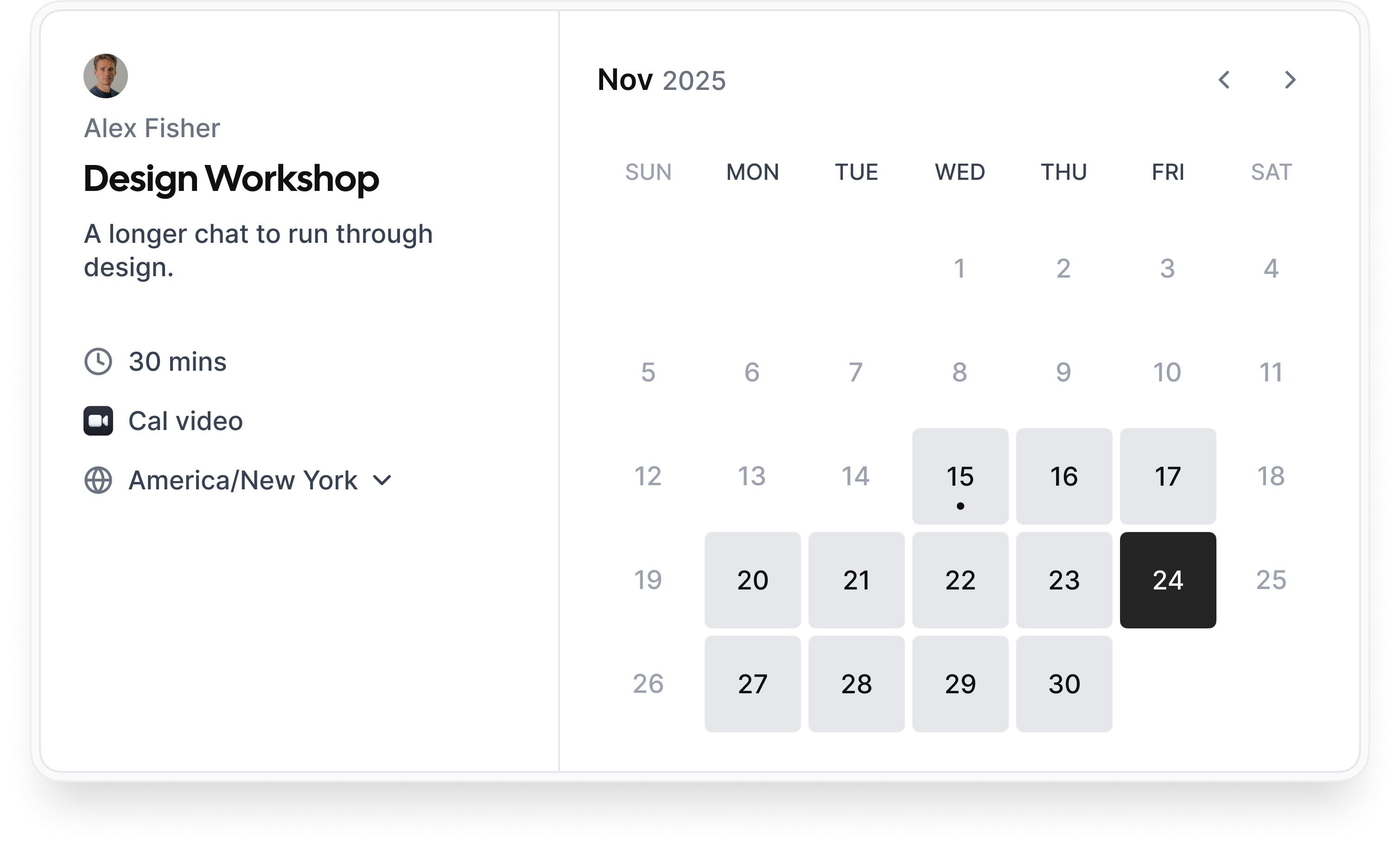
Cal.com Demo - Booking flow
Simple booking flow to schedule calls with customers, businesses, partners, and friends. Easily integrated into modern websites and application.
Cal.com Demo - Secure bookings protect your data
Your scheduling system shouldn’t be the weakest link in your compliance stack. Cal.com’s privacy-by-design architecture gives you the confidence of HIPAA, SOC 2 Type II, ISO 27001, CCPA, and GDPR compliance, without sacrificing usability.
Cal.com Demo - Slack Connect for support
We offer Slack Connect support, allowing direct and rapid communication with our team for quicker resolutions and personalized assistance.
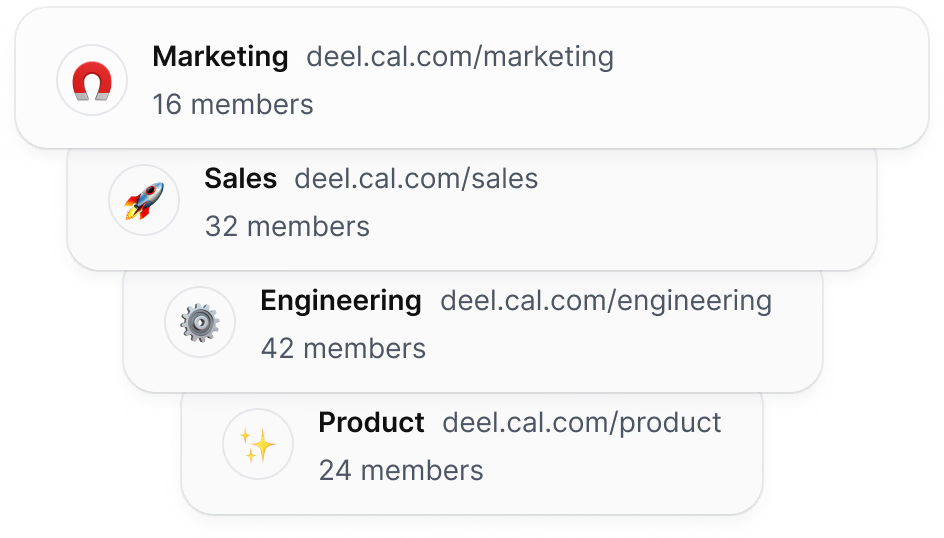
Cal.com Demo - Unlimited sub-teams
Easily organize your teams by creating a parent team and adding unlimited sub-teams, ensuring seamless management and collaboration across your organization.
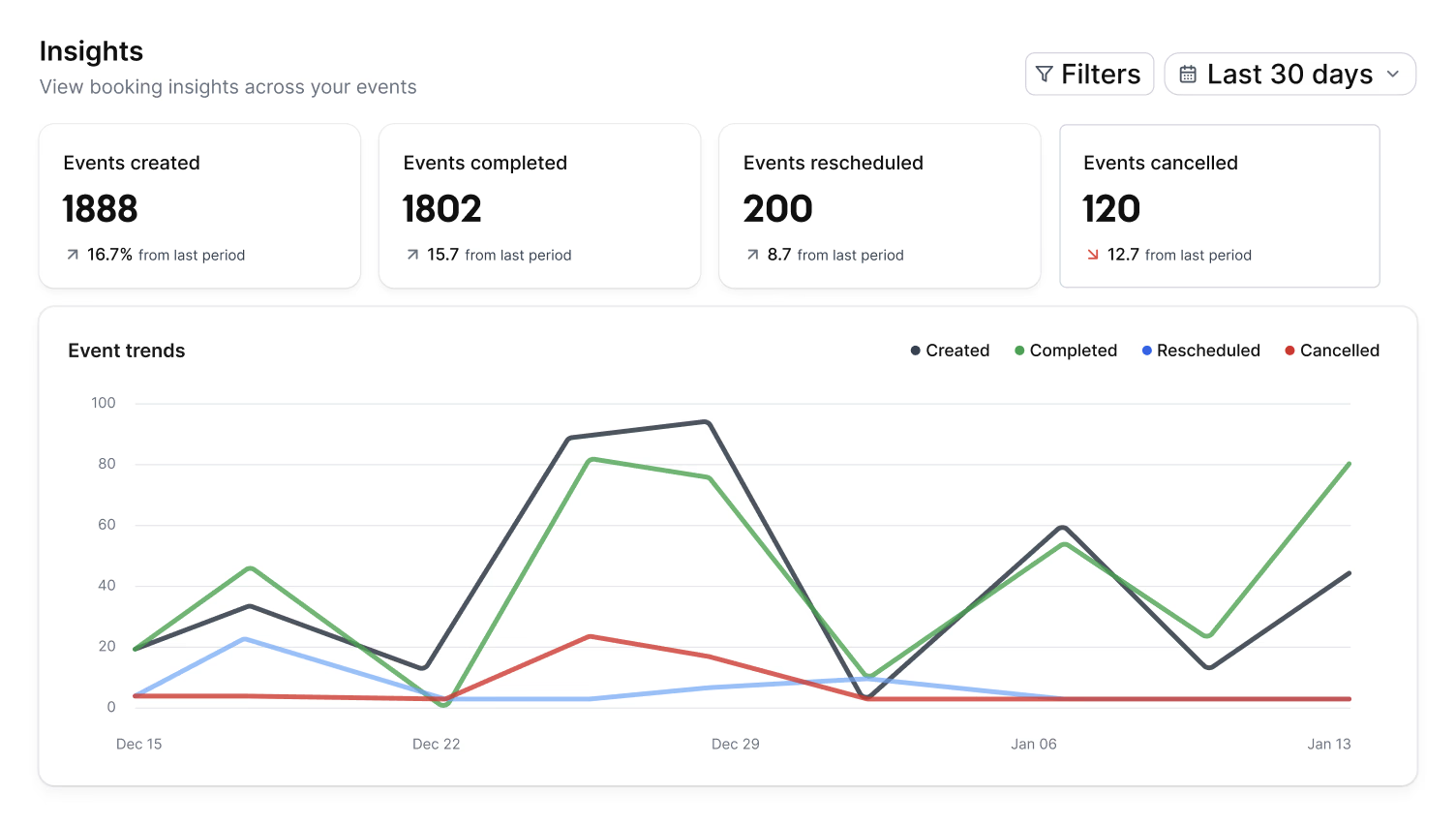
Cal.com Demo - Organization wide insights
The Insights dashboard provides a clear overview of booking data, helping you spot opportunities and top performers with ease.
Cal.com Demo - Domain-wide delegation
Simplify setup and ensure compliance across your organization. Cal.com gives administrators centralized control over calendars, bookings, and access.
How does cal.com compare to other schedulers? Watch this review to find out.
Play Cal.com Video
How does cal.com compare to other schedulers? Watch this review to find out.
Take control of your schedule with
Play Cal.com Video
Take control of your schedule with "Requires confirmation" feature
Instant meetings! Connect with clients instantly
Play Cal.com Video
Instant meetings! Connect with clients instantly
Phone based bookings
Play Cal.com Video
Phone based bookings
Introducing: Cal.com Routing – Cal.com v5.0:
Play Cal.com Video
Introducing: Cal.com Routing – Cal.com v5.0:
Product Avatar Image

Have you used Cal.com before?

Answer a few questions to help the Cal.com community

Cal.com Reviews (151)

Reviews

Cal.com Reviews (151)

4.6
151 reviews

Review Summary

Generated using AI from real user reviews
Users consistently praise Cal.com for its flexibility and customization, allowing them to tailor scheduling processes to their specific needs. The platform's seamless integrations with tools like Google Calendar and Zoom enhance efficiency by automating bookings and reducing manual work. However, many note that the initial setup can be complex, which may pose a challenge for new users.

Pros & Cons

Generated from real user reviews
View All Pros and Cons
Search reviews
Filter Reviews
Clear Results
G2 reviews are authentic and verified.
Mayank T.
MT
"Customizable and Powerful Scheduling Tool"
What do you like best about Cal.com?

Cal.com has become an essential tool for our team, excelling in customization and automation. I love how customizable it is; being able to adapt booking pages, workflows, and routing forms to our needs is a standout feature. The automation tools save us significant manual effort, making processes efficient. I also appreciate the seamless integrations with calendars and apps we use daily, which prevent double bookings and keep everything synchronized. The shared team availability, round-robin scheduling, and collective booking options make coordination with clients and internal teams smooth. The admin features simplify managing multiple users, roles, and booking rules consistently across the team. Cal.com's open-source nature, deep customization options like white-labeling and self-hosting, powerful team features, robust integrations, and a generous free tier make it incredibly flexible. It's a reliable, flexible part of our workflow, helping eliminate tedious emails and streamline our processes. Review collected by and hosted on G2.com.

What do you dislike about Cal.com?

Cal.com's primary areas for improvement include a steep learning curve for non-technical users, limited mobile app functionality, and less extensive booking page customization compared to competitors. Sometimes the advanced settings can also feel a bit overwhelming for new users, especially when setting up more complex workflows. A more guided setup or clearer templates would help. Focus can be placed on enhancing native app functionality and extending visual branding options beyond basic color choices. Review collected by and hosted on G2.com.

Sanket T.
ST
Canva daily life
Small-Business (50 or fewer emp.)
"Time-Saving, Highly Customizable Scheduling Tool"
What do you like best about Cal.com?

I’ve been using Cal.com mainly to manage my meetings, schedule appointments, and automate all those tiny tasks that usually take forever. Honestly, it has made my workflow much smoother. The flexibility is the best part. Booking client calls, setting up team meetings, or creating custom scheduling pages feels simple and user-friendly. The interface is clean, modern, and super easy to understand. I love how customizable it is with features like availability, buffer times, event types, reminders, and integrations. The open-source nature makes it transparent and trustworthy. The integrations with tools like Google Calendar, Zoom, and Notion work flawlessly, making it feel like meetings manage themselves—no double-booking, no confusion, no awkward back-and-forth messages. Cal.com also looks extremely professional, helping me make a strong impression on clients and collaborators. Overall, it’s a game-changer if you value your time and want a smart, reliable way to handle scheduling. It removes the stress of managing appointments and gives you more time to focus on what actually matters. Review collected by and hosted on G2.com.

What do you dislike about Cal.com?

1. Setup can feel overwhelming for new users. Cal.com is powerful, but that means it has many settings. For someone new, the interface can feel complex at first. 2. Some features feel hidden or hard to find. Even though Cal.com is customizable, certain options are buried deep in menus. Review collected by and hosted on G2.com.

Prasanna S.
PS
Software engineer
Mid-Market (51-1000 emp.)
Guest users or non-business users of the software, not included in G2 scores.
"Highly Customizable Scheduling with a Steep Learning Curve"
What do you like best about Cal.com?

I use Cal.com as the essential scheduling engine for my freelance consultancy, and it has completely eliminated the back-and-forth emails for appointment setting. Clients can visit my personalized booking page, see my real-time availability synced from my Google Calendar, and select a slot, which creates a seamless and professional experience. The system automatically handles time zone conversion, sends confirmation and reminder emails, and generates a Zoom link. I appreciate its open-source foundation, which offers an unparalleled level of customization compared to closed alternatives like Calendly. I have the ability to deeply tailor the booking workflow, embed the scheduler into my site, and utilize its robust API for custom integrations. The core features are exceptionally reliable, including multiple calendar syncing and support for various event types with specific durations and buffers. Cal.com's core philosophy of user sovereignty, enabled by its open-source foundation, offers ultimate control and adaptability. It provides a polished, powerful, and reliable core product, automating everything from booking to reminders. Its primary integrations like Google Calendar, Zoom, and Stripe are seamless, making the booking process effortless and automated. Overall, it transforms scheduling into a fully automated process, freeing my mental space and time for productive work. Review collected by and hosted on G2.com.

What do you dislike about Cal.com?

Cal.com's primary drawbacks stem from the complexity of its powerful features. The initial setup has a steep learning curve that can overwhelm non-technical users. Advanced configurations, like complex round-robin rules, can be challenging to implement without intuitive guidance. The mobile app for managing bookings feels less polished and underdeveloped, especially for organizers, making it cumbersome to manage bookings on the go. Additionally, many community-built integrations and "Cal Apps" lack reliability and thorough documentation, putting the stability burden on the user. A more robust internal calendar management layer would improve reliability as Cal.com's availability can be affected by external calendar syncing issues. The self-hosting option introduces significant maintenance overhead for server updates and security, demanding a technical comfort level that not every user might have. Review collected by and hosted on G2.com.

Verified User in Computer Software
UC
Small-Business (50 or fewer emp.)
"Great tool for managing meetings and availability"
What do you like best about Cal.com?

What I like most about Cal.com is how easily it fits into my daily workflow at work. I use it to schedule meetings and manage availability, and it has reduced a lot of time that we used to spend on back-and-forth messaging. I can set up different booking links based on the purpose of the meeting, and everything syncs automatically with my calendar so there are no double bookings. The reminders and automated confirmations also make the process smooth for both me and the people booking with me. Review collected by and hosted on G2.com.

What do you dislike about Cal.com?

Sometimes it takes a little time for new users to understand all the settings and customization options. It’s not difficult, but there are many features, so onboarding could be a bit more guided for beginners. Review collected by and hosted on G2.com.

Yasir S.
YS
"Empowering Open-Source Scheduling with Privacy Focus"
What do you like best about Cal.com?

I love that Cal.com's open-source infrastructure-first approach provides a flexible backbone, making it more than just a scheduler. The free plan stands out because it offers unlimited event types and calendars, breaking the typical paywall for feature modes. The open-source core gives me ultimate data control, letting me self-host the entire platform for maximum security and compliance, which is a huge advantage over closed systems. This means I truly own my infrastructure. The real power of Cal.com is its ability to integrate everything seamlessly. I constantly use it with my core Google Calendar and Outlook to synchronize availability. For client calls, integrating with Zoom or Google Meet automatically generates meeting links, which is essential for smooth operations. Review collected by and hosted on G2.com.

What do you dislike about Cal.com?

Cal.com's focus on power means the initial setup and user interface can feel more complex than simpler rivals, sometimes making things like custom workflows feel like a learning curve. For non-technical users, self-hosting can be challenging. Review collected by and hosted on G2.com.

Ishan Jain D.
ID
Team coordinator
Small-Business (50 or fewer emp.)
"Highly Flexible, Developer-Friendly Scheduling Solution"
What do you like best about Cal.com?

I really appreciate Cal.com for its flexibility and customizability. It's not rigid like many other scheduling tools, letting me tailor almost every part of the booking experience. I can create unlimited event types, set custom availability rules, embed schedules on websites, and even integrate payments or self-host if needed. Its open-source nature provides transparency and freedom, perfect for developers, freelancers, and small teams who want more control. The automation features are another standout. Automatic reminders, confirmations, routing bookings to team members, and automatic video-call generation help save time and reduce scheduling friction. These features make scheduling smoother, reduce manual effort, and help me stay focused on actual work instead of administrative tasks. Cal.com feels more adaptable and future-proof compared to traditional scheduling tools. Review collected by and hosted on G2.com.

What do you dislike about Cal.com?

The initial setup can feel overwhelming. Because Cal.com offers so many options—event types, routing logic, workflows, integrations—the onboarding process can be confusing, especially for non-technical users. A more guided setup or smarter defaults would make the first-time experience smoother. The interface could be more intuitive. Some settings feel scattered, and certain configuration menus require digging into multiple layers. A more streamlined UI or clearer navigation would help reduce setup time and make advanced features easier to use. Limited customization for the public booking page. While back-end customization is strong, the front-facing booking page has fewer design options. More layout choices, branding controls, and theme customization would make booking links look more polished and professional. Team scheduling features sometimes require fine-tuning. Features like round-robin or collective bookings work well, but they can feel complex to configure. Simplifying the logic or offering more visual explanations of routing rules would help teams adopt them faster. Mobile experience could be more optimized. Managing bookings or editing event types on mobile isn’t as smooth as on desktop. A more polished mobile interface (or a dedicated app) would improve on-the-go usability. Review collected by and hosted on G2.com.

Faisal A.
FA
Admin
Small-Business (50 or fewer emp.)
"Effortless Scheduling and Seamless Integrations with Cal.com"
What do you like best about Cal.com?

Cal.com stands out for its exceptional ease of use. Setting up different event types and linking my calendars was remarkably simple. The platform’s seamless integration with various tools, particularly Google Calendar, has made managing my schedule effortless. This has greatly improved and streamlined my booking process. I use Cal.com so often that it’s usually the first app I open. Review collected by and hosted on G2.com.

What do you dislike about Cal.com?

While the platform offers a solid core set of features, I feel it lacks some advanced customization options, particularly for designing branded booking pages that could enhance its professional look. Additionally, I've observed that Customer Support tends to respond rather slowly when addressing non-urgent matters. Review collected by and hosted on G2.com.

Response from Susan Moeller of Cal.com

So glad you found set up easy with Cal.com. Thanks for the review!

Akash S.
AS
"Open Source Flexibility with Seamless Booking"
What do you like best about Cal.com?

I use Cal.com to simplify my scheduling, allowing people to book meetings directly on my calendar without back-and-forth messages and it automatically handles time zones, availability, and buffers between meetings. It's really useful for setting up different event types like client calls, internal team meetings, interviews, or paid consultations. I appreciate its open-source nature, which means it can be self-hosted and deeply customized to match specific branding, workflows, and security needs. The integration with multiple calendars and tools is great; it keeps my availability in sync and reduces double bookings or missed meetings. Advanced features like booking limits and automated workflows make scheduling feel controlled rather than chaotic. Its API-first design and modular architecture are fantastic for scalability and building tailored booking experiences. I love that it connects with calendars like Google Calendar and Microsoft Outlook, ensuring all bookings appear alongside other events and stay in sync. It also integrates smoothly with video tools such as Zoom, Google Meet, and Microsoft Teams, automatically attaching meeting links to events. The cloud version’s onboarding flow is straightforward, guiding me through essential setup steps so I can start accepting bookings quickly. Review collected by and hosted on G2.com.

What do you dislike about Cal.com?

Running the self-hosted version reliably can require technical expertise, ongoing maintenance, and sometimes commercial licensing for certain enterprise or payment features. Some users expect a fully 'free and simple' open-source experience and are surprised by the complexity and constraints of the real-world deployment. Initial configuration of integrations, event rules, and custom fields can take more time than with minimalist tools, and troubleshooting misconfigured bookings or integrations sometimes needs digging through settings. There are also occasional reports of UI friction and smaller bugs, which, while typically resolved, can interrupt scheduling flows until fixed. The learning curve for advanced event rules, workflows, or team settings can be steeper. Review collected by and hosted on G2.com.

Ninja J.
NJ
Hr
Small-Business (50 or fewer emp.)
"Streamlined Scheduling with Customization and Reliability"
What do you like best about Cal.com?

I love using Cal.com to manage and schedule my client meetings and appointments. The ability to automate bookings and share my availability easily helps me avoid the back-and-forth when setting up meeting times. I really appreciate the custom booking pages; they look professional and can be tailored to match my personal brand. This makes my booking page feel premium compared to generic scheduling tools. The integration with my calendar and other tools is seamless, ensuring my schedule is always up-to-date and preventing double-bookings. I also find the automated reminders crucial as they greatly reduce no-shows by notifying clients in advance without requiring any manual intervention from me. I am impressed by Cal.com's open-source nature, which provides transparency and flexibility, allowing the platform to consistently improve. Overall, it's a reliable and powerful tool for keeping my appointments organized and my workflow smooth. Review collected by and hosted on G2.com.

What do you dislike about Cal.com?

Occasional booking glitches; sometimes booking links load slowly or fail to open for certain clients, which can create friction. Calendar sync delays; I occasionally face delays or mismatched time slots, leading to confusion or potential double-bookings. Limited mobile experience; the mobile interface feels less smooth, and navigating settings or editing availability could be more user-friendly. Workflow complexity; some advanced features require extra setup or technical knowledge. More templates & ready-made layouts are needed; it would be helpful to have more built-in templates for booking pages, workflows, reminders, and branding. Review collected by and hosted on G2.com.

Adarsh P.
AP
"Open-Source Flexibility with Powerful Scheduling Features"
What do you like best about Cal.com?

I appreciate Cal.com being open-source, which lets me fully customize and self-host without being locked into a vendor. It’s great that I can seamlessly embed branded booking pages into my site or socials, and use APIs to create custom workflows. The smart scheduling rules are really helpful, with features like automatic buffers and daily limits that help prevent burnout and scheduling conflicts. I find the AI via Cal.ai that parses emails to book or reschedule autonomously to be very convenient. The deep calendar syncs with Google, Outlook, and Apple calendars are reliable and prevent double bookings, which is a big plus for me. Review collected by and hosted on G2.com.

What do you dislike about Cal.com?

Cal.com's advanced features overwhelm new users, especially non-technical ones, requiring time to master organizational tools and customizations like event rules. Performance on a large scale is an issue as round-robin events with many team members load slowly, and complex queries can lag. Self-hosting demands technical skills for IP changes or maintenance, risking downtime if mishandled. Granular admin reports lack templates for quick insights, and the interface feels unintuitive for availability tweaks or viewing booked slots in public calendars. The free tier misses advanced personalization like custom booking pages. Review collected by and hosted on G2.com.

Response from Susan Moeller of Cal.com

Thanks for the review. I'm glad that you like using Cal.ai. We're pleased about that feature too.

I appreciate the feedback about people being overwhelmed by features. We are actively working on simplifying that process.

Questions about Cal.com? Ask real users or explore answers from the community

Get practical answers, real workflows, and honest pros and cons from the G2 community or share your insights.

GU
Guest User
Last activity 4 months ago

What is Cal.com used for?

GU
Guest User

What is Cal.com used for?

Pricing Options

Pricing provided by Cal.com.

Enterprise

Contact Us
Per Year

Teams

Starting at $12.00
1 user Per Month

Organizations

Starting at $28.00
1 user Per Month
Cal.com Comparisons
Product Avatar Image
Calendly Sales
Compare Now
Product Avatar Image
TidyCal
Compare Now
Product Avatar Image
zcal
Compare Now
Cal.com Features
Confirmations & Reminders
Appointment Follow-Up
Scheduling Notifications
Time Zone Detection
Availability Settings
Blocked Time Settings
Branding
Links
Multi- Calendar Integration
Website Integration
Payment Acceptance
Product Avatar Image
Cal.com