


Compare this with other toolsSave it to your board and evaluate your options side by side.
Save to board

Cal.com Reviews & Product Details

Pricing

Pricing provided by Cal.com.

Enterprise

Contact Us
Per Year

Cal.com Media

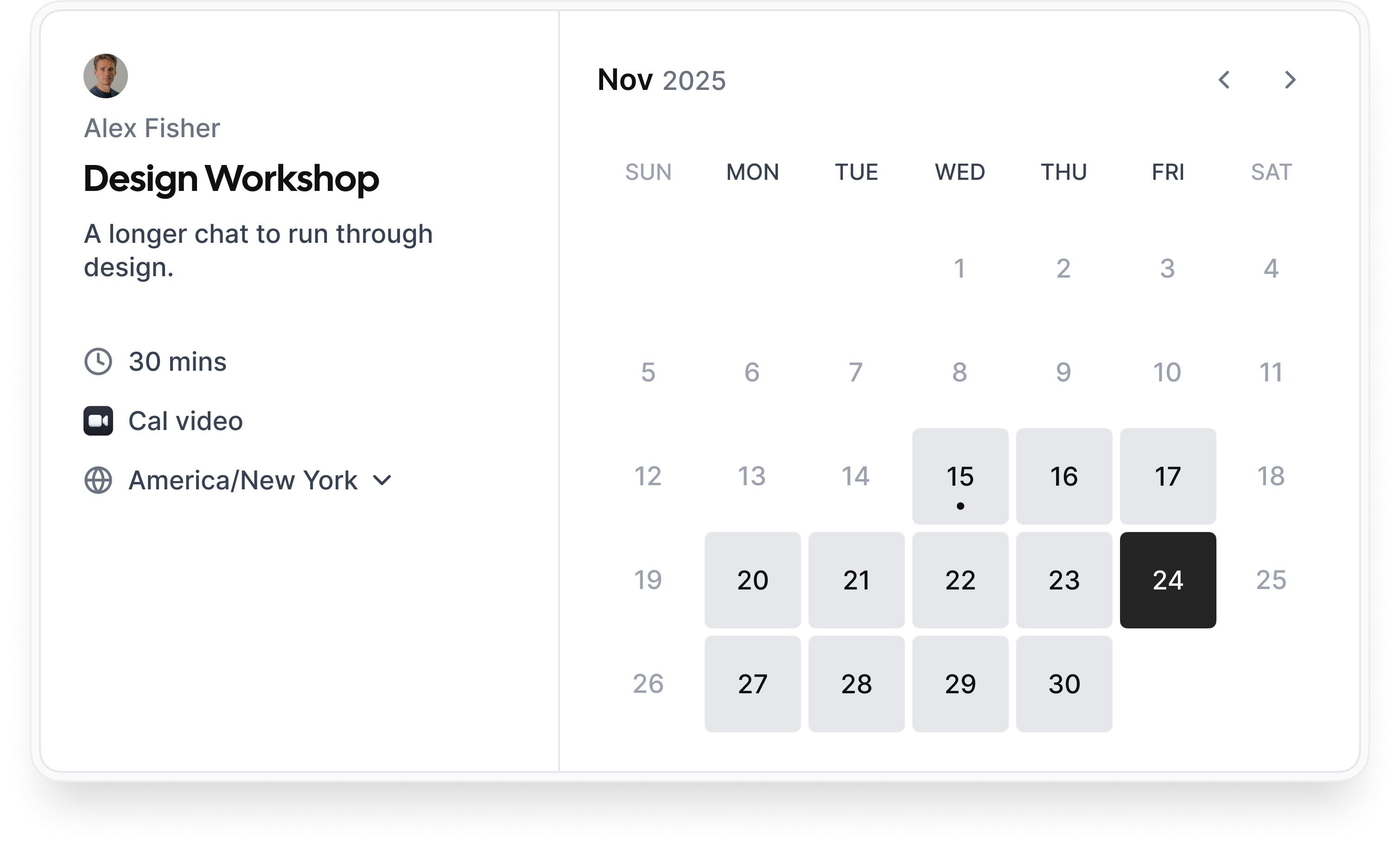
Cal.com Demo - Booking flow
Simple booking flow to schedule calls with customers, businesses, partners, and friends. Easily integrated into modern websites and application.
Cal.com Demo - Secure bookings protect your data
Your scheduling system shouldn’t be the weakest link in your compliance stack. Cal.com’s privacy-by-design architecture gives you the confidence of HIPAA, SOC 2 Type II, ISO 27001, CCPA, and GDPR compliance, without sacrificing usability.
Cal.com Demo - Slack Connect for support
We offer Slack Connect support, allowing direct and rapid communication with our team for quicker resolutions and personalized assistance.
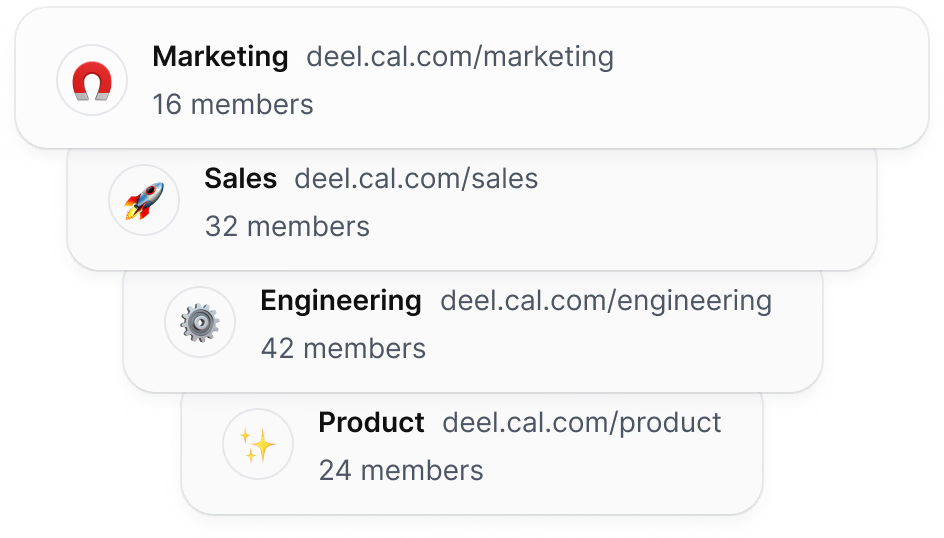
Cal.com Demo - Unlimited sub-teams
Easily organize your teams by creating a parent team and adding unlimited sub-teams, ensuring seamless management and collaboration across your organization.
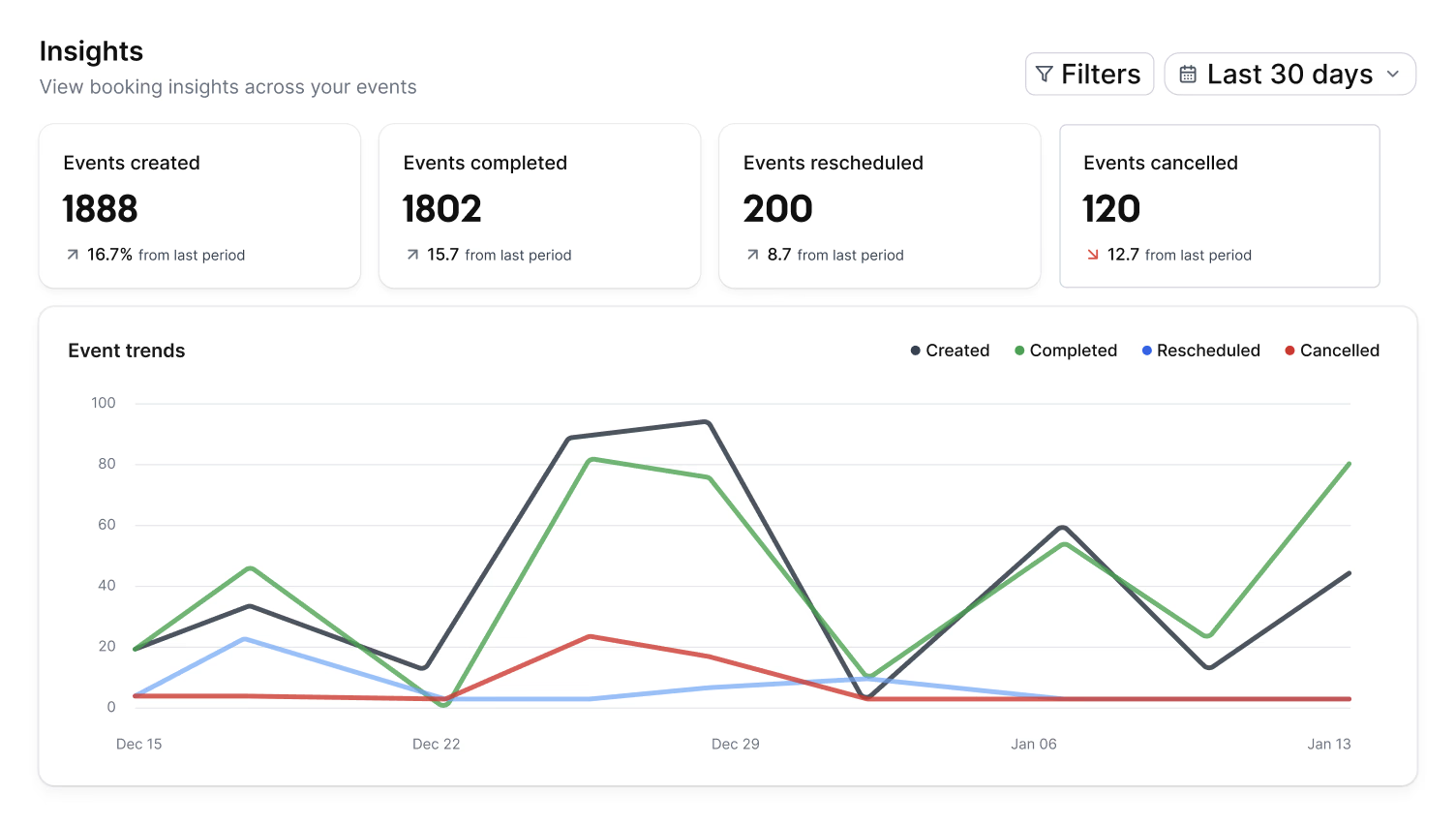
Cal.com Demo - Organization wide insights
The Insights dashboard provides a clear overview of booking data, helping you spot opportunities and top performers with ease.
Cal.com Demo - Domain-wide delegation
Simplify setup and ensure compliance across your organization. Cal.com gives administrators centralized control over calendars, bookings, and access.
How does cal.com compare to other schedulers? Watch this review to find out.
Play Cal.com Video
How does cal.com compare to other schedulers? Watch this review to find out.
Take control of your schedule with
Play Cal.com Video
Take control of your schedule with "Requires confirmation" feature
Instant meetings! Connect with clients instantly
Play Cal.com Video
Instant meetings! Connect with clients instantly
Phone based bookings
Play Cal.com Video
Phone based bookings
Introducing: Cal.com Routing – Cal.com v5.0:
Play Cal.com Video
Introducing: Cal.com Routing – Cal.com v5.0:
Product Avatar Image

Have you used Cal.com before?

Answer a few questions to help the Cal.com community

Cal.com Reviews (152)

Reviews

Cal.com Reviews (152)

4.6
152 reviews

Review Summary

Generated using AI from real user reviews
Users consistently praise Cal.com for its flexibility and customization, allowing them to tailor scheduling processes to their specific needs. The platform's seamless integrations with tools like Google Calendar and Zoom enhance efficiency by automating bookings and reducing manual work. However, many note that the initial setup can be complex, which may pose a challenge for new users.

Pros & Cons

Generated from real user reviews
View All Pros and Cons
Search reviews
Filter Reviews
Clear Results
G2 reviews are authentic and verified.
Abhyudaya K.
AK
manager
Small-Business (50 or fewer emp.)
"A honest review of Cal.com"
What do you like best about Cal.com?

I really enjoy how Cal.com makes scheduling feel effortless for our entire organization. It combines all the essential tools we need, like managing team availability, smart routing, automation, and integrations, into a clean and user-friendly platform that just works. The team collaboration features are standout highlights. Managing multiple users within one organizational setup, assigning permissions, and maintaining consistent scheduling rules have simplified our coordination significantly. The routing options, particularly the round-robin and pooled availability, ensure meetings are distributed fairly and efficiently, reducing manual checks and avoiding conflicts or uneven workloads. I also appreciate how well Cal.com fits with our existing tools. The automatic creation of meeting links, real-time calendar syncing, and built-in notifications ensure seamless synchronization without adding extra steps. The customizable workflows also stand out, allowing us to create structured booking processes with reminders, forms, and follow-ups, which have lightened the administrative load. In the end, Cal.com transforms what can often be a hectic and time-consuming part of our daily operations into a smooth, automated, and trustworthy system. Review collected by and hosted on G2.com.

What do you dislike about Cal.com?

Cal.com could improve in several areas to enhance the user experience further. First, the customization options for advanced workflow steps can be limiting. While the automation features are beneficial, more control over conditional logic, branching paths, and multi-step approval processes would be advantageous for more complex scheduling tasks. Additionally, the onboarding process for new team members could be more supportive. Although the interface is user-friendly, navigating advanced routing and organizational settings can be challenging without guidance. The addition of more tooltips, setup templates, or interactive tutorials could ease the learning curve. I also find that the syncing across various calendars or platforms can be slower than expected in larger organizations, so quicker sync times or clearer updates on sync status would be beneficial. Furthermore, while the reports and analytics are useful, offering more detailed trends, department breakdowns, and customizable dashboards could significantly enhance operational insights. Addressing these areas would make Cal.com even more powerful for large teams and complex workflows. Review collected by and hosted on G2.com.

Response from Susan Moeller of Cal.com

Thanks for this review! I'm really glad that we are helping your team work well together and removing blockers/slow downs. Stay tuned on the UI things you mentioned. We are always working to improve that experience.

Joel F.
JF
"Effortlessly Streamlined Scheduling for Sales Teams"
What do you like best about Cal.com?

I enjoy using Cal.com for its round robin scheduling and modern style which perfectly aligns with our brand's image. The easy integrations and workflows significantly enhance our productivity, while its scalable infrastructure supports our team's growth. As a team admin, I particularly appreciate the admin access features that allow me to view and ensure that my team's accounts are set up correctly, which provides me confidence in managing our workflow efficiently. The ability to qualify leads through routing forms is incredibly valuable as it ensures our customers get the exact help they need, avoiding any redundant information or call transfers, thereby making our workflow seamless. Additionally, Cal.com offers a straightforward and uncomplicated setup process, with each step clear and concise, avoiding any confusion during sign up. Review collected by and hosted on G2.com.

What do you dislike about Cal.com?

I wish there was more customization for their round-robin scheduling settings. Additionally, they didn't support an integration with our virtual meeting room (Pxch), so we had to change systems in order to successfully and seamlessly schedule the meetings. Review collected by and hosted on G2.com.

Response from Susan Moeller of Cal.com

Thanks so much for the review. I'm glad you find our round robin and routing helpful!

MA
"Highly Customizable with Seamless Integration"
What do you like best about Cal.com?

I use Cal.com for embedded scheduling on my website, and it shows only my real-time availability and lets users book instantly and automatically syncs with my calendar. What I find most appealing is the ability to self-host, inspect or modify the code, own my data, and customize everything. I appreciate how data is handled, including capturing name, email, custom fields, intake questions, and metadata. Setting up Cal.com was very straightforward for me, including signing up, connecting calendars, and creating the first event type. Review collected by and hosted on G2.com.

What do you dislike about Cal.com?

Advanced setup can be challenging, especially with multi-person routines and API workflows. I suggest offering clearer defaults for non-developers. It's also a challenge that there's no built-in debug view showing how availability was calculated. Review collected by and hosted on G2.com.

Aditya samal A.
AA
"Flexible Scheduling with Robust Features, Needs Polished Onboarding"
What do you like best about Cal.com?

I like Cal.com's flexibility and its ability to handle timezone sync and multiple calendar integrations that prevent double bookings. The platform simplifies and centralizes our scheduling tasks by letting clients and colleagues book directly into our shared availability, with automatic timeline adjustments. I appreciate that it eliminates the back and forth messages, keeping everything aligned across accounts and making scheduling fast, accurate, and stress-free. Features like round-robin and team scheduling make coordination effortless and streamline the process with automated workflows. Review collected by and hosted on G2.com.

What do you dislike about Cal.com?

Cal.com could improve its learning curve as some advanced settings feel complex. Branding options are limited, and occasional sync glitches occur. A more polished interface and smoother onboarding would enhance the experience. Review collected by and hosted on G2.com.

Drew W.
DW
Small-Business (50 or fewer emp.)
"Fast and Efficient Booking Experience"
What do you like best about Cal.com?

I like Cal.com's clean design that offers a good booking experience. I appreciate how quickly it loads, which is crucial for not losing bookings. The setup was easy for our team, and overall, using it for a demo booking form on our website has been positive. Review collected by and hosted on G2.com.

What do you dislike about Cal.com?

I think Cal.com could improve by making the booking experience even more customizable. Review collected by and hosted on G2.com.

Albert L.
AL
"Outstanding Integration & Customization for Operations Teams"
What do you like best about Cal.com?

I use Cal.com extensively for live meetings across various departments including Customer Support, Sales, Legal, and general operations. The ability of Cal.com to create individualized links tailored to our company's needs is unparalleled. I appreciate the product's robust integration capabilities, especially with Slack and Google Calendar, which streamline our workflows seamlessly. The personalization features allow us to adjust workflows to meet the specific needs of different teams, enhancing our efficiency. The automation and workflow builder features simplify complex operations, making tasks more manageable. I find the ease of setup and the exceptional support from the implementation team invaluable. The fact that Cal.com serves as a comprehensive solution for all my operational team's needs, eliminating the necessity for multiple tools, is a significant advantage. The smooth transition from Chili Piper to Cal.com affirms its superior utility and integration potential. Review collected by and hosted on G2.com.

What do you dislike about Cal.com?

Would love to plug my knowledge base into an AI voicemail Review collected by and hosted on G2.com.

Response from Susan Moeller of Cal.com

Love seeing how Cal.com helps you across the organization! thanks for the review!

Hussein S.
HS
CEO
"Cost-Effective and User-Friendly with Stellar UX"
What do you like best about Cal.com?

I love using Cal.com because it effectively handles my need for booking sales calls. The seamless calendar connection and matching are invaluable features that simplify scheduling. I highly appreciate the ease of duplication and the user-friendly experience it offers, which makes it stand out. A fantastic aspect of Cal.com is that it's free, which is a huge plus for growing founders like me, and it doesn't require constant updates. The Stripe integration is another excellent feature, allowing me to collect payments upfront without any paywall barriers. The clean and sleek design of Cal.com is visually appealing and significantly better than the clunky paywalled experience of many other platforms like Calendly. Setting up was super easy, and this ease of use continues to support my workflow efficiently. The integration with Gmail and Framer websites further extends its utility. Price and the absence of paywalls were pivotal reasons for switching from TinyCal and Calendly to Cal.com, and I couldn't be happier with this decision. Overall, Cal.com offers a straightforward, efficient, and non-intrusive service, making it an indispensable tool for my scheduling needs. Review collected by and hosted on G2.com.

What do you dislike about Cal.com?

I dislike that the Stripe payment feature can be bypassed, which allows customers to book calls without actually making the supposed required upfront payment. Review collected by and hosted on G2.com.

Response from Susan Moeller of Cal.com

Thanks so much for this! Glad it's making your sales booking experience go well!

Nacho L.
NL
"Perfect Scheduling Tool with Stellar Connectivity"
What do you like best about Cal.com?

I use Cal.com for scheduling my day-to-day business meetings as well as managing inbound requests, and I love how it allows me to create multiple booking types with various settings and durations, completely free of charge. The app connectivity and APIs are exceptionally beneficial as they integrate seamlessly with my daily software stack. This includes connecting to my inbound forms, CRM, and Slack, which facilitates the efficient collection of meeting information and timely notifications. Cal.com is highly valuable to me due to its ability to connect these diverse tools effortlessly, enhancing my workflow. Furthermore, it's a perfect solution, boasting better app integrations at a lower cost compared to other alternatives, which made it an excellent choice for switching from a competitor like Calendly. Review collected by and hosted on G2.com.

What do you dislike about Cal.com?

I find the initial setup a bit tricky due to the numerous configurations required. For our team, an admin should ideally handle the setup, but we aren't on the team plan yet. Review collected by and hosted on G2.com.

SK
Civil Engineering Student
Enterprise (> 1000 emp.)
Guest users or non-business users of the software, not included in G2 scores.
"Effortless Group Scheduling with Seamless Calendar Sync"
What do you like best about Cal.com?

As a Civil Engineering student, I have to coordinate massive group projects with 4-5 other people who all have different class timetables. The best feature for us is definitely the "Collective Availability" (Team Events). Instead of sending 50 messages in a WhatsApp group to find a slot, I just send one Cal.com link. It checks all our calendars and only shows the times when everyone in the group is free. It syncs perfectly with my Google Calendar, so I never accidentally double-book over a lecture. The interface is also much cleaner than other tools I've tried. Review collected by and hosted on G2.com.

What do you dislike about Cal.com?

The platform is really powerful, but that means the settings menu can be a little overwhelming at first. It took me a few minutes to figure out exactly how to set up the Team link initially. Also, the mobile dashboard is functional but feels a little bit slower to load than the desktop version when I'm on campus Wi-Fi. Review collected by and hosted on G2.com.

Ravi T.
RT
Business Process Consultant
Small-Business (50 or fewer emp.)
"Advanced Scheduling with Self-Host Option, Needs Translation in Basic Plan"
What do you like best about Cal.com?

I appreciate Cal.com for its modern and advanced technology, which stands out in the realm of scheduling tools that often suffer from outdated features and interfaces. The option to self-host is particularly appealing, giving us flexibility and control that we value highly. I am impressed with how Cal.com is on par with other top players like Chili Piper in terms of its modern approach. Another feature I love is the ability to insert specific webhooks for every event, which enhances the customization and efficiency of our processes. The API is superb, which elevates the overall user experience, making Cal.com a well-built product that my company and I use extensively for both our clients and internally. This modernity and comprehensive feature set make it a preferred choice over other scheduling tools I've experienced. Review collected by and hosted on G2.com.

What do you dislike about Cal.com?

I find it very annoying that translations are not part of the basic plan in Cal.com. This feature should not be limited to higher-tier plans like enterprise. Having to create multiple forms just for translation purposes is cumbersome. Even services like ScheduleOnce provide this functionality in their basic plan. Moreover, there's no native migration functionality, which made the setup process difficult for me. Review collected by and hosted on G2.com.

Questions about Cal.com? Ask real users or explore answers from the community

Get practical answers, real workflows, and honest pros and cons from the G2 community or share your insights.

GU
Guest User

What is Cal.com used for?

GU
Guest User
Last activity 4 months ago

What is Cal.com used for?

Pricing Options

Pricing provided by Cal.com.

Enterprise

Contact Us
Per Year

Teams

Starting at $12.00
1 user Per Month

Organizations

Starting at $28.00
1 user Per Month
Cal.com Comparisons
Product Avatar Image
Calendly Sales
Compare Now
Product Avatar Image
TidyCal
Compare Now
Product Avatar Image
zcal
Compare Now
Cal.com Features
Confirmations & Reminders
Appointment Follow-Up
Scheduling Notifications
Time Zone Detection
Availability Settings
Blocked Time Settings
Branding
Links
Multi- Calendar Integration
Website Integration
Payment Acceptance
Product Avatar Image
Cal.com