Compare this with other toolsSave it to your board and evaluate your options side by side.
Save to board

Motion Reviews & Product Details

Profile Status

This profile is currently managed by Motion but has limited features.

Are you part of the Motion team? Upgrade your plan to enhance your branding and engage with visitors to your profile!

Pricing

Pricing provided by Motion.

AI Workplace

$29.00
Per Month

AI Employees Starter

$49.00
1 User Per Month

Motion Integrations

(3)
Integration information sourced from real user reviews.

Motion Media

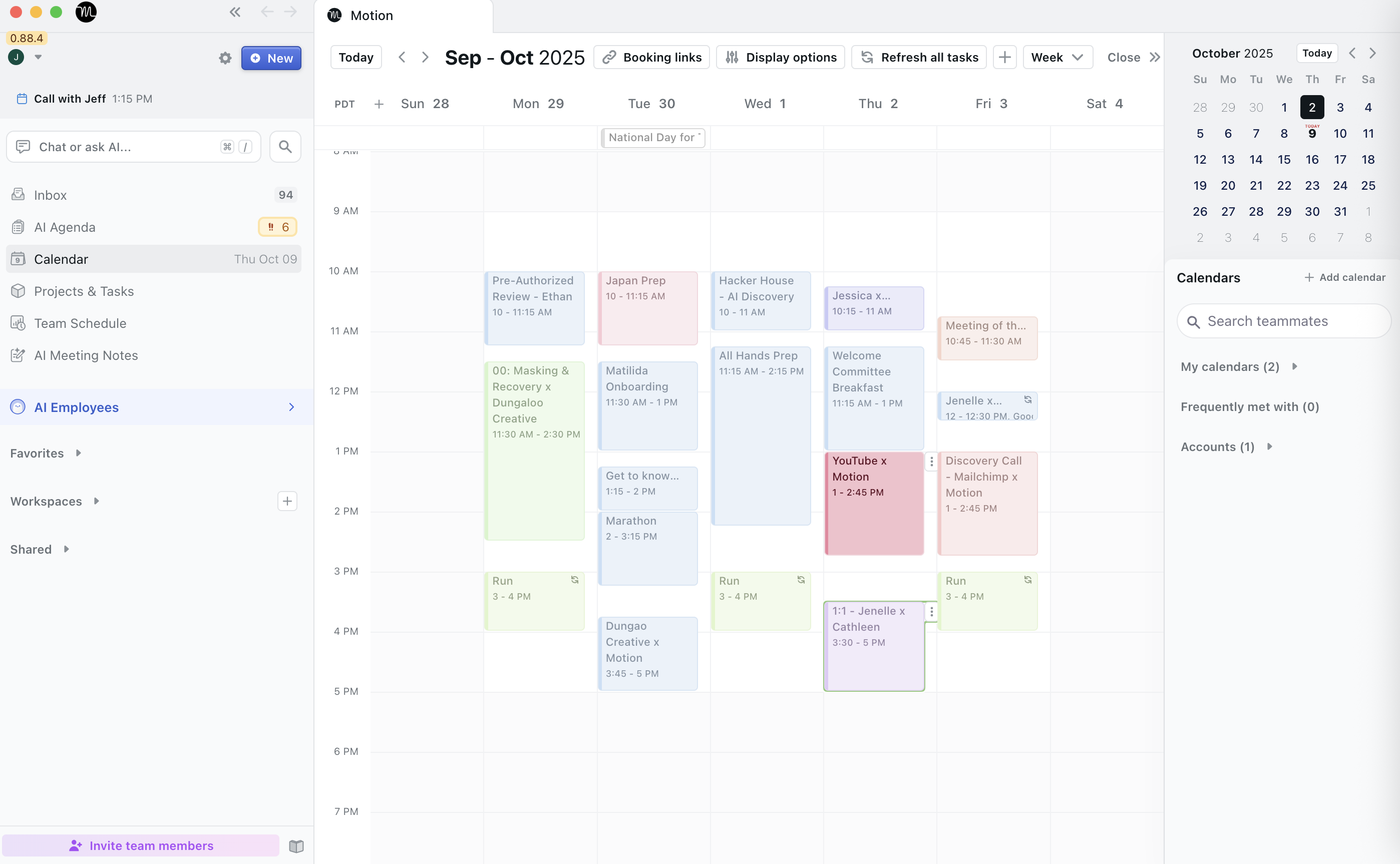
Motion Demo - Motion AI Calendar
Motion AI Calendar automatically plans and reprioritizes your tasks, meetings, and projects. It adapts to schedule changes, prevents overload, and keeps your day optimized — ensuring focus, balance, and peak productivity every day.
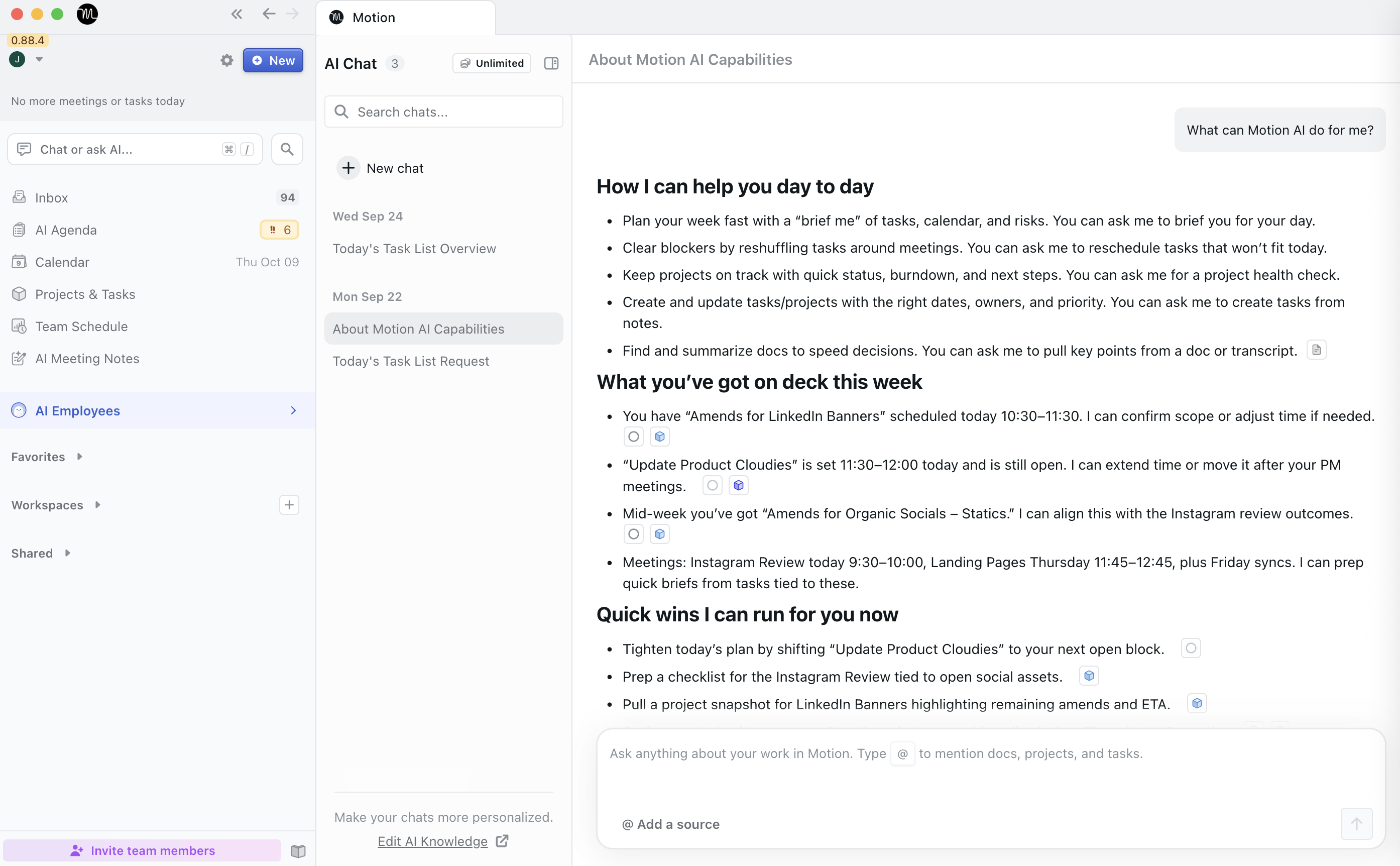
Motion Demo - Motion AI Chagt
Motion AI Chat is your intelligent workspace companion that understands context across tasks, projects, and docs. It answers questions, creates tasks, drafts content, and executes commands — helping you work faster through simple, natural conversation.
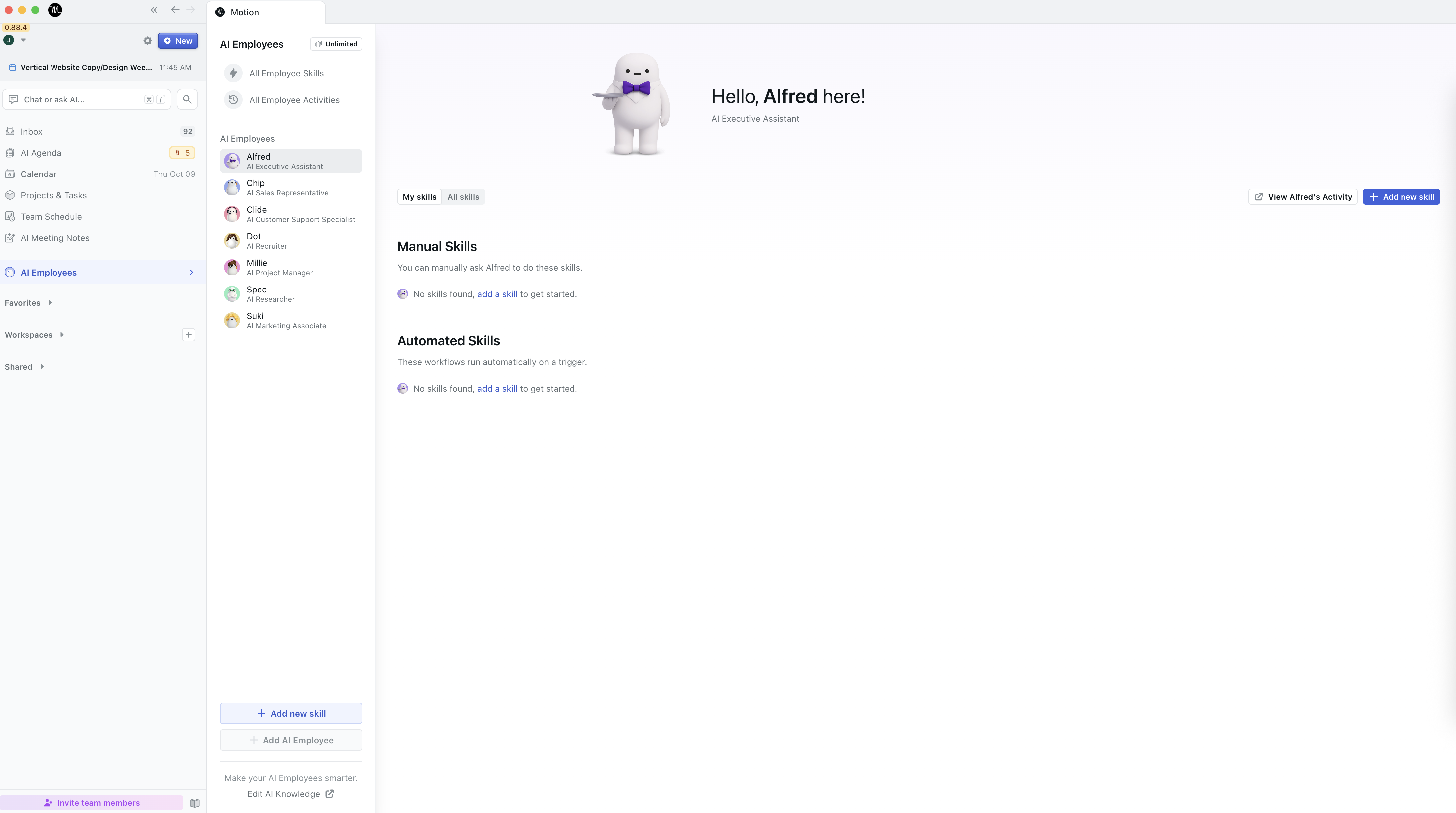
Motion Demo - Motion AI Executive Assitant
Alfred is Motion’s Executive AI Assistant that writes emails, summarizes meetings, drafts reports, and organizes your schedule. He adapts to your tone and workflow, saving time and boosting productivity with full human oversight.
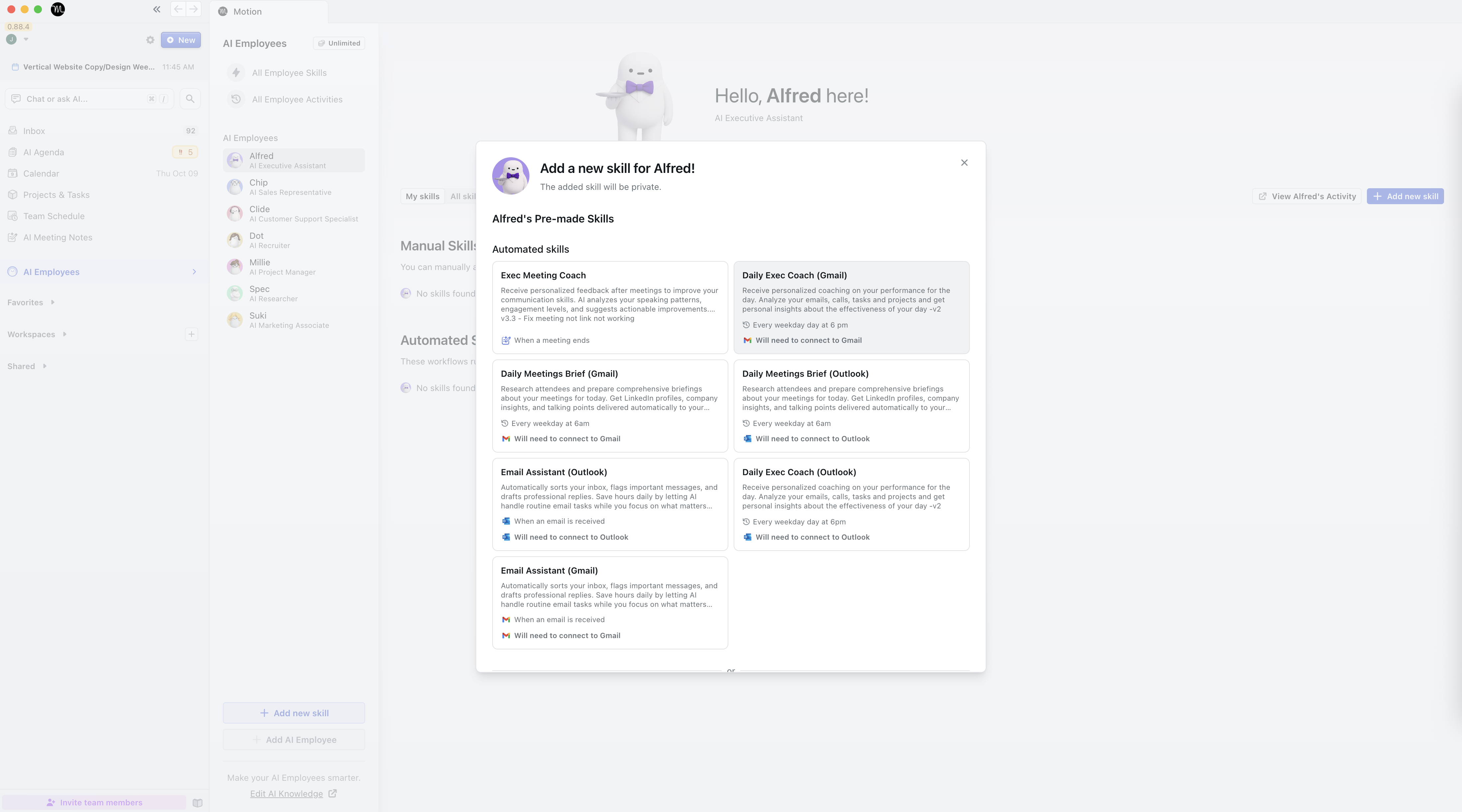
Motion Demo - Motion AI Employees (agentic workflows)
Motion AI Employees are smart virtual teammates that automate marketing, sales, writing, and admin tasks. They plan, act, and collaborate with humans — increasing productivity, reducing manual work, and scaling output without extra hires.
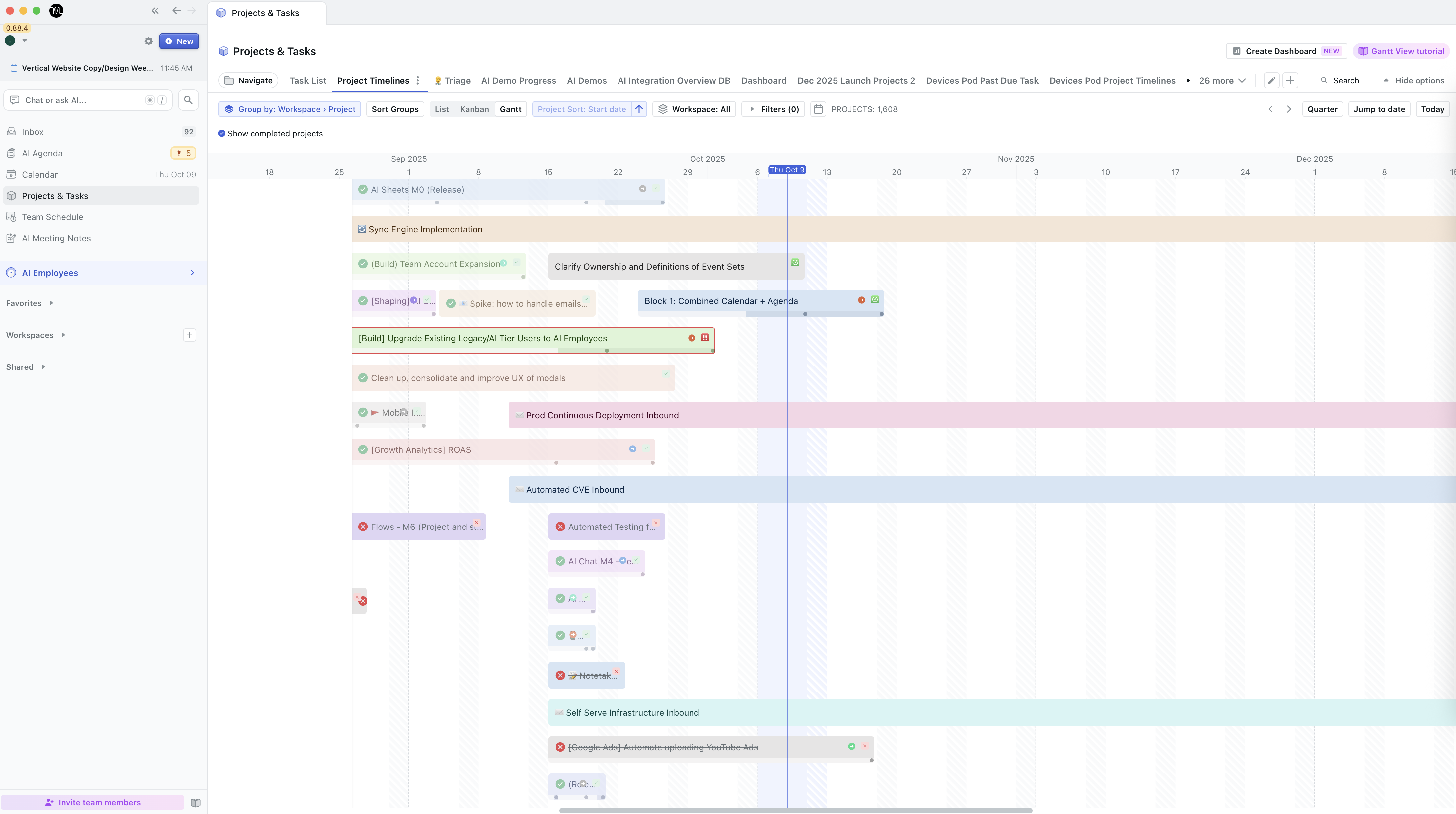
Motion Demo - Motion Project management Gantt view
Motion Gantt View gives you a clear, visual timeline of every project. It maps tasks, dependencies, and milestones in real time, updating automatically as schedules shift. This helps teams track progress, spot bottlenecks, and stay perfectly aligned.
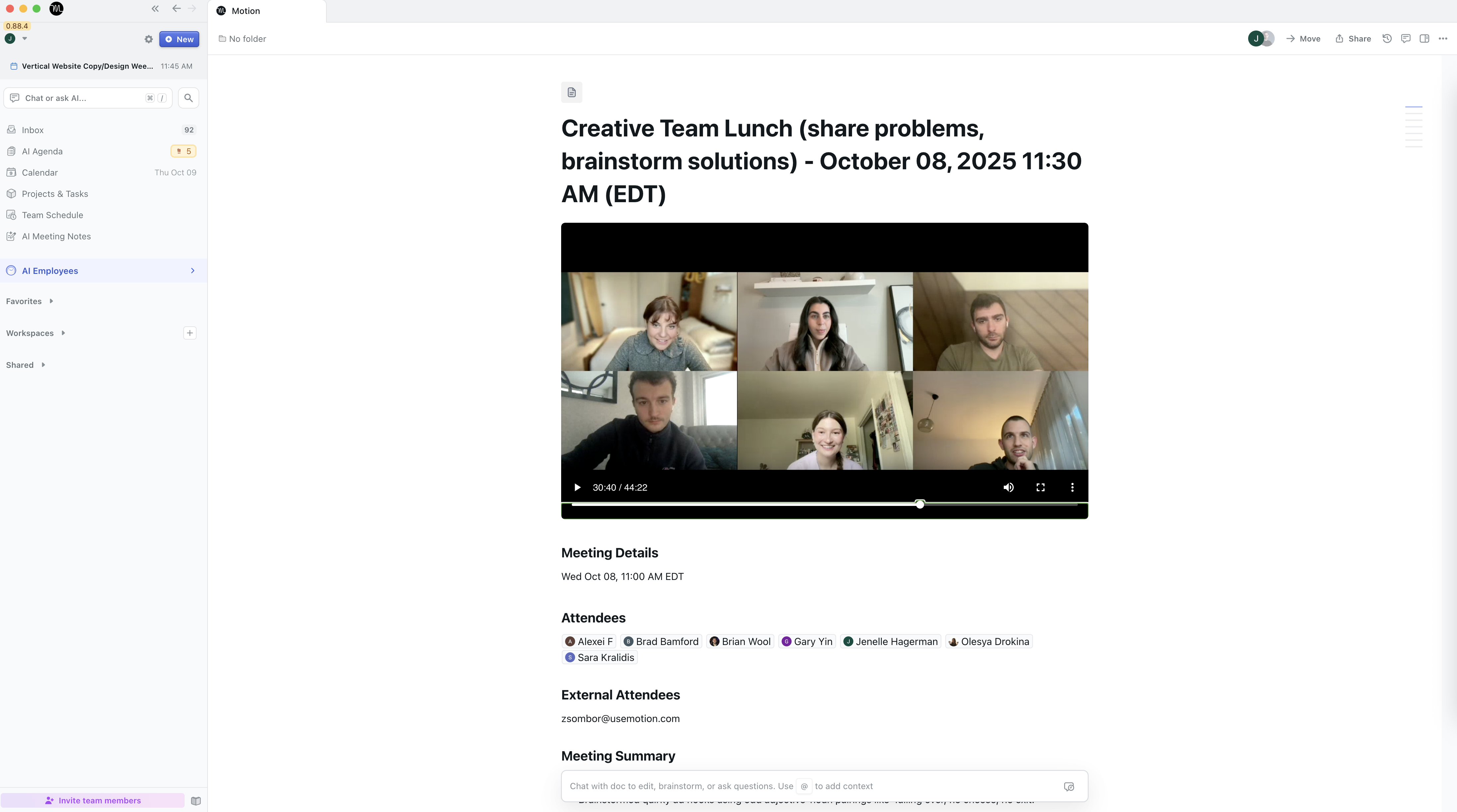
Motion Demo - Motion AI Notetaker
Motion AI Notetaker records, transcribes, and summarizes meetings automatically. It captures key points, decisions, and action items, then turns them into tasks — keeping your team aligned and ensuring nothing is missed or forgotten.
Product Avatar Image

Have you used Motion before?

Answer a few questions to help the Motion community

Motion Reviews (157)

Reviews

Motion Reviews (157)

4.1
157 reviews

Review Summary

Generated using AI from real user reviews
Users consistently praise the automatic scheduling and task prioritization features of Motion, which help streamline their daily workflows and reduce decision fatigue. Many appreciate how it integrates tasks with their calendars, allowing for a more organized approach to managing time and responsibilities. However, some users note a steep learning curve and high pricing as common drawbacks.

Pros & Cons

Generated from real user reviews
View All Pros and Cons
Search reviews
Filter Reviews
Clear Results
G2 reviews are authentic and verified.
Brieanne H.
BH
Executive Assistant
Small-Business (50 or fewer emp.)
"Centralized Scheduling with Room for Improvement"
What do you like best about Motion?

I like that Motion lets me see all my calendars in one place, which is crucial for managing my busy schedule. I also appreciate the ability to reprioritize tasks, as it helps me stay on point. The initial setup was pretty easy too; as a visual learner, I found the videos and tutorials really helpful. Review collected by and hosted on G2.com.

What do you dislike about Motion?

I think the one area that doesn't work is that I don't receive any alerts for tasks or meetings. I problem solve around it using Google because Google sends me notifications. Having notifications would be lovely. Review collected by and hosted on G2.com.

Igar K.
IK
Marketing Ops
Small-Business (50 or fewer emp.)
"nice platform, especially AI Employees"
What do you like best about Motion?

At first, I used Motion as an AI task scheduler and project management tool, mainly to create projects for my freelance work and keep track of client deadlines. Later, when they introduced the AI Notetaker, I began using it at my workplace as well. The AI Notetaker not only transcribes calls but also provides summaries and generates action items as tasks. In September, they launched AI Employees—virtual AI assistants—which ended up saving me the first two hours of my workday by organizing my emails, responding to them, and helping me prepare for meetings by sorting through emails and meeting details. Now, these agentic workflows handle my email organization, draft responses, and send me daily meeting overviews. Overall, I find it to be a very useful tool. Review collected by and hosted on G2.com.

What do you dislike about Motion?

At first, I found it somewhat challenging to figure out how it works, as the available documentation from AI Employees is rather limited. Additionally, the pricing is somewhat higher compared to other competitors, but the increased turnover makes up for it, since time is money. Review collected by and hosted on G2.com.

Morgan D.
MD
"Motion Simplifies Team Coordination and Scheduling"
What do you like best about Motion?

I really like the ease with which I can schedule an appointment or a meeting with another person using Motion. This feature is probably my favorite part because it makes managing my own intake of 10 to 30 requests for appointments in a week so much simpler. Even before having an assistant, Motion allowed me to easily send appointment options to clients, who could book them themselves by automatically pulling from available spots on my calendar. This really cuts down on the back and forth that I have to manage, which is a huge help. Review collected by and hosted on G2.com.

What do you dislike about Motion?

Onboarding is tough because of the integration with Google. The training on the Kanban and large project timelines isn't very helpful. I'm also having a significant difficult time setting up the new AI assistance. Setting up more complicated tasks is pretty time intensive. Review collected by and hosted on G2.com.

Shawn C.
SC
Small-Business (50 or fewer emp.)
"Efficient Project Management with Auto-Scheduling"
What do you like best about Motion?

I use Motion for time blocking, event tracking, and project management. It allows me to stay on task and make sure projects are being completed efficiently. I like the auto-scheduling feature because it allows me to just create tasks, specifying the project or event it is for, and auto schedules everything within a specified deadline, and within the correct workspace. The initial setup was easy. Review collected by and hosted on G2.com.

What do you dislike about Motion?

Inability to perform bulk actions such as changing multiple tasks at once Review collected by and hosted on G2.com.

JR
Small-Business (50 or fewer emp.)
"Great for Task Reorganization, Confusing UI"
What do you like best about Motion?

I like that Motion moves tasks I haven't completed to new time slots, so they don't just sit in previous days and fail to follow me. This helps my workload get reprioritized. The initial setup was pretty easy too. Review collected by and hosted on G2.com.

What do you dislike about Motion?

I find the interface confusing. My AI task list doesn't show which project tasks conform to if I copy a template. It's just a lot to look at and I can't always find what I need. Review collected by and hosted on G2.com.

Victor B.
VB
"AI Task Automation Simplifies Calendar Management"
What do you like best about Motion?

I like using Motion for automating my calendar. It's really great as an automation tool, especially the AI task automation and time blocking features. I find it helpful when I'm overwhelmed as it helps with prioritizing, staying focused, and not getting lost with lots of tasks and priorities. I'm also pleased with how things automatically move and readjust based on priorities, calendar, and deadlines. Also, it syncs with Google Calendar, which is convenient. Review collected by and hosted on G2.com.

What do you dislike about Motion?

The initial setup of Motion is a little time intensive, but once it is set up, it is easy to use. They changed the UI on the to do list, but it is still fairly intuitive. Review collected by and hosted on G2.com.

Justin B.
JB
"Effortless Project Management, But Needs Better Integration"
What do you like best about Motion?

I find Motion to be very user-friendly, which makes it easy to navigate and manage. Once I took the time to learn the system, it became quite clear and simple to use. I particularly appreciate how it allows me to organize my day efficiently. The AI functionality is impressive, as it keeps my calendar and tasks in line, contributing to my productivity. The initial setup of Motion was straightforward, with clear and simple instructions, supported by helpful tutorial videos. These resources equipped me to lead my team through training effectively, allowing them to set up and use Motion proficiently. I also like how I can use it for project management within our organization, which enhances our internal communication on specific projects and helps us stay organized with our tasks. The AI functions also support brainstorming and generating fresh ideas, while Motion helps us keep track of tasks, conversations, and deadlines, thus creating accountability. Review collected by and hosted on G2.com.

What do you dislike about Motion?

I have encountered issues with the integrations, specifically with Google Sheets. Despite trying multiple times, the integration does not work for me, which hinders my ability to fully utilize Motion's capabilities. Additionally, when I attempt to connect, an error message appears, indicating a problem in the integration process. Review collected by and hosted on G2.com.

raimo g.
RG
"Great Calendar Integration, Needs Better Task Blocking"
What do you like best about Motion?

I like how Motion integrates the calendar feature, providing a good overview of my free blocks by combining all calendars. It's useful that Motion suggests what to do, which makes planning more efficient. The initial setup of Motion was very easy for me. Review collected by and hosted on G2.com.

What do you dislike about Motion?

I need to work on my setup. I’m not sure how to block specific time blocks for different tasks. I wish there was a simple guide on how to set it up. I assume the feature already exists, but I don't know how to set it up yet. Review collected by and hosted on G2.com.

Joshua T.
JT
Director of External Affairs
Small-Business (50 or fewer emp.)
"Motion is the BEST"
What do you like best about Motion?

The ai meeting help! My God, its the best. Having a raw transcript, with a recording and the auto generated emails and task list! its amazing. Review collected by and hosted on G2.com.

What do you dislike about Motion?

There is a learning curve with motion. however you can always use the chat feature and the people will walk you through it. Review collected by and hosted on G2.com.

Cristian T.
CT
"Effective for Organization, But Overwhelming for Personal Use"
What do you like best about Motion?

I appreciate Motion's sleek design, which helps me keep my numerous calendars organized and all in one place. One of the standout features for me is the ability to create tasks directly from emails, which I find very helpful and time-saving. Additionally, I value the ease of initial setup with Motion; it was very straightforward, and over time, I learned how to integrate more of my data seamlessly. Review collected by and hosted on G2.com.

What do you dislike about Motion?

I find Motion to be very complicated and overwhelming, especially for a single individual user like myself. The plethora of complex features feels more suited for business use rather than personal. If there was an option to separate business from individual personal use, I believe it would be much more effective. Review collected by and hosted on G2.com.

People Icons

Start a Discussion about Motion

Have a software question? Get answers from real users and experts.

Start a Discussion

Pricing Options

Pricing provided by Motion.

AI Workplace

$29.00
Per Month

AI Employees Starter

$49.00
1 User Per Month

AI Employees Light

Starting at $99.00
3 User Per Month
Motion Comparisons
Product Avatar Image
Calendly Sales
Compare Now
Product Avatar Image
Reclaim.ai
Compare Now
Product Avatar Image
BeforeSunset AI
Compare Now
Motion Features
Confirmations & Reminders
Appointment Follow-Up
Scheduling Notifications
Time Zone Detection
Availability Settings
Blocked Time Settings
Links
Multi- Calendar Integration
Video Conferencing
Product Avatar Image
Motion