




Compare this with other toolsSave it to your board and evaluate your options side by side.
Save to board

Box Reviews & Product Details

Pricing

Pricing provided by Box.

Business Starter

$5.00
Per Month

Box Media

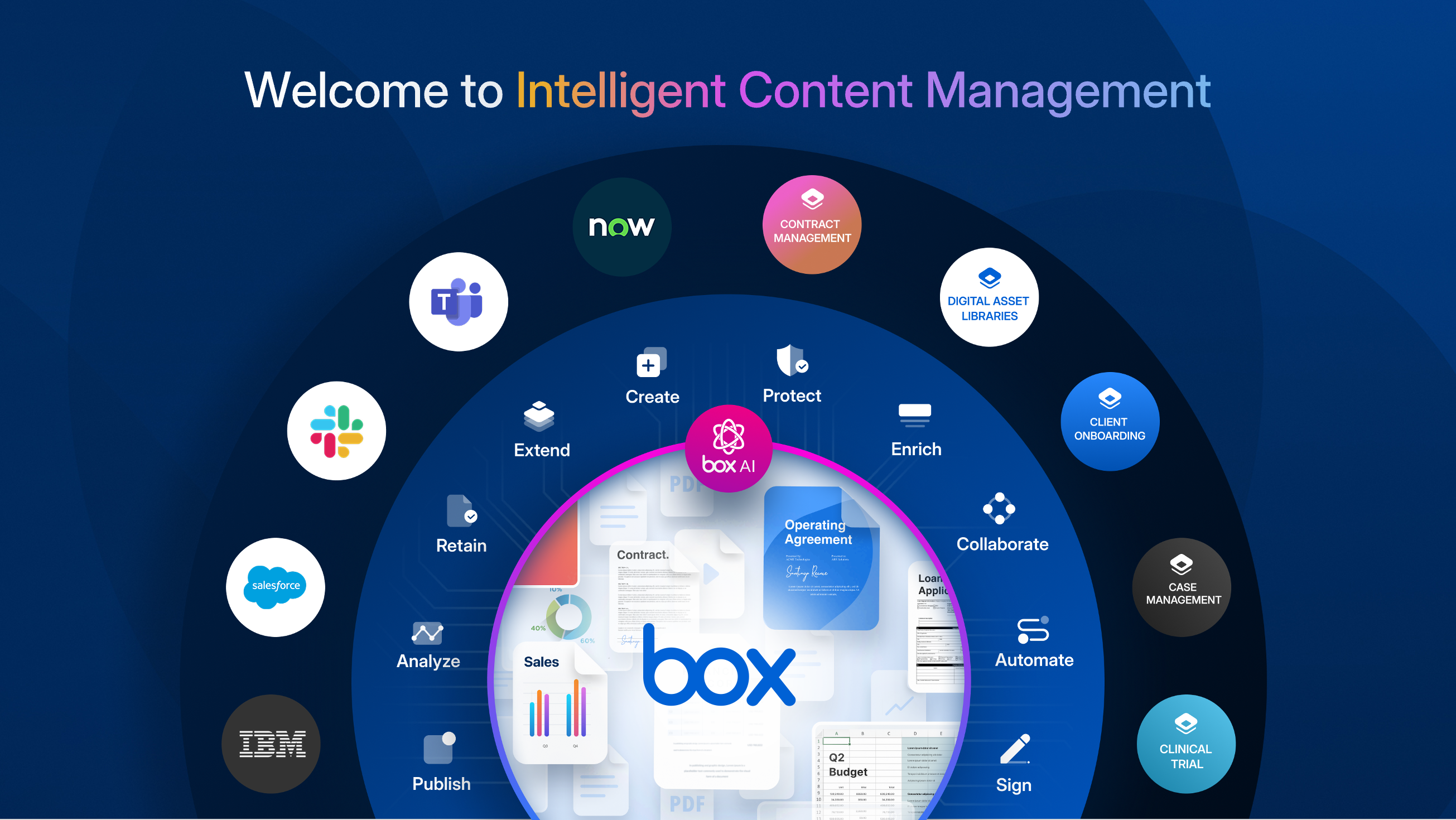
Box Demo - Welcome to Intelligent Content Management
Box is the only intelligent content management platform that gives you a unified, AI-powered approach to managing and securing your unstructured data, or content. ICM provides organizations with collaboration, AI, security, compliance, and workflow tools, interoperable and customizable, to get th...
Box Demo - Enterprise-grade AI
With Box AI, you access AI right where your enterprise content exists. Artificial intelligence is the most powerful where you are already doing your work. While that work can reside within Microsoft, Google, Apple, and other productivity suites, you won’t be able to tap into the full potential of...
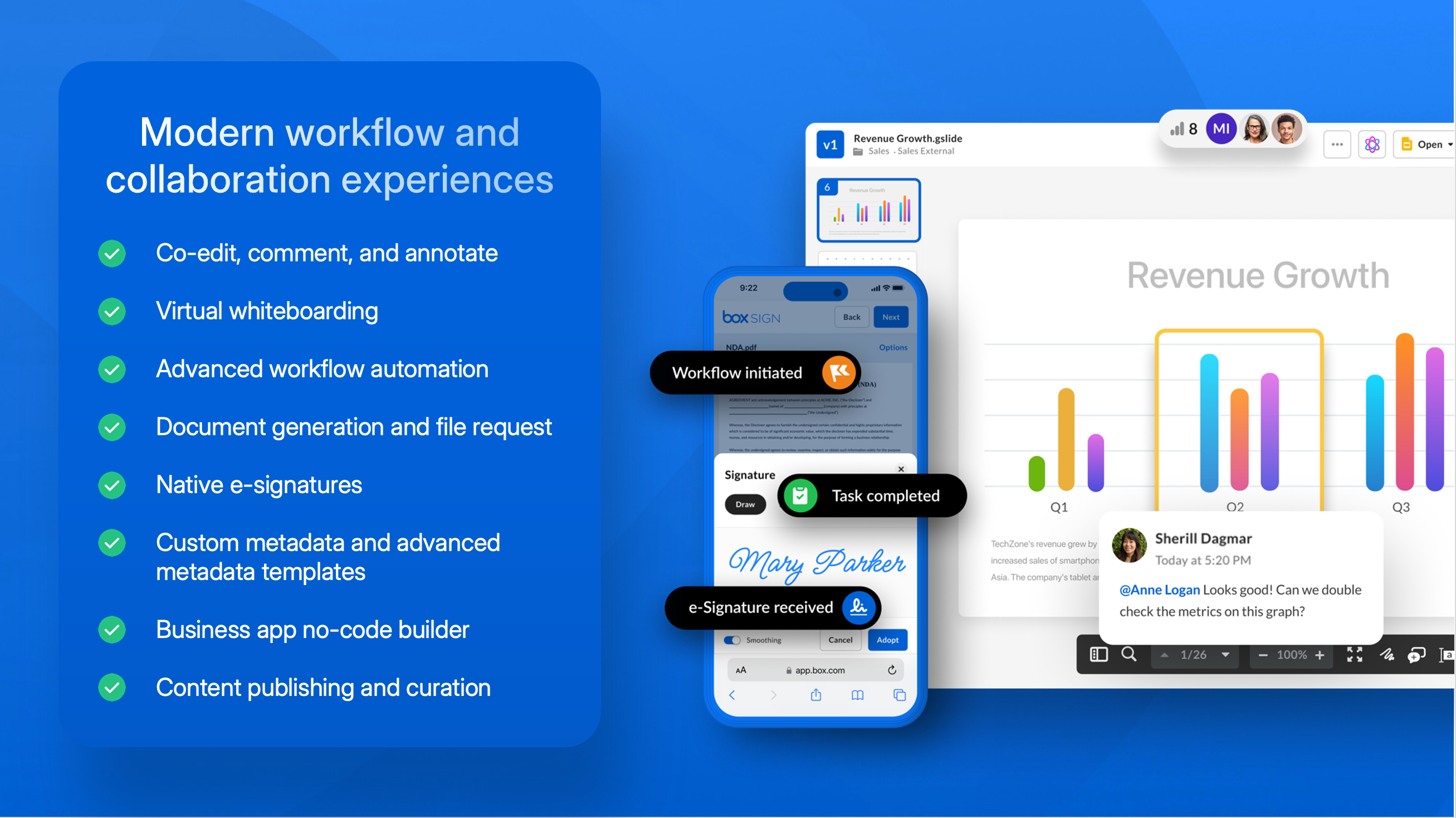
Box Demo - Modern workflow and collaboration experiences
Power secure collaboration from anywhere with a central workspace to edit, review, and assign tasks. Automate business processes and centralize content workflows in Box, including easy, configurable content submission, unlimited e-signatures, user-drive no-code workflow, and task assignment to po...
Box Demo - Advanced data protection and compliance
Secure your content from threats, including malware and ransomware, and recover from attacks if they happen. Maintain a zero trust architecture to ensure proper usage of corporate data, and prevent data theft.
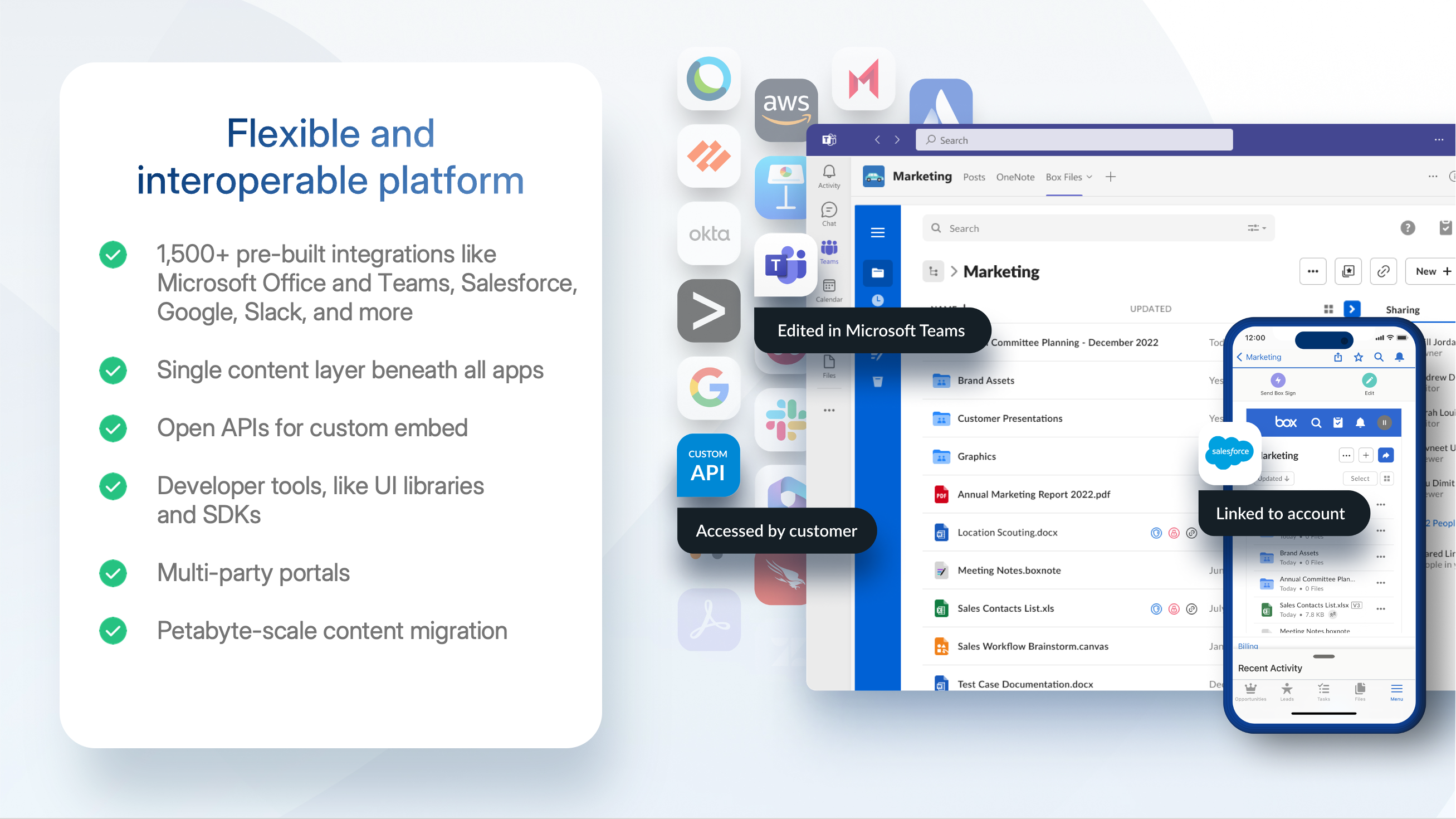
Box Demo - Flexible and interoperable platform
Connect Box to any (and every!) productivity suite you use, including Microsoft, Google, Apple, and more. Extend your existing security investments with integrations into key DLP, SIEM, and network security tools. Build seamless experiences for your users in any system they use, whether that’s a ...
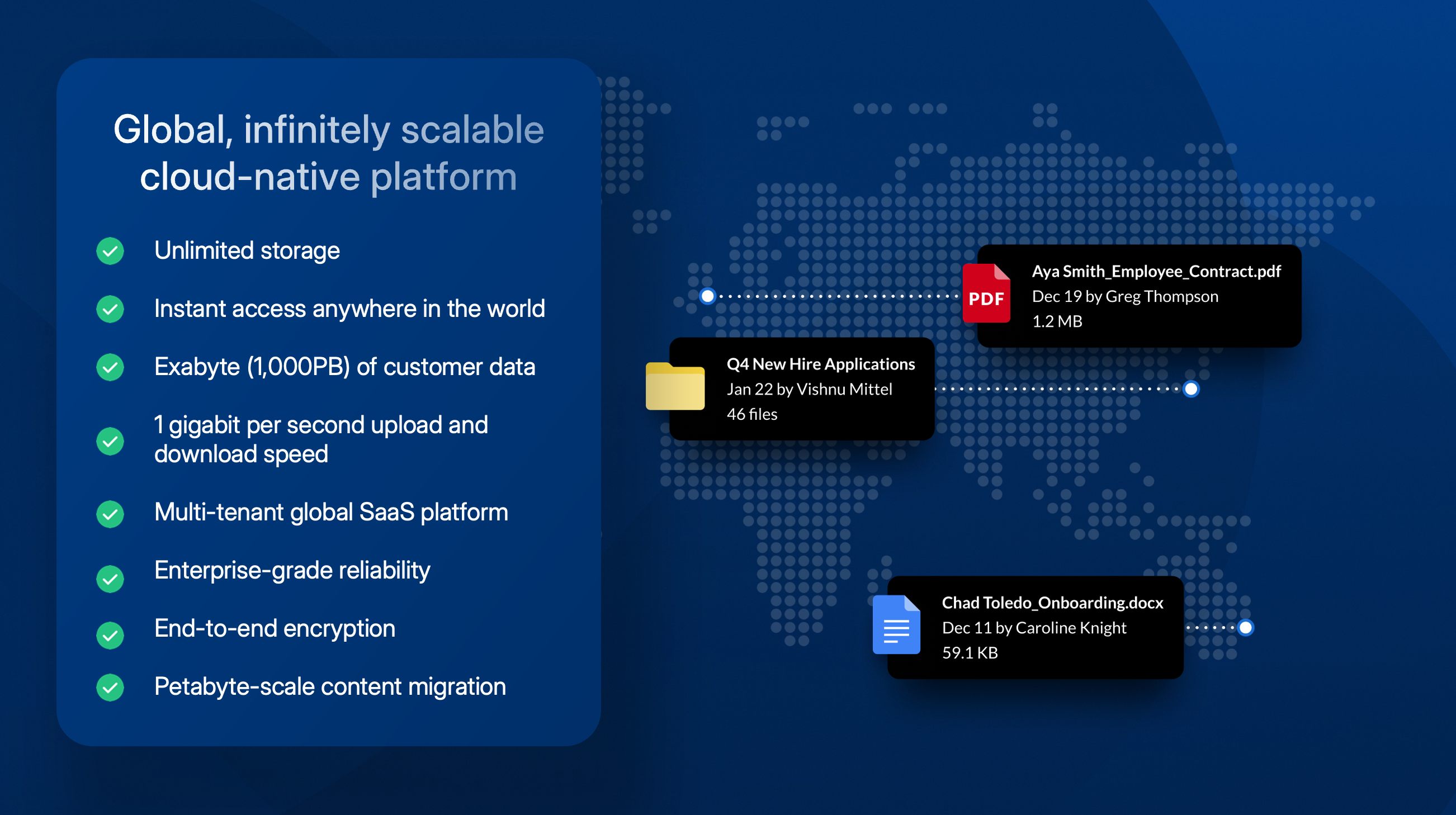
Box Demo - Global, scalable cloud platform
With an infinitely scalable platform, Box provides instant access to your content anywhere in the world. With unlimited storage capabilities Box has an exabyte (1,000PB) of customer data plus 1 gigabit per second upload and download speed. At our core, Box is a multi-tenant global SaaS platform w...
Broadcom grows by acquisition and innovation with Intelligent Content Management
Play Box Video
Broadcom grows by acquisition and innovation with Intelligent Content Management
Power your growing business with Box
Play Box Video
Power your growing business with Box
Demo: Automate the work that slows you down with Box
Play Box Video
Demo: Automate the work that slows you down with Box
Demo: Unlock the value of your unstructured data with Box AI
Play Box Video
Demo: Unlock the value of your unstructured data with Box AI
Product Avatar Image

Have you used Box before?

Answer a few questions to help the Box community

Box Reviews (5,205)

View 5 Video Reviews
Reviews

Box Reviews (5,205)

View 5 Video Reviews
4.2
5,205 reviews

Review Summary

Generated using AI from real user reviews
Users consistently praise Box for its ease of use and robust security, making it a reliable choice for file sharing and collaboration. The platform's intuitive interface and seamless integration with tools like Microsoft 365 enhance productivity, allowing teams to manage documents efficiently. However, some users note that the pricing can be expensive for smaller teams.

Pros & Cons

Generated from real user reviews
View All Pros and Cons
Search reviews
Filter Reviews
Clear Results
G2 reviews are authentic and verified.
Verified User in Manufacturing
UM
Enterprise (> 1000 emp.)
"A Powerful Tool for Organized and Secure File Management"
What do you like best about Box?

What I like best about Box is its excellent balance of security, simplicity, and collaboration. The platform makes it incredibly easy to store, organize, and share files across teams while maintaining strong access controls and compliance standards.

I especially appreciate the seamless integrations with tools like Microsoft Office and Google Workspace, which allow us to edit documents in real time without switching platforms. The version history and file recovery features are also very reliable, giving peace of mind when working on critical documents.

Overall, Box has significantly improved our document management process by making collaboration faster, more secure, and more organized. Review collected by and hosted on G2.com.

What do you dislike about Box?

What I dislike about Box is that it can sometimes feel slower than expected, especially when uploading or syncing large files. The desktop sync tool isn’t always as smooth or intuitive as other cloud storage platforms, which can affect productivity during heavy usage.

Additionally, some advanced features and storage limits are locked behind higher-priced plans, making it less cost-effective for small teams or individual users. The interface, while clean, can also feel slightly complex for new users and requires a learning curve to fully utilize all functionalities.

Overall, while Box is powerful and secure, performance consistency and pricing flexibility are areas that could be improved. Review collected by and hosted on G2.com.

VD
Sales Manager
Small-Business (50 or fewer emp.)
"Box: Smarter Document Sharing, Zero Chaos"
What do you like best about Box?

1. Easy to roll out across teams with minimal onboarding friction.

2. Clean interface makes file management simple even for non-technical users.

3. Integrates smoothly with enterprise apps like CRM, email, and collaboration. Review collected by and hosted on G2.com.

What do you dislike about Box?

1. Advanced configuration and governance settings can feel complex.

2. Feature-rich platform can feel heavy for small teams.

3. Costs increase steadily as storage and user base grow.

4. Customer support responsiveness varies by subscription tier. Review collected by and hosted on G2.com.
BC
IT Specialist
Information Technology and Services
Small-Business (50 or fewer emp.)
"It's Neat UI,Lighting fast,Dynamic and my optimal solution with cloud content collaboration,Cheap"
What do you like best about Box?

My love for it's dynamism with efficient support of my videos,photos and graphics and many other content.Salute for lightning fast with uploading of large documents.Stand out with rock solid security to keep my sensitive documents secure and access from anywhere without any worry. Review collected by and hosted on G2.com.

What do you dislike about Box?

Lightweight,Lightning fast and effective for my cloud content collaboration and document storage. Review collected by and hosted on G2.com.

Ankush P.
AP
Mid Roto Artist
Mid-Market (51-1000 emp.)
"Secure Collaboration, Needs Faster Sync"
What do you like best about Box?

I like how Box allows me to store files and documents in the cloud, so I can access them from any device anywhere. It solves many common problems related to file storage, collaboration, and data security. Box helps me store files securely in one place, access them from anywhere, and share them easily without worrying about data loss or version confusion. It improves collaboration by keeping everyone on the same file and protects sensitive data with strong security controls. What I like most about Box is its secure and easy file sharing. It keeps all files organized in one place, allows smooth collaboration, and lets me access my content anytime from any device with confidence in data security. I also like how Box integrates smoothly with other tools like Microsoft 365 and Google Workspace. The version control, activity tracking, and mobile access work especially well and make collaboration simple and reliable. The initial setup of Box was easy and quick. Creating an account, uploading files, and setting sharing permissions was simple, and the interface made it easy to get started without much learning time. Review collected by and hosted on G2.com.

What do you dislike about Box?

Sometimes file syncing and notifications can be slow, and a few advanced features feel complex for new users. Improving speed consistency and making the interface a bit more intuitive would make Box even better. Improving background sync speed, especially for large files, would help a lot. Real-time or more reliable notifications would also improve responsiveness. For the interface, clearer icons, simpler menus, and better onboarding tips for advanced features would make it more intuitive for new users. Review collected by and hosted on G2.com.

SD
Mid-Market (51-1000 emp.)
"Effortless Document Management with Handy Features"
What do you like best about Box?

I really like the feature in Box that allows me to save my most important files under 'Favorites'. It helps me save time when I'm looking for critical documents because I don't have to spend time searching through all my files. I find the initial setup pretty easy. Review collected by and hosted on G2.com.

What do you dislike about Box?

Maybe add a feature through which we can get notifications via mail or phone. Let's say we are working on a project. Whenever a deadline for an action item comes up, Box can automatically send it to the relevant person. Of course, this may be allowed once we let Box track those deadlines. Review collected by and hosted on G2.com.

Darshan M.
DM
Product Designer
Small-Business (50 or fewer emp.)
Guest users or non-business users of the software, not included in G2 scores.
"Box’s AI Workflow Transformed Our Productivity"
What do you like best about Box?

Well, Box takes my management from 0 to 1 with it's AI Powered hassle-free workflow. The work used to take days now move in hours. The desktop sync and mobile apps makes files available where people actually work which has noticably reduced " Where is my latest file"? questions during busy projects.

Another thing is I can build a custom box agent and put it to work, which really helps me and my team to move faster than ever. +1 for this feature! Review collected by and hosted on G2.com.

What do you dislike about Box?

Box is overall great and helping us in our day to day work. But one thing, I've noticed while onboarding an admin to workspace. An admin onboarding checklist or a simplified setup wizard would have shortened the rollout time. This has caused us multiple issues and wasted time going through it. Review collected by and hosted on G2.com.

Srikant V.
SV
Staff Software Engineer
Enterprise (> 1000 emp.)
"Effortless File Sharing and Collaboration for Remote Teams"
What do you like best about Box?

What I like best about Box is how easy it is to use and set up. The interface feels simple and clean, so getting started doesn’t take much effort — everything just works out of the box (pun intended). Implementation was smooth, and our team didn’t need any special training to get going. The customer support has also been responsive whenever we had questions, which really helps. I use Box almost every day to store and share files, and it’s packed with just the right set of features — not overloaded, but everything you need for collaboration. The integrations are also seamless, especially with tools like Microsoft Word and Slack, which makes daily work much more convenient. Review collected by and hosted on G2.com.

What do you dislike about Box?

What I dislike about Box is that syncing large files can sometimes take longer than expected. The desktop app also feels a bit heavy and can lag when starting up or refreshing folders. Occasionally, permission updates or shared links don’t reflect right away, which causes a little confusion among team members. It’s nothing major, but I wish the performance and responsiveness were a bit smoother, especially when working with bigger projects. Review collected by and hosted on G2.com.

Vineeth K.
VK
Sr. Multimedia Designer
Mid-Market (51-1000 emp.)
"Intuitive Collaboration Meets Enterprise-Grade Security"
What do you like best about Box?

Box achieves an impressive balance between a straightforward, user-friendly interface and robust enterprise-level features. The folder organization and sharing capabilities are intuitive, allowing team members to begin collaborating right away without needing extensive training. Meanwhile, the comprehensive security controls, detailed permission settings, and thorough audit trails provide reassurance that sensitive documents are managed securely, which is essential in a professional setting. Review collected by and hosted on G2.com.

What do you dislike about Box?

While Box excels in security and collaboration, there are some aspects that can be frustrating in everyday use. The web and desktop interfaces sometimes feel slow or cumbersome, particularly when working with large folders or numerous versions. Additionally, certain actions require more clicks than one might expect. Review collected by and hosted on G2.com.

Webb L.
WL
Assistant Director of Marketing
Enterprise (> 1000 emp.)
"Seamless File Management and Integration"
What do you like best about Box?

I really like the ease of use with Box, especially the drag-and-drop feature for files. Whether it's images, graphics, documents, videos, or PDFs, it's easy to drop them in and create folders to keep everything organized. The initial setup was simple, and it's been used by our entire campus, which means more than 4,000 people. Also, it integrates well with Slack and most other software we use. Review collected by and hosted on G2.com.

What do you dislike about Box?

I know there are some inter-platform chat capabilities or messaging, but would like to see that ramped up and be stronger. Review collected by and hosted on G2.com.

Verified User in Music
UM
Small-Business (50 or fewer emp.)
"Easy file management with Box"
What do you like best about Box?

I really like the fact that I can upload music files and organize them in such a way that the music files are able to play one after another without me manually clicking on each music file after each file plays. You can easily share the files with a link to a folder or the individual files. Also, you can access the files through the desktop of the app, it's very convenient this way. Review collected by and hosted on G2.com.

What do you dislike about Box?

I dislike that I can't manually adjust the order of the music files. I would have to delete each file and then re-upload in the order that I would want the files in. I also am not a big fan of the look of the files and the interface. I also dislike that you can't download files offline from the app like other similar file storage and sharing applications. Review collected by and hosted on G2.com.

Questions about Box? Ask real users or explore answers from the community

Get practical answers, real workflows, and honest pros and cons from the G2 community or share your insights.

Chris E.
CE
Chris Eustace
Last activity over 1 year ago

Box Hubspot Integration - Open Beta

GU
Guest User
Last activity about 2 years ago

Is Box A document management system?

Pricing Options

Pricing provided by Box.

Business Starter

$5.00
Per Month

Business

$15.00
Per Month

Business Plus

$25.00
Per Month
Box Comparisons
Product Avatar Image
Microsoft OneDrive
Compare Now
Product Avatar Image
Dropbox
Compare Now
Product Avatar Image
Progress ShareFile
Compare Now
Box Features
Device Syncing
Web Interface
File Type Support
File following
File Sharing
Simultaneously Editing
User and Role Management
Policies and Controls
Device Management
Product Avatar Image
Box