



Compare this with other toolsSave it to your board and evaluate your options side by side.
Save to board

Box Reviews & Product Details

Pricing

Pricing provided by Box.

Business Starter

$5.00
Per Month

Box Media

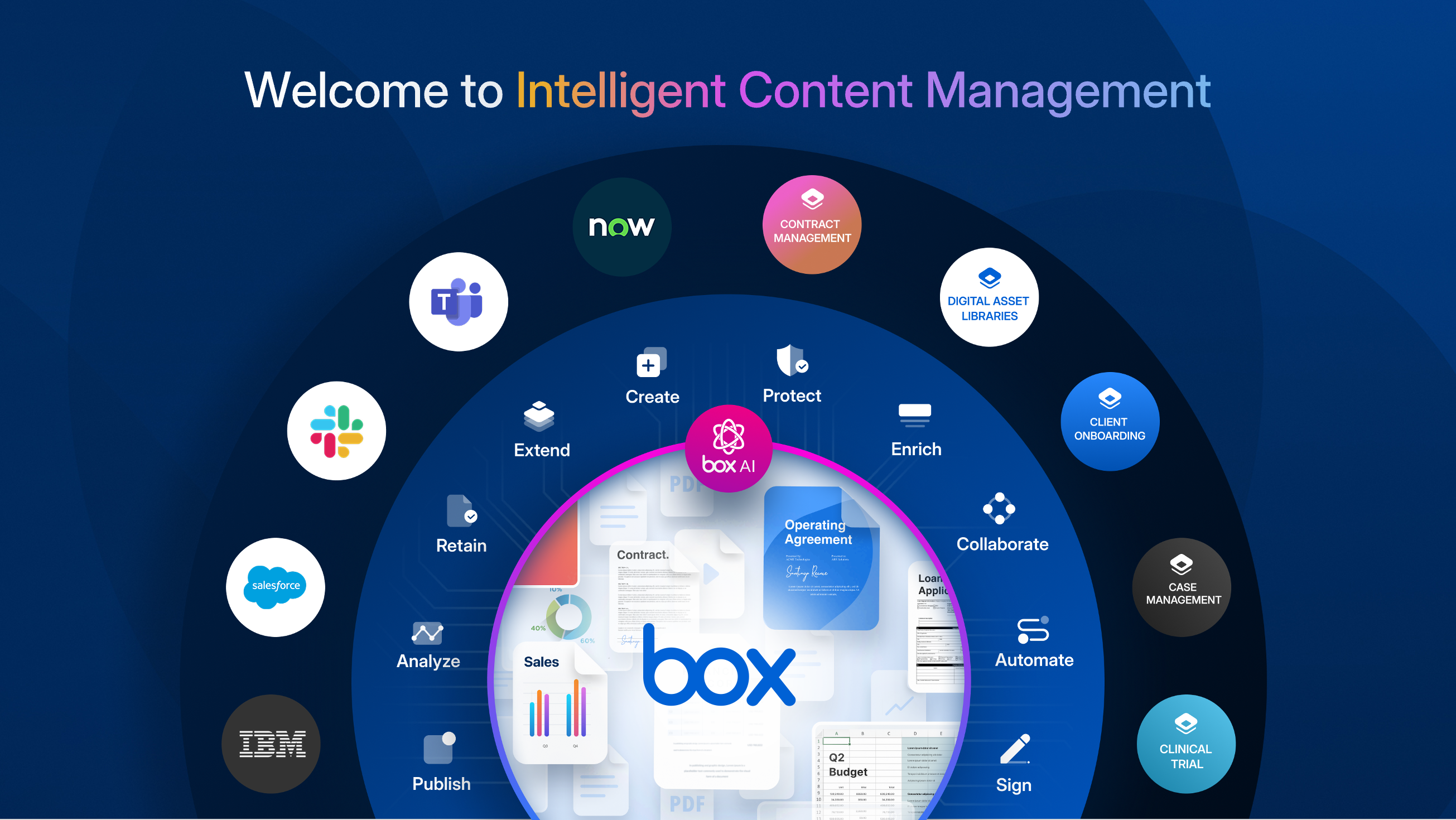
Box Demo - Welcome to Intelligent Content Management
Box is the only intelligent content management platform that gives you a unified, AI-powered approach to managing and securing your unstructured data, or content. ICM provides organizations with collaboration, AI, security, compliance, and workflow tools, interoperable and customizable, to get th...
Box Demo - Enterprise-grade AI
With Box AI, you access AI right where your enterprise content exists. Artificial intelligence is the most powerful where you are already doing your work. While that work can reside within Microsoft, Google, Apple, and other productivity suites, you won’t be able to tap into the full potential of...
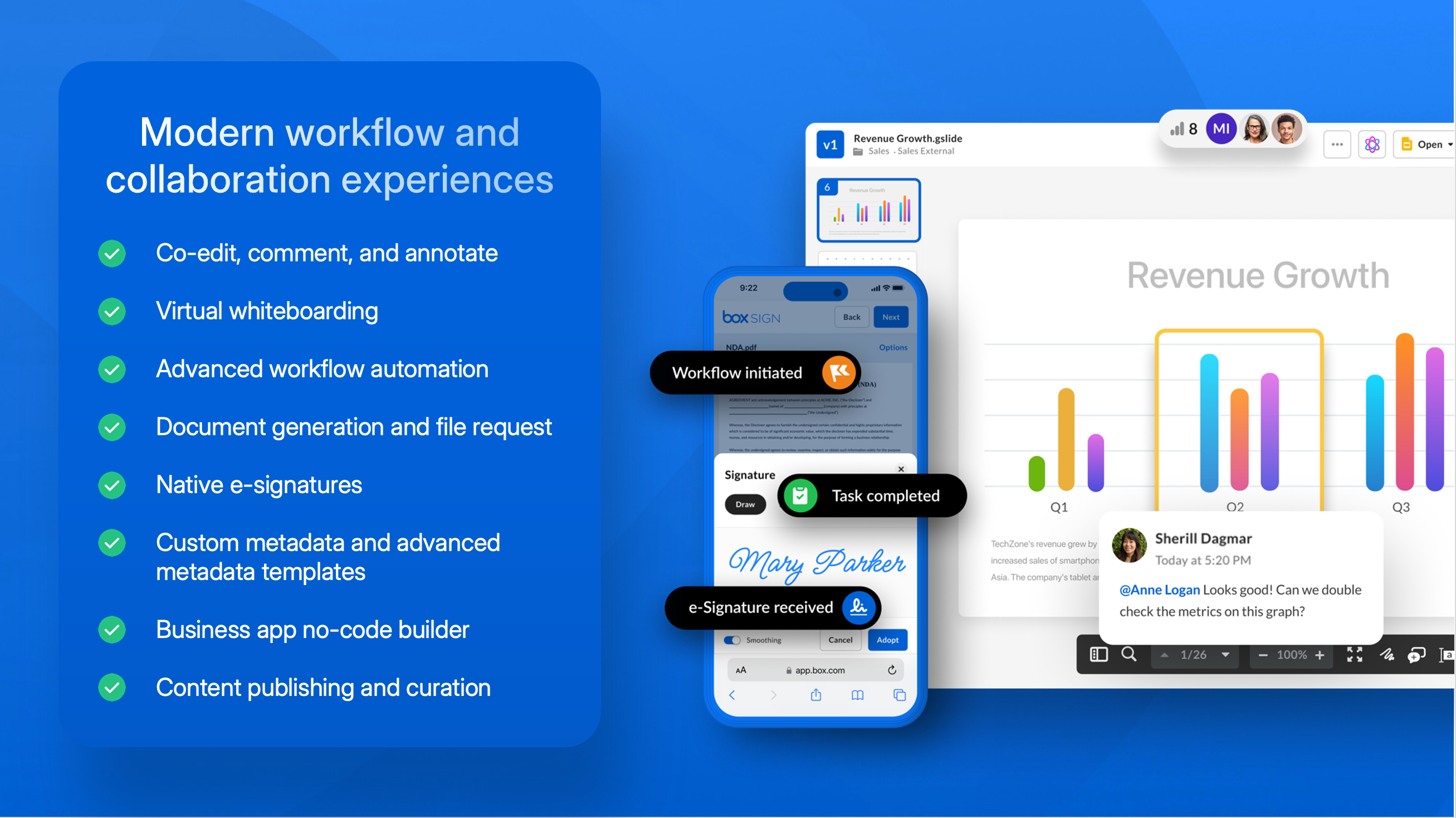
Box Demo - Modern workflow and collaboration experiences
Power secure collaboration from anywhere with a central workspace to edit, review, and assign tasks. Automate business processes and centralize content workflows in Box, including easy, configurable content submission, unlimited e-signatures, user-drive no-code workflow, and task assignment to po...
Box Demo - Advanced data protection and compliance
Secure your content from threats, including malware and ransomware, and recover from attacks if they happen. Maintain a zero trust architecture to ensure proper usage of corporate data, and prevent data theft.
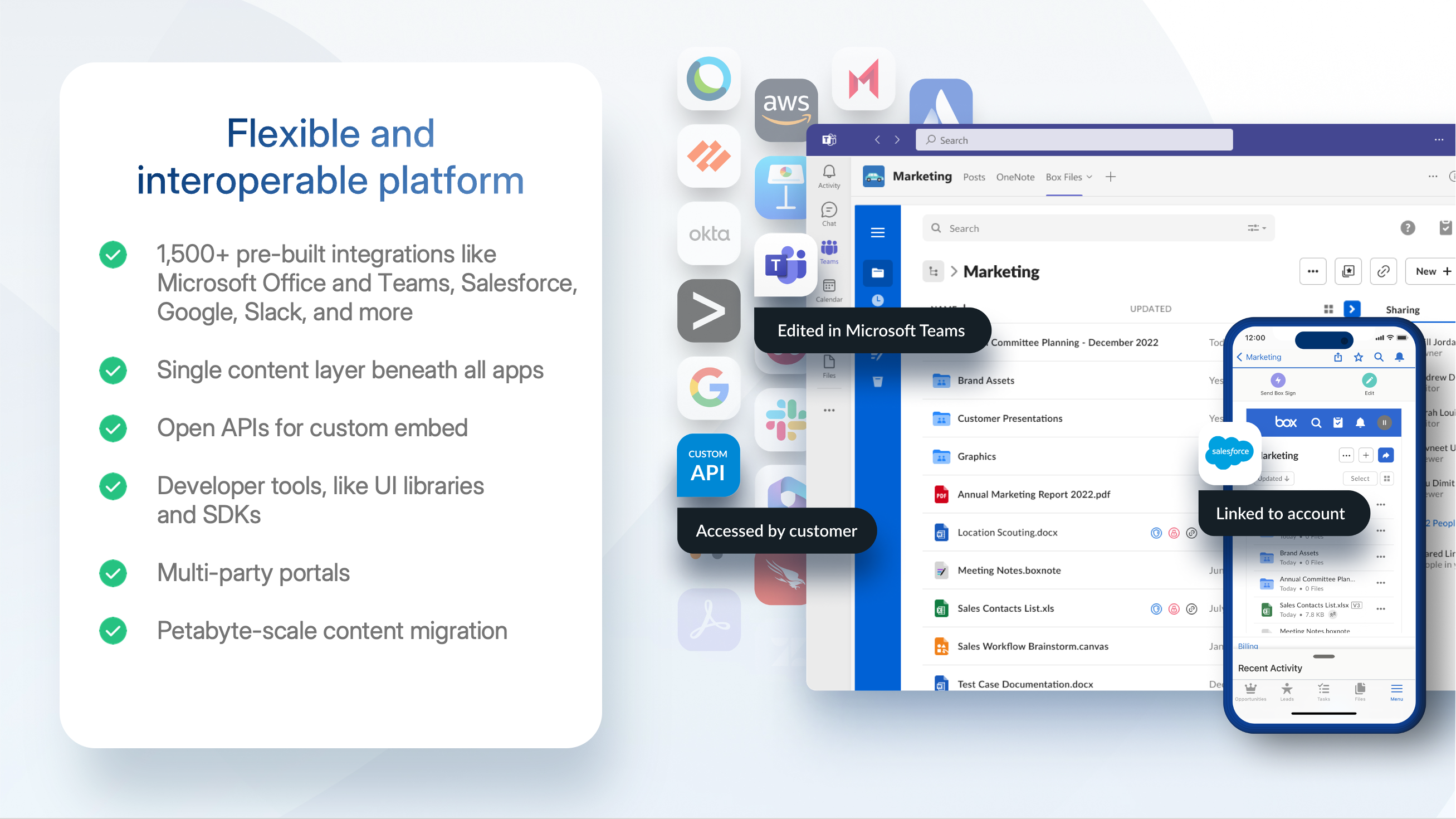
Box Demo - Flexible and interoperable platform
Connect Box to any (and every!) productivity suite you use, including Microsoft, Google, Apple, and more. Extend your existing security investments with integrations into key DLP, SIEM, and network security tools. Build seamless experiences for your users in any system they use, whether that’s a ...
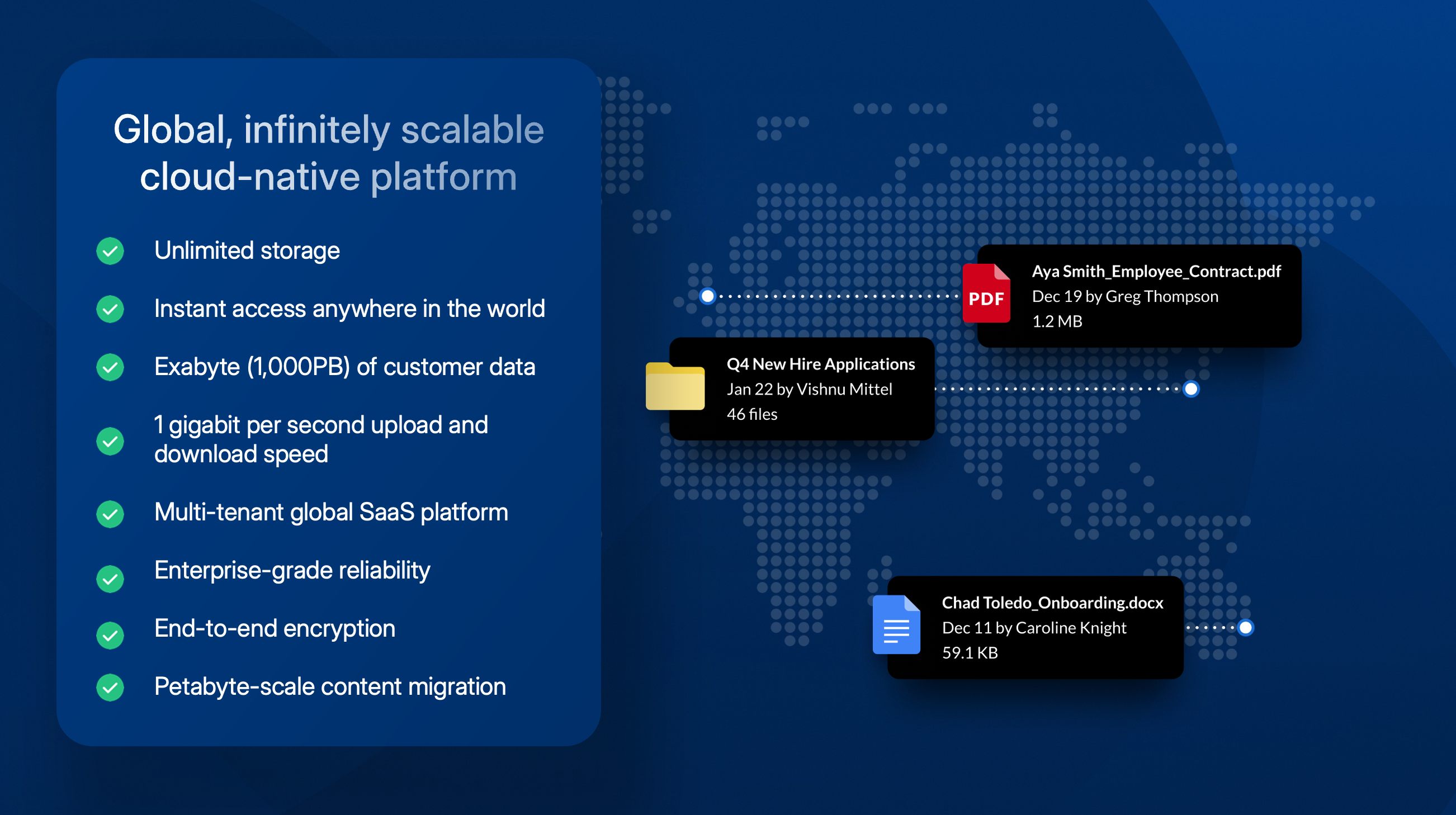
Box Demo - Global, scalable cloud platform
With an infinitely scalable platform, Box provides instant access to your content anywhere in the world. With unlimited storage capabilities Box has an exabyte (1,000PB) of customer data plus 1 gigabit per second upload and download speed. At our core, Box is a multi-tenant global SaaS platform w...
Broadcom grows by acquisition and innovation with Intelligent Content Management
Play Box Video
Broadcom grows by acquisition and innovation with Intelligent Content Management
Power your growing business with Box
Play Box Video
Power your growing business with Box
Demo: Automate the work that slows you down with Box
Play Box Video
Demo: Automate the work that slows you down with Box
Demo: Unlock the value of your unstructured data with Box AI
Play Box Video
Demo: Unlock the value of your unstructured data with Box AI
Product Avatar Image

Have you used Box before?

Answer a few questions to help the Box community

Box Reviews (5,207)

View 5 Video Reviews
Reviews

Box Reviews (5,207)

View 5 Video Reviews
4.2
5,207 reviews

Review Summary

Generated using AI from real user reviews
Users consistently praise Box for its ease of use and robust security, making it a reliable choice for file sharing and collaboration. The platform's intuitive interface and seamless integration with tools like Microsoft 365 enhance productivity, allowing teams to manage documents efficiently. However, some users note that the pricing can be expensive for smaller teams.

Pros & Cons

Generated from real user reviews
View All Pros and Cons
Search reviews
Filter Reviews
Clear Results
G2 reviews are authentic and verified.
Sarconi D.
SD
Small-Business (50 or fewer emp.)
"Secure Collaboration, Needs UI Update"
What do you like best about Box?

I like Box's strong enterprise-grade security and reliable permission control, which is critical for handling confidential business and client files. The ability to set granular access rights, password-protected shared links, link expiry, view-only permissions, and download restrictions makes our external collaboration extremely safe. I also really appreciate the stable file version history and seamless preview function. We never lose previous versions of documents, and we can open almost any file type directly in the browser without downloading or extra software—this saves a huge amount of time in our daily workflows. The initial setup of Box was straightforward and relatively easy compared to other enterprise content management tools. Review collected by and hosted on G2.com.

What do you dislike about Box?

First, the user interface can feel dated and less intuitive compared to newer cloud tools. Some common actions — like moving folders, bulk organizing files, or customizing workflows — take more clicks than they should, which slows down daily work for team members who only use Box occasionally. Review collected by and hosted on G2.com.

Meghan D.
MD
Digital Marketing Specialist
Enterprise (> 1000 emp.)
"Fast, Reliable File Sharing for Work and Students"
What do you like best about Box?

I can upload a wide variety of files for work and for my students, and I have them submit everything through Box. It also handles very large images and other files well, with fast loading when I upload and access them. Review collected by and hosted on G2.com.
What do you dislike about Box?

I wish I could change folder colors, or at least have more options for aesthetically organizing things. It would also be great to have some kind of workflow feature—maybe tasks where you can assign people to upload specific items. Review collected by and hosted on G2.com.
SHIFIN C.
SC
Senior Systems Development Engineer
Information Technology and Services
Enterprise (> 1000 emp.)
"Elevating Collaboration with Secure, AI-Driven Processes"
What do you like best about Box?

Box is most helpful because it simplifies secure collaboration and content management while offering advanced AI-powered workflows and integrations. Its ability to combine secure cloud storage with powerful collaboration tools, making it easy for teams to manage, share, and work on content from anywhere that made the Box more generous.

The upsides include enterprise-grade security, seamless integrations, strong choice for organizations that prioritize compliance, and user-friendly workflows that boost productivity. Review collected by and hosted on G2.com.

What do you dislike about Box?

The least helpful aspects of Box are its relatively higher cost which can be challenging for smaller organizations, its occasional complexity for new users who may face a learning curve during setup, and its limitations in offline access compared to some competitors. While these factors may reduce its appeal for startups or teams seeking simpler solutions, Box continues to excel in enterprise-grade security, compliance support, and seamless collaboration features, making it a strong choice for larger businesses that prioritize data protection and integrated workflows. Review collected by and hosted on G2.com.

Jose M.
JM
CyberSecurity Administrator
Enterprise (> 1000 emp.)
"Secure, Modern Collaboration Made Effortless with BOX"
What do you like best about Box?

BOX offers a modern approach to sharing and storing information with collaborators and third parties involved in your organization's projects. It ensures safety and compliance with all relevant regulations. You can access BOX from anywhere, and sharing is protected by robust security protocols to prevent data leaks, including integration with other IT security vendors. It provides Ease integration and implementation with IT Security Vendors API which allow to incorporated a security layer for content protection. Review collected by and hosted on G2.com.

What do you dislike about Box?

A complete integration with all Crowdstrike data protection settings is still on the roadmap, which would allow for scanning or protecting files stored on BOX. Review collected by and hosted on G2.com.

Andy H.
AH
Senior Commerce Media Director
Mid-Market (51-1000 emp.)
"Efficient File Sharing with Glitchy PowerPoint Support"
What do you like best about Box?

I use Box for sharing, storing, and sending files. I really like the ease of uploading files and dragging them from place to place, which helps me save time. Box also allows multiple people to work on a large file simultaneously, which is really helpful for collaboration. Review collected by and hosted on G2.com.

What do you dislike about Box?

Sometimes when working on PowerPoints in Box, there are glitches that don't let you open in PowerPoint, just Google Docs or you make changes and it saves it as a copy which then doesn't capture all the changes. It is quite honestly pushing us away from using Box at the present time. Also, there needs to be a way to get that fixed to avoid this issue. Review collected by and hosted on G2.com.

Sidharth C.
SC
Mid-Market (51-1000 emp.)
"Efficient, User-Friendly, and Fast-Responding"
What do you like best about Box?

I find Box to be easily accessible software for folder access, which helps me work efficiently. I appreciate being able to download or paste files in a fraction of a second. The ability to copy the link of a saved file and paste it into my work file for easy accessibility is particularly valuable to me. Box's fast response time sets it apart, as other applications take longer to respond. Additionally, the initial setup was too easy, and overall, Box is very user-friendly. Review collected by and hosted on G2.com.

What do you dislike about Box?

Box is perfectly right, but there could have been a Trash folder which could be helpful if some files are mistakenly deleted. Review collected by and hosted on G2.com.

Sara Y.
SY
Digital Campaigns Manager
Small-Business (50 or fewer emp.)
"Unlimited Storage and Seamless Collaboration"
What do you like best about Box?

I appreciate that Box offers what feels like unlimited cloud storage, as well as signature features through Box Sign. It also promotes collaboration both within departments and among different teams. Review collected by and hosted on G2.com.

What do you dislike about Box?

At first, it can seem a bit clunky or awkward to use, especially because it's so large—almost like managing your own database or network. Sometimes, finding the files or information you need for a project with a tight deadline can be challenging. Review collected by and hosted on G2.com.

James H.
JH
Director of Strategy
Mid-Market (51-1000 emp.)
"Great for File Sharing, Needs Better Live Collaboration"
What do you like best about Box?

I use Box for sharing files across teams and keeping historic files on projects with multiple work streams. I like the version control and the ability to easily keep a shared folder where I can restrict and allow access to different folks, both internal and client, even though we're not on the same company internal platform. The initial setup was pretty easy as it auto-loaded on my computer. Box is super easy and great for collaboration across systems. Review collected by and hosted on G2.com.

What do you dislike about Box?

I would like to have live editing so we can edit a document simultaneously. It would also be good for Box to have an AI tool that shows redundancy or gives recommendations on organizing better based on size, file name, or people using it. Review collected by and hosted on G2.com.

Adam W.
AW
Associate Designer
Small-Business (50 or fewer emp.)
"Box Makes File Sharing Fast and Easy for Remote Teams"
What do you like best about Box?

Box is a great file-sharing platform. I use it daily to support my projects, and it lets us upload and share documents quickly, which is especially important for our remote team. Review collected by and hosted on G2.com.

What do you dislike about Box?

Box can be a bit frustrating at times, especially when it comes to moving files around and keeping them in the right order. It also sometimes struggles when I try to download large batches of selected files. Review collected by and hosted on G2.com.

Oswald C.
OC
"Secure Collaboration with Integration Challenges"
What do you like best about Box?

I like Box for its strong enterprise-grade security, granular permission controls, and built-in compliance foundation. Unlike many consumer-grade cloud tools, security and governance are designed into the platform from the start. It also stands out for secure external collaboration, allowing us to safely share sensitive files with clients, vendors, and external partners while maintaining full visibility and control. The deep integrations with Microsoft 365, Google Workspace, and other business apps create a smooth, unified workflow that cuts down on app switching and saves time. For small teams or individual users, the onboarding flow is intuitive, making it easy to set up and get started quickly. Review collected by and hosted on G2.com.

What do you dislike about Box?

I don't like the steep learning curve for advanced features. While basic file storage and sharing are intuitive, configuring advanced workflows and complex permissions needs a significant time investment. New admins often have to rely on Box’s documentation or paid support for these features. I also find the limited offline functionality frustrating. The desktop app’s offline mode is clunky, and files marked for offline access sometimes fail to sync reliably when reconnected. There's also no easy way to bulk-select folders for offline use, which creates friction for teams in low-connectivity environments. Review collected by and hosted on G2.com.

Questions about Box? Ask real users or explore answers from the community

Get practical answers, real workflows, and honest pros and cons from the G2 community or share your insights.

Chris E.
CE
Chris Eustace
Last activity over 1 year ago

Box Hubspot Integration - Open Beta

GU
Guest User
Last activity about 2 years ago

Is Box A document management system?

Pricing Options

Pricing provided by Box.

Business Starter

$5.00
Per Month

Business

$15.00
Per Month

Business Plus

$25.00
Per Month
Box Comparisons
Product Avatar Image
Microsoft OneDrive
Compare Now
Product Avatar Image
Dropbox
Compare Now
Product Avatar Image
Progress ShareFile
Compare Now
Box Features
Device Syncing
Web Interface
File Type Support
File following
File Sharing
Simultaneously Editing
User and Role Management
Policies and Controls
Device Management
Product Avatar Image
Box