

Compare this with other toolsSave it to your board and evaluate your options side by side.
Save to board

Access PeopleHR Reviews & Product Details

Pricing

Pricing provided by Access PeopleHR.

Starter

£3.00

Access PeopleHR Media

Access PeopleHR Demo - Access PeopleHR
Access PeopleHR
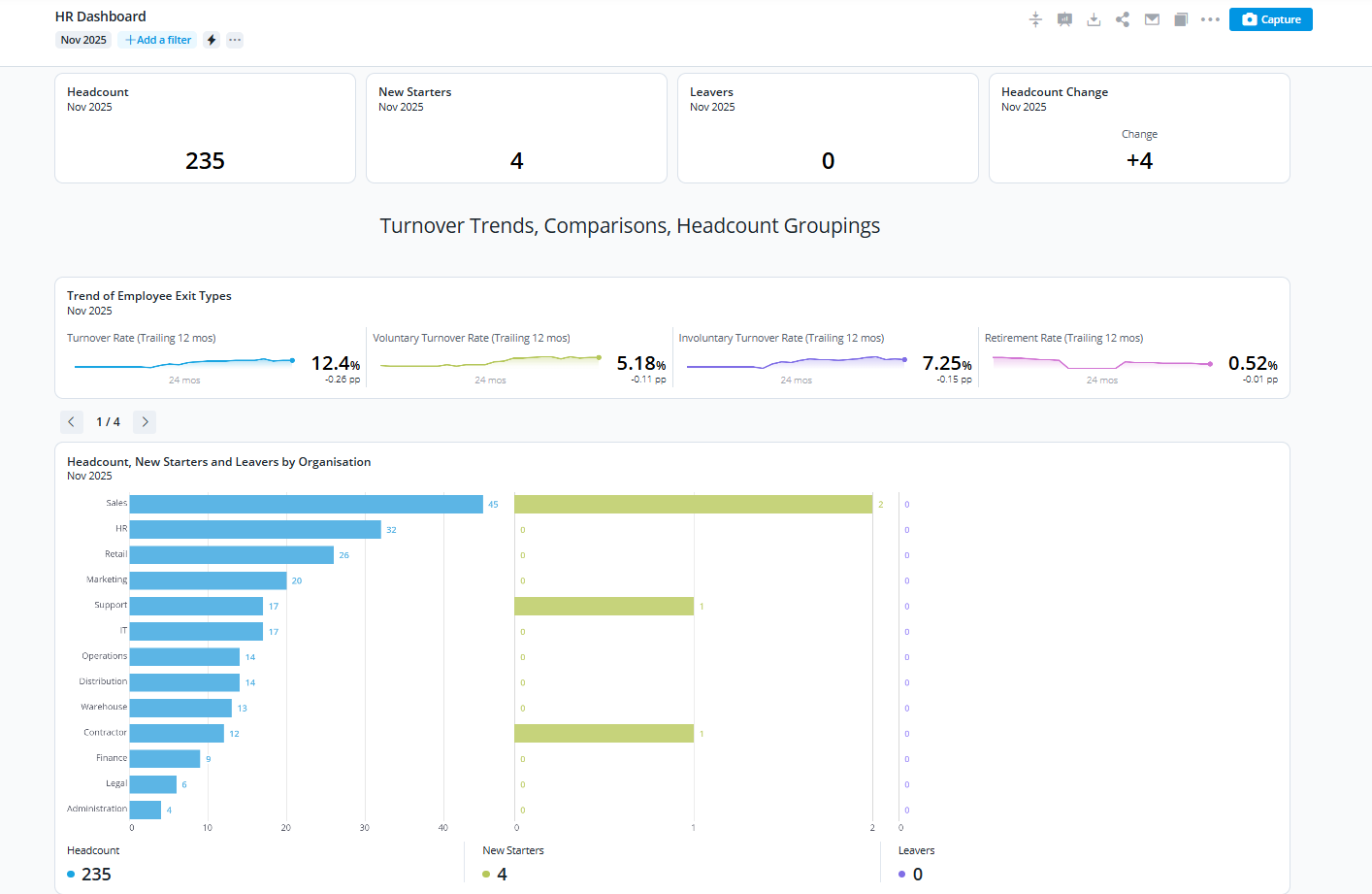
Access PeopleHR Demo - Access PeopleHR - People Analytics
People Analytics
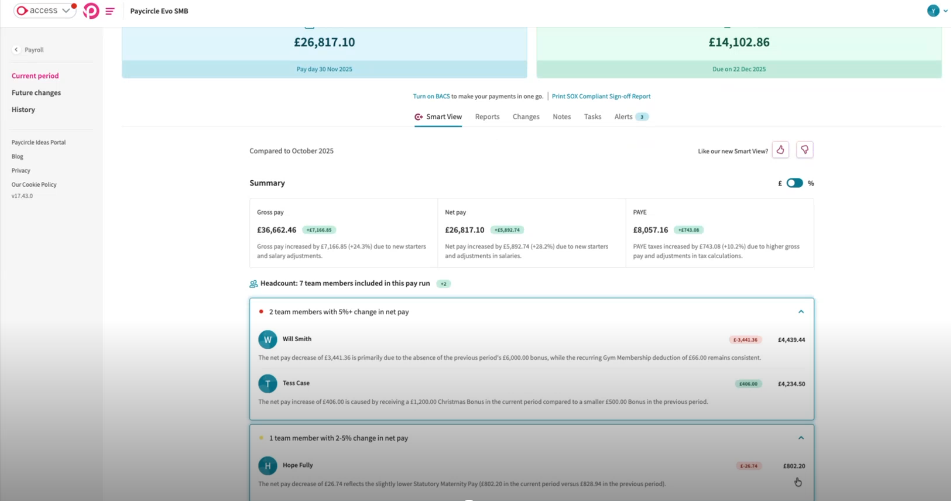
Access PeopleHR Demo - Access PeopleHR - Payroll Smartview
Access PeopleHR
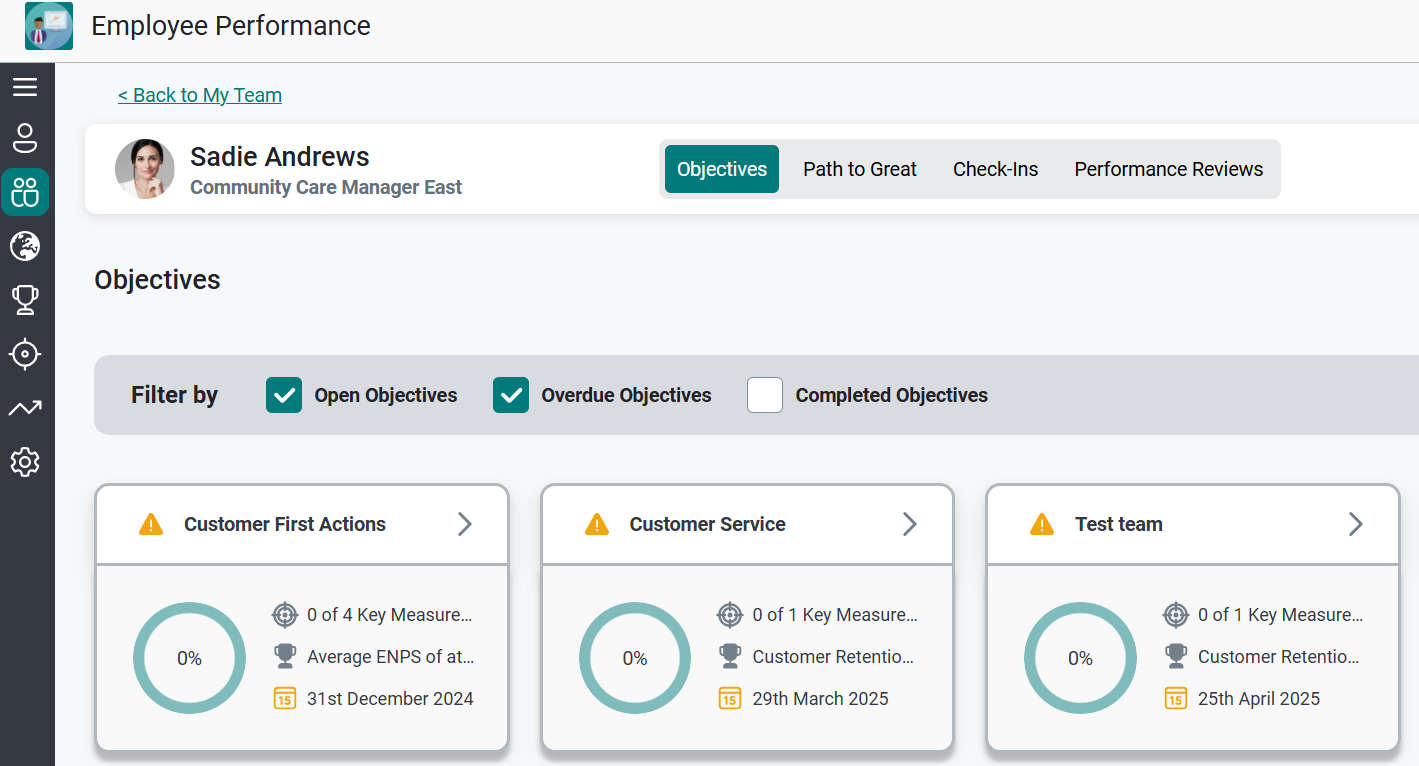
Access PeopleHR Demo - Access PeopleHR - Employee Performance
Access PeopleHR
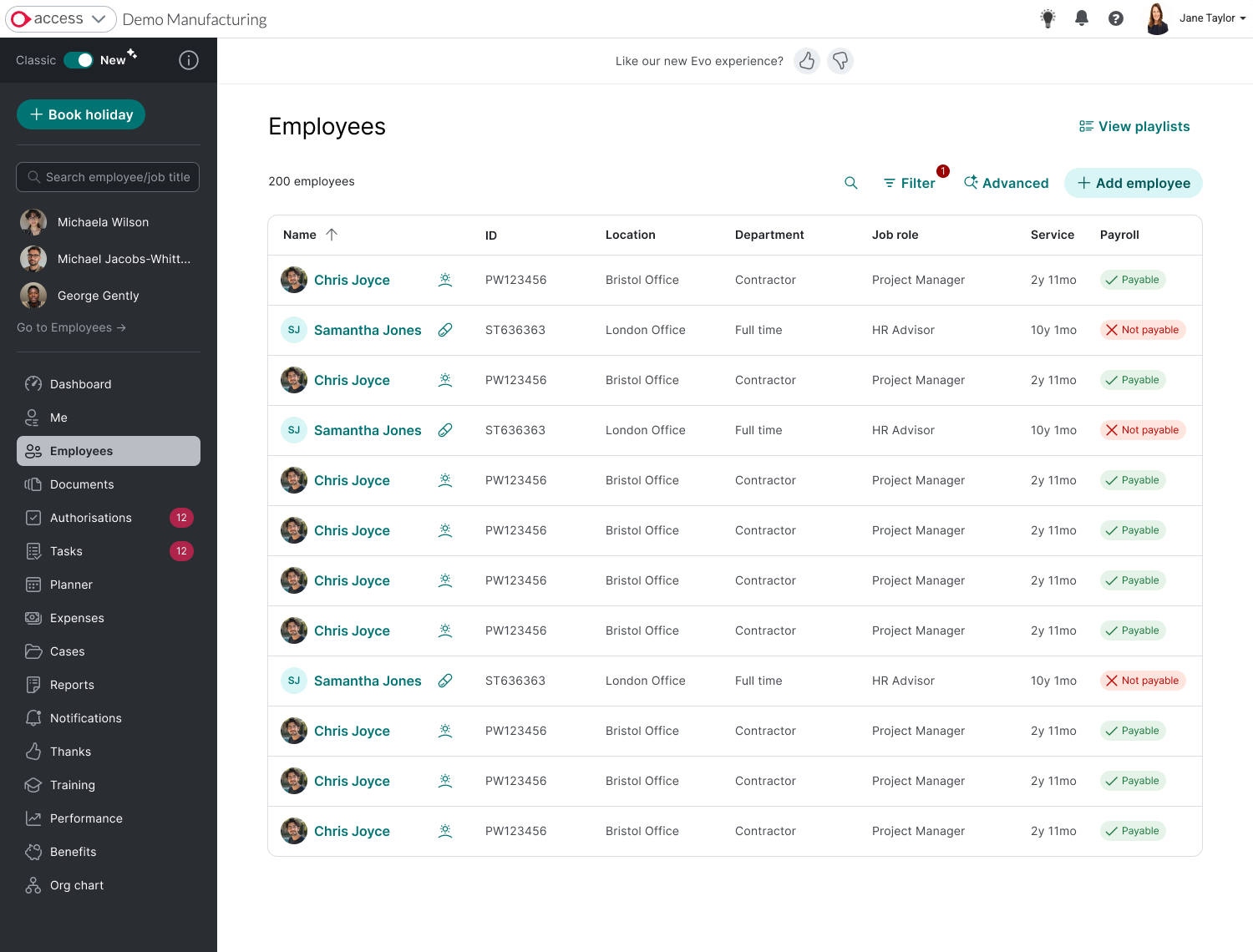
Access PeopleHR Demo - Access PeopleHR - Employee Lists
Access PeopleHR
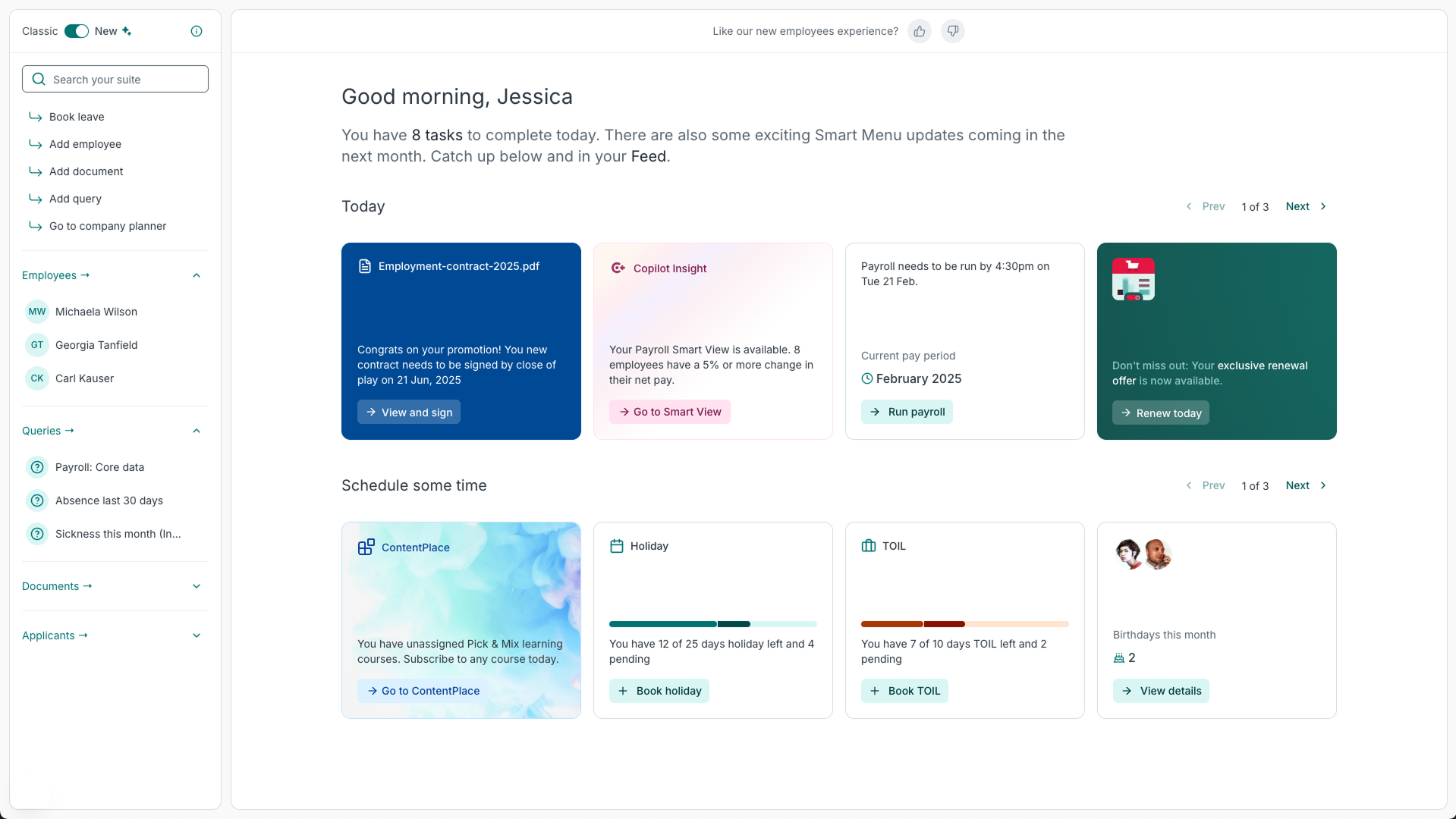
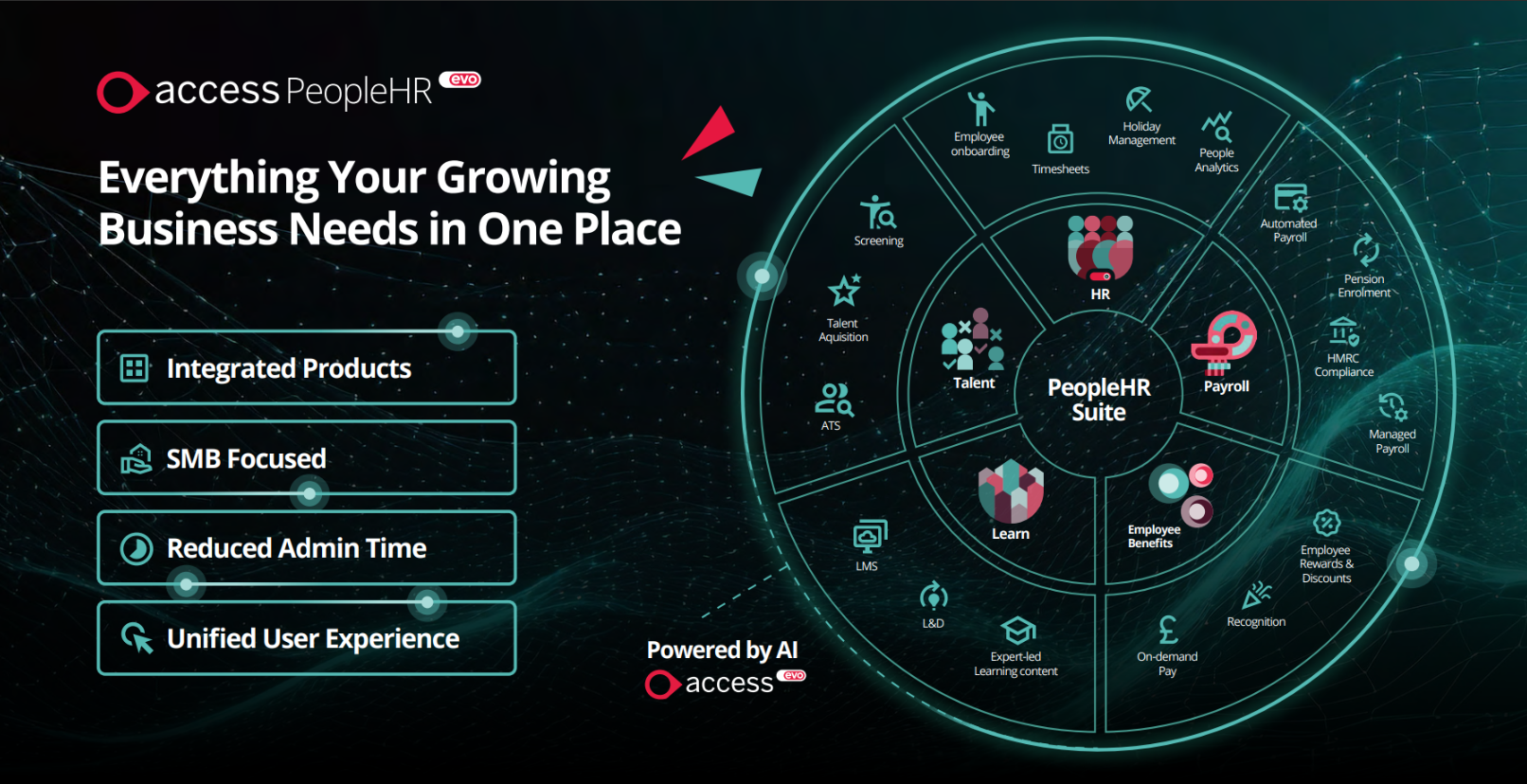
Access PeopleHR Demo - Access PeopleHR - Suite
Everything your growing business needs in one place.
Next-Gen HR: How PeopleHR Evo's using AI-Powered Tools for Faster, Smarter People Management
Play Access PeopleHR Video
Next-Gen HR: How PeopleHR Evo's using AI-Powered Tools for Faster, Smarter People Management
Access Evo: Discover the AI-Powered Payroll Solution That Saves Time and Money
Play Access PeopleHR Video
Access Evo: Discover the AI-Powered Payroll Solution That Saves Time and Money
Official Downloads
(1)
Product Avatar Image

Have you used Access PeopleHR before?

Answer a few questions to help the Access PeopleHR community

Access PeopleHR Reviews (371)

View 1 Video Reviews
Reviews

Access PeopleHR Reviews (371)

View 1 Video Reviews
4.0
371 reviews

Review Summary

Generated using AI from real user reviews
Users consistently praise the ease of use and intuitive interface of Access PeopleHR, which simplifies HR tasks like leave management and document storage. Many appreciate how it centralizes information, making it easy to track employee data and streamline processes. However, some users note that the system can be slow at times, particularly when handling larger datasets.

Pros & Cons

Generated from real user reviews
View All Pros and Cons
Search reviews
Filter Reviews
Clear Results
G2 reviews are authentic and verified.
JM
Service Lead
Small-Business (50 or fewer emp.)
Business partner of the seller or seller's competitor, not included in G2 scores.
"All-in-One HR Hub That Makes Everyday Tasks Faster"
What do you like best about Access PeopleHR?

Access PeopleHR is really helpful because everything you need is in one place, so you’re not having to chase different systems or email HR all the time. It makes things quicker since a lot of the admin is automated, and you can do simple stuff yourself like booking annual leave, checking payslips, or updating your details without waiting for someone else. It’s also easy to use on your phone, which is handy, and you can see useful info like your records or company updates whenever you need. Overall, it just makes everyday HR tasks a lot smoother and less time-consuming, both for employees and HR. Review collected by and hosted on G2.com.

What do you dislike about Access PeopleHR?

What I don’t like about PeopleHR is that the login process can sometimes be a bit confusing, as it doesn’t always take you straight to your company-specific login page, which can slow things down and be frustrating. Review collected by and hosted on G2.com.

Response from Taryn Schutzler of Access PeopleHR

Thanks for your feedback, Joanna. It’s great to hear how much value you’re getting from having everything in one place, especially being able to handle things like booking leave, checking payslips and updating details without needing to go through HR. That kind of self-service really does make everyday tasks quicker and smoother.

We’re also pleased the mobile access and automation are helping reduce admin and keep things organised across your team.

We appreciate your comment around the login experience. We understand how frustrating that can be when it doesn’t take you straight where you need to go, so that’s really helpful feedback for us to take on board.

It’s fantastic to hear the platform is helping simplify processes and make HR less time-consuming overall.

You can follow upcoming updates via our PeopleHR roadmap hub link below.

See how Access PeopleHR improved
David R.
DR
Small-Business (50 or fewer emp.)
"Seamlessly Handles HR Tasks with an Intuitive Interface"
What do you like best about Access PeopleHR?

I love how Access PeopleHR serves as a one-stop place for all things in the workplace with easy access and great navigation. The layout is really good, making it easy to find whatever you require. I especially appreciate the annual leave feature, which allows me to see at a glance what has been booked and what is outstanding. The monthly layout makes it quick and easy to see my year's annual leave. Additionally, the document section is a good feature, broken down into different subjects such as Employment contracts, 1-2-1 meetings, feedback, and training. Setting up the portal was really easy because it’s self-explanatory and easy to use. I have used many workplace platforms, and PeopleHR is easily the best I have used. Review collected by and hosted on G2.com.

What do you dislike about Access PeopleHR?

Logging in could be easier. Having to manually enter your email address twice is irritating. Your Username & Password could be saved. At the moment I click on login with my saved details & the next screen tells me to manually enter my email address again which is strange. Review collected by and hosted on G2.com.

Response from Taryn Schutzler of Access PeopleHR

Thanks for your feedback, David. It’s great to hear how much you’re enjoying the platform, especially having everything in one place and how easy it is to navigate. It’s brilliant that the annual leave view and document structure are helping you stay organised and quickly find what you need.

We’re also really pleased the setup felt straightforward and that the system stands out compared to others you’ve used, that’s great to hear.

We appreciate your comments around the login experience. Having to re-enter details can definitely feel frustrating, so that’s really helpful feedback for us to take on board.

It’s fantastic to hear PeopleHR is making day-to-day tasks like leave management and document access simpler and more efficient for you.

You can follow upcoming updates via our PeopleHR roadmap hub link below.

See how Access PeopleHR improved
Verified User in Human Resources
AH
Small-Business (50 or fewer emp.)
Business partner of the seller or seller's competitor, not included in G2 scores.
"Simple, User-Friendly HR Management That Streamlines Daily Tasks"
What do you like best about Access PeopleHR?

Access PeopleHR is very simple and user-friendly, which makes it easy to navigate even for first-time users. The interface is clean and intuitive, allowing quick access to employee records, timesheets, and documents without any confusion. It helps streamline HR processes and saves time on daily tasks. Additionally, the system is reliable and makes managing employee data, leave, and performance much more efficient. Overall, it’s a practical and easy-to-use solution for HR management. Review collected by and hosted on G2.com.

What do you dislike about Access PeopleHR?

While Access PeopleHR is easy to use, there are some areas that could be improved. At times, the system can feel a bit slow, especially when handling larger amounts of data. Review collected by and hosted on G2.com.

Response from Taryn Schutzler of Access PeopleHR

Thanks for your feedback. It’s great to hear you’re finding PeopleHR simple to use and easy to navigate, especially for first-time users. Having quick access to employee records, timesheets and documents really does make a difference when it comes to saving time and keeping everything organised.

We’re also pleased to hear the system is helping streamline your HR processes and reduce manual work, allowing you to focus more on the bigger picture.

We appreciate your comments around performance when handling larger amounts of data. That’s really useful insight as we continue working to improve speed and overall system performance.

You can follow upcoming updates via our PeopleHR roadmap hub link below.

See how Access PeopleHR improved

Verified User in Legal Services
AL
Mid-Market (51-1000 emp.)
"Quick onboarding, but missing HR essentials, clunky reporting, and hard-to-reach support"
What do you like best about Access PeopleHR?

Loading a new employee has improved and is now quicker and easier. Review collected by and hosted on G2.com.

What do you dislike about Access PeopleHR?

There are many small things missing from this system. The inability to record disabilities, allergies etc., is frustrating. I would like to see a better dashboard that shows me anniversaries and birthdays that are coming up, new starter dates and leavers. I wish you could split a annual leave day into TOIL and holiday allowance. The carryover of holiday is frustrating as it does not work for part-time people and it causes me a lot of manual work. It is also very hard to get hold of anyone to help with support. I find the reporting section very frustrating and not easy to use at all. It is also frustrating that it signs you out of the system so quickly. Sometimes I find myself having to log in several times a day. Review collected by and hosted on G2.com.

Response from Taryn Schutzler of Access PeopleHR

Thanks for taking the time to share such honest feedback, I really appreciate it. It’s great to hear that onboarding new employees has improved and is now quicker and easier for you.

I’m sorry to hear about the frustrations you’ve experienced across other areas, particularly around reporting, holiday management, dashboards and support. I completely understand how time-consuming manual workarounds and difficulty getting help can be — that’s not the experience we want for you or your team.

There’s a lot in your feedback that would be really valuable to explore further, especially around specific use cases like part-time holiday carryover, TOIL splits and the visibility you need on dashboards. I’d genuinely welcome the opportunity to discuss this with you and see how we can help.

Please feel free to reach out to me directly at taryn.schutzler@theaccessgroup.com - I’d be more than happy to pick this up with you.

You can also follow upcoming updates via our PeopleHR roadmap hub link below.

See how Access PeopleHR improved
EW
Sr. Manager, Operations
Mid-Market (51-1000 emp.)
"Cost-Effective HR Solution"
What do you like best about Access PeopleHR?

I use Access PeopleHR for its HRIS features to help onboard and manage our teams efficiently. I like that it provides us with one central location to track onboarding processes, ensuring a single source of truth for our team members. The software is very cost-efficient, and it has allowed us to integrate all of our team into one simple system with relative ease. I appreciate the good pricing and how the holiday accruals work smoothly. Review collected by and hosted on G2.com.

What do you dislike about Access PeopleHR?

I think the implementation support was a little brief which made rollout a little more complicated. Also, we cannot track multiple rates for hourly employees. We just needed more face time during implementation, and I would like to be able to track multiple hourly rates for employees and have them link to Paycircle, their payroll tool, better. The initial setup was challenging due to the lack of implementation support. Review collected by and hosted on G2.com.

Response from Taryn Schutzler of Access PeopleHR

Thanks for your feedback, Ethan. It’s great to hear PeopleHR is helping you bring everything into one central place, especially for onboarding and maintaining a single source of truth across your team. It’s also good to know the system has been easy to roll out overall and that features like holiday accrual are working smoothly.

We appreciate your honest comments around implementation support and functionality for hourly rates. It’s clear that more hands-on support during rollout would have made a difference, and your feedback on tracking multiple rates and integration with payroll is really valuable.

It’s encouraging to hear that overall the system is delivering a cost-effective and efficient way to manage your HR processes.

You can follow upcoming updates via our PeopleHR roadmap hub link below.

See how Access PeopleHR improved
JB
Compensation Analyst
Enterprise (> 1000 emp.)
"Organized Solution with Room for UI Improvement"
What do you like best about Access PeopleHR?

I use Access PeopleHR to keep employee records organized and updated, making tracking job changes like promotions, salary updates, and reassignments smooth. I appreciate how it helps keep everything in one place, which makes it easy for me to find and update whatever is needed and keeps processes organized. I find the document storage feature great for keeping things in one place and organized. I also really like the tracking feature because it makes researching information a lot faster. Review collected by and hosted on G2.com.

What do you dislike about Access PeopleHR?

I wish it had a more user friendly interface. Some areas feel really outdated. It could also use smoother navigation between sections so there's no need for endless clicking. It's a bit more cluttered compared to other HRIS systems. Some menus aren't clearly labeled, and if you're not familiar with the system it can make it easy to get lost and take more time to get what you need. Review collected by and hosted on G2.com.

Response from Taryn Schutzler of Access PeopleHR

Thanks for your feedback, Jocelyn. It’s great to hear how you’re using PeopleHR to keep employee records organised and track changes like promotions and salary updates, having everything in one place really does make a difference. I’m glad the document storage and tracking features are helping you work more efficiently too.

I completely understand your points around the interface and navigation. If it takes extra clicks or feels cluttered, it can slow things down, especially for new users. That’s really valuable feedback as we continue working on improving the overall experience.

If you’d be happy to share a bit more on what would make navigation smoother for you, I’d love to hear it, feel free to reach out to me at taryn.schutzler@theaccessgroup.com

You can also follow upcoming updates via our PeopleHR roadmap hub link below.

See how Access PeopleHR improved
Andrew B.
AB
Managing Director
Small-Business (50 or fewer emp.)
"Effortless HR Management with a Few Hiccups"
What do you like best about Access PeopleHR?

I like that Access PeopleHR is easy to use and accommodates multiple different hours and shift patterns. It's straightforward to change or update staff levels, and it's user-friendly for the staff to manage themselves. Accessing staff information, both individually and across the team, to see who has booked leave or is on sickness is very useful for planning. The initial setup was very easy and came with a step-by-step guide. Review collected by and hosted on G2.com.

What do you dislike about Access PeopleHR?

We've had a repeated issue with annual leave allocation between years not updating automatically. It didn't allow us to update full-time workers for the new annual leave allocation and therefore prevented staff from booking these either. Review collected by and hosted on G2.com.

Response from Taryn Schutzler of Access PeopleHR

Thanks for your feedback. It’s great to hear PeopleHR makes it easy to move between staff profiles and manage sickness and leave across your team. We appreciate your comments on annual leave calculations, which are helping shape ongoing improvements. You can follow upcoming updates via our PeopleHR roadmap hub.

See how Access PeopleHR improved
Sherolyne F.
SF
People and Culture Manager
Mid-Market (51-1000 emp.)
"Powerful People Analytics and Seamless Payroll Integration"
What do you like best about Access PeopleHR?

The new people analytics feature is an excellent tool that enables you to explore a wide range of data. Additionally, the PHR system serves as an effective solution for maintaining employee records and integrating payroll processes. Review collected by and hosted on G2.com.

What do you dislike about Access PeopleHR?

There are currently many system changes happening, and while these are all positive, the guides are only truly helpful once you already know what you need to find. During the initial stages of a rollout, things can be a bit confusing, making it challenging for administrators to get up to speed and feel confident before introducing the changes to the wider business. Review collected by and hosted on G2.com.

Response from Taryn Schutzler of Access PeopleHR

Thanks for your feedback Sherolyne. It’s great to hear the new people analytics, payroll integration and Ripples are driving efficiency for your team. We appreciate your point on rollout guidance, which is shaping how we improve onboarding and in-product support. You can follow updates via our PeopleHR roadmap hub.

See how Access PeopleHR improved
Kate L.
KL
Administration Team Co-ordinator
Small-Business (50 or fewer emp.)
"Great for Remote Staff Tracking, but Confusing Time Formats and Inaccurate Calculations"
What do you like best about Access PeopleHR?

It’s better than using paper, and it makes it much easier for me to keep track of remote staff. Overall, it helps me stay organized and monitor things more consistently without relying on paperwork. Review collected by and hosted on G2.com.

What do you dislike about Access PeopleHR?

We track time in hours, but PeopleHR seems split: part of it records time in minutes, while another part uses decimal fractions of an hour. This inconsistency gets very confusing, and the resulting calculations aren’t always accurate. Review collected by and hosted on G2.com.

Response from Taryn Schutzler of Access PeopleHR

Thanks for your feedback, Kate. We’re sorry to hear about the confusion around time formats and calculations, and we understand how frustrating that can be when managing remote teams. Your comments are helping shape improvements around consistency and accuracy. You can follow upcoming updates via our PeopleHR roadmap hub.

See how Access PeopleHR improved
AG
Mid-Market (51-1000 emp.)
"Efficient Data Management with Report Customization"
What do you like best about Access PeopleHR?

I really like the ribbon feature where I can search for employees and have the last 3 viewed profiles readily accessible instead of going back to the employee dashboard each time. It's intuitive to use, allowing me to store all documents in one place and update personal details easily when needed. It's also really easy to run reports and filter through options to get the exact information required. Review collected by and hosted on G2.com.

What do you dislike about Access PeopleHR?

I don't like the new update when creating a new employee's profile. I find the layout to be odd and some of the fields that used to be required are now optional, which means when I am going back, I am having to input the information again. I also don't like the way it calculates annual leave and inputting the salary information. When typing in addresses, it only gives you the UK home addresses and as we are a global company, it means I have to input this information manually once the profile is created for someone who is in another country. Review collected by and hosted on G2.com.

Response from Taryn Schutzler of Access PeopleHR

Thanks for your detailed feedback, Aimee. It’s great to hear the ribbon feature and reporting tools are helping you work more efficiently, especially with quick profile access and document management.

We’re sorry to hear the new employee profile layout and annual leave calculations have caused some frustration, and we understand the challenge around international address entry for global teams. Feedback like this is incredibly valuable as we continue refining usability and global functionality.

You can follow upcoming updates via our PeopleHR roadmap hub.

See how Access PeopleHR improved

Questions about Access PeopleHR? Ask real users or explore answers from the community

Get practical answers, real workflows, and honest pros and cons from the G2 community or share your insights.

Verified User
G2
Verified User
Last activity over 4 years ago

How do you get the support team to help you via phone or screen share other than email?

GU
Guest User
Last activity over 3 years ago

What makes a good HR system?

Pricing Options

Pricing provided by Access PeopleHR.

Starter

£3.00

Core+

£7.00

Pro+

£9.50
Access PeopleHR Comparisons
Product Avatar Image
BambooHR
Compare Now
Product Avatar Image
Breathe
Compare Now
Product Avatar Image
BrightHR
Compare Now
Access PeopleHR Features
Organization Management
Time, Attendance, and PTO
Compliance
Customization
Integration APIs
Internationalization
Time & Attendance Tracking
Absence & Leave Management
Skills Management
Product Avatar Image
Access PeopleHR