Compare this with other toolsSave it to your board and evaluate your options side by side.
Save to board

Slack Reviews & Product Details

Pricing

Pricing provided by Slack.

Free

$0.00

Slack Integrations

(482)
Verified by Slack

Slack Media

Slack Demo - Desktop + Mobile Apps
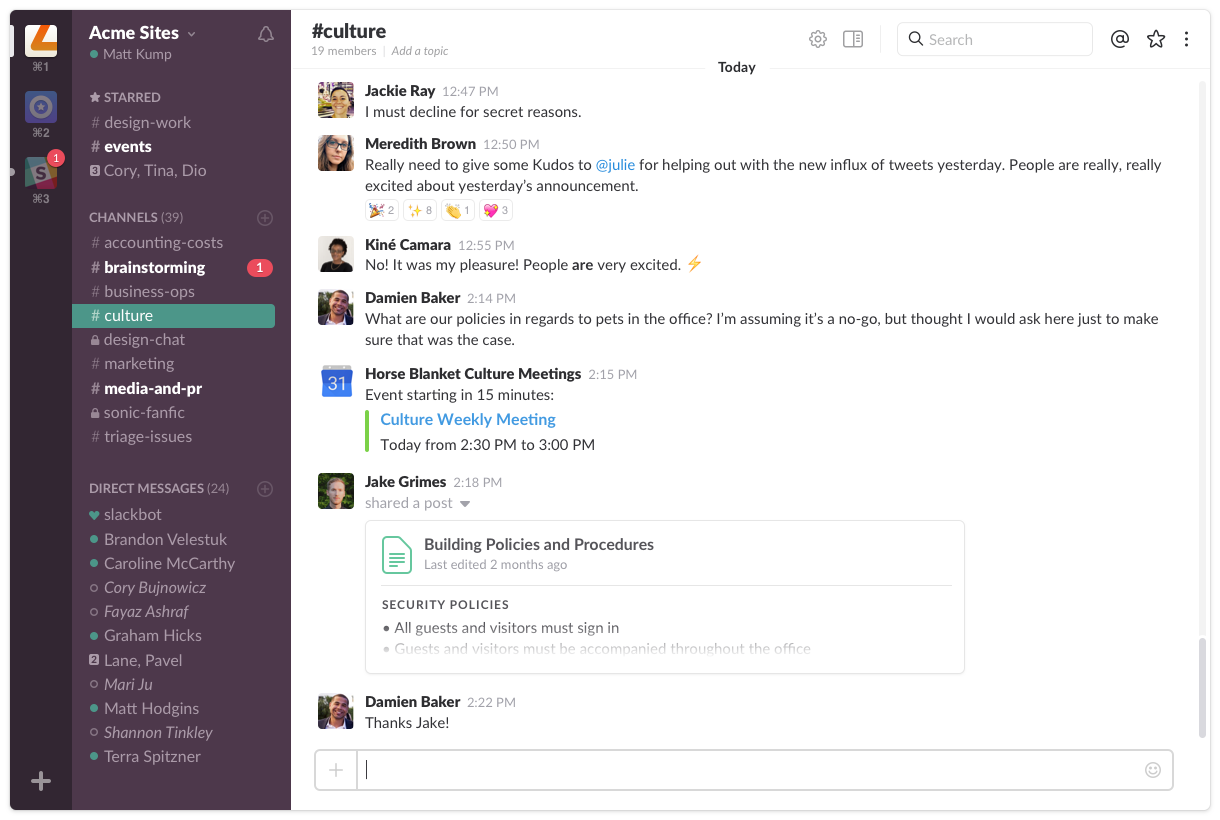
All your team's communication, wherever you go.
Slack Demo - Unified communication
Real time messaging, search, file sharing, voice calling and more.
Product Avatar Image

Have you used Slack before?

Answer a few questions to help the Slack community

Slack Reviews (38,448)

View 61 Video Reviews
Reviews

Slack Reviews (38,448)

View 61 Video Reviews
4.5
38,448 reviews

Review Summary

Generated using AI from real user reviews
Users consistently praise Slack for its organized communication and seamless integrations with various tools, which enhance collaboration and streamline workflows. The platform's intuitive interface and channel-based structure help teams stay focused and easily access important information. However, many users note that the volume of notifications can be overwhelming, potentially hindering productivity.

Pros & Cons

Generated from real user reviews
View All Pros and Cons
Search reviews
Filter Reviews
Clear Results
G2 reviews are authentic and verified.
Iain S.
IS
Partner
Small-Business (50 or fewer emp.)
"Quick, intuitive, team-friendly and seamlessly integrated with Notion"
What do you like best about Slack?

Quick, intuitive. People like it so they use it. Integrates very well with other platforms. Our Slack / Notion integration is super. Having Slack in our Notion search makes such a difference; thoughts and ideas that could be lost get caught. Review collected by and hosted on G2.com.

What do you dislike about Slack?

It can become a dumping ground. "Oh, I'll just stick in the #general channel". Its ease-of-use makes it easy to abuse.

I hate the fact that it can be so hard to find out what is "New". My Slack icon in the taskbar tells me there are new notifications. I go in and I can't work out where they are. In channels? in DMs? I find one and the notification goes away. 5 minutes later, it's back. Infuriating. Review collected by and hosted on G2.com.

Roger G.
RG
Editor
Small-Business (50 or fewer emp.)
Guest users or non-business users of the software, not included in G2 scores.
"From clunky emails to fluid conversations"
What do you like best about Slack?

I use Slack to communicate with a client’s distributed team, and it’s brilliant for maintaining 24/7 coordination. I love how flexible it is for sharing files, images, and videos. It makes managing different conversations and channels incredibly easy, preventing the workspace from turning into a complete bedlam. Review collected by and hosted on G2.com.

What do you dislike about Slack?

Visually, it's not the most attractive tool; the interface feels functional rather than inspiring. Also, reviewing old threads is quite annoying as it starts from the beginning instead of the end, forcing you to scroll for ages. Lastly, the notification system can become overwhelming; however, this is more a consequence of the collaborative model rather than a flaw in Slack itself. Review collected by and hosted on G2.com.

Vivek V.
VV
Software Engineer
Mid-Market (51-1000 emp.)
"Streamlined Team Communication with Powerful Integrations"
What do you like best about Slack?

What I like best about Slack is how effectively it brings communication and collaboration into one streamlined platform.

From a UI/UX perspective, Slack has a clean, intuitive interface that makes it easy to organize conversations through channels, threads, and direct messages. It reduces clutter and helps keep discussions structured, especially in larger teams.

In terms of integrations, Slack is extremely powerful. It connects seamlessly with tools like Google Drive, Jira, GitHub, Zoom, and many others, allowing me to manage work and receive updates without constantly switching between apps.

On performance, it’s generally fast and reliable, with real-time messaging and notifications that keep teams in sync. Even with large volumes of messages, it maintains good responsiveness.

From a pricing/ROI standpoint, while the free version is useful, the paid plans unlock valuable features like message history, advanced search, and integrations, which significantly improve productivity and justify the cost for teams.

Regarding support and onboarding, Slack is easy to get started with. The setup is simple, and new users can quickly adapt due to its familiar chat-based approach. There’s also plenty of documentation and community support available.

For AI/Intelligence, Slack has been evolving with features like message summarization, search enhancements, and workflow automation. These help reduce information overload and save time by surfacing relevant insights and automating repetitive tasks. Review collected by and hosted on G2.com.

What do you dislike about Slack?

What I dislike about Slack is that, despite its strengths, it can become overwhelming and less efficient at scale.

From a UI/UX perspective, the interface can get cluttered with too many channels, threads, and notifications, making it hard to keep track of important conversations. Threaded replies, while useful, are sometimes easy to miss.

In terms of integrations, although Slack supports many tools, excessive integrations can lead to notification overload and noise if not carefully managed.

On the performance side, Slack can become resource-heavy, especially on desktop, and may slow down when handling large workspaces or long message histories.

From a pricing/ROI standpoint, the cost can add up quickly for growing teams, and limitations in the free plan—like restricted message history—can be a drawback for long-term use.

Regarding support and onboarding, while basic onboarding is easy, managing large teams, permissions, and channel structures can become complex over time.

For AI/Intelligence, although Slack is improving in this area, AI features are still evolving and not always deeply integrated into daily workflows, so their practical impact can feel limited in some cases. Review collected by and hosted on G2.com.

Yugal S.
YS
Project Coordinator
Enterprise (> 1000 emp.)
"Slack Streamlines Team Communication with Intuitive Channels and Powerful Integrations"
What do you like best about Slack?

What I like best about Slack is how it brings all team communication into one organized, easy-to-navigate space. Channels make it simple to separate conversations by project, department, or topic, which has significantly reduced confusion and unnecessary meetings in our workflow.

The UI is very intuitive, so onboarding new team members is quick, and features like threaded replies and message search save a lot of time when trying to find past discussions or decisions. I also really appreciate the integrations connecting tools like Google Drive, Zoom, and project management apps keeps everything centralized and avoids constantly switching between platforms. Performance has been reliable even with multiple channels and active conversations, and notifications can be customized well so I only focus on what’s important.

Overall, it has made communication faster, more structured, and much more efficient for our team. Review collected by and hosted on G2.com.

What do you dislike about Slack?

One downside of Slack is that notifications can sometimes feel overwhelming, especially when you’re in multiple active channels. Even though there are customization options, it can take a bit of time to fine-tune the settings so you’re not constantly pulled away by less important updates.

Another limitation is the message history restriction on the free plan, which can make it difficult to look back at older conversations if your team relies heavily on Slack for day-to-day communication. And with lots of integrations and channels, the workspace can occasionally start to feel cluttered if it isn’t managed carefully.

That said, these issues are relatively minor compared to the overall value Slack provides, and most of them can be addressed with the right setup and habits. Review collected by and hosted on G2.com.

Kalpesh B.
KB
Head of Product and Solutions
Mid-Market (51-1000 emp.)
"Slick, Fast, and Seamless: Why Slack Beats Teams & Google Chat"
What do you like best about Slack?

What I like best about Slack is the UI/UX, which feels incredibly slick and light. It makes the daily routine of messaging colleagues and organizing projects seamless. Creating new channels is intuitive, and the search functionality is powerful enough that I can always find specific messages or files buried in old threads without any hassle.

Furthermore, the integrations are a standout feature. Having a good set of third-party apps connected directly to our workspace keeps our workflow centralized. In terms of performance, the platform is consistently fast and reliable, even when handling a high volume of real-time communication. While I haven't used the AI/Intelligence features extensively yet, the core product remains the best tool I've used for team collaboration. Review collected by and hosted on G2.com.
What do you dislike about Slack?

While the messaging is top-notch, Slack calls (Huddles) can still be poor in terms of connection stability and audio quality compared to dedicated video conferencing tools. I occasionally experience lag or dropped connections during calls. Additionally, because I haven't used the AI/Intelligence features yet, I feel like some of the newer interface updates focused on AI can feel a bit cluttered or unnecessary for my current workflow. Review collected by and hosted on G2.com.

VINAY P.
VP
Mechanical Design Engineer
Design
Enterprise (> 1000 emp.)
"Enhancing Productivity Through Structured Team Communication in our organisation"
What do you like best about Slack?

Slack’s channel system turns communication into organized, searchable workspaces rather than cluttered email threads. A channel like #cad-review-q2, for instance, keeps all design feedback in one place so that a mechanical engineer joining mid-project can scroll back through the history and understand every decision without needing to ask anyone. For cross-functional launches, a shared channel brings product, marketing, and engineering together so no one misses a critical update and no one gets buried in irrelevant messages either.

Visual communication is where Slack really eliminates unnecessary back-and-forth. Instead of writing a paragraph describing which part of a CAD model has an alignment issue, you take a screenshot, circle the problem in red, and drop it into chat the issue is understood and resolved in minutes. The same logic applies to UI reviews, where a designer can share a before-and-after screenshot in #design-feedback and collect reactions or threaded comments without scheduling a meeting. For more complex walkthroughs, screen recordings let you explain a workflow asynchronously, which is especially valuable when teams are spread across time zones.

The integrations Slack offers compound these benefits by keeping everything flowing through a single surface. A project manager can share a Google Drive roadmap, link a Jira ticket whose status updates automatically, and post a Zoom meeting link all inside one channel so the team never has to jump between applications to find what they need. During a product launch, for example, design, engineering, and marketing can each operate in their own focused channels while syncing in a shared one, making it easy to share assets, track blockers, and align on timelines without the confusion of scattered email chains or unclear file ownership. The result is less friction, faster decisions, and a shared context that anyone on the team can access at any point.​​​​​​​​​​​​​​​​ Review collected by and hosted on G2.com.

What do you dislike about Slack?

One thing worth noting is that when multiple channels are active simultaneously, it can start to feel overwhelming pretty quickly. If you’re part of ten or fifteen channels at once, important messages can easily get buried under a stream of less critical updates. For example, a time-sensitive approval request posted in #project-alpha might scroll out of view within an hour if the channel is busy, and unless someone tags you directly or you have the right notification settings in place, it’s easy to miss entirely. Managing notifications carefully muting low-priority channels, setting keyword alerts, or using the “mark as unread” feature helps, but it does require ongoing effort that not everyone thinks to set up.

For formal communication, Slack also has its limits. When it comes to something like a project sign-off, a procurement approval, or a detailed technical handoff, email still holds up better. The reason is that emails carry a sense of formality and accountability there’s a clear sender, a timestamp, and a paper trail that’s easy to forward or reference later. In Slack, that same approval request might get buried in a long thread, responded to with a quick emoji, or simply overlooked when someone catches up on a busy channel. In regulated industries or client-facing work especially, relying on a Slack message as the official record of an approval can create ambiguity down the line. Review collected by and hosted on G2.com.

Piyusha P.
PP
Solution Architect
Small-Business (50 or fewer emp.)
"Seamless Integration, Time-Saving Features"
What do you like best about Slack?

I really find Slack incredibly useful for integrating various tools like Salesforce and Jira, which streamlines our workflow and keeps everything in one place. I love using the Slackbot, as it helps me get answers faster and summarize channels, which is a huge time-saver. The Slackbot’s ability to summarize conversations from different channels saves me a ton of time, especially for meetings and reviewing client conversations. I heavily rely on it to handle my unread messages efficiently. The overall flexibility to integrate Slack with tools like ActiveCampaign, Mailchimp, and Google Workspace is great, and the default connectors available save us time. I also appreciate the enterprise search feature for accessing insights from these integrated tools. Setting up Slack was quite easy for us, making the transition smooth. Since switching from Gmail and Google Chats, Slack has been a game changer for my team. I also rate Slack very highly, giving it a 10 out of 10. Review collected by and hosted on G2.com.

What do you dislike about Slack?

I really like a lot of features inside of Slack. However, I wish Slack could add or improve a few things. First, assigning different roles to different groups of people in Slack would be amazing. Right now, you can't assign specific permissions to a group of people. For example, I want to assign certain additional permissions to my sales team, but I can't do that. I would like to have that flexibility like we have in Salesforce. Another feature I would like to see is preventing guest users from downloading any files inside Slack. Right now, the only way to do it is by having separate phones for the organization and personal use, which we don't do. So it's either you disable file downloads for everyone or not just for guest users, which is a problem. Lastly, recording Huddle is a feature I'd like to see because sometimes the transcript doesn't pick up all accents properly, especially since our team is based across the globe. With a recording, we could go back and check what was said versus what the transcript writes. Review collected by and hosted on G2.com.

RS
Software Developer Tech Marbles
Small-Business (50 or fewer emp.)
"Revolutionized Team Communication with Real-Time Messaging"
What do you like best about Slack?

I use Slack for team communication, project coordination, sharing updates, and its integration tool to keep all the work conversation organized in one place. Slack solves scattered communication by bringing all team conversations, files, and updates to one place. It reduces email overload and improves real-time collaboration. What stands out about Slack is its clean, channel-based organization and real-time messaging, which makes team communication more structured and flexible. The channel-based organization in Slack keeps everything neatly grouped by project, team, or topic so communication doesn't get mixed up like in email threads. Real-time communication in Slack makes messaging immediate and dynamic, allowing team members to ask questions, share updates, and resolve issues instantly without waiting like for email responses. The setup of Slack was very easy and quick. I give it a 10 out of 10 for recommendation. Review collected by and hosted on G2.com.

What do you dislike about Slack?

Important messages sometimes get blurred in fast moving conversation. Slack could improve by having a stronger pin/highlight system to allow setting priority levels to messages so key messages stay visible at the top. Review collected by and hosted on G2.com.

Miguel C.
MC
CS support
Mid-Market (51-1000 emp.)
"Slack Keeps Our Team Connected and Collaboration Fast"
What do you like best about Slack?

What I like most about Slack, and what I find most helpful, is that it keeps me connected with my whole team and lets me see all our updates in one place. I get notifications on both my cell phone and my desktop computer, so I can respond quickly and stay up to date with my co-workers and my boss. It makes working so much faster, and being able to send things back and forth and collaborate easily is honestly the best. I haven’t used any other platform that’s better. Review collected by and hosted on G2.com.

What do you dislike about Slack?

What I dislike about Slack is that it feels a little old-school visually, and it could really use a refresh to look more modern and edgy. I also wish it were easier to search through old chats and find past information quickly. Sometimes integrating third-party apps can also feel confusing and more complicated than it needs to be, although I don’t really use those features much. Maybe I would use them more if I understood them better, but as it is, some parts come across as a bit too technical. It could also use more AI features. Review collected by and hosted on G2.com.

Sahil P.
SP
AI Automation Executive
Mid-Market (51-1000 emp.)
"Slack: Fast, Organized Team Communication with Powerful Integrations"
What do you like best about Slack?

Slack makes team communication fast, organized, and much more efficient compared to email. The channel-based structure helps keep conversations focused by topic, and the real-time messaging allows quick collaboration. I also like the integrations with tools like Google Drive, GitHub, and project management platforms, which make Slack a central hub for daily work. The search functionality is very useful for finding past messages and files quickly. Review collected by and hosted on G2.com.

What do you dislike about Slack?

Slack can become overwhelming when there are too many channels and active conversations, making it easy to miss important messages. Notifications can also be distracting if not managed properly. Additionally, the pricing can get expensive as teams scale, and performance may slow down slightly in large workspaces with heavy usage. Review collected by and hosted on G2.com.

Questions about Slack? Ask real users or explore answers from the community

Get practical answers, real workflows, and honest pros and cons from the G2 community or share your insights.

GU
Guest User
Last activity 15 days ago

Is Slack a good tool?

20 Upvotes
18
Join the conversation
Dima S.
DS
Dima Santarskiy
Last activity 11 days ago

Staying Motivated in Self-Improvement

Pricing Options

Pricing provided by Slack.

Free

$0.00

Standard

$6.67
per active user, per month (billed annually)

Plus

$12.50
per active user, per month (billed annually)

Enterprise Grid

Contact Us

G2 Deals

Exclusive savings on Slack through G2 Deals

Slack goes beyond chat and video—it empowers teams to work more efficiently by automating everyday tasks, putting your most important conversations at the center, and connecting everyone instantly (right where they're already working). Limited time offer for companies with 200 or fewer users.

How to claim this offer

Claim offer by clicking “Get 25% OFF” CTA and completing the checkout flow!

Slack Comparisons
Product Avatar Image
Viva Engage
Compare Now
Product Avatar Image
Confluence
Compare Now
Product Avatar Image
Microsoft Teams
Compare Now
Slack Features
File Sharing
Notifications
Search
Audio Conferencing
Video Conferencing
Communication Channels
Collaboration
Text Summarization
Product Avatar Image
Slack