



Compare this with other toolsSave it to your board and evaluate your options side by side.
Save to board

iSpring Suite Reviews & Product Details

Pricing

Pricing provided by iSpring Suite.

iSpring Cloud AI

$720.00
1 author Per Year

iSpring Suite Media

iSpring Suite Demo - Convert PowerPoint into eLearning Courses
Use your PowerPoint skills to create tons of quality eLearning content fast and easy without special training.
iSpring Suite Demo - iSpring Cloud AI
Fast and powerful tool for creating scrollable courses
iSpring Suite Demo - Create Interactive Assessments
Create interactive quizzes and surveys with rich media, video, drag-n-drops, branching, and flexible scoring and testing rules
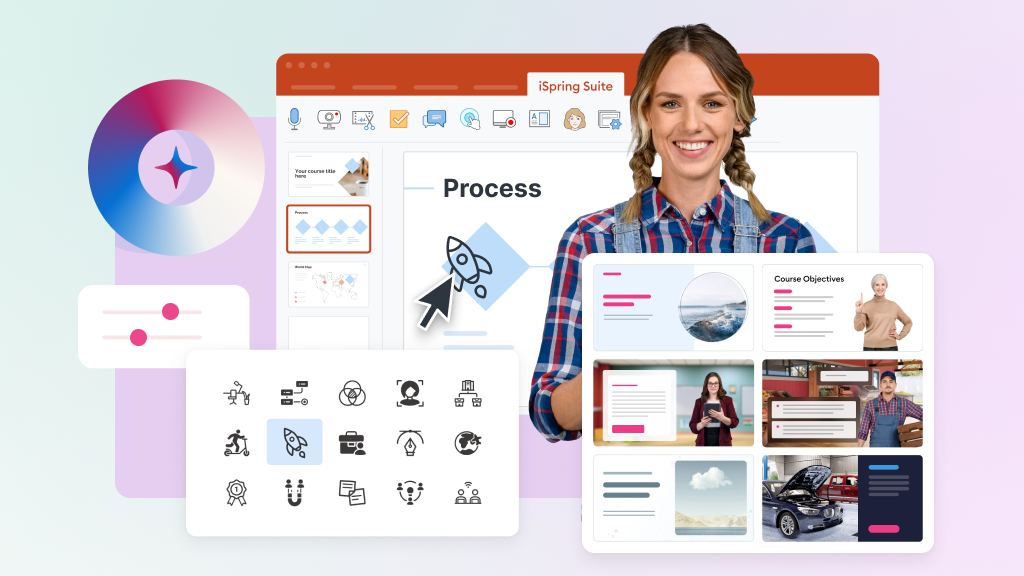
iSpring Suite Demo - Create Professional Course Design with Content Library
The extensive collection of eLearning assets includes course templates, backgrounds, characters, and icons.
iSpring Suite Demo - Role-plays
Create interactive role-play simulations to help employees develop conversation and sales skills.
iSpring Suite Demo - Mobile Courses That Work Everywhere
Perfect playback on any device, including PCs, Macs, tablets, and smartphones.
Product Avatar Image

Have you used iSpring Suite before?

Answer a few questions to help the iSpring Suite community

iSpring Suite Reviews (792)

View 3 Video Reviews
Reviews

iSpring Suite Reviews (792)

View 3 Video Reviews
4.6
792 reviews

Review Summary

Generated using AI from real user reviews
Users consistently praise the ease of use and seamless PowerPoint integration of iSpring Suite, which allows for quick and intuitive course creation. Many appreciate how it transforms existing presentations into interactive eLearning modules without a steep learning curve. However, some users note that advanced customization options can be limited, which may affect more complex projects.

Pros & Cons

Generated from real user reviews
View All Pros and Cons
Search reviews
Filter Reviews
Clear Results
G2 reviews are authentic and verified.
Victoria Q.
VQ
Director of Training and Development
Mid-Market (51-1000 emp.)
"PowerPoint-Native Speed and Rich Content, but Limited Collaboration and Pricey"
What do you like best about iSpring Suite?

iSpring Suite's greatest strength is how naturally it fits into an existing workflow. Because it operates directly inside PowerPoint, there is virtually no learning curve for trainers and instructional designers who already know that environment.

The variety of interactive content types available within a single authoring tool is also impressive. From branching scenarios and dialogue simulations to quizzes and screencasts, iSpring Suite gives content developers everything they need under one roof, which dramatically accelerates development timelines.

Finally, the built-in Content Library of pre-built characters, backgrounds, and templates raises production quality without requiring additional resources or a dedicated graphic designer. Review collected by and hosted on G2.com.

What do you dislike about iSpring Suite?

The most notable limitation of iSpring Suite is its dependency on PowerPoint. While that integration is also its strength, it means you are inherently tethered to Microsoft's ecosystem, which can be a constraint for organizations moving toward more platform-agnostic or cloud-based workflows.

The interface and feature set, while accessible, can also feel dated compared to some newer cloud-native authoring tools that offer more modern design flexibility and real-time collaboration. For teams that need multiple instructional designers working on the same course simultaneously, the lack of true co-authoring capability is a meaningful gap.

Lastly, the pricing, particularly when bundling Suite with the LMS, can feel steep for smaller training departments trying to justify the investment against more affordable alternatives on the market. Review collected by and hosted on G2.com.

Response from Tanya Davis of iSpring Suite

Hi Victoria,

Thank you so much for taking the time to share your experience!

It’s wonderful to hear that iSpring Suite fits so smoothly into your workflow and makes it easy for both instructional designers and subject matter experts to contribute. That’s exactly what we aim for -- helping teams create high-quality learning content without adding complexity.

We’re especially glad to hear that iSpring Suite is helping bridge the gap between content creation and deployment for your team. Streamlining that process and reducing the need for multiple tools is something we really focus on, so it’s great to know it’s making a tangible difference in your workflow.

We also truly appreciate your honest feedback. We understand that being tied to PowerPoint can be both a strength and a limitation, especially for teams moving toward more cloud-based workflows. Your points about design flexibility, a more modern interface, and real-time collaboration are very valuable.

If you’re open to it, we’d love to hear more about how your team approaches collaboration and what an ideal co-authoring experience would look like. Your insights really help guide our product decisions. You can reach out anytime at michael.keller@ispring.com. Our Chief Product Officer would be happy to connect.

Thanks again for sharing your experience. It truly means a lot to us!

James G.
JG
Founder and Director
Small-Business (50 or fewer emp.)
"Still My Go-To for Fast eLearning Development"
What do you like best about iSpring Suite?

I’ve been using iSpring for 15 years and I keep coming back to it because it lets me build eLearning quickly in a workflow natural to me because already work in PowerPoint. For me, that means I can focus on the learning design instead of wrestling with tool idiosyncrasies.

Features like narration editing, quizzes, and role-play simulations make it easy to create interactive content and assessments without a lot of extra complexity. I appreciate the newer AI features. They’re not a replacement for instructional design, but they can help speed up things like drafting content, creating assets, or preparing translations when you’re working on tight timelines. My favorite features are the audio / narration sync and Role Play module. Review collected by and hosted on G2.com.

What do you dislike about iSpring Suite?

Like most AI-assisted tools, the AI features still need a human eye. I usually review and adjust anything generated for tone and accuracy and learning context.

Also, because iSpring is built around PowerPoint, teams that prefer a completely browser-based authoring environment might look at other tools. For organizations comfortable with PowerPoint, though, that integration is actually one of its biggest advantages. Review collected by and hosted on G2.com.

Response from Tanya Davis of iSpring Suite

Hi James,

Thank you so much for taking the time to share such a thoughtful review, and for staying with iSpring for 15 years. This means a lot to our team.

It’s wonderful to hear that working in iSpring Suite helps you focus on learning design rather than on the tool itself. We’re especially glad that the audio/narration sync and Role Play module are among your favorite features, as these are also areas we continuously invest in to help instructional designers build polished, interactive experiences faster.

We also appreciate your balanced view of the AI capabilities. You’re absolutely right: AI is not a replacement for thoughtful instructional design, and we see it as a helper for drafting, asset creation, and speeding up things like translations when timelines are tight.

Thank you for calling out both the strengths and the limitations, including the fact that a PowerPoint‑based workflow may not be ideal for every team. We’ve thought about this too, and if your team prefers working fully in the browser, you’re always welcome to try iSpring Cloud. It’s a web-based space where you can create, store, and share your training content with your subject-matter experts in just a few clicks.

We value your trust in iSpring and look forward to supporting your future learning initiatives!

Fallon S.
FS
Business Manager
Enterprise (> 1000 emp.)
"Reliable and Easy for Building Quiz Banks"
What do you like best about iSpring Suite?

What I appreciate most about iSpring Suite is that it runs directly within PowerPoint. I don’t have to learn a whole new platform just to create courses, which makes the process feel much more natural. I can start from an existing slide deck and quickly turn it into a more structured training module, complete with quizzes and knowledge checks.

The quiz tool is straightforward to work with and includes plenty of helpful options. Publishing to SCORM is also easy, and once everything is configured the way I need it, it has been reliable in my experience. Overall, it saves me a lot of time. Review collected by and hosted on G2.com.

What do you dislike about iSpring Suite?

Things can start to feel messy once projects get large. Big quiz banks and multiple file versions are hard to keep organized, especially when more than one person is working on them. Some layout and player customization options feel a bit limited, while others seem redundant or overlapping. And when something publishes slightly off, it often takes some trial and error to figure out what caused it. It’s usually fixable, but the solution isn’t always clear or easy to spot. Review collected by and hosted on G2.com.

Response from Tanya Davis of iSpring Suite

Hi Fallon,

Thank you for such a thoughtful and detailed review. We truly appreciate you taking the time to share your experience with iSpring Suite.

It’s great to hear that the PowerPoint-based workflow makes course creation feel natural for you. One of the things we’re especially proud of is helping teams turn existing presentations into structured training without having to learn a completely new authoring environment.

We also appreciate your honest feedback about working with larger projects and quiz banks. As course libraries grow and multiple contributors get involved, organizing content can indeed become more complex. To help us better understand your experience and explore ways to improve, we’d love to learn a bit more:

Could you tell us more about the “big quiz banks”? What makes them large in your case?

How are these quiz banks typically used within your team?

How do different team members interact with them?

What specific challenges have you noticed when multiple people are working together?

Your answers will help us identify ways to make managing large projects and team collaboration smoother.

We’re also glad that publishing to SCORM has been reliable for you and that the tool helps save time when building training materials. Thank you again for sharing your perspective.

If you ever have questions or ideas you’d like to discuss, our team is always happy to help.

Ramesh p.
RP
Authorized Training Partner of Project Management Institute, USA.
Small-Business (50 or fewer emp.)
"Versatile Quizmaker with Lightning-Fast Support and Powerful Reporting"
What do you like best about iSpring Suite?

I especially like the Quizzmaker software. It supports all templates - multiple choice, multiple response, hot spot, match the following , situational role plays. No other software that I have researched offers this versatile capability. I can easily share them through my website or LMS. MY student performance is recorded and reported to the trainee and to the trainer and the trainer reviews students performance person to person. I am able to offer an experience no other training organization can offer because of this reporting capability. It has timers and I use it as exam simulators. Incredible. It has very interesting and varied set of designs for slides, that I can choose from. I was stunned at the speed at which support requests were answered - at times within an hour. Designing course is very easy because it uses the existing power point intereface. I have decided to renew my annual subscription without any hesitation. The Ispring product and its delivery team is fast, efficient and exhaustive in its features. I use it amost after every class to send quiizes to studets on topics covered. It integrates very well with the existing powerpoint. This review is from P.B.Ramesh, BecomePM, Authorized Trainer Partner, Project Management Institute, USA. My linked in profile: www.linkedin.com/in/rameshpb Review collected by and hosted on G2.com.

What do you dislike about iSpring Suite?

It will be good if I can share the quiz through Onedrive. Review collected by and hosted on G2.com.

Response from Tanya Davis of iSpring Suite

Hi P.B. Ramesh,

Thank you so much for taking the time to share such a detailed and thoughtful review of your experience with iSpring Suite.

We’re thrilled to hear that QuizMaker has become such a valuable tool for you, allowing you to create versatile quizzes with multiple formats, track student performance, and provide personalized feedback. It’s especially rewarding to know that our reporting capabilities help you deliver a unique learning experience that no other training organization can offer.

We really appreciate your suggestion about OneDrive. Our development team is actively looking into this feature. To help us address it faster, could you please share more details about the scenarios in which you need to use OneDrive? Your input will help us prioritize and implement the most useful solution.

Your trust means a lot to us, and we’re always happy to support you in delivering exceptional learning experiences.

Edd H.
EH
Principal
Small-Business (50 or fewer emp.)
"Great for SCORM Creation, Limited by Integration Issues"
What do you like best about iSpring Suite?

I like how the course player allows the presenter view alongside the traditional PowerPoint slides. I haven't found an alternative that presents the video in the same way. Review collected by and hosted on G2.com.

What do you dislike about iSpring Suite?

I'm frustrated by the bugs and challenges I'm facing with iSpring Suite. Currently, I have an issue where my files or courses are breaking. It's annoying that I can't use it with OneDrive, which is unusual since OneDrive is part of Microsoft Office, and this is a PowerPoint add-on. This has resulted in me not being able to access hundreds of gigabytes of my existing courses. This happened straight after they updated the software, I strongly suspect the update was to blame. iSpring support has repeatedly refused to accept responsibility or fix this even though I believe I have identified the change they made which caused this to be an issue (it wasn't an issue for years previously). Review collected by and hosted on G2.com.

Response from Daria Sagde of iSpring Suite

Edd, thank you for sharing your feedback on iSpring Suite. Thrilling to hear that you find it to be a powerful and user-friendly. I apologize for any issues you have encountered with certain features not working as expected and the support experience.

At iSpring we are committed to providing excellent customer service and will address these concerns to ensure a better experience for you in the future.

We appreciate your support and are glad to hear that iSpring Suite is helping you create engaging courses.

Tanja H.
TH
HR Officer
Mid-Market (51-1000 emp.)
"Intuitive, Reliable Platform for Polished, Professional Training Modules"
What do you like best about iSpring Suite?

iSpring Suite is extremely easy to use, especially being PowerPoint-based, which makes course development fast and intuitive. The interface is clean and user-friendly, and the output always looks polished and professional. I’m also impressed with how frequently the platform is improved — new features and updates are rolled out consistently. Their support team is responsive and knowledgeable, making it easy to resolve any questions quickly. Review collected by and hosted on G2.com.

What do you dislike about iSpring Suite?

I haven't come across anything I dislike. Review collected by and hosted on G2.com.

Response from Tanya Davis of iSpring Suite

Hi Tanja,

Thank you for taking the time to share such a thoughtful review.

We’re delighted to hear that iSpring Suite’s PowerPoint-based interface, clean design, and frequent updates are helping you create polished, professional courses quickly and intuitively. It’s also wonderful to know that the platform is streamlining your training process, from interactive quizzes and simulations to assessments, while maintaining consistency across your organization.

We truly appreciate your kind words about our support team. Hearing that we make it easy to resolve questions motivates us to keep improving.

We value your trust in iSpring! It’s rewarding to support you in designing courses that engage and inspire learners.

AM
Director
Enterprise (> 1000 emp.)
"Interactive and Engaging Learning Tool"
What do you like best about iSpring Suite?

I use iSpring Suite to enhance our self-paced college modules, and I really enjoy the various characters and interactions available. This helps keep our modules varied. The characters are realistic, and the interactions can appeal to different learning preferences, including visual, auditory, and tactile. The engagement facilitated by these features makes the modules more interesting for students, who often express that they are more enjoyable than static ones. Review collected by and hosted on G2.com.

What do you dislike about iSpring Suite?

I am hoping that iSpring continues to add additional graphics and design templates regularly in the future. Provide more options. It was fairly easy to set up, however, there is lots to learn to fully understand the capabilities that are available. Review collected by and hosted on G2.com.

Response from Daria Sagde of iSpring Suite

Alexandra, thank you for sharing your positive experience with iSpring Suite! We're please to hear that you appreciate the various options for building training modules and that integrating with Canvas has been smooth. We understand your feedback about account sharing, it is mainly limited due to subscription terms: 1 seat equals 1 user. For teams, we offer discounts in multiseat offers.

Thank you again for your time and sincere feedback. May you be successful in what you are doing!

Brenda F.
BF
Online Training Coordinator
Mid-Market (51-1000 emp.)
"Engaging Content Creation Made Easy with iSpring Suite"
What do you like best about iSpring Suite?

I love the interactions in iSpring Suite. They're fairly easy to learn and there are several options to choose from to fit the content. These interactions allow me to create content that is professional looking and interesting. The initial setup of iSpring Suite was very easy. Review collected by and hosted on G2.com.

What do you dislike about iSpring Suite?

I'm still trying to learn about screen recording and how to share a project with someone. Sharing projects seems cumbersome; I usually need to try multiple times before it is successful. It has to be saved a certain way, and if there are interactions or audio files, they have to be saved separately. I just have not learned how to do it very well. Review collected by and hosted on G2.com.

Response from Tanya Davis of iSpring Suite

Hi Brenda,

Thank you so much for sharing your experience with iSpring Suite. We're thrilled to hear how our interactions help you create professional, engaging content so easily.

It's great that the initial setup was smooth for you, and we love that you're enjoying the variety of interaction options for your SCORM projects.

For sharing projects, especially those with interactions or audio files, please get in touch with our technical support team via email at support@ispring.com. We resolve 85% of support requests in under 2 hours.

We truly appreciate your feedback. Feel free to reach out anytime if you'd like a walkthrough or tips tailored to your setup!

MA
Director of Training / Quality Assurance Inspector
Mid-Market (51-1000 emp.)
"iSpring Suite is the only answer for me"
What do you like best about iSpring Suite?

As the Training Director for a large aerospace facility, iSpring Suite is ideal for all of our FAA required training. I can create site-specific training modules complete with a quiz and track all of the results. It's easy to use and has a number of features to help create the custom training we require. The customer support is top notch too. Review collected by and hosted on G2.com.

What do you dislike about iSpring Suite?

Not a thing. iSpring Suite fulfills all the needs I have. Review collected by and hosted on G2.com.

Response from Tanya Davis of iSpring Suite

Hi Matt,

Thank you for sharing your experience as a Training Director. We're truly grateful to hear how iSpring Suite supports your FAA-required training at a large aerospace facility. It's wonderful that the site-specific modules, quizzes, and tracking make your work easier, and that our support team has been there for you every step of the way.

It's especially rewarding to know it fully meets your needs for training 200+ people across 15+ subjects each year. That's precisely what we strive to deliver.

If anything new comes up or you have ideas to make things even smoother, we'd be delighted to hear from you. Thank you again for trusting iSpring Suite!

Lisa F.
LF
Human Resources Manager
Mid-Market (51-1000 emp.)
"Effortless Presentation Creation, Exceptional Support"
What do you like best about iSpring Suite?

I love iSpring Suite because it's easy to use for creating presentations. I appreciate its text-to-chat feature, which lets me choose from different voices for presenting. The standout aspect for me is how it effortlessly turns standard slides into interactive, polished learning experiences without adding complexity. The intuitive interface allows me to quickly add quizzes, dialogue simulations, and voiceovers, making content more engaging and practical. I also appreciate how well it integrates multimedia. The balance between ease of use and robust functionality enhances both productivity and the final output. Additionally, their support team is excellent, responding quickly to any issues with a resolution. Setting up iSpring Suite was also very easy for me. Review collected by and hosted on G2.com.

What do you dislike about iSpring Suite?

There is nothing that I can think of that I dislike about this product. Review collected by and hosted on G2.com.

Response from Tanya Davis of iSpring Suite

Hi Lisa,

Thank you so much for taking the time to share your experience.

It’s wonderful to hear that iSpring Suite helps you create engaging learning experiences without added complexity, while boosting both productivity and quality. We’re especially glad that features like text-to-speech, quizzes, and dialogue simulations are making your workflow smoother and more efficient.

Your kind words about our support team mean a lot, and we’ll be sure to pass them along.

We wish you great success with your learning projects! We’re always here if you need any support.

Questions about iSpring Suite? Ask real users or explore answers from the community

Get practical answers, real workflows, and honest pros and cons from the G2 community or share your insights.

FR
Faith R
Last activity over 5 years ago

Which eLearning Authoring tool is good?

Verified User
G2
Verified User
Last activity over 4 years ago

Do you plan on making iSpring more accessible on Mac/Apple iOS or should we start looking at other more convenient options?

Pricing Options

Pricing provided by iSpring Suite.

iSpring Cloud AI

$720.00
1 author Per Year

iSpring Suite AI

$1,290.00
1 author Per Year

iSpring Suite

$970.00
1 author Per Year
iSpring Suite Comparisons
Product Avatar Image
Captivate
Compare Now
Product Avatar Image
Articulate 360
Compare Now
Product Avatar Image
Lectora
Compare Now
iSpring Suite Features
Course Builder
Assessments & Quizzes
Learning Paths
Certifications
Industry Compliance
Multilingual
Product Avatar Image
iSpring Suite