

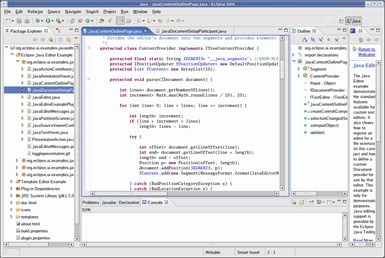

I use Eclipse mainly as my go-to environment for coding and experimenting with Java projects. What I really like is how organized everything feels. Features like auto-completion and real-time error highlighting save me from a lot of silly mistakes and make the whole process smoother. Eclipse feels like a reliable workspace where I can write, test, and debug my code all in one place without switching between tools, which keeps things smooth and efficient. The built-in debugger helps me understand where I’m going wrong instead of just guessing. The interface might look a bit simple, but it’s actually very powerful and customizable, making it easier for me to set things up the way I like. Overall, it just makes coding feel less overwhelming and more structured, which keeps me motivated to keep learning. Auto-completion saves me time and mental effort by suggesting code as I type, and the real-time error highlighting immediately points out mistakes so I can fix them on the spot. Together, these features make coding feel less stressful and more like a guided learning process, which really keeps me going. Review collected by and hosted on G2.com.
While Eclipse is really helpful overall, there are a few things that don’t work as smoothly for me. Sometimes it feels a bit heavy and slow, especially when opening large projects, which can break my focus. The interface can also feel a little outdated and confusing at times, especially when I’m trying to find certain settings or features—it’s not always very beginner-friendly. Occasionally, it also lags or freezes, which can be frustrating when I’m in the middle of something important. I also think setting up certain tools or plugins could be simpler, because it can feel a bit overwhelming at first. Even though these issues don’t stop me from using it, improving them would definitely make the overall experience much better. Review collected by and hosted on G2.com.