
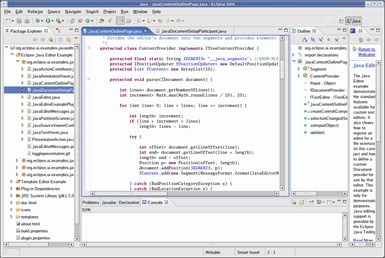


It’s not just an IDE—it’s more like a platform. You can customize it heavily using plugins for almost anything: Java, Spring Boot, C/C++, Python, web development, and even embedded systems. This makes it especially useful if you’re working across different tech stacks.
Another strong point is its excellent debugging and code navigation. Features like breakpoints, step execution, and variable inspection are very reliable, which is crucial for backend and system-level work.
I also appreciate its strong support for large-scale enterprise projects. It handles big codebases well, integrates easily with tools like Maven, Gradle, and Git, and is widely used in enterprise environments. Review collected by and hosted on G2.com.
One thing I dislike about Eclipse IDE is that it can feel heavy and slow, especially with large projects or multiple plugins installed. Startup time and indexing can sometimes be noticeably sluggish.
Another drawback is the outdated and less intuitive UI/UX compared to modern IDEs. Simple tasks can require more clicks or configuration than expected, which affects productivity.
Plugin management, while powerful, can also be a downside—dependency conflicts and version issues occasionally arise, making setup or maintenance frustrating. Review collected by and hosted on G2.com.