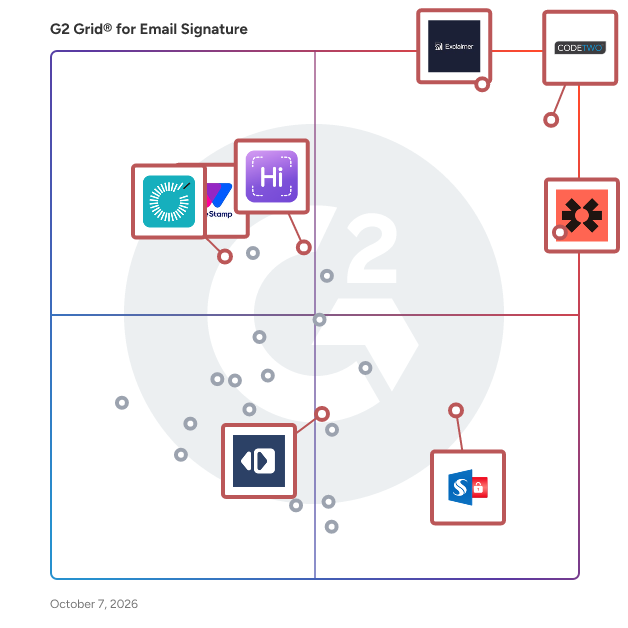
Best Email Signature Software for Small Business

Researched and written by Yukta Rustagi

Products classified in the overall Email Signature category are similar in many regards and help companies of all sizes solve their business problems. However, small business features, pricing, setup, and installation differ from businesses of other sizes, which is why we match buyers to the right Small Business Email Signature to fit their needs. Compare product ratings based on reviews from enterprise users or connect with one of G2's buying advisors to find the right solutions within the Small Business Email Signature category.

In addition to qualifying for inclusion in the Email Signature Software category, to qualify for inclusion in the Small Business Email Signature Software category, a product must have at least 10 reviews left by a reviewer from a small business.

How Many Email Signature Software Products Does G2 Track?

Total Products under this Category: 80

Category Stats (Jun 2026)

  • Average Rating: 4.45/5 (↑0.01 vs May 2026) The average rating of products in this category, based on all submitted ratings
  • Top Trending Product: Symprex Email Signature Manager (+5.86%) - Among all products in this category, Symprex Email Signature Manager recorded the largest rating increase compared to last month

Last updated: June 09, 2026

How Does G2 Rank Email Signature Software Products?

Why You Can Trust G2's Software Rankings:

  • 30 Analysts and Data Experts
  • 16,200+ Authentic Reviews
  • 80+ Products
  • Unbiased Rankings

G2's software rankings are built on verified user reviews, rigorous moderation, and a consistent research methodology maintained by a team of analysts and data experts. Each product is measured using the same transparent criteria, with no paid placement or vendor influence. While reviews reflect real user experiences, which can be subjective, they offer valuable insight into how software performs in the hands of professionals. Together, these inputs power the G2 Score, a standardized way to compare tools within every category.

G2 Advertising
Sponsored
G2 Advertising
Get 2x conversion than Google Ads with G2 Advertising!
G2 Advertising places your product in premium positions on high-traffic pages and on targeted competitor pages to reach buyers at key comparison moments.

How Do You Choose the Right Email Signature Software?

What You Should Know About Email Signature Software

What is Email Signature Software?

Email signature software helps companies create, optimize, standardize, and measure email signatures. Companies use email signature software to improve their content marketing strategy by presenting information in targeted ways that engage email recipients. Email signature software helps companies centrally manage all email signatures and email campaigns, without the help of IT. These solutions help businesses resolve brand consistency issues, while allowing a bit of personalization. Email signature software is most often used in addition to standard email applications and CRM applications. Email signature software should not be confused with e-signature software, which gives users the ability to gather signatures on documents shared electronically, eliminating the need for physical documents to record signatures.

Key Benefits of Email Signature Software

  • Convert emails into a branding asset
  • Save time and protect a company’s brand from inconsistency
  • Enable brand updates without involving IT

Why Use Email Signature Software?

Companies use email signature software to improve their content marketing strategy by presenting information in targeted ways that engage email recipients. Employees send out countless emails and email signatures can help amplify a brand, advertise new products or services, and assist in launching a rebrand. Email generators can help businesses include important information like confidentiality statements, and privacy policies without employees having to waste time including this information manually in each email.

Professionalism and consistency — For larger companies, standardized email signatures is especially important since they help create professional and consistent branding in email communications. Without standardized email signatures, emails can have a negative impact on a company’s reputation.

Brand conformity — Email signature software helps companies conform to brand guidelines, including company logos, brand colors, and fonts. This ensures employees use a company’s brand guidelines correctly.

Brand awareness and recognition — This type of software helps companies raise their brand awareness through email signatures, increasing consumer’s brand recognition over time. Consumers are more likely to engage with emails that have consistent branding, increasing email engagement.

Email signature templates — Businesses can generate preset templates of different signatures with email signature software, giving employees a variety of options for dynamic email signatures.

Who Uses Email Signature Software?

B2B and B2C companies — Both B2B and B2C companies can benefit from using email signature software. Each department within a business has varying goals to address and different audiences to target. That being said, email signature software can help each department generate custom email signatures while still complying with a company’s brand guidelines. For example, if a marketing team is holding a company event, they can use email signatures to promote the event with details of when the event is taking place and how to register. Another example would be a technical support team including their operating hours in their email signature. Finally, employees at a B2C company, like a clothing retailer, could include sale or promotion details in their email signatures.

Email Signature Software Features

Email signature generatorEmail signature software assists companies in generating a variety of brand-consistent email signatures. Users don’t need to have any design skills or technical knowledge to use this type of software.

Central managementThis type of software helps teams centrally manage their email signatures in one place, which enables admins to edit and automatically insert signatures in their emails.

Template editor — This feature allows users to focus on the layout of email signatures, not on the actual HTML coding of signatures. With a template editor, users don’t have to build email signatures from scratch each time they send an email.

Email signature preview — A preview feature allows users to edit and view email signatures before actually inserting them in their emails.

Image editing tools — Ability to easily upload, crop, and edit images within email signatures, like logos and banners. This feature can also include the ability to insert and edit animated gifs as well.

Social media icons — This feature enables users to add social media icons into their email signatures, which can link to social media profiles like LinkedIn, Facebook, or Twitter.

Multiple languages — Email signature templates that can support multiple languages include templates that are UTF-8 character encoded, which enables the use of characters and letters from an abundance of languages.

Click tracking and reporting — This feature helps businesses track when consumers click on their email signature links and provides marketing campaign reporting through the use of email signatures.

Trends Related to Email Signature Software

ABM campaigns — Email signatures can be implemented within account-based marketing campaigns to personalize communications for targeted accounts. Companies can use email signature software to customize email signature banners that redirect to personalized microsites that can be segmented by account (e.g., by industry, geography, or location). So by using email signature software, sales and marketing teams can send emails to targeted accounts with hyper-personalized content that lead to more organic conversations.

Potential Issues with Email Signature Software

Updating email signatures — If a company updates any of their website URLs, it’s important to update the website URL in any email signature using that link. For example, if a marketing team is promoting an event through a banner image in an email signature, it’s important for teams to remember to either remove that template, or update it with an appropriate URL or image.

Software and Services Related to Email Signature Software

CRM softwareCRM software helps businesses track and manage sales interactions in a single system. Email signature software can help install a business’s HTML email signatures into CRM software.

Email marketing softwareThese tools can be used to design and build customized emails, using HTML and CSS or utilizing visual editors. With email marketing software, users can build and manage opt-in email lists, segment those lists to target email sends, and manage unsubscribes or subscriber responses. Email signature software can be integrated directly into email marketing tools as well.

Email template builder softwareThis type of software offers templates that are premade and intended for certain industries or designed with specific themes. Email signatures can be incorporated into these premade templates and can allow users to update text and themes.

Branding agenciesBranding agencies develop, launch, and manage brands for businesses. The branding process can include the creation of names, terms, logos, symbols, and overall integrated marketing communications that can help form a recognizable business with a strong identity. Branding agencies can help companies use email signature software to maintain brand consistency.