Xmind

By Xmind

4.5 out of 5 stars

How would you rate your experience with Xmind?

Compare this with other toolsSave it to your board and evaluate your options side by side.
Save to board

Xmind Reviews & Product Details

Pricing

Pricing provided by Xmind.

Xmind Free Plan

Free
1 Users Per Year

Xmind Media

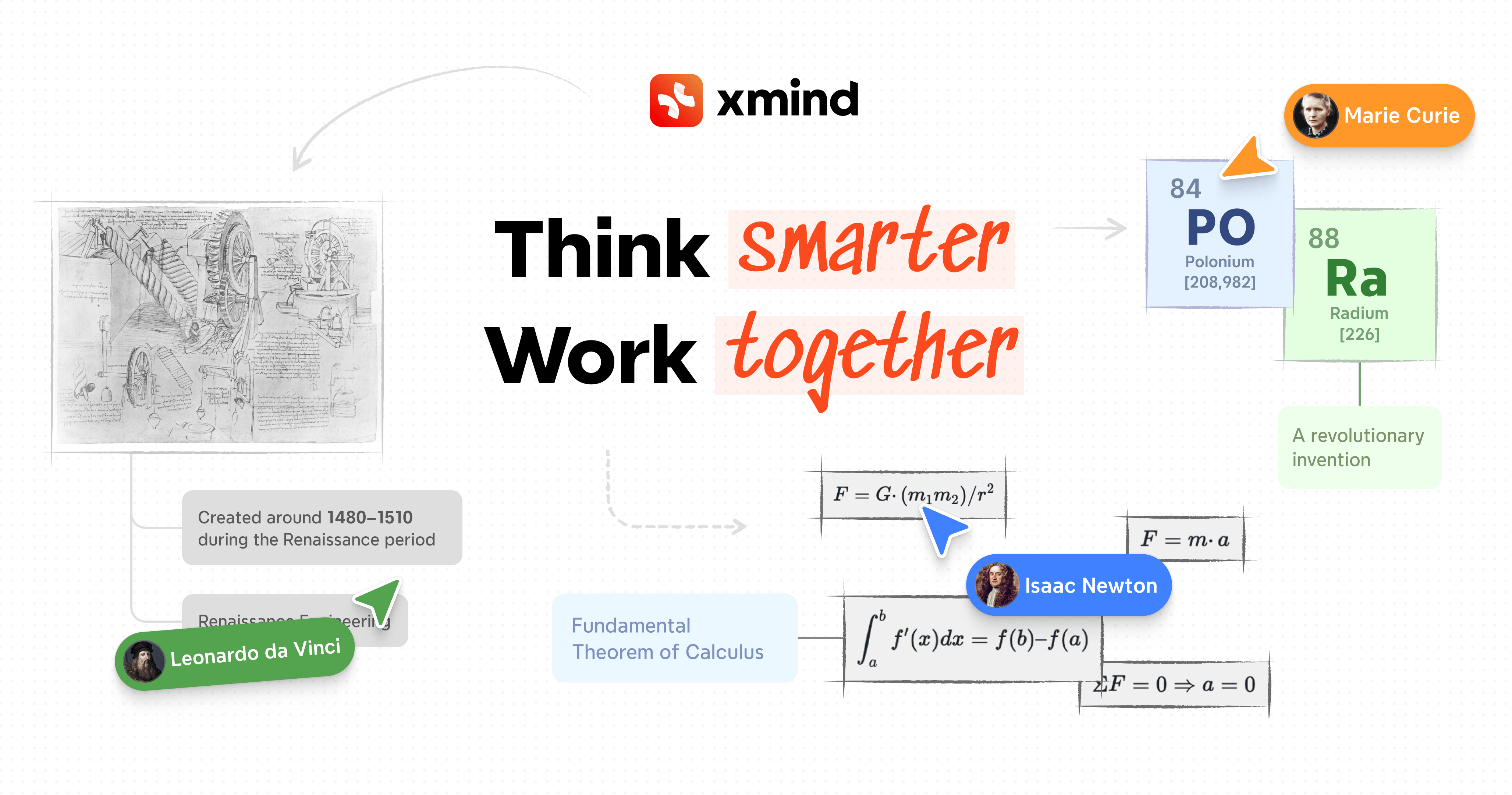
Xmind Demo - Visual Thinking Made Simple
Xmind helps you organize ideas, connect concepts, and turn complex information into clear visual structures for better decision-making.
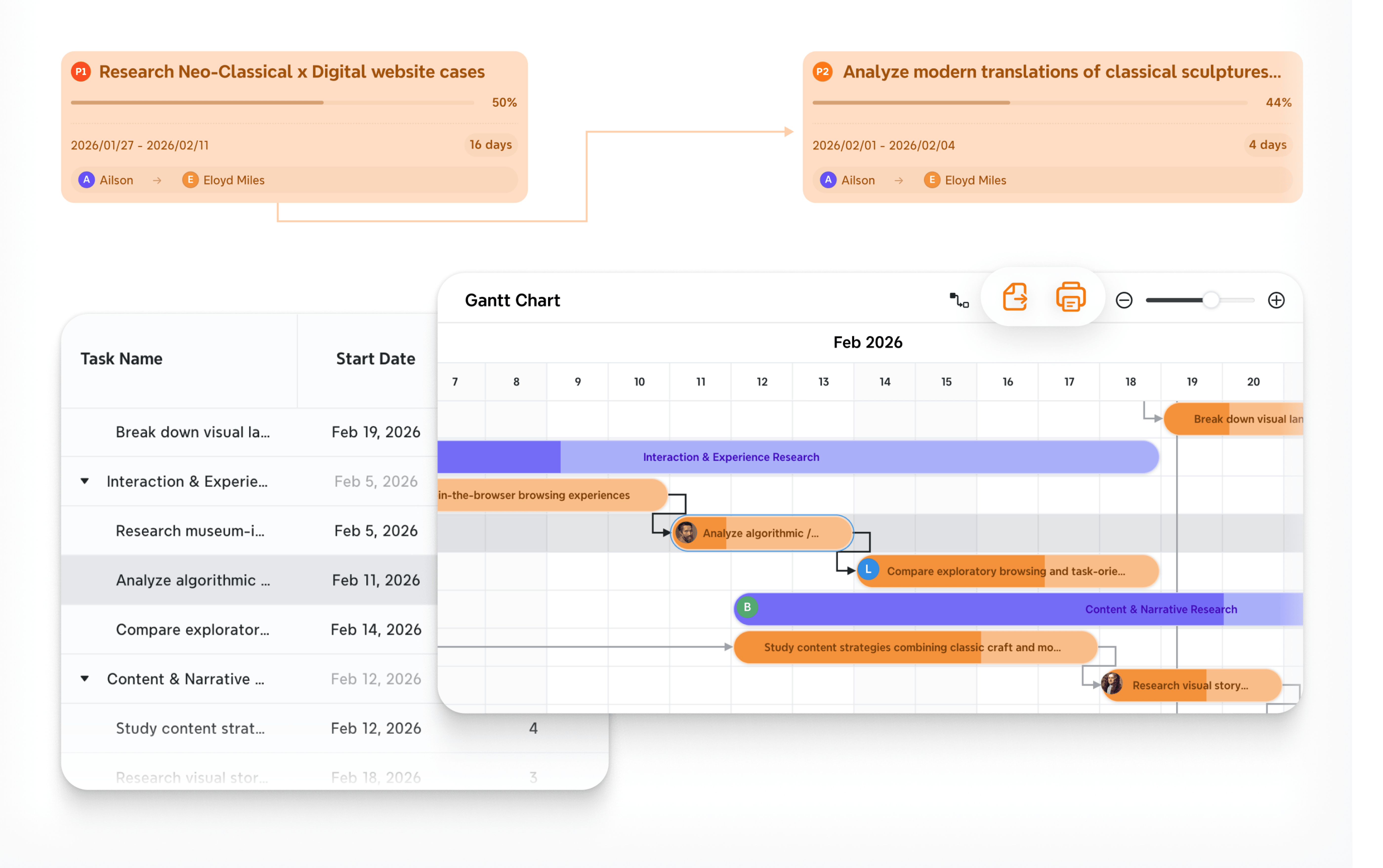
Xmind Demo - Visualize Progress with Gantt Chart
Transform mind maps into actionable plans with built-in Gantt charts. Visualize timelines, dependencies, and progress with ease.
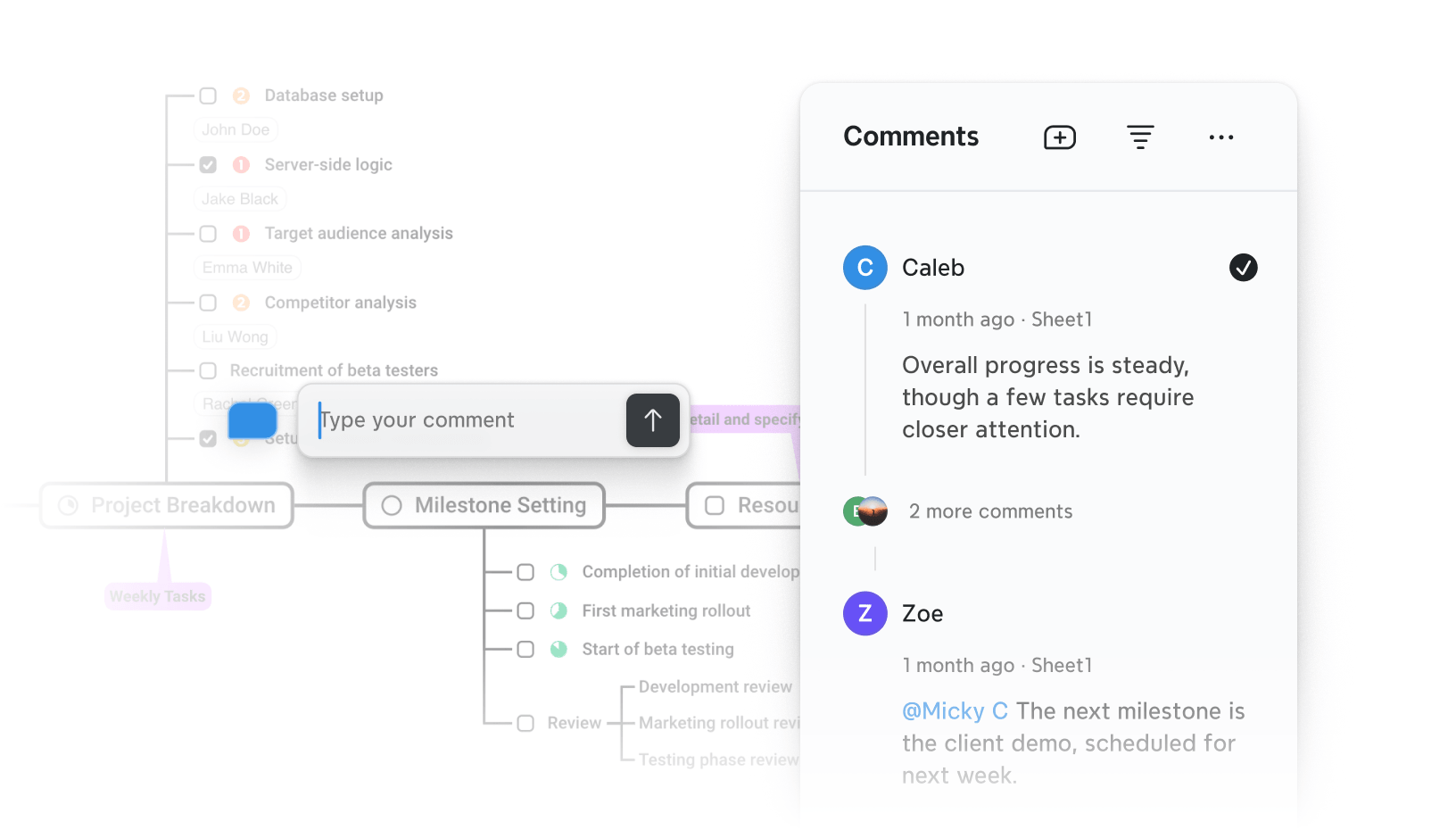
Xmind Demo - Real-Time Collaboration & Feedback
Collaborate seamlessly with your team through comments and discussions. Share feedback, assign tasks, and stay aligned in one place.
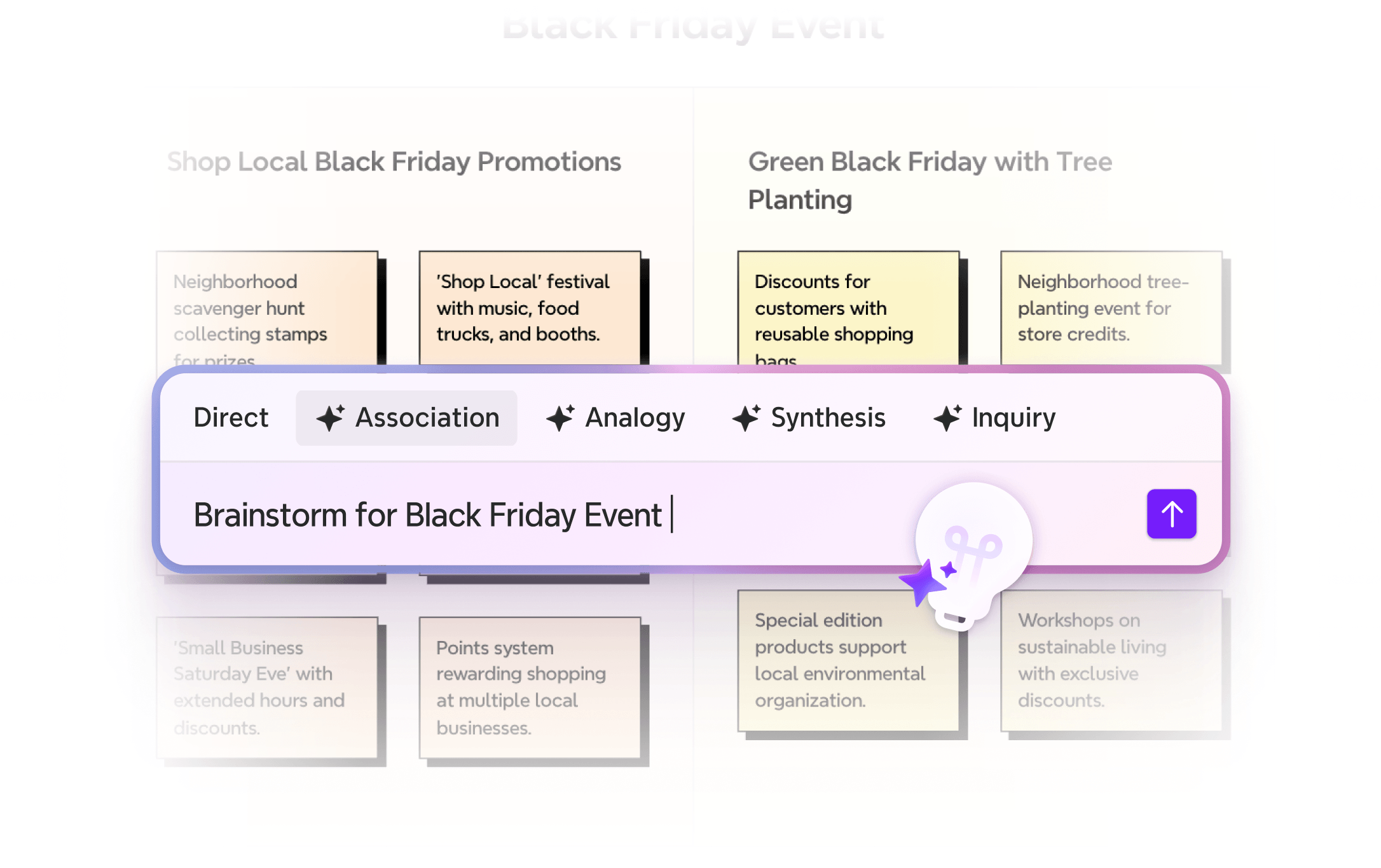
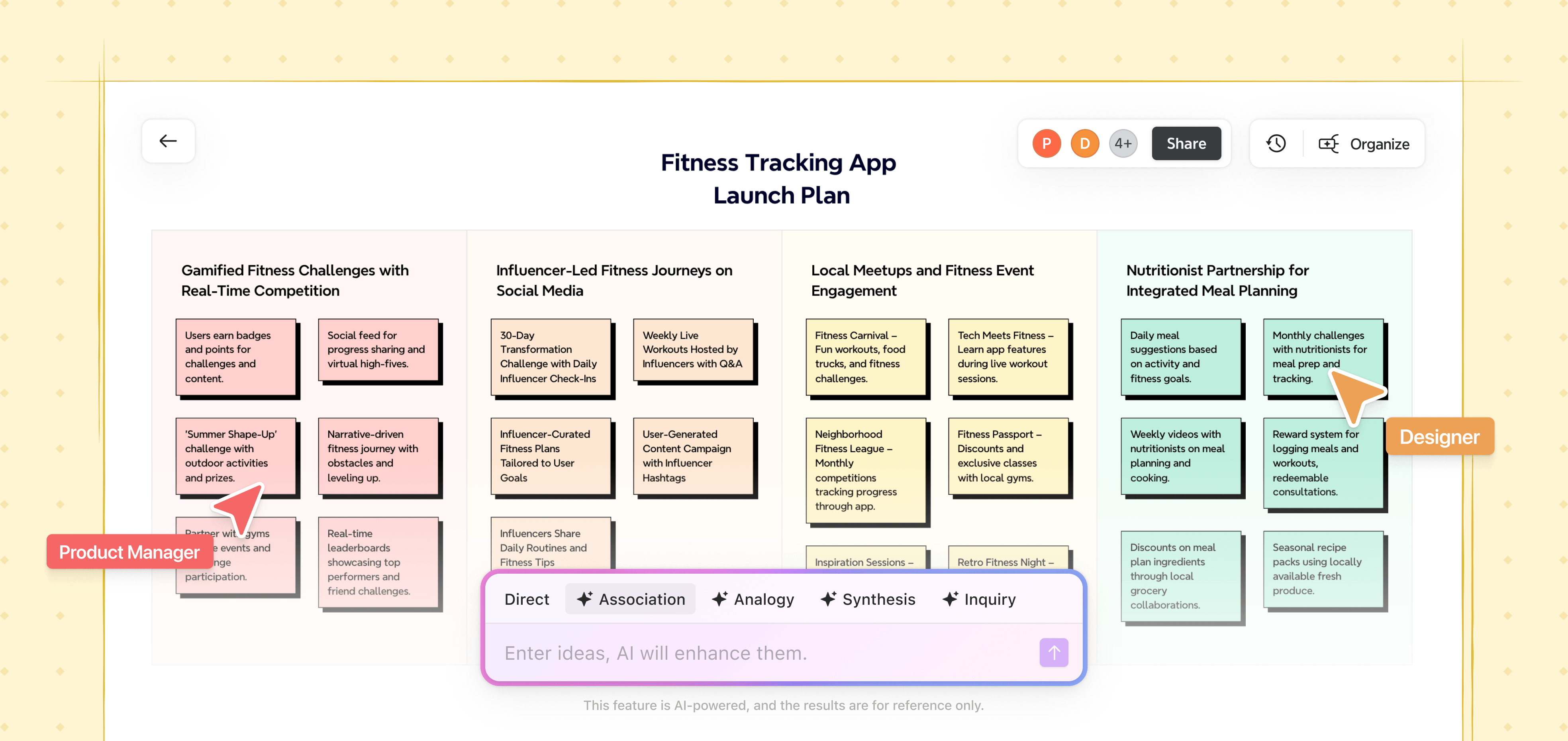
Xmind Demo - AI-Powered Mind Mapping
Enhance your thinking with Xmind AI. Instantly generate ideas and expand mind maps using multiple thinking modes for deeper insights.
Xmind Demo - Organize Ideas with Clear Visual Structure
Break down complex ideas into modular, easy-to-understand visuals. Xmind helps you structure information clearly, making thinking, planning, and communication more efficient.
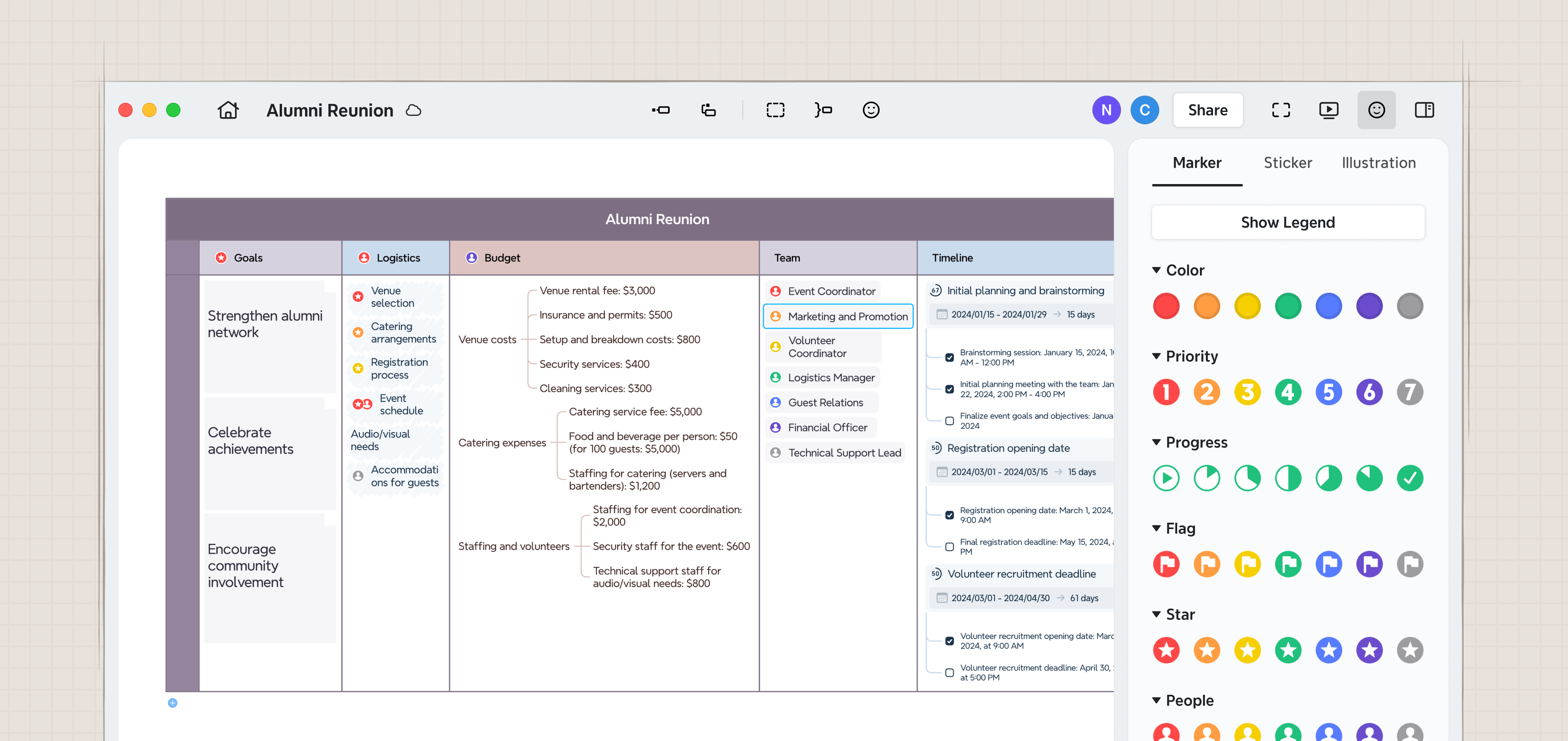
Xmind Demo - Rich Visual Components for Flexible Design
Customize your mind maps with a wide range of visual elements, including markers, icons, priorities, progress indicators, and more—making your ideas clearer and more expressive.
Every project begins with an idea, but bringing it to life shouldn’t feel heavy.
Xmind helps you turn ideas into structure, tasks into progress, and plans into results. Break projects down with AI, set priorities with Task, track timelines
Play Xmind Video
Every project begins with an idea, but bringing it to life shouldn’t feel heavy. Xmind helps you turn ideas into structure, tasks into progress, and plans into results. Break projects down with AI, set priorities with Task, track timelines
Xmind Space helps with digital team management — keeping projects neatly separated without paying twice. One team, one fee, multiple Spaces.
Play Xmind Video
Xmind Space helps with digital team management — keeping projects neatly separated without paying twice. One team, one fee, multiple Spaces.
Switch seamlessly between mind map and Gantt chart in Xmind. Every update stays synced across both views — no manual work, no extra tools.
Play Xmind Video
Switch seamlessly between mind map and Gantt chart in Xmind. Every update stays synced across both views — no manual work, no extra tools.
New project? Don’t start from zero. Plan your projects instantly with Xmind AI. Upload your materials, tell Xmind AI what you need, and get a clear project plan with timelines, priorities, and tasks in minutes.
Play Xmind Video
New project? Don’t start from zero. Plan your projects instantly with Xmind AI. Upload your materials, tell Xmind AI what you need, and get a clear project plan with timelines, priorities, and tasks in minutes.
Xmind supports real-time collaboration across all your devices. Share mind maps, sync edits instantly, and stay connected with your team wherever you are.
Play Xmind Video
Xmind supports real-time collaboration across all your devices. Share mind maps, sync edits instantly, and stay connected with your team wherever you are.
Official Downloads
(1)
Product Avatar Image

Have you used Xmind before?

Answer a few questions to help the Xmind community

Xmind Reviews (266)

View 1 Video Reviews
Reviews

Xmind Reviews (266)

View 1 Video Reviews
4.5
266 reviews

Review Summary

Generated using AI from real user reviews
Users consistently praise the ease of use and intuitive interface of Xmind, which allows for quick organization of thoughts and ideas into clear mind maps. The clean design and simple setup enhance productivity, making it a preferred tool for brainstorming and project planning. However, some users note limitations with mobile usability and the availability of advanced features in the free version.

Pros & Cons

Generated from real user reviews
View All Pros and Cons
Search reviews
Filter Reviews
Clear Results
G2 reviews are authentic and verified.
Oussama Riadh G.
OG
Scientist teacher student
Small-Business (50 or fewer emp.)
"The ease of use of Xmind includes all the required features."
What do you like best about Xmind?

I love the ease of use in Xmind and the fact that all features are available in one application. Including images directly in the mind map greatly helps me in converting lessons into mind maps, such as zoology. I also liked the ability to save maps in multiple formats and not being restricted to one format, in addition to opening maps from different devices. Moreover, the application is free, which is an additional feature I appreciate. Review collected by and hosted on G2.com.

What do you dislike about Xmind?

In my opinion, converting titles or boxes within the diagram from one side to another sometimes involves control or restriction. For example, when a main title branches into two titles, in the application you cannot place them under each other unless there are three titles, and so on. At the beginning of my use, I thought I could start a new page without taking any templates, but it turned out that one of the templates must be taken to start, which I initially found to be a negative point, but now it is no longer a major obstacle. Review collected by and hosted on G2.com.

Dev a.
DA
software engine
Small-Business (50 or fewer emp.)
"XMind Makes Brainstorming and Planning Easy"
What do you like best about Xmind?

I like best about XMind is how simple and visually clear it makes organizing ideas. The interface is clean and easy to use, which helps me quickly create mind maps for studying, planning projects, and brainstorming. The layouts, icons, and color options make complex topics easier to understand at a glance. Overall, XMind helps me think more clearly and structure my ideas effectively. Review collected by and hosted on G2.com.

What do you dislike about Xmind?

One thing I dislike about XMind is that many advanced features are limited to the paid version, which can feel restrictive for free users. Some export options and customization features are not available without a subscription. Additionally, when working on very large mind maps, the application can sometimes feel slow. These issues can slightly affect the overall experience, especially for heavy users. Review collected by and hosted on G2.com.

Akshat  P.
AP
Associate
Small-Business (50 or fewer emp.)
"Flexible Mind Mapping, Great for Brainstorming and Workflows"
What do you like best about Xmind?

I use Xmind for mapping and workflow creation, and it really helps in designing what's in my mind clearly. I like that it makes brainstorming ideas on the system very clear. It's also flexible and very easy to edit and add lines, maps, etc., allowing me to quickly add things, edit, and remove when not required. I especially value the diagrams and flow charts. Additionally, the initial setup was easy—just going to the website and logging in was very straightforward. Review collected by and hosted on G2.com.

What do you dislike about Xmind?

Some crucial features are in the paid version. Design themes and certain structure designs are in the paid version, which I think could be available in the free version. Review collected by and hosted on G2.com.

Andres F.
AF
Consulting Chief
Consulting
Small-Business (50 or fewer emp.)
"Ease and Intuition in Mind Maps with Xmind"
What do you like best about Xmind?

Xmind offers the possibility to create mind maps, roadmaps, concept sheets, and many other options, such as flowcharts, centered diagrams, pyramidal, linear, among others. The most notable feature of Xmind is, without a doubt, its ease of use. It is very intuitive and has a really simple interface, which allows you to focus on specific tasks without distractions. It is appreciated that it is not overloaded with unnecessary functions. Review collected by and hosted on G2.com.

What do you dislike about Xmind?

Currently, what I like least about Xmind is its performance on mobile devices. It definitely needs an update in this regard, and sometimes it has minor issues when syncing between the cloud and other devices, although this is a minor issue. Otherwise, everything works very well. Review collected by and hosted on G2.com.

BoomFlicks M.
BM
Student
Enterprise (> 1000 emp.)
Business partner of the seller or seller's competitor, not included in G2 scores.
"Transforms Complex Problems into Clear, Actionable Insights"
What do you like best about Xmind?

What is most helpful about XMind is its ability to visually structure complex problems and thoughts in a clear, logical way. The key upsides of using XMind include breaking down issues into manageable components, making cause–effect relationships easier to identify, and supporting systematic analysis such as problem solving and root cause analysis. Its visual mind-mapping approach also improves clarity, collaboration, and communication, helping individuals and teams reach conclusions and decisions more efficiently. Review collected by and hosted on G2.com.

What do you dislike about Xmind?

The least helpful aspect is that many advanced features are locked behind the paid version, while the free version only covers basic needs. Users also report that when mind maps become very large or complex, they can be difficult to manage and visually cluttered. In addition, XMind is often considered less suitable for advanced project management or real-time collaboration, requiring teams to rely on other tools to fill these gaps. Review collected by and hosted on G2.com.

Luis R.
LR
Director
Small-Business (50 or fewer emp.)
"Why XMind Has Become a Core Tool in Our PM Practice"
What do you like best about Xmind?

What I appreciate most about XMind is how intuitively it supports the process of structuring my thoughts. It enables me to take complex, unorganized ideas and swiftly transform them into something clear and actionable. Whether I am outlining a project strategy, setting up a meeting agenda, or evaluating different options, XMind aligns with my approach as a Project Manager, starting with a broad overview and gradually adding more detail.

The tool is visually engaging without being distracting, flexible without becoming overly complicated, and practical enough for daily use. This balance is what has made it a lasting choice for my team. XMind is more than just a mind-mapping tool; it’s a comprehensive thinking and planning solution that integrates seamlessly into real project management tasks. Review collected by and hosted on G2.com.

What do you dislike about Xmind?

What I find most frustrating is the overlap between the local and web versions. Ever since the web version was introduced, it has become confusing at times to determine where a file has been saved, whether it’s stored in the cloud or on my local device. There have been occasions when I’ve had to search for files simply because I couldn’t remember which version I used to save them.

I believe this could be addressed in a much more straightforward and user-friendly manner, both in terms of the interface and the overall workflow. Additionally, it would be beneficial if the advantages of saving files in the cloud, such as easier access, better control, and improved data backup, were communicated more clearly.

While this isn’t a dealbreaker, it is definitely an area where XMind could enhance the user experience. Review collected by and hosted on G2.com.

Paul B.
PB
President
Small-Business (50 or fewer emp.)
"Essential for Goal Tracking and Planning Success"
What do you like best about Xmind?

I love it all. I use it daily to keep track of my monthly and yearly goals both personal, spiritual, and in business. It helps me track and plan. I recently upgrade to the Premium version which includes tasks and Gantt charts. I have not been able to implement these features into my system yet but I have a multi-year (6-8 years) project that I started processing and hope to use these new features. Review collected by and hosted on G2.com.

What do you dislike about Xmind?

The biggest dislike is really the default display upon opening. If all my tabs are 80% when they close, it would be nice if they opened back at 80%. Only the main tab does this. The other screens are not really loaded until I click on them so that's probably the reason. Still it would be nice. Review collected by and hosted on G2.com.

Bishnu M.
BM
Digital Creator
Small-Business (50 or fewer emp.)
"Clean, Intuitive, and Perfect for Brainstorming Big Ideas"
What do you like best about Xmind?

I strictly use Xmind as a mind-mapping tool, and honestly, it is the best digital canvas for gathering my scattered thoughts. The interface is clean and doesn't get in the way of my brainstorming process.

What I love most is how easily it allows me to visualize complex logic. For instance, I recently used it to design the entire email automation structure for my website. Being able to drag, drop, and connect different logical steps helped me spot holes in my strategy before I even started building it. It transforms a messy "brain dump" into a structured plan effortlessly. Review collected by and hosted on G2.com.

What do you dislike about Xmind?

While the tool itself is fantastic, I am not a huge fan of the subscription-based pricing model. I would prefer a solid lifetime license option that covers major updates. Sometimes, the synchronization across different devices can also be a little slower than expected, but it generally works well enough for my needs. Review collected by and hosted on G2.com.

Aman K.
AK
Founder
Hospital & Health Care
Small-Business (50 or fewer emp.)
"Excellent Visualisation and Collaboration, But Pricey for Occasional Use"
What do you like best about Xmind?

It is amazing for helping visualise the data in a superb clear and easy manner. It can be exported to multiple options , even presented online. In addition to mind map there is also option of developing fish bone diagrams and matrix diagrams. the AI mode is so super helpful that the document file whether pdf or ppt or word get converted into a clear and amazing visualisation within a minute or so. even collaboration is very easy. The implimentation is super simple and can be started in under 5 minutes. I kind of use it every few days specially when I need visualisation. Review collected by and hosted on G2.com.

What do you dislike about Xmind?

It can be a little expensive to use on long term if you do not need a lot of visualisation. Review collected by and hosted on G2.com.

KH
Retired
Small-Business (50 or fewer emp.)
"A Decade of Reliability and Clarity with Xmind"
What do you like best about Xmind?

I started using Xmind more than 10 years ago when I was studying at University. I used it Mindmapping everything that was complex, that I needed to understand clearly. When I entered the real world I used it to plan our websites, forward projections for projects - gosh everything really, and it never ever let me down. Review collected by and hosted on G2.com.

What do you dislike about Xmind?

Nothing. It has evolved over the years and that has always supplied me with everything I needed. Review collected by and hosted on G2.com.

Questions about Xmind? Ask real users or explore answers from the community

Get practical answers, real workflows, and honest pros and cons from the G2 community or share your insights.

GU
Guest User
Last activity 3 months ago

What is Xmind used for?

GU
Guest User
Last activity 7 months ago

Is there a free version of XMind?

Pricing Options

Pricing provided by Xmind.

Xmind Free Plan

Free
1 Users Per Year

Xmind Pro Plan

$59.00
1 Users Per Year

Xmind Premium Plan

$99.00
1 Users Per Year
Xmind Comparisons
Product Avatar Image
MindNode
Compare Now
Product Avatar Image
Miro
Compare Now
Product Avatar Image
MindManager
Compare Now
Xmind Features
Collaborative Editing
Task Management
Notes and Comments
File Formats
Cloud Storage Integration
Mobile Application
Styles and Themes
Image Import
Autonomous Task Execution
Decision Making
Product Avatar Image
Xmind