Vidyard

By Vidyard

4.5 out of 5 stars

How would you rate your experience with Vidyard?

Compare this with other toolsSave it to your board and evaluate your options side by side.
Save to board

Vidyard Reviews & Product Details

Pricing

Pricing provided by Vidyard.

Free

Free

Vidyard Media

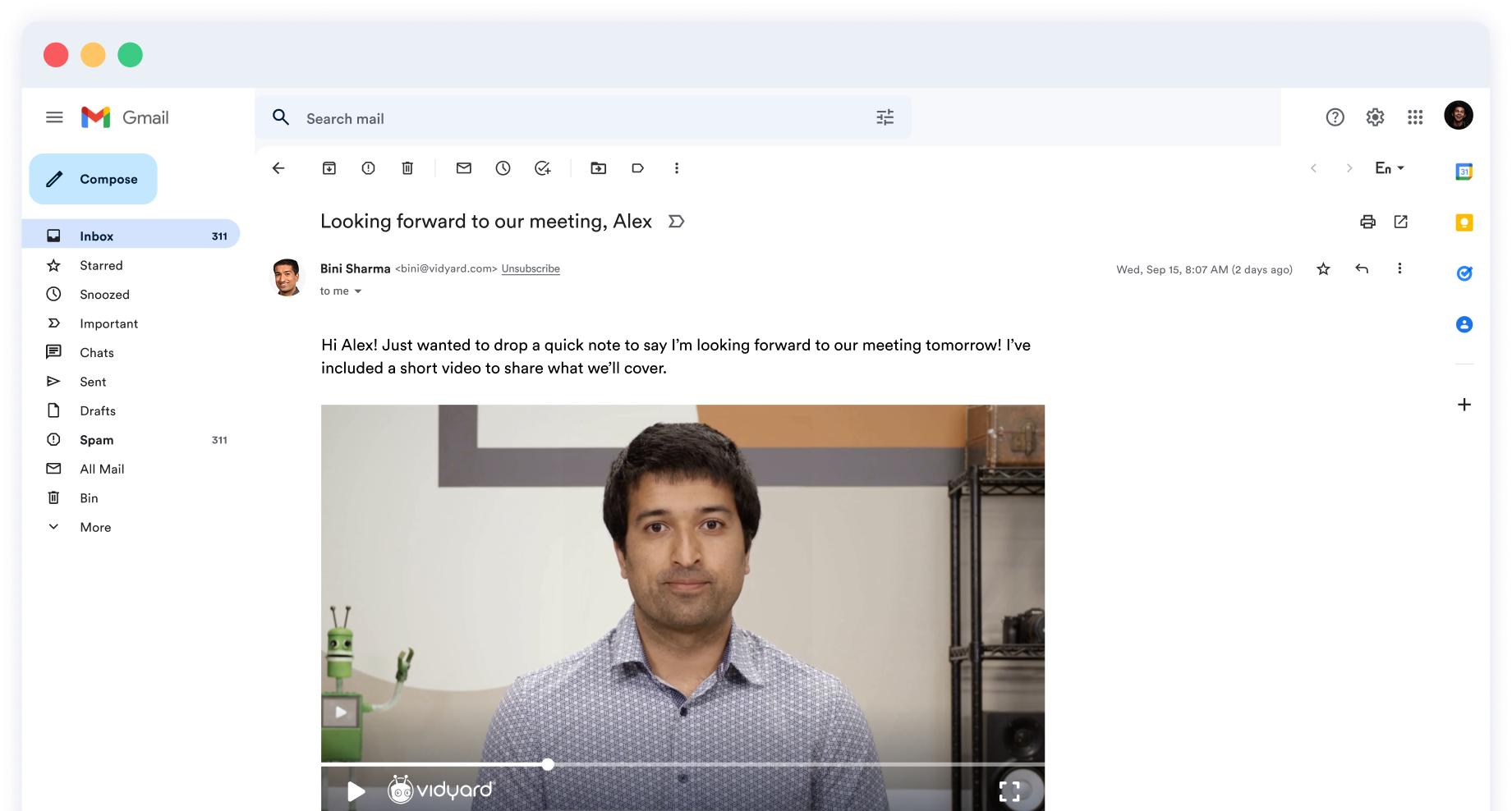
Vidyard Demo - Video emails for virtual selling
Record and send sales videos from your browser, desktop, or phone to connect, convert, and close—all while remote.
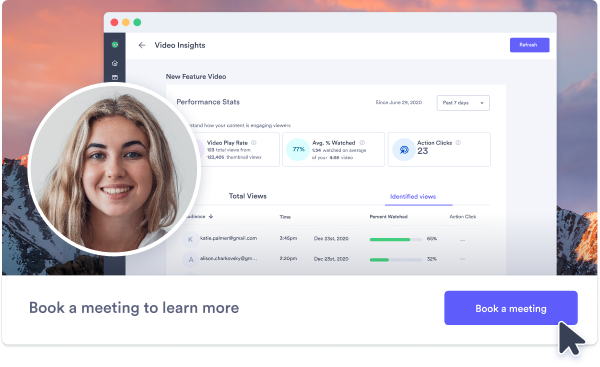
Vidyard Demo - Powerful video analytics
Know who’s watching and for how long so you can prioritize and personalize your sales strategy. Measure how each team member is performing with video.
Vidyard Demo - CRM integrations
Push video view data into your CRM. Augment contact records with viewing data to surface high-intent leads, and measure videos’ impact on pipeline and revenue.
Vidyard Demo - In-video calls to action
Add a link that drives buyers to next steps– from providing additional resources to booking a meeting right from your video.
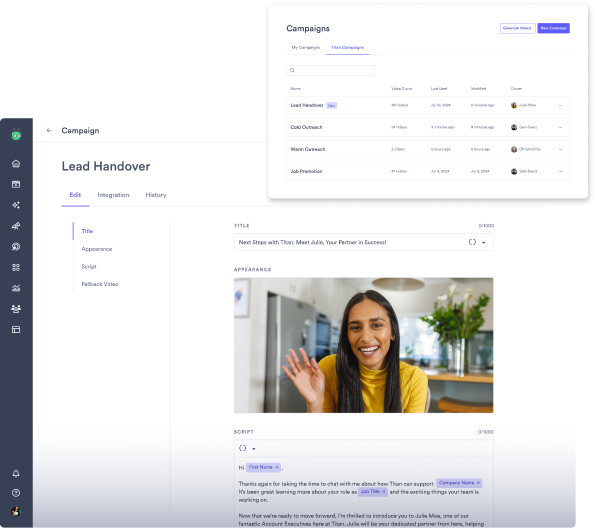
Vidyard Demo - Launch personalized video campaigns at scale
Create, manage, and scale AI-powered video campaigns across outreach, onboarding, and follow-ups — without manual recording.
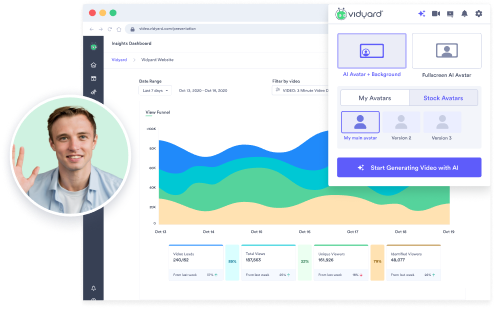
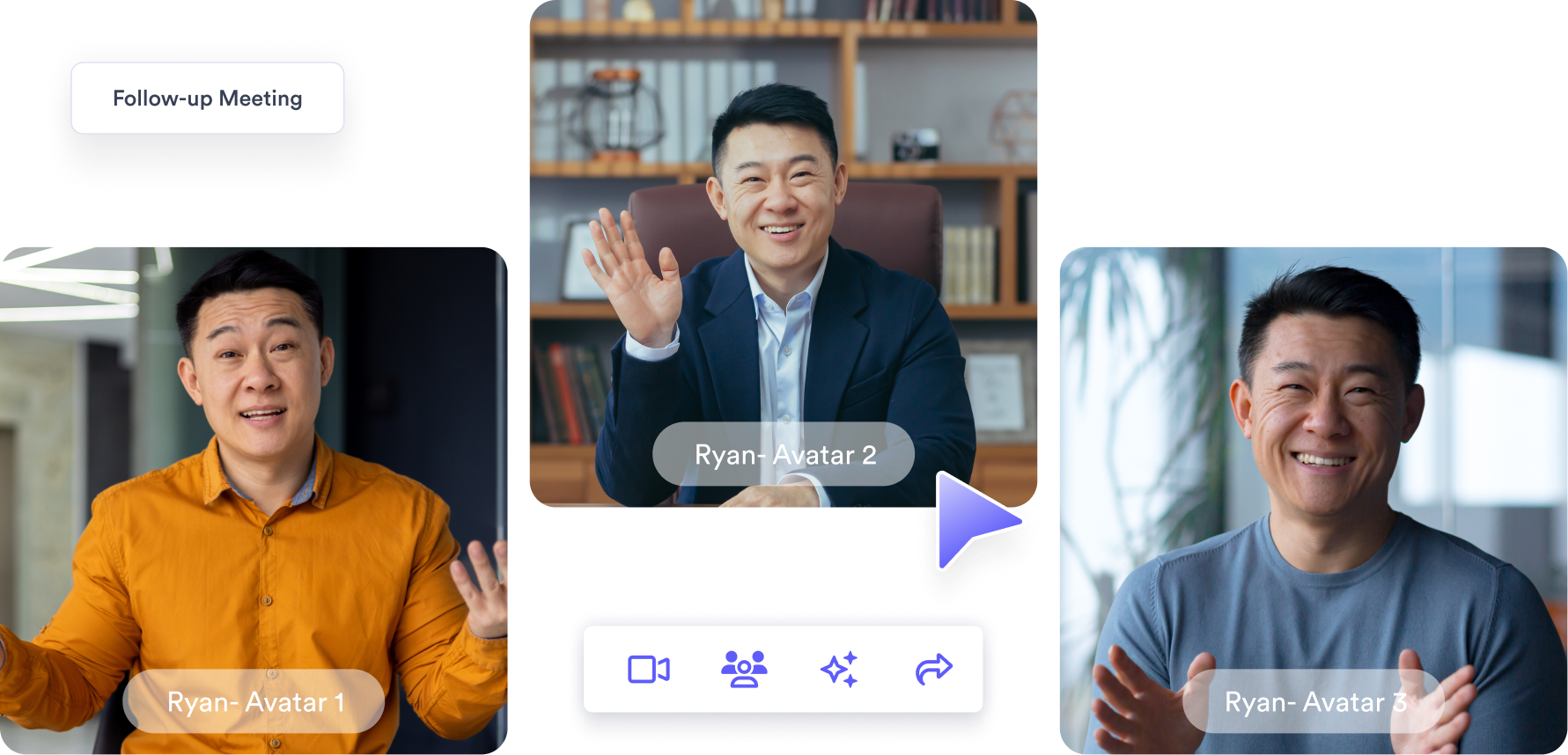
Vidyard Demo - Generate high-quality videos with AI Avatars
Create consistent, on-brand videos in minutes using AI Avatars — no camera, no retakes, no bottlenecks.
Video Sales Agent
Play Vidyard Video
Video Sales Agent
Play Vidyard Video
Official Downloads
(1)
Product Avatar Image

Have you used Vidyard before?

Answer a few questions to help the Vidyard community

Vidyard Reviews (831)

View 5 Video Reviews
Reviews

Vidyard Reviews (831)

View 5 Video Reviews
4.5
831 reviews

Review Summary

Generated using AI from real user reviews
Users consistently praise the ease of use and personalization features of Vidyard, which make recording and sharing videos straightforward and effective for engaging clients. The integration with tools like HubSpot enhances its functionality, allowing for seamless communication and insightful analytics. However, some users note that the editing options are limited, which can hinder more complex video projects.

Pros & Cons

Generated from real user reviews
View All Pros and Cons
Search reviews
Filter Reviews
Clear Results
G2 reviews are authentic and verified.
ajay K.
AK
Admin
Small-Business (50 or fewer emp.)
"A Powerful Tool for Video Marketing and Analytics"
What do you like best about Vidyard?

I love how easy it is to record and share videos directly from my browser. The analytics feature gives detailed insights into who watched the video and for how long, which is perfect for sales and marketing. It integrates smoothly with tools like HubSpot and Gmail, making outreach more personal. Review collected by and hosted on G2.com.

What do you dislike about Vidyard?

Sometimes the free version has limitations like branding or restricted analytics. Also, editing features are a bit limited unless you upgrade to a higher plan. The mobile app also needs improvement in terms of stability. Review collected by and hosted on G2.com.

Juan C.
JC
CX Quality Assurance Manager - Global Operations
Mid-Market (51-1000 emp.)
"Vidyard changed the game for me!"
What do you like best about Vidyard?

Vidyard remains free, great quality videos, and the extention works seamlessly. Review collected by and hosted on G2.com.

What do you dislike about Vidyard?

Ai development is not very evident. Would be great to make an ai avatar and be able to use that for recording, without recording but que quality is not great, yet. Also dubbing would be awesome! Review collected by and hosted on G2.com.

Verified User in Computer Software
UC
Mid-Market (51-1000 emp.)
"Excellent tool for personalizing outreach as an SDR"
What do you like best about Vidyard?

I’m still using Vidyard after almost two years, and it’s held up really well. It’s still an excellent tool for recording videos and doing personalized outreach. One of the coolest updates is their AI features: they’ve improved the video script generator and added AI Avatars, which let you generate videos in over 25 different languages. Review collected by and hosted on G2.com.

What do you dislike about Vidyard?

I’d still love to see more pre-designed video templates added. Another thing that could use a bit of improvement is the mobile app, it’s great, but there’s definitely room to make it even smoother and more flexible. Review collected by and hosted on G2.com.

Nicholas D.
ND
Solutions Engineer
Mid-Market (51-1000 emp.)
"Quick Demos Made Easy, But Lacks Editing"
What do you like best about Vidyard?

I like how quickly I can create demos using the Vidyard Chrome plugin and its ease of use. The initial setup was simple. Review collected by and hosted on G2.com.

What do you dislike about Vidyard?

I find the video tools appearing while recording distracting. The editing functions are quite limited, only allowing for trimming or clipping, which makes it hard to create professional demos. Review collected by and hosted on G2.com.

Harsh C.
HC
Founders Office
Small-Business (50 or fewer emp.)
"vidyard review"
What do you like best about Vidyard?

Vidyard is an amazing find which is super easy to use. It has video recordig, organising and video sharing features enabled. Ease of implementation with daily work is what pleases the users. The crome extension integrated into the browser allows quick access to start recording videos immediately. Review collected by and hosted on G2.com.

What do you dislike about Vidyard?

Easy to use for business communication be it for sharing knowledge or sales outreach made easy so nothing to dislike. Solves purpose Review collected by and hosted on G2.com.

Mandi D.
MD
Marketing Communications Manager
Mid-Market (51-1000 emp.)
"An amazing product!"
What do you like best about Vidyard?

As someone who regularly creates video content for client communication, marketing training, Vidyard has become one of my go-to tools for video hosting and sharing. What sets Vidyard apart for me is how well it balances ease of use with professional-level features.

Pros:

User-Friendly Interface: Recording and uploading videos is incredibly straightforward. The Chrome extension makes it fast to record a tab, screen, or webcam, and the whole process feels seamless.

Branding and Customization: I really appreciate how Vidyard lets you customize video players with your logo and colors. This has helped reinforce brand identity, especially when sending videos to clients.

Analytics: The viewer analytics are a game-changer. Being able to see who watched a video, how long they watched, and what parts they rewatched helps me optimize content and follow up with leads more effectively.

Integrations: It integrates smoothly with tools like HubSpot, Salesforce, and Gmail, making it easy to add videos to sales emails or CRM workflows. Review collected by and hosted on G2.com.

What do you dislike about Vidyard?

Cons:

Pricing: While there is a free plan, most of the advanced features (like more detailed analytics or CRM integrations) are locked behind the paid tiers, which might not be ideal for smaller teams or solo creators.

Editing Capabilities: The in-app video editing is quite limited. For any detailed edits, I still have to rely on external tools before uploading.

Mobile Experience: The mobile interface is less polished compared to the desktop version. Uploading or managing videos on the go isn’t as smooth. Review collected by and hosted on G2.com.

PT
Systems Developer
Farming
Small-Business (50 or fewer emp.)
"Vidyard; Our Insights in Video Creation and Marketing Analytics, Despite Basic Editorial Features"
What do you like best about Vidyard?

Vidyard has a clean UI, which ensure the process of video creation, link sharing and email embedding is straightforward

We connect Vidyard with Salesforce and email tools, ensuring that our marketing campaigns are consistent and resourceful

We get reports on who watched a specific viand which locations they were

We ge customized branded videos to our hubs, creating a unique business model Review collected by and hosted on G2.com.

What do you dislike about Vidyard?

Vidyard has basic editing features, which needs some polishing to handle complex editing tasks

The mobile version of Vidyard is incomplete and less intuitive Review collected by and hosted on G2.com.

Verified User in Information Technology and Services
UI
Small-Business (50 or fewer emp.)
"Effortless Personalized Video Sharing with Powerful Analytics"
What do you like best about Vidyard?

Vidyard has ensured that recording and sharing of personalized videos is an incredibly simple task leading to increased engagement immediately. I find the user analytics on viewers to be detailed in nature and that is why I can know who had actually watched and how long. Review collected by and hosted on G2.com.

What do you dislike about Vidyard?

the editing features are not very many, and the interface is slow on some occasions. I also would have liked to have some advanced features that do not require an upgrade. Review collected by and hosted on G2.com.

Nate N.
NN
Healthcare Strategy
Mid-Market (51-1000 emp.)
"A great way to grab a client or prospects attention"
What do you like best about Vidyard?

I love the ability to quickly record a video to send to a prospect or client which builds a deeper connection and stands out apart from an email. I also love the gif thumbnail with the direct link making it easy for the recipient to view. Review collected by and hosted on G2.com.

What do you dislike about Vidyard?

The plugin can sometimes be a pain when it sometimes pops up when I don't want it to. Review collected by and hosted on G2.com.

Michelle N.
MN
President and Founder
Small-Business (50 or fewer emp.)
"Use Vidyard for making instructional videos for your staff"
What do you like best about Vidyard?

I love the fact that Vidyard allows me to share my audio and can be used for my screen or with my webcam Review collected by and hosted on G2.com.

What do you dislike about Vidyard?

The downside of Vidyard is you are limited to how many videos you make in a time frame Review collected by and hosted on G2.com.

Questions about Vidyard? Ask real users or explore answers from the community

Get practical answers, real workflows, and honest pros and cons from the G2 community or share your insights.

GU
Guest User

What is Vidyard used for?

LR
lane reinhardt
Last activity almost 4 years ago

I'd like to get better at using vidyard to showcase the details of our analysis service and I would speak over the presentation. How can I do this?

Pricing Options

Pricing provided by Vidyard.

Free

Free

Starter

$59.00
1 user Per Month

Teams

Contact Us
1 Users Per Month
Vidyard Comparisons
Product Avatar Image
Loom
Compare Now
Product Avatar Image
Wistia
Compare Now
Product Avatar Image
BombBomb
Compare Now
Vidyard Features
Video Capture
Screen Record
Video player
Profile channel
Video management
Distribution
Private upload
Product Avatar Image
Vidyard