Compare this with other toolsSave it to your board and evaluate your options side by side.
Save to board

Figma Reviews & Product Details

Profile Status

This profile is currently managed by Figma but has limited features.

Are you part of the Figma team? Upgrade your plan to enhance your branding and engage with visitors to your profile!

Value at a Glance

Averages based on real user reviews.

Time to Implement

2 months

Return on Investment

8 months

Figma Media

Figma Demo - Figma
Figma helps teams create, test, and ship better designs from start to finish.
Figma Demo - Figma prototyping
Bring your ideas to life in animated prototypes. Test concepts earlier and more often. Create a better blueprint for development.
Figma Demo - Figma plugins
Automate work, bring in real data, and more with Figma plugins. Install plugins built by the Figma community in one click, or create your own.
Figma Demo - Figma collaboration
Team up to move design work forward, faster. Figma removes all the bad parts of collaboration and gets everyone on the same page—literally.
Product Avatar Image

Have you used Figma before?

Answer a few questions to help the Figma community

Figma Reviews (1,471)

View 3 Video Reviews
Reviews

Figma Reviews (1,471)

View 3 Video Reviews
4.7
1,471 reviews

Review Summary

Generated using AI from real user reviews
Users consistently praise Figma for its real-time collaboration and ease of use, which significantly enhances teamwork and speeds up the design process. The intuitive interface allows both designers and non-designers to create and share designs effortlessly, making it a valuable tool for various projects. However, some users note that performance can lag with large files or during heavy collaboration.

Pros & Cons

Generated from real user reviews
View All Pros and Cons
Search reviews
Filter Reviews
Clear Results
G2 reviews are authentic and verified.
Jaya R.
JR
graphic deaigner
Mid-Market (51-1000 emp.)
"Figma’s Real-Time Collaboration Makes Design Fast and Seamless"
What do you like best about Figma?

What I like best about Figma is its real-time collaboration and ease of use. It allows designers and stakeholders to work together seamlessly in one shared file, which significantly speeds up the design and feedback process. The interface is intuitive, cloud-based access eliminates version control issues, and features like components, auto layout, and design systems make it efficient to maintain consistency across projects. Review collected by and hosted on G2.com.

What do you dislike about Figma?

ne thing I dislike about Figma is that performance can slow down when working with very large files or complex design systems. It can also be limiting when internet connectivity is unstable, since many core features rely on being online. Additionally, some advanced features and collaboration tools are restricted to paid plans, which may be a drawback for individual designers or small teams. Review collected by and hosted on G2.com.

Adithya S.
AS
Web development student
Design
Small-Business (50 or fewer emp.)
"Auto Layout and Components Make Figma a Workflow Game-Changer"
What do you like best about Figma?

Figma’s Auto Layout and Component system are game-changers for my workflow. It allows me to create responsive designs for complex projects, like my real estate landing page, with perfect spacing and consistency. The real-time collaboration also makes it easy to share progress with others instantly. Review collected by and hosted on G2.com.

What do you dislike about Figma?

The learning curve for advanced prototyping and 'Variables' can be a bit steep for beginners. Also, the mobile app is great for viewing, but I would love to see more robust editing features on the go. Review collected by and hosted on G2.com.

Nury Lezzandra A.
NA
Desarrollo Web y Soporte de Aplicaciones.
Enterprise (> 1000 emp.)
"Design, prototyping, and coding all in one place."
What do you like best about Figma?

Figma is not just drawing software, but a smart workspace.

- It works on Windows, Mac, Linux, and the Chrome browser.

- You edit an element once, and it updates on all 100 screens where you used it.

- "Auto Layout" (My favorite feature): It makes elements behave like they do in real life (or like they do in HTML/CSS code).

Benefit: If you delete an element in a list, the rest automatically move up to fill the space. It saves hours of repetitive work.

- Community and Plugins: Figma has a massive community that creates free tools within the platform.

- "Smart Animate" Prototyping: It's the easiest way to go from a static design to something that looks like a real app.

- Everything is in the cloud. The file you see is the same one your collaborator or programmer sees. The version history lets you go back in time if you make a mistake.

- The free plan is extremely generous (unlimited draft projects).

- Developers can view exact measurements, colors in HEX format, and CSS code directly. Review collected by and hosted on G2.com.

What do you dislike about Figma?

- RAM usage: If you work with files containing many high-resolution images or hundreds of pages, the browser or desktop app can become slow or even crash unexpectedly with an "Out of memory" message. This forces you to have a computer with ample RAM (at least 16GB for smooth performance) if you're a heavy user.

- The file system and "Drafts": The file organization on the home screen is somewhat chaotic. If you don't pay for a subscription, your projects are "trapped" in a drafts section that's difficult to organize into folders.

- Offline mode is practically nonexistent: You need an internet connection to upload files for the first time and for changes to be saved securely to the cloud.

- The "Promise" of Dev Mode (Paid): Many features that were previously free (such as easily copying CSS properties) are now tied to a rather expensive paid subscription. Review collected by and hosted on G2.com.

shivaramakrishna c.
SC
Software Designer
Information Technology and Services
Small-Business (50 or fewer emp.)
"Figma Makes App Wireframing Easy and User-Friendly"
What do you like best about Figma?

Figma is very useful tool to design the applications and very much easy to do and user friendly that made us to create the wireframes for software designing. Review collected by and hosted on G2.com.

What do you dislike about Figma?

It has a limited support in offline meanwhile we need a good internet connection without internet connection we can't get good support and one thing and for teams to the work together we need a paid subscription. And it take too long to open the files, getting lags. Review collected by and hosted on G2.com.

Rajneesh K.
RK
UI UX Designer
Small-Business (50 or fewer emp.)
"A Powerful Collaborative Design Tool with Some Layer Management Challenges"
What do you like best about Figma?

What I like best about figma is its real-time collaboration and cloud-based workflow. Multiple team members can design, comment, and iterate simultaneously without worrying about file versions. The interface is intuitive, components and auto- layout make design systems easy to manage, and seamless handoff to developers through inspect mode save a lot of time. Review collected by and hosted on G2.com.

What do you dislike about Figma?

One major issue I face in Figma is layer naming and management when working on complex designs. As the number of layers increases, it becomes very time-consuming and difficult to name each layer properly. This often leads to messy layer panel, especially when designers forget to rename auto- generated layers. For example, while designing a multi-screen mobile app with repeated components like button, card, and icons, the layer panel quickly fills with names like rectangle 45 or frame 12 making it hard to locate or edit specific elements later. This can slow down the workflow and create confusion during collaboration or developer handoff. Review collected by and hosted on G2.com.

Brahmatheja Reddy M.
BM
Head of Product
Information Technology and Services
Small-Business (50 or fewer emp.)
"Effortless, Feature-Rich UI/UX Design with Seamless Real-Time Collaboration"
What do you like best about Figma?

What I love most about Figma is how effortless it feels to use, even for complex UI/UX and prototyping work. The learning curve is minimal, so you can go from idea to high-fidelity designs quickly without wrestling with the tool.

As someone who uses Figma almost daily, I really appreciate how feature rich it is auto layout, components, variants, prototyping and real-time collaboration all work smoothly together. Implementation is basically instant since it’s browser-based and collaboration with product managers, developers, and stakeholders feels seamless.

Integrations with tools like Jira, Slack and design systems fit naturally into my workflow, which makes handoffs and iterations much faster. Overall, it’s one of those tools that just stays out of the way and lets you focus on designing. Review collected by and hosted on G2.com.

What do you dislike about Figma?

While Figma is very powerful, performance can sometimes take a hit with extremely large files or highly complex prototypes. Heavy auto layout nesting, large component libraries or lots of variants can occasionally slow things down, especially in long-running files.

Customer support is another area where there’s room for improvement. For common issues, documentation and community resources are helpful, but when it comes to more complex or account level problems, response times can feel slow. Direct support interactions often rely on tickets rather than realtime help, which can be frustrating when something is blocking work.

Additionally, some advanced features aren’t always intuitive for new users, so teams often depend on external tutorials instead of in product guidance. Pricing can also scale up quickly for larger teams, particularly when advanced permissions or organisation level controls are needed. Review collected by and hosted on G2.com.

Ayur M.
AM
Quality Engineer
Mid-Market (51-1000 emp.)
"Figma Makes Real-Time Collaboration Fast, Organized, and Effortless - But need some homework done!"
What do you like best about Figma?

What I like best about Figma is..

- How easy it makes collaboration between teams.

- Multiple people can work on the same design at the same time, and you can actually see the changes happening live.

- This really helps reduce heachache and avoids confusion around which version is the latest one.

- Compared to other design tools, this is a big goto feature.

- Another thing I like is that Figma is accessible from browser, meaning no heavy setup required. You can just log in and start working.

- Components, styles, and auto layout features are very useful and help maintain consistency across designs.

- You can configure clicks, link different screens, and even place the whole app flow into a single page. This gives a more clear and spread view of all the pages together, which is very helpful while reviewing user journeys.

- There is also no strict limit on the number of pages you can create, so managing large designs is not a problem.

Overall, it makes the design process faster and more organized. Review collected by and hosted on G2.com.

What do you dislike about Figma?

Things I dislike about Figma is that..

- It can become a bit slow when working on very large files with many components and pages.

- Sometimes there is lag, especially when multiple people are editing at the same time.

- This can be slightly frustrating during peak collaboration.

- Also, for new users, some advanced features are not very easy to discover.

- You need time to explore or rely on tutorials to fully understand things like auto layout or variants.

- Offline usage is also limited, which can be an issue if internet connectivity is not stable.

- Another thing I dislike about Figma is that the initial experience can feel confusing, especially for first-time users.

- When you save a Figma file and share it with someone, opening it for the first time is not very straightforward. Once the page loads, you are presented with a lot of options, and many of them are not self understandable.

- Because there are many panels, tools, and settings on one screen, it becomes hard to immediately navigate to the actual prototype or design flow.

- For someone who is new or still learning the tool, this can feel overwhelming.

- It takes some time to understand where to click and how to focus only on the required pages or prototype. Review collected by and hosted on G2.com.

Verified User in Computer Software
UC
Mid-Market (51-1000 emp.)
"Efficient Real-Time Collaboration with a Clean, Intuitive UI"
What do you like best about Figma?

What I like most about Figma is how easy it makes collaboration. I can jump into a file with designers, leave comments directly on specific elements, and see updates in real time instead of going back and forth over Slack or static exports. It saves a ton of time every week and makes feedback way more actionable.

The UI is super clean and intuitive, even as a non-designer. I can quickly find what I need, tweak copy in mockups, and navigate files without getting lost. The layer system is simple and not overly nested, which makes a big difference when you’re just trying to move fast and get things done. Review collected by and hosted on G2.com.

What do you dislike about Figma?

One downside is performance on larger files. When a file gets heavy with lots of components and multiple people working in it, things can start to lag a bit, which slows you down.

Version control can also get messy if there’s no clear structure. With so many people jumping in, it’s easy to lose track of what’s final vs. in progress unless the team is really disciplined about naming and organization. Review collected by and hosted on G2.com.

Sanket U.
SU
Technology Analyst
Small-Business (50 or fewer emp.)
"Empowers Design with Seamless Visual Tools"
What do you like best about Figma?

I really like Figma, especially the MCP feature they've launched. In the age of AI, I'm using Figma with codes to make my designs, which is great. I also find Figma to be user friendly, especially compared to Adobe XD. Once I understood it, I realized it's a user-friendly tool that offers a good user experience. I love using it, and I think it's a great product. Review collected by and hosted on G2.com.

What do you dislike about Figma?

I would like to have the AI chat within Figma so that I can just directly give commands to Figma and Figma just designs my frames and my design inside Figma, just like how Cursor is doing that. Also, initially, when I began working with Figma, it really looked tough as compared with Adobe XD. The initial setup was hard. Review collected by and hosted on G2.com.

Taherali P.
TP
Process Analyst
Small-Business (50 or fewer emp.)
"Perfect for Solo Developers and Startups"
What do you like best about Figma?

I love Figma because it's free and easy to use. As a solo developer, it really helps me prototype UI and UX for new apps, going from idea to concept seamlessly. I appreciate how it offers tools that facilitate quick design work, like placing cards, selecting colors, and getting UI elements from other open Figma projects, which lets me bootstrap my projects at speed. The initial setup was also a piece of cake, making the experience even smoother. Review collected by and hosted on G2.com.
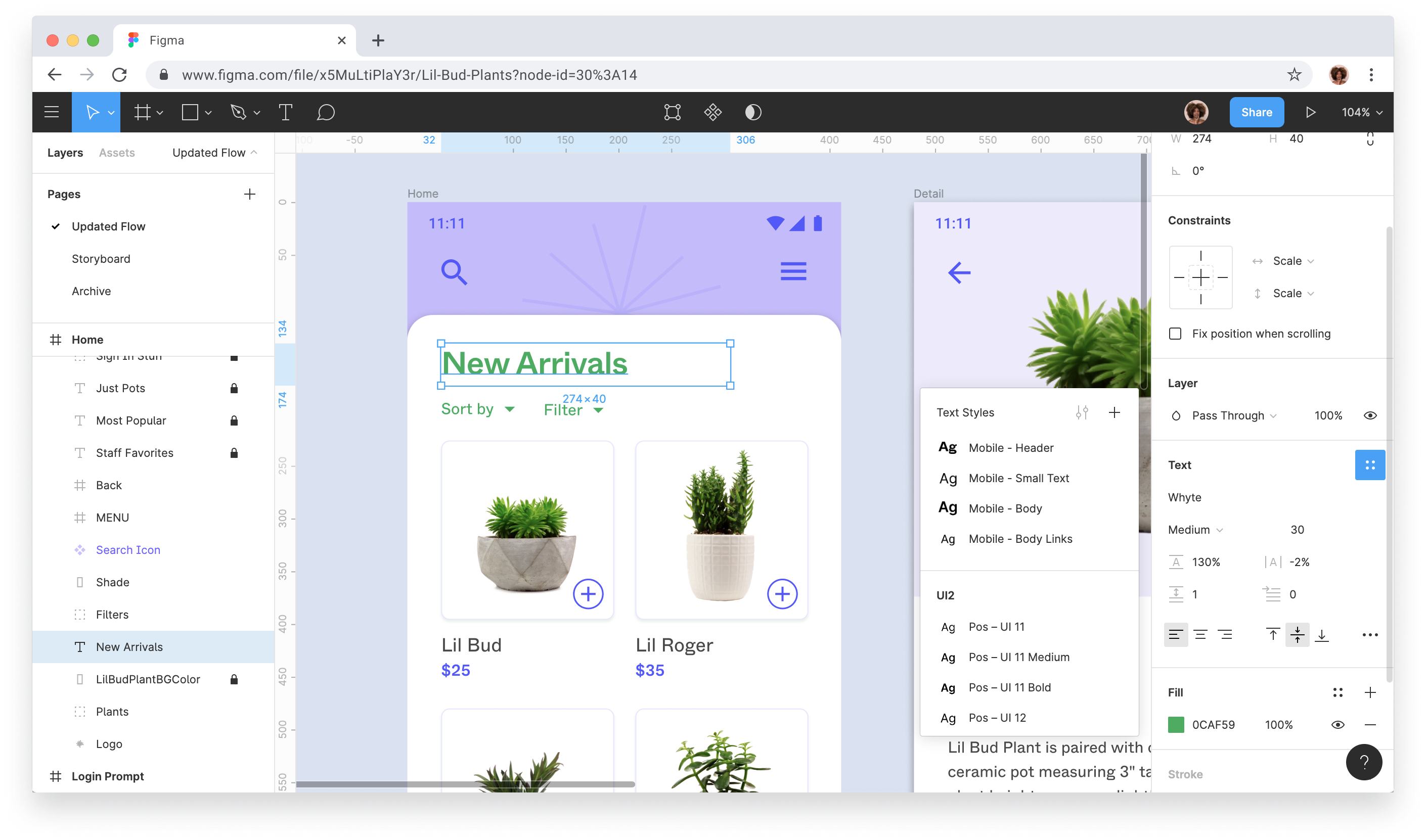
What do you dislike about Figma?

The play button or the button that lets me view the screenplay of my screens could be better. Most of the times, the screen's layout is messed up and I can see a bulge on the top. Review collected by and hosted on G2.com.

Questions about Figma? Ask real users or explore answers from the community

Get practical answers, real workflows, and honest pros and cons from the G2 community or share your insights.

GU
Guest User
Last activity about 1 year ago

Should I use Figma?

Umar S.
US
Umar Said
Last activity about 2 years ago

Can the features for free users be added?

Pricing Insights

Averages based on real user reviews.

Time to Implement

2 months

Return on Investment

8 months

Average Discount

8%

Perceived Cost

$$$$$

How much does Figma cost?

Data powered by BetterCloud.

Estimated Price

$$k - $$k

Per Year

Based on data from 129 purchases.

Figma Comparisons
Product Avatar Image
Lucid Visual Collaboration...
Compare Now
Product Avatar Image
Miro
Compare Now
Product Avatar Image
Marvel
Compare Now
Figma Features
Modeling Tools
Feedback and Communication
Framework Libraries
Sharing Components
User Interface Testing
Presentation Integrations
Product Avatar Image
Figma