
Compare this with other toolsSave it to your board and evaluate your options side by side.
Save to board

Microsoft Power BI Reviews & Product Details

Profile Status

This profile is currently managed by Microsoft Power BI but has limited features.

Are you part of the Microsoft Power BI team? Upgrade your plan to enhance your branding and engage with visitors to your profile!

Pricing

Pricing provided by Microsoft Power BI.

Power BI in Microsoft Fabric

Free
1 User

Power BI Pro

$10.00
1 User

Microsoft Power BI Integrations

(82)
Integration information sourced from real user reviews.

Microsoft Power BI Media

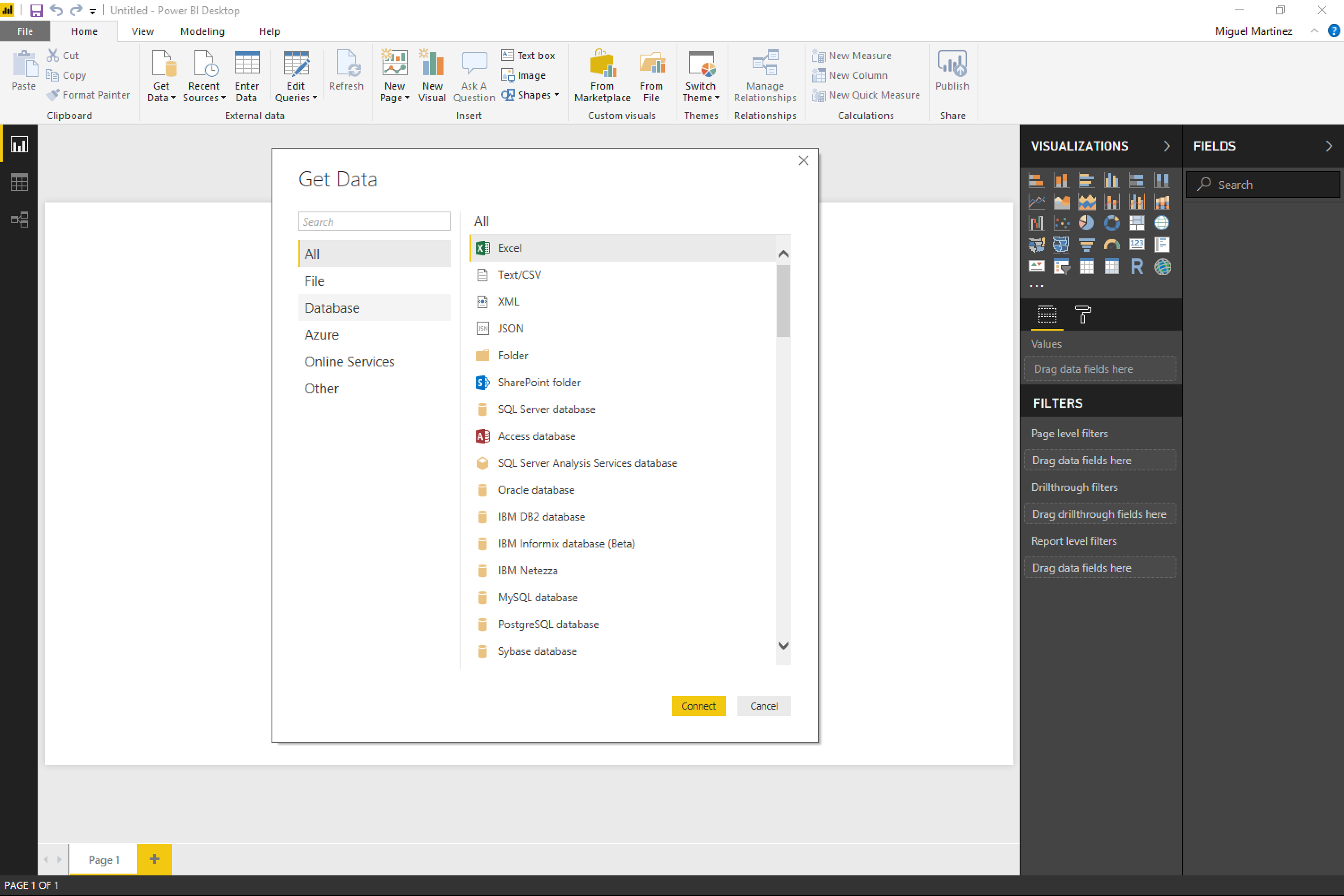
Microsoft Power BI Demo - Power BI in action
Power BI in action
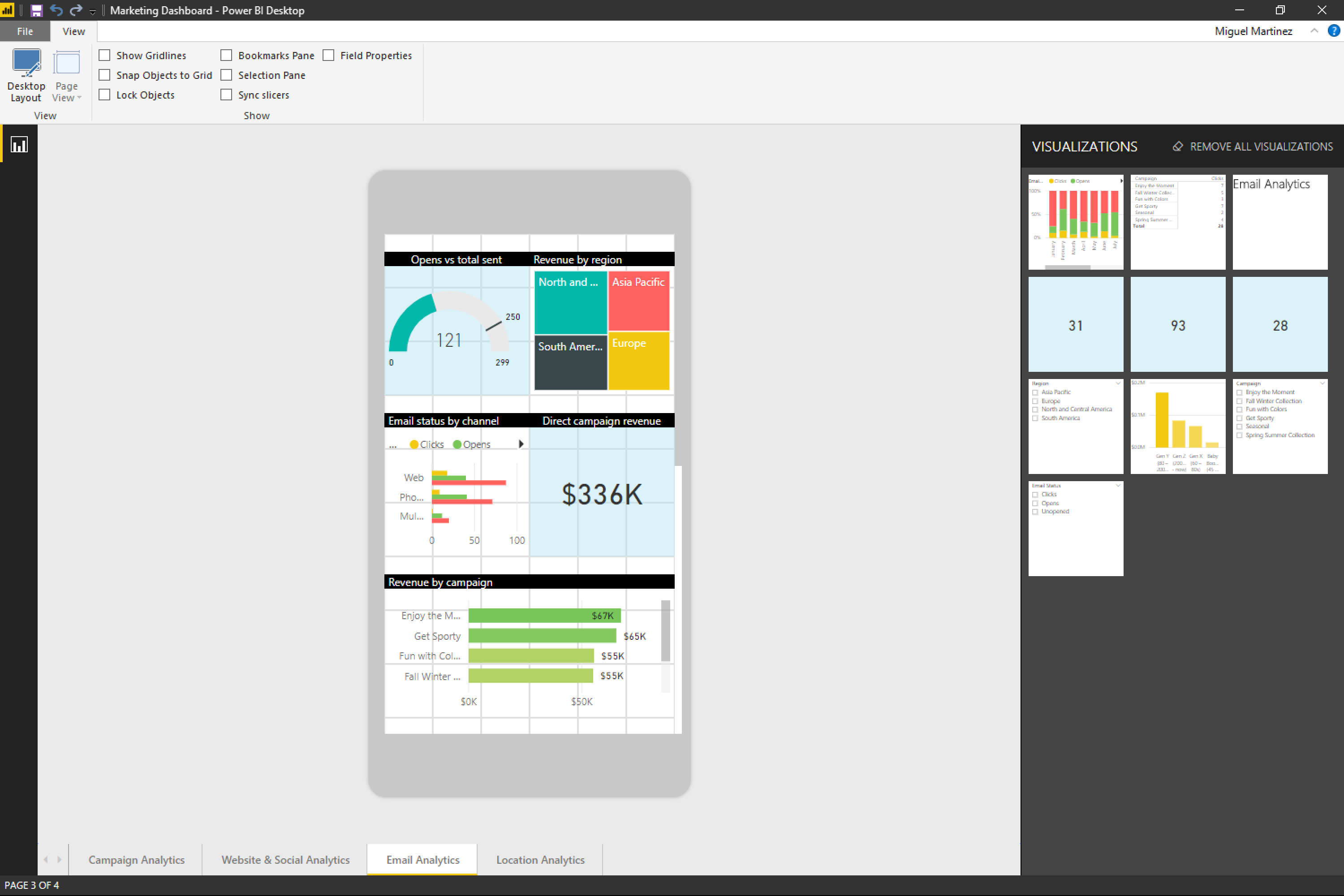
Microsoft Power BI Demo - Power BI in action
Power BI in action
Microsoft Power BI Demo - Power BI in action
Power BI in action
Microsoft Power BI Demo - Power BI in action
Power BI in action
Microsoft Power BI Demo - Power BI in action
Power BI in action
Microsoft Power BI Demo - Power BI in action
Power BI in action
Product Avatar Image

Have you used Microsoft Power BI before?

Answer a few questions to help the Microsoft Power BI community

Microsoft Power BI Reviews (1,571)

View 3 Video Reviews
Reviews

Microsoft Power BI Reviews (1,571)

View 3 Video Reviews
4.5
1,571 reviews

Review Summary

Generated using AI from real user reviews
Users consistently praise the ease of use and seamless integration with Microsoft tools, which simplifies data visualization and reporting. Many appreciate how quickly it transforms complex data into interactive dashboards, making insights accessible for decision-making. However, a common limitation is the steep learning curve for advanced features like DAX, which can be challenging for beginners.

Pros & Cons

Generated from real user reviews
View All Pros and Cons
Search reviews
Filter Reviews
Clear Results
G2 reviews are authentic and verified.
JE
Group Internal Audit - Lead Operations AMS
Enterprise (> 1000 emp.)
"Easy Data Connections and Storytelling Visuals for Sharing Insights"
What do you like best about Microsoft Power BI?

The ability to connect data is really great. As a user, it’s fairly easy to navigate once you get the hang of it. It can feel daunting at first, but with minimal effort you start to understand the key features and feel comfortable pretty quickly. It helps us connect multiple data sets and sources using a primary key, similar to how you can in other tools, and it also lets you visualise the story behind the data. It really helps users paint a picture with the data. We use it very often to share key insights with both immediate and extended stakeholders. Review collected by and hosted on G2.com.

What do you dislike about Microsoft Power BI?

I’d love to see PowerBi offer data-prep and clean-up capabilities more in line with other tools. Ideally, when I load a file, it would proactively flag issues to fix, instead of being so strict about the source dataset needing to be structured a certain way with data types already clearly defined. As it stands, changing data types can be time-consuming, and the same goes for handling NULL values (or cases where zero values should really be treated as NULL, etc.).

I also find it can be fairly resource-intensive, especially for users who aren’t very familiar with data-flow optimisations. On top of that, there are some logical inconsistencies that raise the barrier to entry and make scaling the product harder. For example, matching on duplicates is case-sensitive in certain parts of the tool but not in others. That can let something pass initial checks, only to fail later when you start linking relationships.

Lastly, having the option to show grid-style visuals (even if that feels like something you’d normally do in Excel) would be genuinely helpful, and I think it would make the product more approachable for non-technical users and slower adopters as well. Review collected by and hosted on G2.com.

DD
Data Science Specialist
Mid-Market (51-1000 emp.)
"Revolutionized Our Reporting with Customization and Collaboration"
What do you like best about Microsoft Power BI?

I like creating a federated data model as centralized, which helps to build shared reports on top of that, and RLS is helpful for working on finance and sales data using a centralized dataset and report. I also appreciate the Apps feature, which gives me freedom as a developer to satisfy client requirements. The paginated reports are useful for sending Excel outputs to specific user groups for their business needs. The federated data model minimizes the rework involved in data model development and reduces the number of standalone reports, allowing me to focus on report development instead of creating data models for each individual report. The initial setup of Microsoft Power BI was quite simple, not a big deal to set up the environment. Review collected by and hosted on G2.com.

What do you dislike about Microsoft Power BI?

I don't like that we can't edit the report measures in the service, even with admin level access. We're always dependent on the Power BI Desktop to update DAX. Also, if we use the Tabular Editor to edit, we can't download the file from the service. Review collected by and hosted on G2.com.

SS
Cybersecurity Training and Awareness Analyst
Enterprise (> 1000 emp.)
"Powerful Multi-Source Dashboards for Accurate, Effective Program Analysis"
What do you like best about Microsoft Power BI?

The ability to integrate data from multiple sources into one view or dashboard that is readily available for program analysis. TThe various reports and dashboards provide a multifaceted view of the program for more effective/accurate analysis and decisions. Review collected by and hosted on G2.com.

What do you dislike about Microsoft Power BI?

There's a big learning curve if you aren't formally trained and a significant technical gap in access and knowledge between business customer (e.g. a business unit or department) and developers. This sometimes makes it frustrating to resolve issues because they're on the configuration side which business users don't have direct access to. This isn't an issue if developers and data services teams are immediately and easily available (in-house) but can be very challenging if you have to go through some hoops for this kind of support. Review collected by and hosted on G2.com.

Anjali T.
AT
Business Intelligence Analyst
Small-Business (50 or fewer emp.)
"Powerful, Interactive Dashboard"
What do you like best about Microsoft Power BI?

What I like best about Microsoft Power BI is its ability to transform raw data into interactive and visually appealing dashboards. It makes data analysis easier by providing powerful visualization tools, real-time insights, and seamless integration with Excel and other data sources. I also find it very useful for creating reports that help in better decision-making and presenting data in a clear, structured way. Review collected by and hosted on G2.com.

What do you dislike about Microsoft Power BI?

One thing I dislike about Microsoft Power BI is that it can have a learning curve, especially for beginners who are new to data modeling and DAX. Sometimes performance may slow down when working with very large datasets. Review collected by and hosted on G2.com.

Kavish  N.
KN
Senior Analyst
Mid-Market (51-1000 emp.)
"Transforming Complex FinTech Datasets into Actionable Insights with Power BI"
What do you like best about Microsoft Power BI?

As a Senior Data Analyst with 3.5+ years of experience, what I value most about Power BI is its seamless integration with the Microsoft ecosystem (Azure, SQL Server, Excel). The Power Query Editor is a real lifesaver when it comes to data cleaning and preparation. In particular, being able to write complex DAX measures helps me manage intricate financial calculations—such as YOY growth and risk metrics—and then present them clearly through interactive dashboards that stakeholders can explore. Review collected by and hosted on G2.com.

What do you dislike about Microsoft Power BI?

The learning curve for advanced DAX can feel quite steep, especially for beginners. I’ve also noticed performance slowdowns when working with very large, unoptimized datasets (multi-million rows) or with complex star schemas. And while the formatting options for visuals have improved, they still feel somewhat restrictive compared with specialized design tools like Figma. Review collected by and hosted on G2.com.

VINAY P.
VP
Mechanical Design Engineer
Design
Enterprise (> 1000 emp.)
"From Easy Dashboards to the Need for Deeper Analytics"
What do you like best about Microsoft Power BI?

I liked how Microsoft Power BI makes data visualization quick and accessible, especially for users already familiar with the Microsoft ecosystem. Its seamless integration with Excel and other Microsoft tools helped us build dashboards rapidly without a steep learning curve. The drag-and-drop interface and strong data modeling capabilities made it easy to turn raw data into meaningful insights.

However, as our data complexity grew, we eventually transitioned to Tableau for more advanced visualization flexibility and performance with large datasets. Still, Power BI remains a great starting point for organizations looking for cost-effective and user-friendly BI solutions. Review collected by and hosted on G2.com.

What do you dislike about Microsoft Power BI?

One of the key challenges we experienced with Microsoft Power BI was its limitation in handling highly complex and large-scale datasets efficiently. While it performs well for standard reporting and moderately sized data, we noticed performance slowdowns when working with more advanced analytics and larger data models. Additionally, customization of visuals, although possible, often felt restrictive compared to more specialized BI tools, especially when we needed highly interactive and visually rich dashboards.

Another area we found less convenient was the dependency on DAX for advanced calculations, which has a learning curve and can make maintenance difficult for larger projects. Managing and optimizing reports across teams also required careful structuring, as scalability was not always seamless.

As our business needs evolved toward deeper analytics and more flexible visualization capabilities, we transitioned to Tableau. It provided us with greater freedom in designing complex dashboards and handled larger datasets more smoothly. That said, Power BI is still a solid choice for organizations looking for tight integration with the Microsoft ecosystem and cost-effective reporting solutions. Review collected by and hosted on G2.com.

Rohit S.
RS
Analytical Consultant
Mid-Market (51-1000 emp.)
"Easy-to-Use Power BI for Fast, Flexible Dashboards and Powerful Integrations"
What do you like best about Microsoft Power BI?

power bi is a very easy to use tool. it was very easy to build charts and build dashboards. it is very flexible to adjust chart sizes in the dashboards. it can be integrated with various data source tools. its calculations are also very fast and efficient and hence improves performance of the dashboard. its recent integrations with mcp has improved it ai features as well. Review collected by and hosted on G2.com.

What do you dislike about Microsoft Power BI?

some of the features like dynamic zone visibility has to be done using bookmarks which takes up a lot of time and effort. some of the dax calculations are too complex to build. Review collected by and hosted on G2.com.

Ritik J.
RJ
Software Engineer
Information Technology and Services
Mid-Market (51-1000 emp.)
"Power BI works really well with Microsoft Fabric for reporting"
What do you like best about Microsoft Power BI?

I’ve been using Microsoft Power BI mainly for reporting and dashboard creation. In one of our projects we connected Power BI directly to warehouse tables and views in Microsoft Fabric, and the experience was pretty smooth.

What I like most is how quickly you can turn structured data into a dashboard. Once the connection with the warehouse is set up, creating visuals like charts, KPIs, and filters is quite straightforward. Business users in our team prefer dashboards over raw tables, so Power BI helps a lot in presenting the data in a clear way.

Another thing I find helpful is Power Query for simple transformations. Even if the data is mostly prepared in the warehouse, sometimes small adjustments are needed and Power BI handles that well. Review collected by and hosted on G2.com.

What do you dislike about Microsoft Power BI?

When reports start getting bigger with many visuals, performance can sometimes slow down a bit. It usually works fine but you need to design the model carefully if the dataset grows.

Also, learning DAX properly takes some time. Basic reports are easy, but advanced calculations definitely require practice. Review collected by and hosted on G2.com.

Kanishq G.
KG
Anaplan Specialist
Enterprise (> 1000 emp.)
"Convenient, Intelligent BI Tool with Excellent Reporting"
What do you like best about Microsoft Power BI?

The most convenient and intelligent BI tool with excellent reporting features and ability to manage data - model - report. Easy publishing to Server and communicate with AI using copilot Review collected by and hosted on G2.com.

What do you dislike about Microsoft Power BI?

Connectors / managing live connection to databases can sometime be tedious .

Slicers and filters related to worksheets can sometime not sync Review collected by and hosted on G2.com.

Akash G.
AG
Joint secretary
Computer Software
Mid-Market (51-1000 emp.)
"Empowers with Interactive Dashboards, Minor Integration Lag"
What do you like best about Microsoft Power BI?

I love using Microsoft Power BI for its interactive dashboards, which help me track my business performance and enhance my decision-making abilities. The automation of my reporting strategies is a huge plus. DAX, or Data Analysis Expressions, is extremely useful for custom calculations and makes complex tasks like measuring year-over-year growth easier. I appreciate the automatic sync feature as it saves me from having to manually update files all the time, it’s efficient to just refresh and see all the updates. The initial setup was very straightforward, I'd give it a 9 out of 10. Review collected by and hosted on G2.com.

What do you dislike about Microsoft Power BI?

It gets slower sometimes when I'm working in the integration of multiple datasets. Connecting multiple data sources is difficult if the formats of both have a lot of discrepancies, and it also slows down the reports. Review collected by and hosted on G2.com.

Questions about Microsoft Power BI? Ask real users or explore answers from the community

Get practical answers, real workflows, and honest pros and cons from the G2 community or share your insights.

GU
Guest User
Last activity 10 months ago

What can Microsoft Power BI do?

GU
Guest User
Last activity 10 days ago

Is Power BI a Microsoft tool?

Pricing Options

Pricing provided by Microsoft Power BI.

Power BI in Microsoft Fabric

Free
1 User

Power BI Pro

$10.00
1 User

Power BI Premium

$20.00
1 User Per Month
Microsoft Power BI Comparisons
Product Avatar Image
Qlik Sense
Compare Now
Product Avatar Image
Dash
Compare Now
Product Avatar Image
Tableau
Compare Now
Microsoft Power BI Features
Reports Interface
Steps to Answer
Graphs and Charts
Calculated Fields
Data Column Filtering
Data Discovery
Predictive Analytics
Data Visualization
Big Data Services
Data Blending
Product Avatar Image
Microsoft Power BI