Video Conferencing Software Resources
Articles, Glossary Terms, Discussions, and Reports to expand your knowledge on Video Conferencing Software
Resource pages are designed to give you a cross-section of information we have on specific categories. You'll find articles from our experts, feature definitions, discussions from users like you, and reports from industry data.
Video Conferencing Software Articles

10 Software Categories in High Demand to Support Remote Work
Throughout my time at G2, traffic patterns on G2.com category pages have been one of the most significant data points to monitor. Time and again, the changes in those patterns have proven a good indicator of emerging trends and a strong reflection of change in software markets. The current global crisis caused by COVID-19 is, unsurprisingly, creating a large shift to tools that support remote work.

by Michael Fauscette

2021 Trends in Collaboration Technology
This post is part of G2's 2021 digital trends series. Read more about G2’s perspective on digital transformation trends in an introduction from Michael Fauscette, G2's chief research officer and Tom Pringle, VP, market research, and additional coverage on trends identified by G2’s analysts.
by Jazmine Betz

8 Best Free Video Conferencing Software in 2024
Ping! Another meeting invite lands in your inbox. You cringe, remembering the last video call when your audio dropped out halfway through your slide deck. Video conferencing has become as essential as caffeine, but the wrong video platform can leave you looking and feeling embarrassed.
by Soundarya Jayaraman
What Is a Conference Call? Best Practices to Connect Remotely
The traditional ways of conducting business are evolving.
by Washija Kazim

What Is A Webinar? How To Create Engaging Online Events
Imagine you can educate a global audience, capture high-quality leads, and train your remote team – all from the comfort of your desk. Webinars, a blend of "web" and "seminar," are powerful online workshops or conferences that can achieve all of this and more.
by Daniella Alscher

Skype Made Simple: Beginner’s Guide With FAQs
We’ve gotten used to hanging out with each other through rectangles.
by Harshita Tewari

Software for the Hybrid Workplace Trends in 2022
This post is part of G2's 2022 digital trends series. Read more about G2’s perspective on digital transformation trends in an introduction from Tom Pringle, VP, market research, and additional coverage on trends identified by G2’s analysts.
by Brianna Bajwa

How Software Enabled Virtual Learning During COVID-19
Learning will never be the same again.
by Aayushi Sanghavi
Why Video Interviewing Is a Must in the Hiring Process
Video interviewing is the process of virtually interviewing for an open job position using a webcam, a microphone, and the internet.
by Mara Calvello

How to Bring Your Virtual Presentation to Life
No matter how many presentations you’ve led, it’s normal to have butterflies.
by Mara Calvello

COVID-19 Spawns Security Concerns For Rapidly Expanding, Under-Protected Workforce
Worldwide, social distancing has affected the day-to-day activities of nearly every person. In many cases, that means working from home.
by Aaron Walker

Collab Tech and Its Impact on Who Gets to Work Remotely
Collaboration software was already a hot topic, then the COVID-19 outbreak happened.
by Jazmine Betz

Adapting Architectural Design Processes for Remote Work
The fields of architecture, engineering, and construction (AEC) have always thrived on collaborative design. From building information modeling to architectural rendering, designing the built environment takes a combination of different perspectives and skills.
by Michael Gigante
Video Conferencing Software Glossary Terms

Video conferencing is an online meeting where participants use software to meet in real time from any location. Learn about its types and benefits.
by Holly Landis
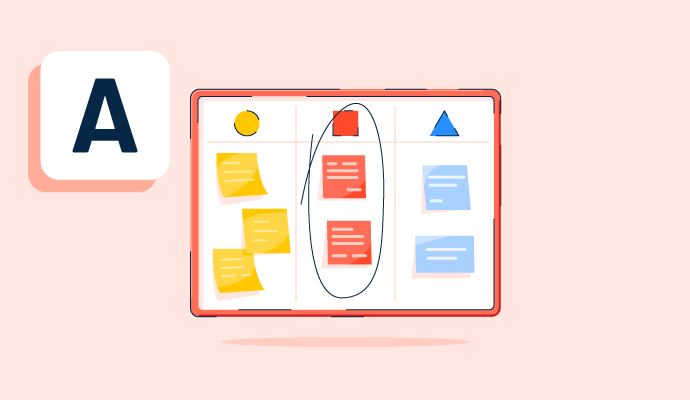
Teams use affinity diagrams to organize and categorize ideas after brainstorming. Learn the steps for creating an affinity map and how to use one.
by Alyssa Towns
Video Conferencing Software Discussions
0
Question on: Slack
Is Slack a good tool?Is Slack a good tool?
Show More
Show Less
Good 👍 tools 🔥
Show More
Show Less
Slack adopts an interactive, open-conversation approach, enabling you to effortlessly connect with team members via chat or swiftly initiate huddles (audio or video calls). This streamlined communication platform allows you to bypass the hassle of emailing different departments when you have queries. Now, anyone can join in to address your questions or provide assistance in a huddle at a snap, fostering a more efficient collaboration. Moreover, screen sharing is a breeze, making it seamless to conduct reviews or offer support.
Show More
Show Less
Great tool and have fantastic feature available in it including messaging, channels, file sharing, integration video and as well as audio call means many more feature which makes this tool best for business.
Show More
Show Less
Of course! Check my review, I wasn't offered any compensation for this review and it was written based on my 3 years experience with Slack. https://www.g2.com/products/slack/reviews/slack-review-8685724
Show More
Show Less
Yes, it is a great tool for messeging and workforce management.
Show More
Show Less
Yes it is an awesome tool. The UI steals the show and eases your work
Show More
Show Less
Yes, it is the best tool for business connect and development. user can easily understand and work on it.
Show More
Show Less
Its a user friendly tools for business use.
Show More
Show Less
No doubt. It is the best tool I ever use for professional conversation. The features in Slack are Jira Connector, Google Drive updates, Google Meet updates which will help you throughout the busy working day reminding you about your important meetings and many more things.
Show More
Show Less
Comment deleted by user.
Show More
Show Less
this tool is very useful in communicating with teams and clients
Show More
Show Less
Great software for business. Just what I was looking for. In general, our company is always looking for good tools for business development. And one of them was led world https://enjoythewood.com/collections/led-world-maps . With its advanced technology and innovative features, it enables businesses to streamline their operations and achieve greater efficiency.
Show More
Show Less
Yes, it is awesome!! Our company loves it.
Show More
Show Less
Yes, Slack is widely considered an excellent tool for team collaboration, especially for remote and hybrid work environments. It is highly rated for its real-time communication capabilities, ease of use, and integrations with various business tools.
✅ Pros of Slack:
Organized Communication: Channels help keep conversations structured and easy to navigate.
Easy Integrations: Connects with over 2,000 apps (Google Drive, Zoom, Trello, etc.) to streamline workflows.
Searchable History: Quickly find past messages, files, or links with advanced search filters.
Customizable Notifications: Control alerts to reduce distractions and stay focused.
Automation: Slack bots and workflows automate routine tasks, saving time.
Cross-Platform: Works on desktop, mobile, and web browsers for easy access.
⚠️ Cons of Slack:
Cost for Premium Features: The free version has limited message history and integrations.
Information Overload: Too many channels or notifications can become overwhelming.
Learning Curve: Advanced features like bots and workflows may require some training.
File Storage Limits: The free plan has limited storage, which fills up quickly.
🏢 Is Slack Good for Your Organization?
For small teams or startups, Slack is ideal for quick communication and project management.
For large enterprises, it integrates well with other business tools and supports large-scale collaboration.
For remote teams, it provides a strong sense of connection with video calls, huddles, and asynchronous communication.
Show More
Show Less
Most companies thought to rely on 3rd party product but no one try to give a thought to build an internal communication tool. Basically we use third party to make a smooth operations but what if you calculate that this taking a drop from your pot.
Show More
Show Less
Comment deleted by user.
Show More
Show Less
Great software for business. Our company is always looking for good tools for business development and slack is one of them.
Show More
Show Less
Definitely yes. For freshers, Slack is a great way to get exposure to startup work culture and cross-team collaboration. Since most startups use Slack, working with it really helps in building strong communication and collaboration skills early in your career.
Show More
Show Less
Slack is a widely-regarded, industry-leading collaboration tool that enhances team communication through organized, searchable channels, direct messaging, and integrations. It reduces email clutter, supports remote and hybrid work, and offers a highly functional free tier, though paid plans are required for full message history access.
Show More
Show Less
Yes it is a good tool. I am using it for a couple of years.
Show More
Show Less
Comment deleted by user.
Show More
Show Less
0
Question on: Zoom Workplace
What does Zoom do?What does Zoom do?
Show More
Show Less
A unified communications platform that works as a soft phone and video conference tool both in desktop and mobile devices. Easy to use, integrated with all major email, calendar and messenger services.
Show More
Show Less
I have submitted a review but still no reward is given
Show More
Show Less
Zoom revolutionizes virtual communication, offering seamless video conferencing for immersive meetings, vibrant webinars, and interactive classes. With features like crystal-clear audio, dynamic screen sharing, and real-time collaboration, Zoom bridges distances, fosters connections, and transforms ordinary meetings into extraordinary experiences, empowering individuals and businesses to thrive in the digital age.
Show More
Show Less
Zoom is a cloud-based video conferencing platform that allows users to connect with each other face-to-face, even when they are not in the same place. Zoom can be used for a variety of purposes, including business meetings, online classes, and social gatherings.
To use Zoom, users first need to create an account (there are both free and paid subscriptions) and download the Zoom client. Once the client is installed, users can create and join meetings. Meetings can be scheduled in advance or started on the fly. I find Zoom to be straight forward and easy to use.
Zoom offers a variety of features that make it a powerful video conferencing platform. Here are some things I think are important:
High-quality video and audio
The ability to share your screen
The ability to record meetings
The ability to chat with other participants
The ability to add up to 100 participants to a meeting ( Basic Free account for up to 40 minutes) Pro account for up to 30 hours)
Zoom is a secure platform that uses end-to-end encryption to protect your data. Zoom also offers a variety of security features, such as meeting passwords and waiting rooms.
Show More
Show Less
In my experience, there are many virtual meetings options with the functionality that many business, educators, and influencers needs. For instance, you have your online webinars, breakout sessions, online interviews, whiteboard capacity, share screen function, additional apps, etc. These may be scheduled in advance or you may choose and impromptu session with a click of just a few buttons. I have experienced graduate course online sessions, held my very first online seminar and ministry conference using Zoom, and for only a very small price for my business account, I have the functionality that I need with pre-recorded online tutorials and online support at a touch of a button.
Show More
Show Less
Creates a virtual live community place for connection and learning.
Show More
Show Less
Zoom helps connect me to my clients and friends. Through meetings, we can connect even if we live nearby and just don't want to meet IRL.
Show More
Show Less
Wow, Zoom does a lot! It's a video program (layman's terms) that allows people to connect no matter where you are in the world!
I'm an American Sign Language Instructor and so it allows me to teach students from all over the world. I schedule my class, then send the link to my student for our class session. Zoom also allows me to "Share" my screen when I need to show my student something on my computer. There is also a "Whiteboard" feature you can use and tons more if you are teaching, holding meetings, etc.
I also use it to reconnect with family who have moved. Updates each other, check in, etc.
If you're a mentor in New York, you can meet with your mentee who lives in Georgia, you can set up a Zoom session to have recurring meetings with no set time or meetings w/specific times.
The free Zoom sessions are offered for 45 minutes. If you need longer sessions, then there is a very economical fee to have unlimited time for your meetings.
I've barely scratched the surface, but Zoom has been a great tool in making business and even family life so much easier!
Show More
Show Less
Zoom is a multi-faceted communications tool used in personal, business, academic, and more, on a global scale.
Depending on the global location an individual corresponds with, the level of quality in voice and/or video may be different than other locations.
Show More
Show Less
We are able to have open discussions and presentations related to work issues and workflow
Show More
Show Less
Remote support and for collaboration of events, projects, and ideas.
Show More
Show Less
Zoom provides a valuable opportunity to establish a time to meet virtually with others, either as a Zoom meeting, or utilizing it as a hybrid meeting, where some attend by zoom and some attend in person.
This opportunity for a zoom meeting, yields flexibility and quickly established times for people to gather with very little notice.
Zooms can also be planned in advance, and links sent out for people to put on their calendars.
It's a winning solution for many different types of groups to connect when in person meetings are less possible.
Show More
Show Less
In my case Zoom allows me to teach a monthly Safe Boating Course on a National Level. I have students from Alaska to Florida and from California to Maine. The class is a Coast Guard "Public Education" course. Prior to Zoom I got students from an area only about 5 miles from my location.
Show More
Show Less
Zoom is an online video, audio, chat application that allows users to host and be a part of small and large online meetings. Zoom also has the capability of hosting large webinars and online conferences for hundreds of participants. It can be used on desktop computers and mobile devices.
As an I.T. Director for a small, and quickly growing consulting company, I can say I've tried many online meeting applications (including Microsoft Teams, Google Meet, and Zoho Meeting) and Zoom outperforms all of them. Its video and audio quality are consistently better in all conditions and the user interface is very easy to learn.
Our company loves Zoom and has chosen it over the others based on daily use while speaking with clients and conducting dozens of webinars and conferences. We use Zoom based on employee feedback, not on my recommendation (although my opinion is the same).
Show More
Show Less
It makes video meetings exceedingly easy. It is really easy to use, and afterwards a breeze to download the video file for archival purposes. I use Zoom for all my online homeopathic consultations. After permission is obtained, the consultation is recorded, which is reviewed after subsequent consultations to see changes in the person's condition and direction of cure. Mansoor Shafi, www.homeopath2u.com.
Show More
Show Less
For me, it lets me connect with friends and family visually. I can't always go to where my family members are. Zoom brings them to me.
Since I'm retired, I no longer have a business reason to use it. If I was still working, it mas many uses that would make coordinating and working on a project so much easier.
Show More
Show Less
Zoom can video conference meetings, audio conferencing, webinars, meeting recordings, and live chat while allowing content sharing, interactive whiteboarding, and many other features to make meetings more productive. Zoom can record and produce transcripts and end-to-end encryptions.
Zoom allows you to connect virtually for business or personal meetups. You can join by computer, phone, or tablet. Zoom can screen share and has add-ons such as whiteboard, working space, and email and calendaring systems. It has security features that allow only the people with meeting codes and passwords to enter and waiting rooms.
Show More
Show Less
Zoom can connect you with family, friends and colleagues around the world. Zoom is good for participating in a meeting, or taking a class just about any activity that requires you to see and talk with others, online.
Show More
Show Less
It allows you to conduct face to face internet meetings for business or personal use within your locality and worldwide.
Show More
Show Less
Its a communication software program that allows anyone to be seen and heard on the internet. People use it for simple meetings between two people anywhere in the world or connect multiples of individuals at the same time. Its simple to use for the beginner and much appreciated by tech professionals for its sophistication of options.
Still waiting on flying cars? at least video telephones was a dream that did come true today!
Show More
Show Less
Video conference with multiple attendees, screen sharing, white board, etc.
Show More
Show Less
Zoom is a virtual meeting app. It can be used for personal (free), out of town grandchildren talking via video meeting with grandparents for up to an hour or business (small cost starting at about $13/month) business person meets with clients (can be more than 1 hour).
Show More
Show Less
It is an easy-to-use software, with which I can have video calls with many members, in addition to chatting, screen sharing, everything necessary to stay connected.
Show More
Show Less
Zoom facilitates online meetings, chats, screen sharing, messaging, and collaborative document work, enabling remote communication and teamwo
Show More
Show Less
Zoom lets you connect with others virtually through video calls, audio calls, or chat. It's popular for meetings, webinars, and even social gatherings.
Show More
Show Less
Zoom has become more than just a meeting tool, it's a core part of our daily engineering workflow!
Show More
Show Less
Zoom is a tool for online meetings and chats. You can see and talk to people on your computer, share your screen, send messages, and work together on stuff like documents. It's great for talking and working with others when you can't be in the same place.
Show More
Show Less
Zoom lets people talk to each other face-to-face over the internet. You can have meetings, classes, interviews, or quick check-ins without being in the same place. It replaces the need to travel by making real-time conversations possible from anywhere.
Show More
Show Less
0
Question on: Zoom Workplace
What software do I need for zoom?What software do I need for zoom?
Show More
Show Less
You need zoom app which you can download free for mobile or pc . that's all.
Show More
Show Less
Answered: Klavdija Šernek on September 21, 2023
Most likely none.zoom is thinly functional and full featured to stand alone to fulfil most of the meeting needs
Show More
Show Less
If you own a good laptop or computer, you can download it and it will be saved on your device.
Show More
Show Less
None. Zoom is cloud based and all you need is an Internet connection or you can download the Zoom app on your iPhone.
Show More
Show Less
Zoom on various devices and platforms, including Windows, macOS, Linux, Android, and iOS.
Show More
Show Less
Zoom itself is a software. If you wanna do a zoom meeting than either you can directly browse it in the google or you can also download the zoom software free of cost.
Show More
Show Less
Its the software used to connect peoples globally and meet officially , same used as communication medium for classes,etc
Show More
Show Less
You don't need any software to use Zoom, you can use zoom through Web link or download the app from store and sign up, wala you are ready to use zoom
Show More
Show Less
To just participate in a Zoom call, you don’t need anything but your web browser! Zoom does offer an app for your phone or computer as well. That will give you more functionality of course. If you plan to host Zoom events, you’ll definitely want the app.
Show More
Show Less
The software for desktop equipment is required to be installed.
Show More
Show Less
You don't need to install any extra software
Show More
Show Less
Unleash your potential with our feature-packed software package, designed to empower your creativity and productivity. https://crackeadobaixar.net
Show More
Show Less
You don't necessarily need to download any software to use Zoom! There are two main ways to access Zoom:
Zoom Web Client: This allows you to join meetings directly from your web browser without any downloads. It works on most popular browsers like Chrome, Firefox, and Safari as long as your internet connection is stable.
Zoom App: For a more feature-rich experience, you can download the Zoom app for your computer (Windows, macOS, Linux) or mobile device (iOS, Android). The app allows you to host meetings, use virtual backgrounds, and access other functionalities that might not be available on the web client.
Show More
Show Less
you can simply download the Zoom application from Appstore or play store.
Show More
Show Less
There are no such requirements to implement zoom application in your machine, but you may need to check if your OS is compatible to the application.
Show More
Show Less
To use Zoom for video conferencing and online meetings, you'll need to install the Zoom software on your computer or mobile device. Here are the basic steps to get started with Zoom:
-- Computer Requirements:
1) If you're on a Windows computer, Zoom works with Windows 7, 8, and 10.
2) For Mac users, Zoom is compatible with macOS X 10.9 or later.
3) Linux users, you're in luck because Zoom supports various Linux distributions.
--Mobile Device Requirements:
1) If you're using an iPhone or iPad, you can get the Zoom app from the Apple App Store.
2) Android users can find the Zoom app on the Google Play Store for their smartphones and tablets.
--Web Browser Access: Besides the software, you can also join Zoom meetings through your web browser. It plays nicely with Google Chrome, Mozilla Firefox, Microsoft Edge, and Safari.
Installing Zoom:
To install Zoom on your computer, head over to the official Zoom website (https://zoom.us/download) and grab the Zoom Client for Meetings. Just follow the installation instructions for your specific operating system.
Creating an Account: You can sign up for a free Zoom account on their website. If you're just joining a meeting as a participant, creating an account might not be necessary, but hosting meetings usually requires an account.
Joining a Meeting:
To jump into a meeting, click on the meeting link the host sends you, or you can enter the Meeting ID they provide within the Zoom application.
Hosting a Meeting: If you want to be the host, log in to your Zoom account and schedule a meeting. You'll get a meeting link and Meeting ID to share with your participants.
Optional Accessories: For an even better Zoom experience, consider having a webcam, microphone, and speakers or headphones. While most devices have built-in options, external accessories can provide higher audio and video quality.
Show More
Show Less
Accessible on Windows and any mobile device through both Zoom web browser and mobile application.
Show More
Show Less
It uses to arrange team meeting, presenting, discussing etc.
Show More
Show Less
Great question! To use Zoom, you will favor to download the Zoom software onto your device. Downloading Zoom for free is easy, as you can get right of entry to it directly from the Zoom website. It's compatible with a variety of operating systems, including Windows, Mac, Linux, iOS, and Android, making it available to a wide range of customers across different devices. In addition to the Zoom software, you will moreover need a camera and a microphone to take phase in video and audio meetings. Some devices may have built-in cameras and microphones, at the same time as others may require external devices. Overall, the use of Zoom is a easy process as soon as you have the essential software and equipment. More info: https://andersenlab.com/services/quality-assurance-services/automation-testing-services
Show More
Show Less
There are no hardcore software requirements for zoom. It can easily be used on Windows and any mobile devise using zoom web browser and mobile application
Show More
Show Less
Zoom has no major software requirements; operating on an array of devices, including MacOS and Windows. All that is required to set up a Zoom conference is the Zoom application and a steady internet connection. The Zoom application is free to download via the online Zoom.us webpage.
Show More
Show Less
You will need zoom software. It's free to download and easy to setup.
Show More
Show Less
Zoom itself! You can easily download and install it to any device and OS.
Show More
Show Less
The zoom application
Show More
Show Less
I can declare with certainty that the website pin offers the greatest method for downloading your preferred applications out of all the services for doing so. Because I have tested SoftGOZA https://softgoza.com/ on numerous occasions and because there is a wide variety of applications with just superb quality.
Show More
Show Less
Any version of the recent Windows/Mac/Android will be suitable for the installation of Zoom software. You can use a web browser also for run the zoom.com
Show More
Show Less
Video Conferencing Software Reports
Mid-Market Grid® Report for Video Conferencing
Spring 2026
G2 Report: Grid® Report
Grid® Report for Video Conferencing
Spring 2026
G2 Report: Grid® Report
Enterprise Grid® Report for Video Conferencing
Spring 2026
G2 Report: Grid® Report
Momentum Grid® Report for Video Conferencing
Spring 2026
G2 Report: Momentum Grid® Report
Small-Business Grid® Report for Video Conferencing
Spring 2026
G2 Report: Grid® Report
Enterprise Grid® Report for Video Conferencing
Winter 2026
G2 Report: Grid® Report
Small-Business Grid® Report for Video Conferencing
Winter 2026
G2 Report: Grid® Report
Mid-Market Grid® Report for Video Conferencing
Winter 2026
G2 Report: Grid® Report
Grid® Report for Video Conferencing
Winter 2026
G2 Report: Grid® Report
Momentum Grid® Report for Video Conferencing
Winter 2026
G2 Report: Momentum Grid® Report

