Introducing G2.ai, the future of software buying.Try now
Product Avatar Image
G2 recognized Unlayer
Unlayer

By Unlayer

4.4 out of 5 stars

How would you rate your experience with Unlayer?

It's been two months since this profile received a new review
Leave a Review
Chandan S.
CS
Automation and Engagement
Mid-Market (51-1000 emp.)
"Now Create beautiful Responsive emails, easily with Unlayer Studio"
What do you like best about Unlayer?

Unlayer Studio is an excellent platform to create email templates and pages using the drag and drop feature. We can save time using this instead of typing code from scratch. Unlayer Studio supports creating dynamic content within one email. Review collected by and hosted on G2.com.

What do you dislike about Unlayer?

Nothing to dislike about Unlayer Studio. If they can add few more features like Export toESPs and edit campaign would be great. Review collected by and hosted on G2.com.

Unlayer Reviews & Product Details

Pricing

Pricing provided by Unlayer.

Free

Free

Unlayer Integrations

(4)
Verified by Unlayer

Unlayer Media

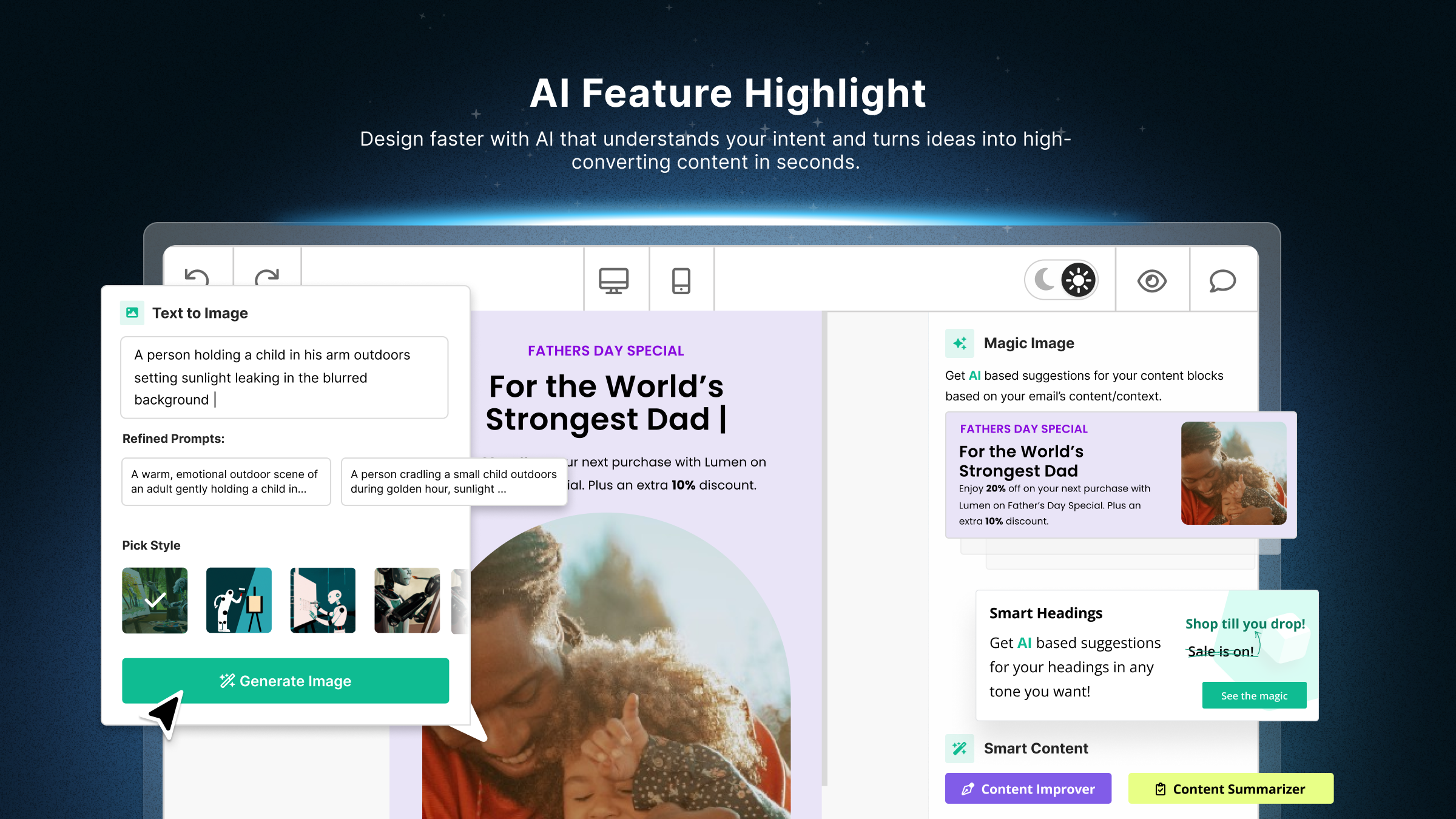
Unlayer Demo - Smarter, Faster Email Creation with Built-In AI
Unlayer’s AI tools take the guesswork out of content creation. Instantly generate on-brand images, compelling headlines, high-converting buttons, and optimized body copy—all within the builder. Designed to help teams move fast without compromising on quality or consistency.
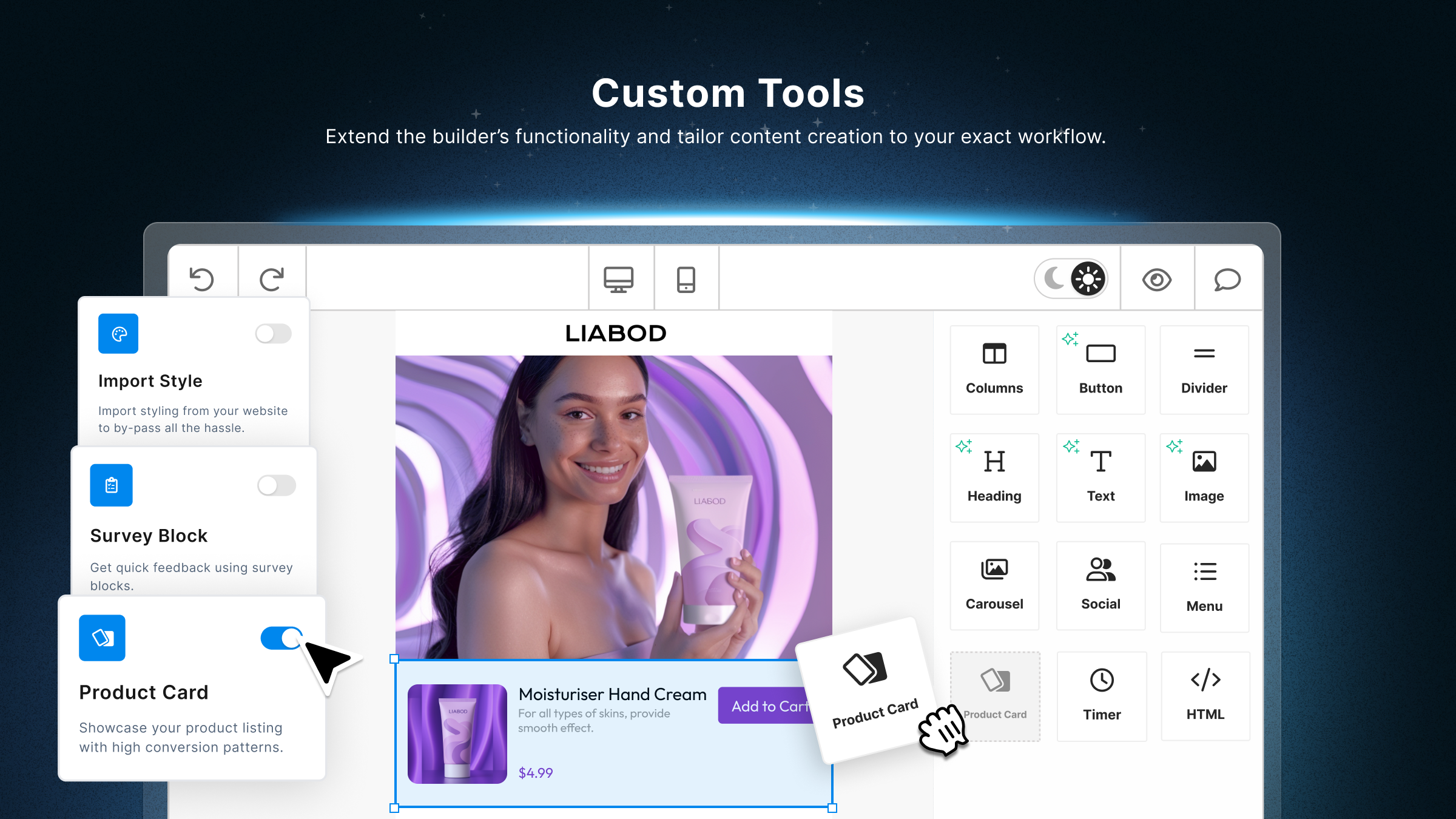
Unlayer Demo - Custom Tools for Tailored Workflows
Extend Unlayer’s builder with your own functionality. Create reusable blocks, define behaviors, and build tools that align perfectly with your use case—all using our developer-friendly SDK and APIs.
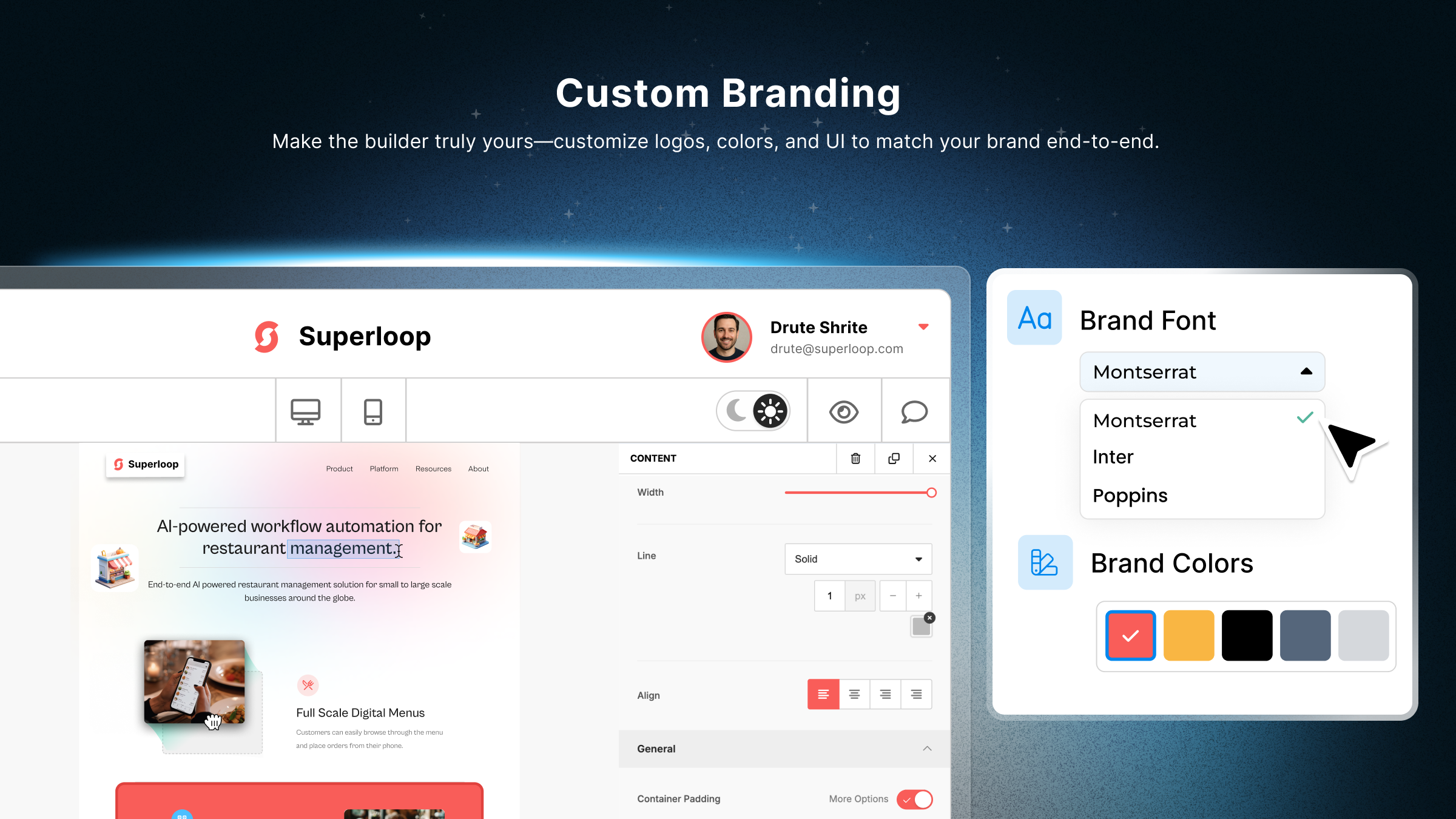
Unlayer Demo - Full Custom Branding Control
Match Unlayer’s builder to your product’s look and feel. Customize everything from logos and colors to layout and UI components for a seamless, on-brand user experience.
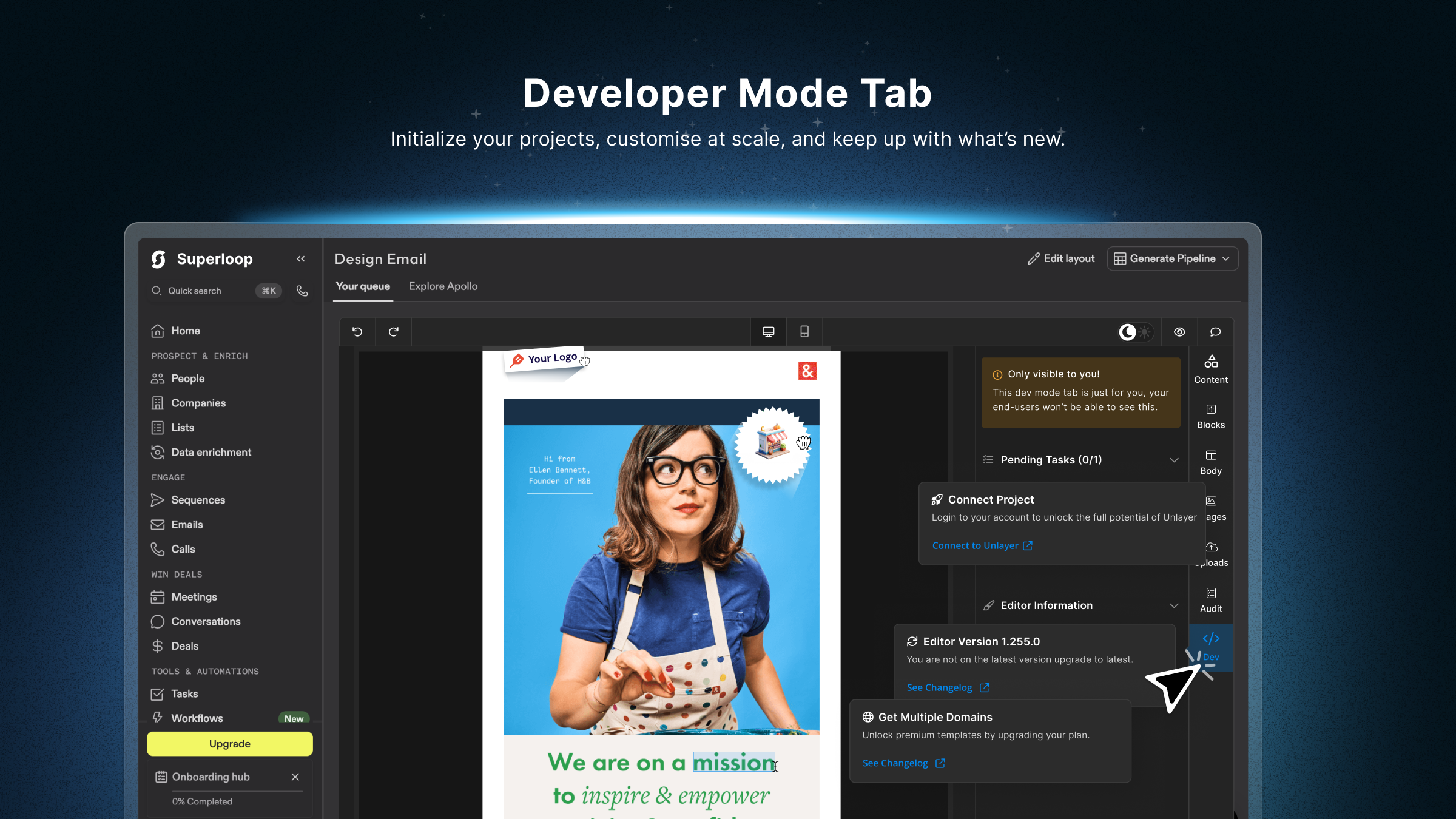
Unlayer Demo - Developer Mode Tab for Project Initialization & Updates
Initialize your projects faster and stay in sync with the latest updates at Unlayer—all through the builder nested within your local environment.
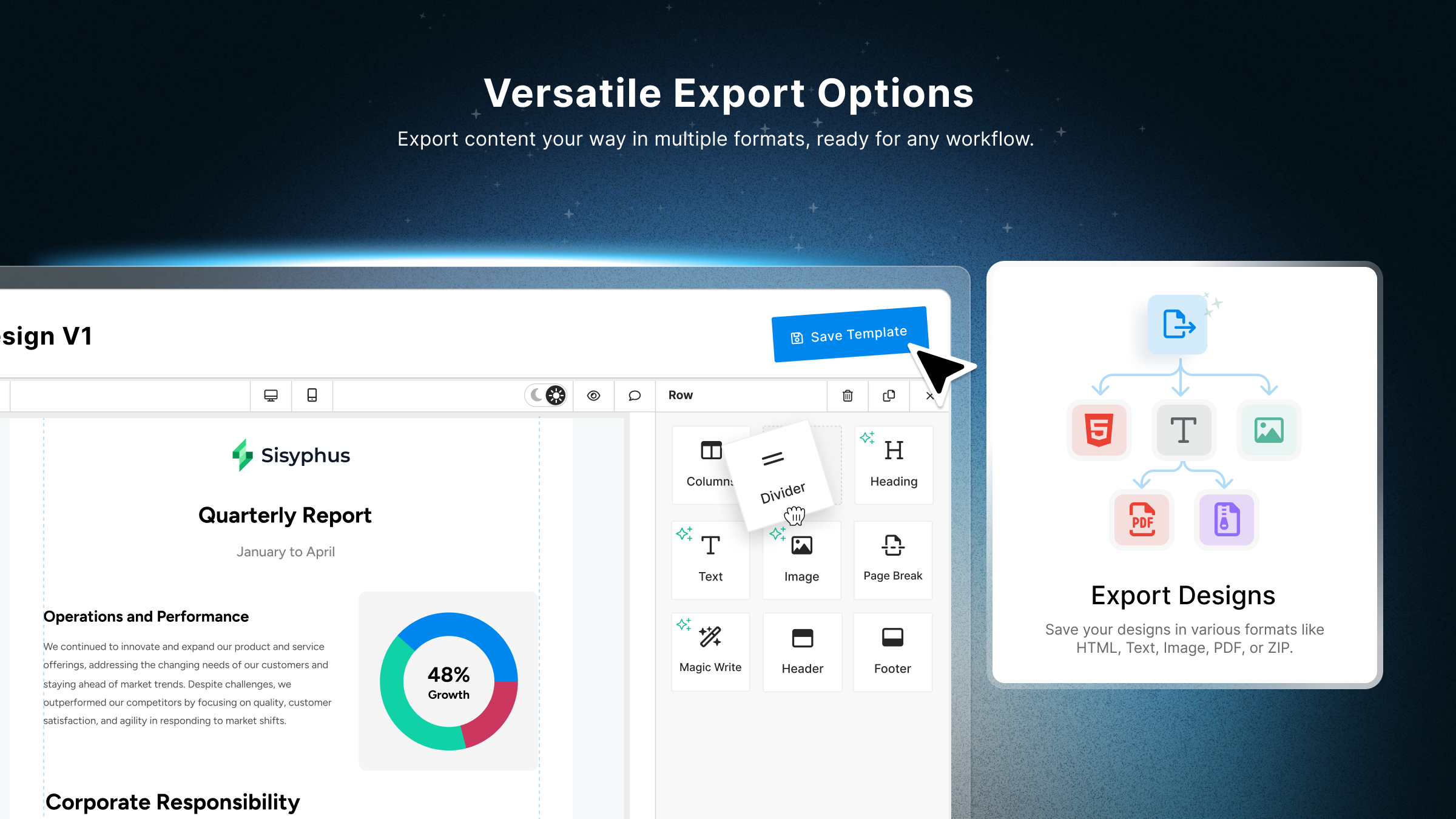
Unlayer Demo - Versatile Export Options
Export your designs in the formats that matter—HTML, plain text, PDF, image, or ZIP. Whether for email campaigns, documents, or landing pages, Unlayer ensures you get pixel-perfect output every time.
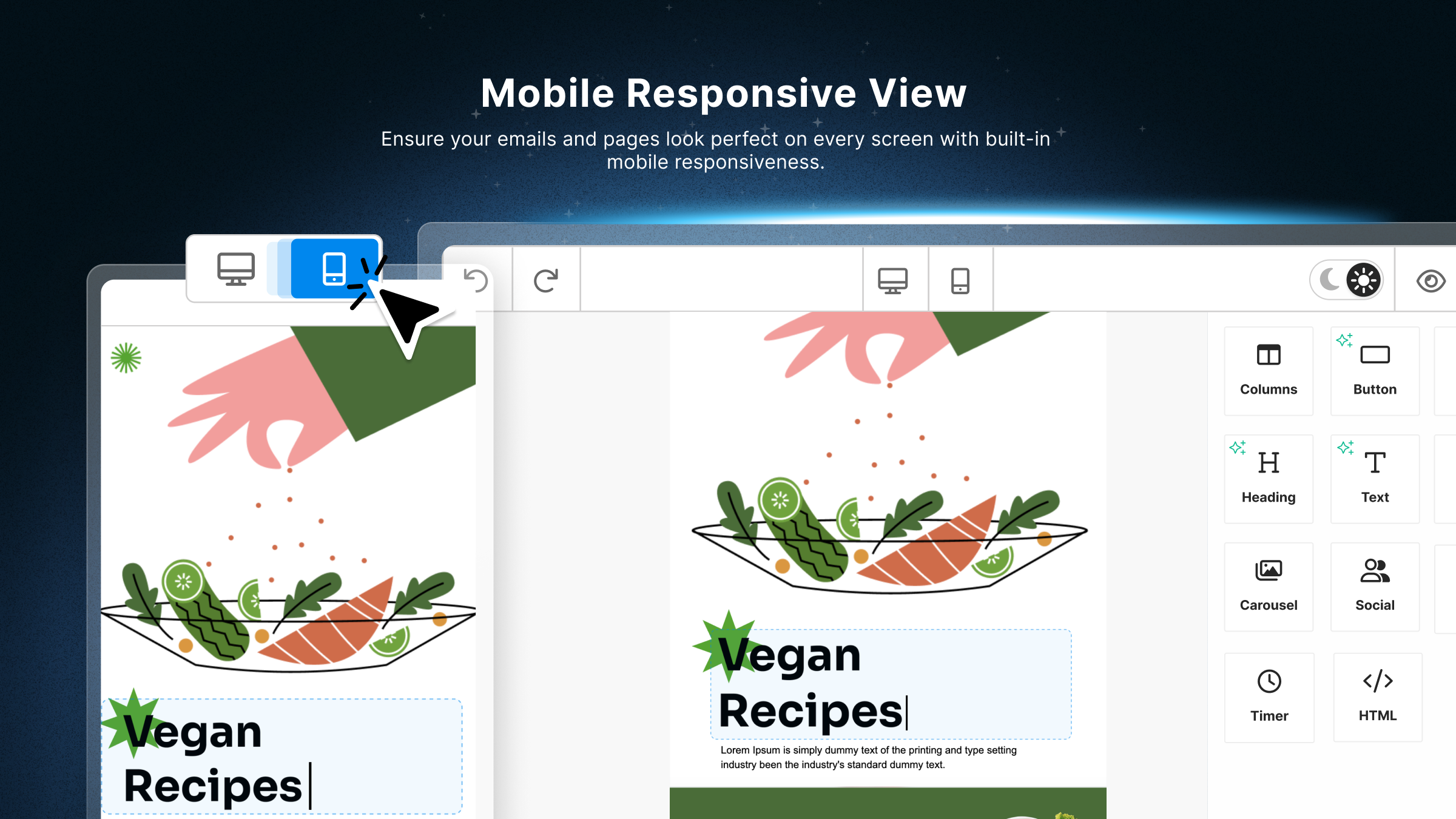
Unlayer Demo - Responsive by Default
Design once, render everywhere. Unlayer ensures all content is automatically optimized for mobile, tablet, and desktop—no extra effort required.
What is Unlayer?
Play Unlayer Video
What is Unlayer?
Quick Guide: Embedding Unlayer's Email Builder
Play Unlayer Video
Quick Guide: Embedding Unlayer's Email Builder
Create a Custom Tool with Unlayer's Builder
Play Unlayer Video
Create a Custom Tool with Unlayer's Builder
Product Avatar Image

Have you used Unlayer before?

Answer a few questions to help the Unlayer community

Unlayer Reviews (52)

View 1 Video Reviews
Reviews

Unlayer Reviews (52)

View 1 Video Reviews
4.4
52 reviews

Pros & Cons

Generated from real user reviews
View All Pros and Cons
Search reviews
Filter Reviews
Clear Results
G2 reviews are authentic and verified.
達也 .
Software Engineer
Mid-Market (51-1000 emp.)
"Security of S3, and Preview mode"
What do you like best about Unlayer?

It was very easy to implement in our CRM product. Review collected by and hosted on G2.com.

What do you dislike about Unlayer?

We want:

- Preview-only mode

- Present version of Unlayer have a feature to show preview at first rendering, but user can exit from preview mode. We have a feature to show previews of already-sent emails for users, so we want preview-only mode.

- Amazon S3 integration should be more secure

- In the document, you say 'You need to uncheck "'Block all public access" for S3 storage.' but we think unblocking all public access is not required and too unsecure. We enable "Block all public access" and until now we can use Unlayer correctly, so this setting should be reconsidered. Review collected by and hosted on G2.com.

Response from Warisha Nasir of Unlayer

Thank you for using Unlayer in your CRM product. We value your input on the preview-only mode and S3 integration, and we will work on addressing these issues to enhance the overall user experience.

Todd C.
TC
Chief Architect
Mid-Market (51-1000 emp.)
"Unlayer Simplifies Email Templates, But Pricing and Hosting Options Could Improve"
What do you like best about Unlayer?

My company has been using Unlayer for many years now. It was very easy to set up. I makes it very easy for our customers to create email templates that they can use within their automated campaigns. The ability to configure or even add custom blocks allows us to provide functionality specific to our product and our customers' use cases. Review collected by and hosted on G2.com.

What do you dislike about Unlayer?

Unlayer's licensing model in not inexpensive. In addition to the monthly fee you also have to pay fees for have more than a few custom blocks.

lt would be nice to have a more complete private hosting option. Review collected by and hosted on G2.com.

Response from Warisha Nasir of Unlayer

Thank you for your feedback! We're glad to hear that Unlayer has been easy to set up and has provided value to your company and customers. We appreciate your input on pricing and hosting options, and we will take this into consideration for future improvements.

Marco K.
MK
"Convenient SaaS for Email Templates and Landing Pages, but setup was a bit challenging"
What do you like best about Unlayer?

I have been using Unlayer for about three years, primarily for allowing our customers to create email templates and landing pages. One of the aspects I appreciate most is the email template editor, which includes useful safeguards ensuring only permitted elements are allowed. This feature provides an added layer of security and compliance, making it a reliable tool for our email marketing needs. The landing page editor is also highly intuitive, which makes it straightforward and effective to use, enhancing our workflow without a steep learning curve. I also value that Unlayer is a Software as a Service (SaaS) solution, which means it is consistently updated, eliminating the burden of manual updates and ensuring we are always using the latest version. The ability to upload media directly to our own configured Azure BLOB storage is another significant advantage, providing us flexibility and control over our media assets. Moreover, Unlayer is immensely valuable because it saves us from the time-consuming task of building and maintaining an email template and landing page editor ourselves, allowing us to focus on our core business activities while benefiting from a commercially maintained product. Review collected by and hosted on G2.com.

What do you dislike about Unlayer?

I found the newly introduced plans for Unlayer unsatisfactory as they did not offer significantly more benefits compared to the higher cost. In fact, there were instances where we lost functionality unless we paid extra. Additionally, the initial setup of Unlayer was challenging because it was not a simple drop-in replacement for Froala Editor, which added complexity to our transition. Review collected by and hosted on G2.com.

Response from Warisha Nasir of Unlayer

Thank you for your detailed feedback on your experience with Unlayer. We're pleased to hear that the email template editor, landing page editor, and SaaS model have been beneficial for your business. We understand your concerns about the newly introduced plans and the initial setup, and we will take your feedback into account as we continue to enhance our platform. We appreciate your continued support and look forward to improving your experience with Unlayer.

AA
Product Manager
Small-Business (50 or fewer emp.)
"Incredibly easy to use!"
Response from Warisha Nasir of Unlayer

We're thrilled to hear that you found our product incredibly easy to use! Thank you for your positive feedback.

Igor D.
ID
"Facilitator for Template Creation, Support Must Improve"
What do you like best about Unlayer?

I greatly appreciate how Unlayer simplifies the maintenance of email editors, allowing my small team to focus on other essential areas of our platform. The feature that allows viewing the responsive design on different devices, such as computers and mobile phones, is extremely useful. The integration of the artificial intelligence assistant is also a good starting point to enrich the template creation experience. The technical ease and simplicity of setup allowed us to start using the tool in less than a week. These factors, combined with the user experience in creating templates, make Unlayer a solid and effective choice that well meets the needs of our team. Review collected by and hosted on G2.com.

What do you dislike about Unlayer?

The times I needed support, it took some time to identify simple points. I don't know if the support capacity is small, but I think it should be more practical. Review collected by and hosted on G2.com.

Response from Warisha Nasir of Unlayer

We're glad to hear that Unlayer has been a valuable tool for your team, especially in simplifying email editor maintenance and improving template creation. We appreciate your feedback on the support experience and will work to improve our response times and practicality.

Verified User in Music
UM
Small-Business (50 or fewer emp.)
"Perfect for Beginners—Easy to Use with No HTML Experience Needed"
What do you like best about Unlayer?

This tool is extremely user-friendly, which is perfect for someone like me with limited HTML experience. It's straightforward to design an email template and then simply copy and paste the code into a newsletter. Review collected by and hosted on G2.com.

What do you dislike about Unlayer?

So far, my experience with Unlayer has been entirely positive. At this point, I have nothing negative to mention about Unlayer. Review collected by and hosted on G2.com.

Response from Warisha Nasir of Unlayer

We're thrilled to hear that Unlayer has been a user-friendly tool for you, especially with limited HTML experience. Thank you for sharing your positive experience!

Shihan S.
SS
Program Manager
Mid-Market (51-1000 emp.)
"A Robust Email Design Solution for Modern Marketing Teams"
What do you like best about Unlayer?

What I like best about Unlayer is its intuitive drag-and-drop email editor that allows even non-technical users to create professional, responsive emails effortlessly. Review collected by and hosted on G2.com.

What do you dislike about Unlayer?

While Unlayer is a strong platform overall, there are a few areas that could be improved. The template library, though professionally designed, could benefit from more variety across different industries and use cases. Additionally, while the editor is powerful, advanced features like conditional content or dynamic personalization options are somewhat limited compared to other enterprise-grade email platforms. The documentation for developers, especially around custom integrations, could also be more comprehensive. Lastly, the pricing may feel a bit steep for smaller teams or startups, especially when scaling up usage. Review collected by and hosted on G2.com.

Response from Warisha Nasir of Unlayer

Thank you for sharing your feedback on Unlayer. We're glad to hear that you find our drag-and-drop email editor intuitive and easy to use. We appreciate your input on areas for improvement, such as the template library and advanced features. We are constantly working to enhance our platform and will take your suggestions into consideration. We're thrilled to hear how Unlayer has benefited your team by saving time, improving collaboration, and adding value to your product offering.

Ina K.
IK
Subject Matter Expert
Mid-Market (51-1000 emp.)
"Unlayer is Unreal!"
What do you like best about Unlayer?

This platform is really easy to use and very user-friendly. Even if you don’t have any design experience, you can still create awesome, professional-looking visuals without much effort. The interface is clean and intuitive, so it’s easy to find what you need and get started right away. It’s a great option for beginners, but also has enough flexibility for more experienced users to get creative. Overall, it makes the whole design process feel simple and enjoyable. Review collected by and hosted on G2.com.

What do you dislike about Unlayer?

The platform tends to lag when working with more complex or longer templates, which makes it harder to use and navigate. There are also multiple ways to do the same thing, which can get confusing—especially when you’re in a rush.

I often get lost in the right-hand panel. For example, there are several padding fields, and it's not always clear which one does what. It can be frustrating trying to find the right option quickly.

A few features also seem to be missing. For instance:

- I'd like to add colored tags, but as a workaround, I’m using a button with 'javascript:void(0)' just to prevent it from being clickable.

- When adding row padding to elements with borders, the padding creates space outside the border, which doesn’t work well with my layout. Review collected by and hosted on G2.com.

Response from Warisha Nasir of Unlayer

Thank you for sharing your positive experience with Unlayer! We're glad to hear that you find the platform easy to use and user-friendly, especially for beginners. We appreciate your feedback and will work on improving the platform's performance.

Sam W.
SW
Solutions Architect
Mid-Market (51-1000 emp.)
"Intuitive and flexible email builder"
What do you like best about Unlayer?

Unlayer makes building email templates very easy. The drag-and-drop editor is intuitive and flexible. It is easy to embed into your own site and customize. Review collected by and hosted on G2.com.

What do you dislike about Unlayer?

A lot of the features(including simple ones) require paid plans, which can get expensive. For example, you can create custom display conditions on one plan, but to have a preview mode where you can preview them, you need another plan. Review collected by and hosted on G2.com.

Response from Warisha Nasir of Unlayer

Thank you for your feedback! We're thrilled that Unlayer has made building email templates easy for you. We understand your frustration with the pricing and limitations of certain features. We are continuously working to enhance our plans and features to better meet the needs of our users.

Jordan N.
JN
Co-Founder CEO
Small-Business (50 or fewer emp.)
"Effortless to Use for Both Users and Developers"
What do you like best about Unlayer?

I love the drag-and-drop capabilities and the preview tool, which makes managing proposals and email marketing effortless. The merge tags feature is impressive as it would have been challenging for us to build. The ease of use of Unlayer from both the end user and development perspectives is fantastic. The documentation and support team are invaluable, helping us overcome any learning curves quickly. Review collected by and hosted on G2.com.

What do you dislike about Unlayer?

I think having access to Unlayer's template library would be a beneficial addition. Review collected by and hosted on G2.com.

Response from Warisha Nasir of Unlayer

We're thrilled to hear that Unlayer has been a user-friendly tool for you, especially with limited HTML experience. Thank you for sharing your positive experience!

Pricing Options

Pricing provided by Unlayer.

Free

Free

Launch

Starting at $250.00
Per Month

Scale

Starting at $750.00
Per Month
Unlayer Comparisons
Product Avatar Image
Beefree
Compare Now
Product Avatar Image
Stripo.email
Compare Now
Unlayer Features
Text and Themes
Stock Images
Proofing
Pre-Made
Build
HTML
Analytics
Issues
Integrations
AI Text Generation
AI Text Summarization
Product Avatar Image
Unlayer