Introducing G2.ai, the future of software buying.Try now
It's been two months since this profile received a new review
Leave a Review
DP
Software Engineer
Mid-Market (51-1000 emp.)
"Minimalist, sleek hybrid of a todolist and a calendar"
What do you like best about Routine?

Perfect integration of a todo list with a calendar. It allows adding tasks and scheduling them onto a calendar. It also includes date IntelliSense so that you don't have to navigate across the calendar manually. Every task can be opened as a page wherein you can make notes. Extremely accessible since the entire application can be navigated using only a few keyboard keys. Integrated with GCal so that tasks are available on Google calendar as well Review collected by and hosted on G2.com.

What do you dislike about Routine?

It is still in private beta phase, so features are being added incrementally. Lacks IntelliSense for the time of day. Integration support is absent. It also does not have reminders. Only the web app and Mac app are functional as of the time of writing this review Review collected by and hosted on G2.com.

Routine

Routine Reviews & Product Details

Profile Status

This profile is currently managed by Routine but has limited features.

Are you part of the Routine team? Upgrade your plan to enhance your branding and engage with visitors to your profile!

Pricing

Pricing provided by Routine.

Free

Free

Professional

$12.00
1 Seat Per Month

Routine Media

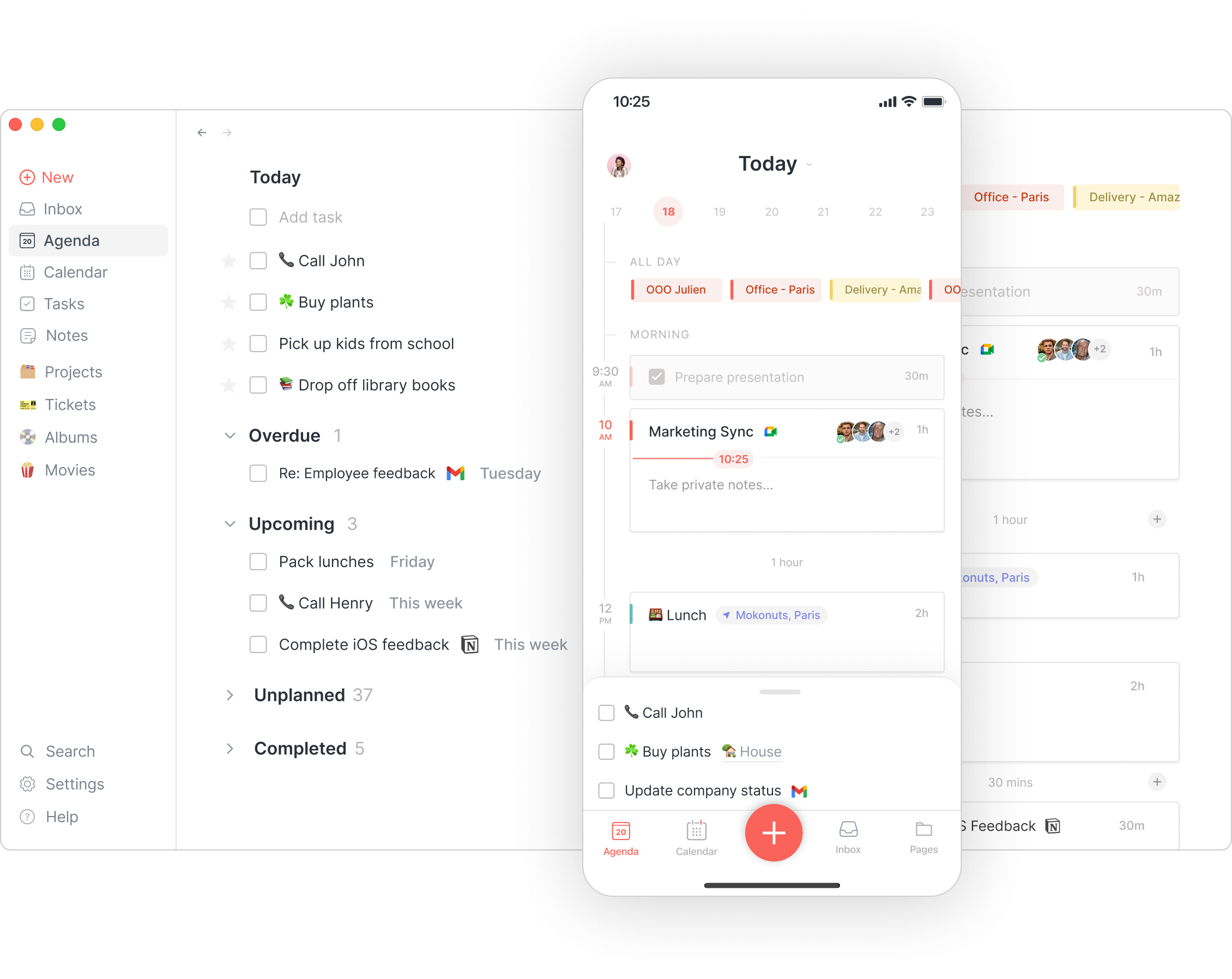
Routine Demo - Agenda
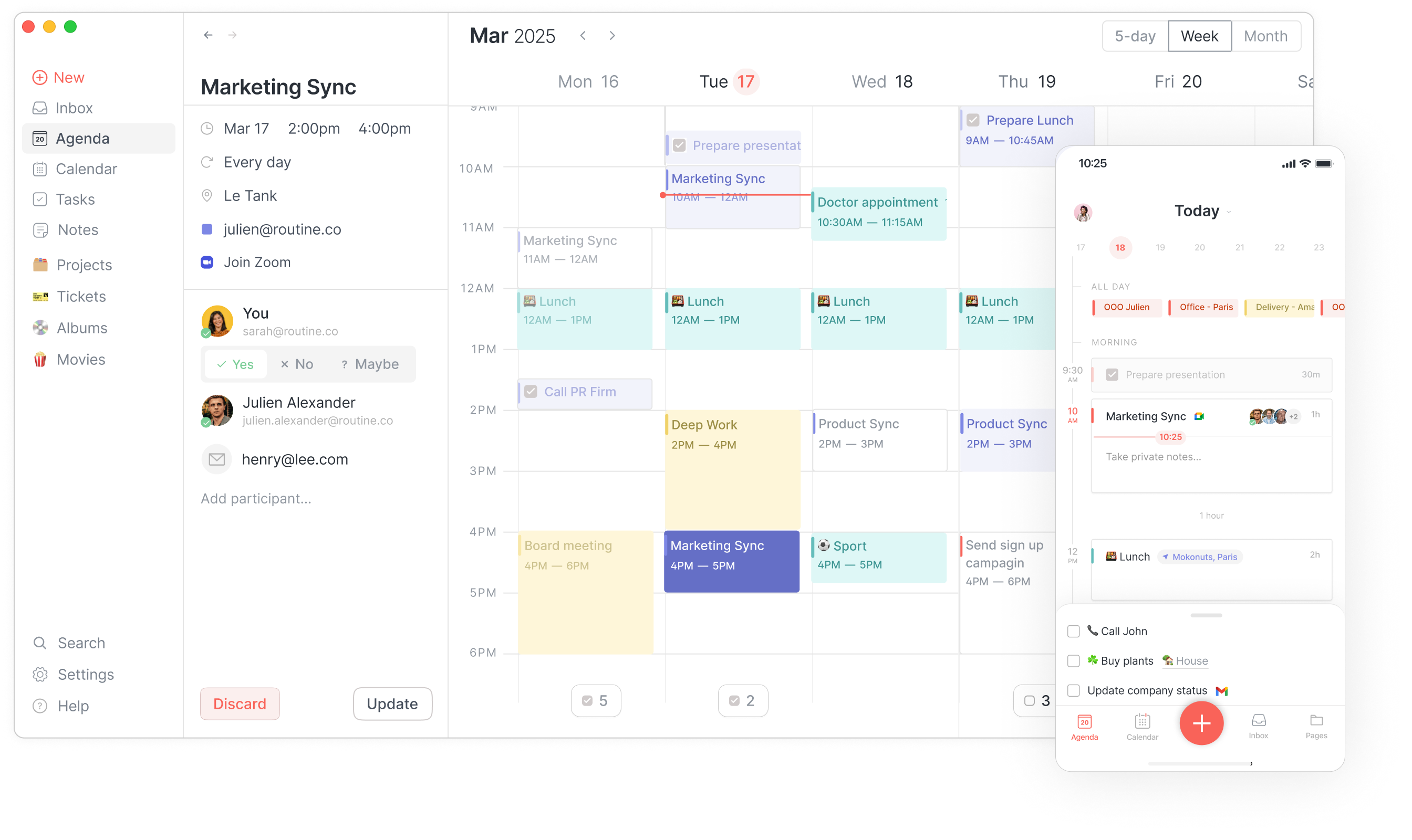
Plan your day (tasks, events, reminders & more) no matter which platform you use: Windows, macOS, Linux, Web, iOS or Android.
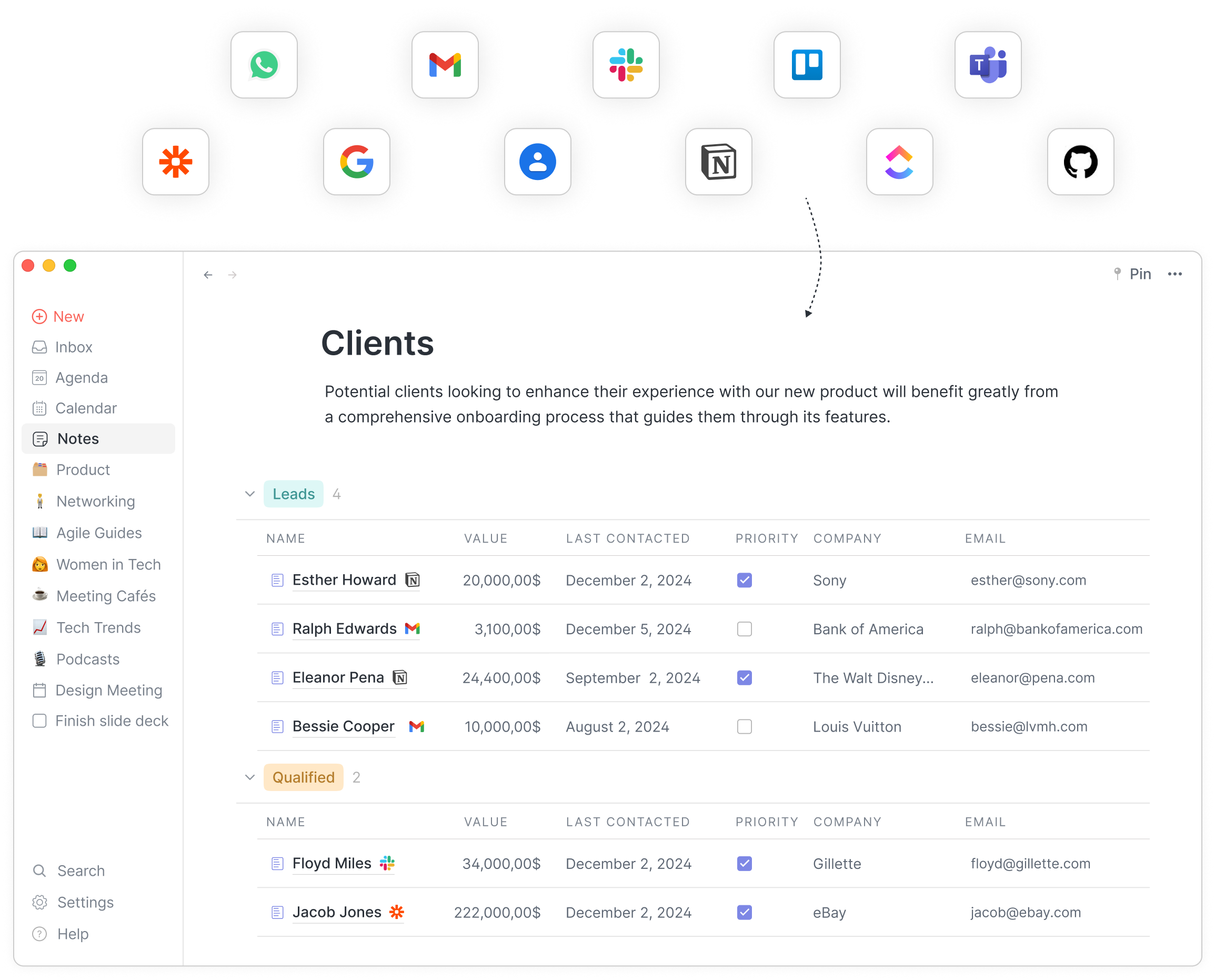
Routine Demo - Integrations
Connect all your favorite apps & services, synchronize data and visualize it the way you want in Routine.
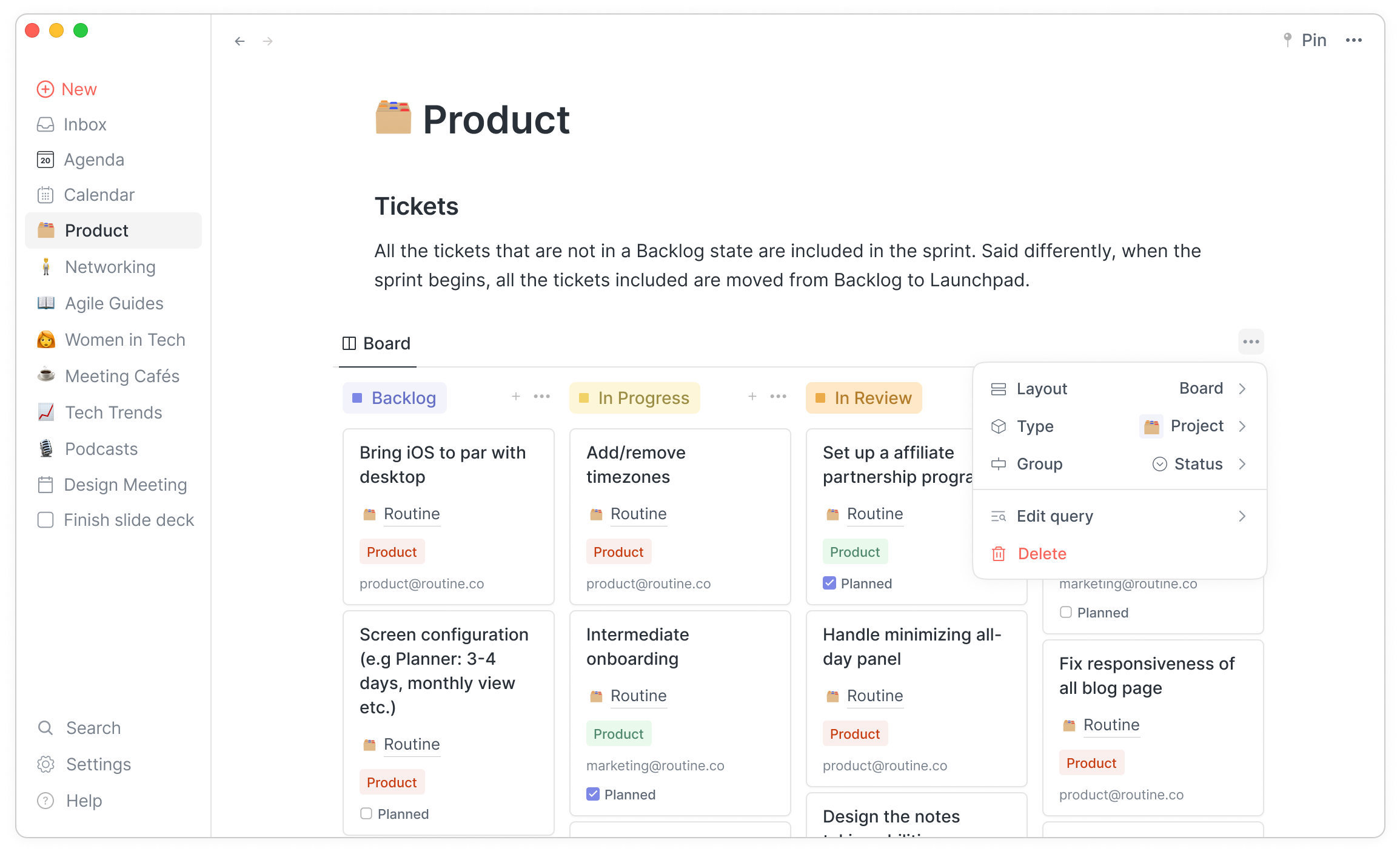
Routine Demo - Project management
Manage your projects, knowledge and more through custom types & views.
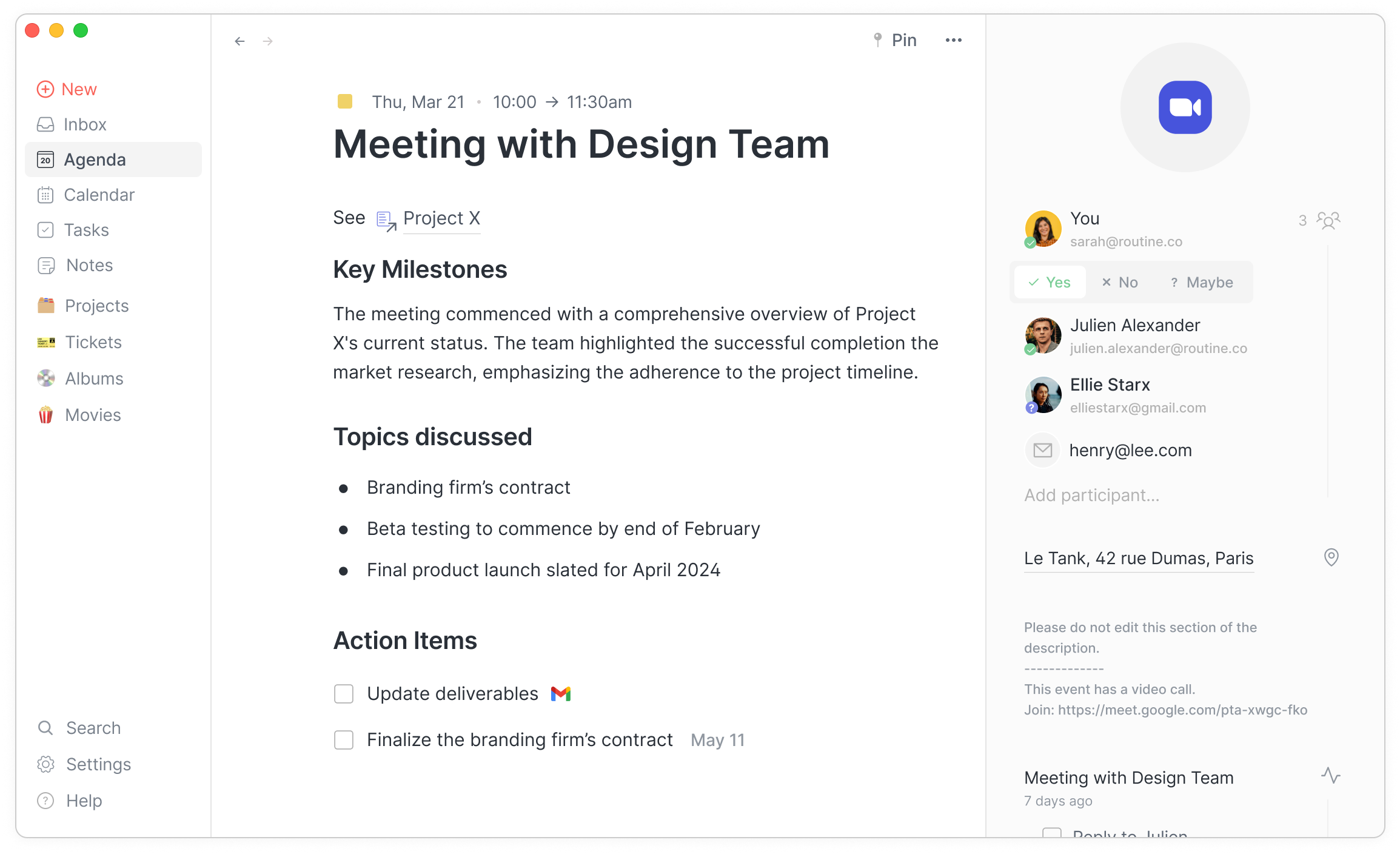
Routine Demo - Meetings
Take manual or automatic meeting notes, create action items and more.
Routine Demo - Calendar
Routine's full-fledged calendar, combined with tasks, contacts & notes reduces context switch and boosts productivity.
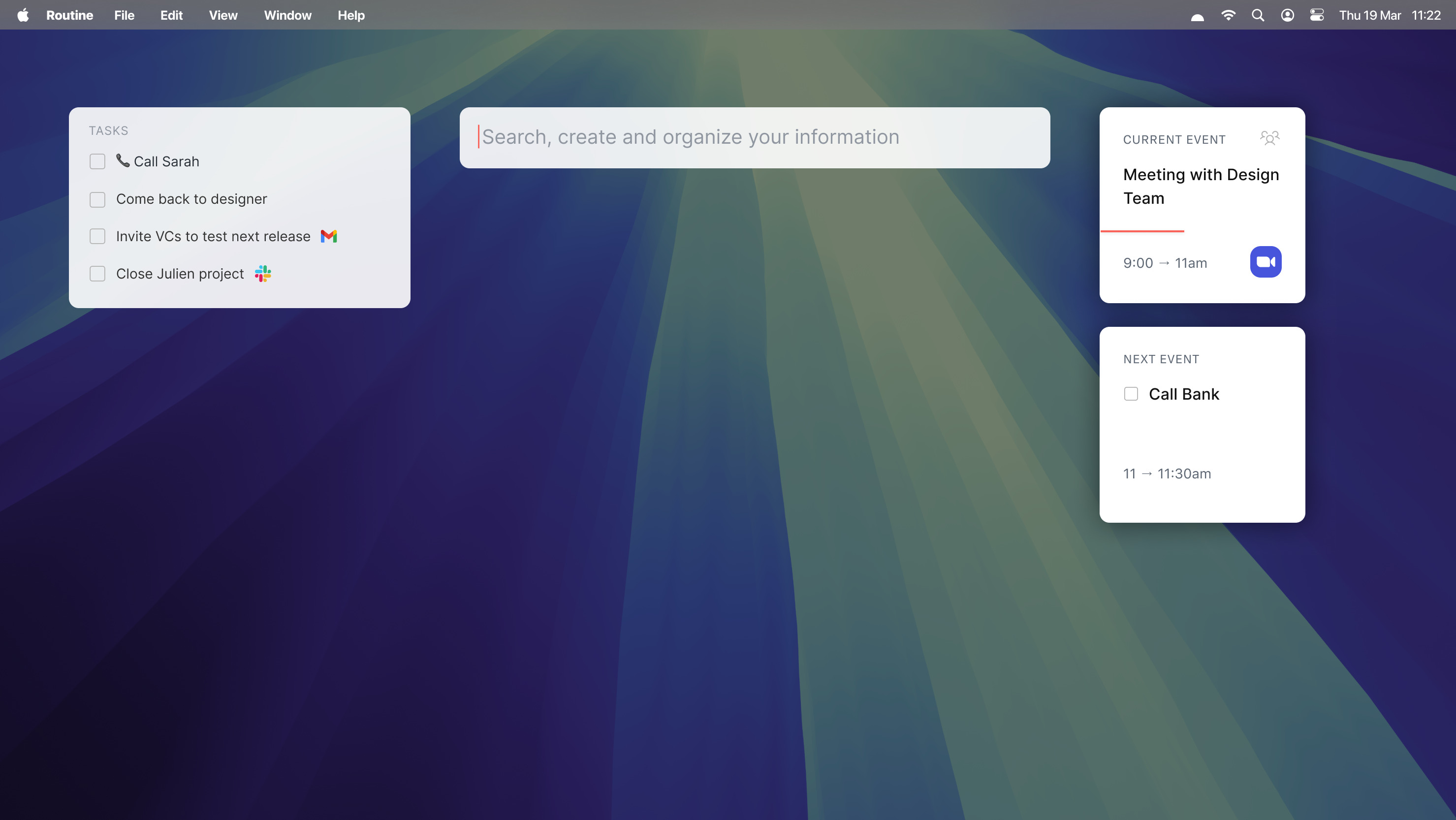
Routine Demo - Dashboard
Capture all your tasks, thoughts and jot down notes without interrupting your work.
Product Avatar Image

Have you used Routine before?

Answer a few questions to help the Routine community

Routine Reviews (1)

View 1 Video Reviews
Reviews

Routine Reviews (1)

View 1 Video Reviews
3.8
2 reviews

Search reviews
Filter Reviews
Clear Results
G2 reviews are authentic and verified.
Verified User in Information Technology and Services
UI
Mid-Market (51-1000 emp.)
"Routine Review"
What do you like best about Routine?

Routine is a wonderful productivity app that helps me schedule my work tasks daily. It helps me establish and maintain my daily routine. Routine has a sleek and visually appealing UI. It is easy to implement and is quite user-friendly as well. Review collected by and hosted on G2.com.

What do you dislike about Routine?

First-time users need to spend a considerable amount of time figuring their way around this app. Review collected by and hosted on G2.com.

There are not enough reviews of Routine for G2 to provide buying insight. Below are some alternatives with more reviews:

1
Gmelius Logo
Gmelius
4.4
(776)
Work together, everywhere! Gmelius offers a unique collaboration platform that integrates with the tools already used by your company. No need to migrate your data to a different solution or train your teams on how to use another application.
2
Zoho Sprints Logo
Zoho Sprints
4.5
(175)
Zoho Sprints is a free online tool for agile planning and tracking. It allows you to create user stories, add estimation points, schedule agile meetings, and use timesheets to track work hours.
3
Reclaim.ai Logo
Reclaim.ai
4.8
(127)
Reclaim is a smart calendar tool for Google Calendar that helps you automatically block time for your tasks and routines across all of your work and personal calendars. Designed for anyone with a busy schedule, Reclaim helps align your priorities with your calendar, understand where your time is going every week, and find the best time for your important solo work sessions through smart time blocking.
4
Akiflow Logo
Akiflow
4.8
(90)
Akiflow is an AI-powered productivity application that seamlessly integrates task management and calendar functionalities into a single platform. Designed for busy professionals, it enables users to consolidate tasks from various sources, schedule them directly into their calendars, and manage their daily agendas efficiently. By emphasizing time blocking and smart task management, Akiflow helps users stay organized, plan effectively, and streamline their workflows. Key Features and Functionality: - Unified Task and Calendar Management: Akiflow combines tasks and calendars, allowing users to manage their to-do lists and schedules in one place. - Time Blocking: Users can drag and drop tasks into specific time slots within their calendars, promoting intentional planning and focused work sessions. - AI Executive Assistant : Aki automates routine tasks, reschedules conflicts, and provides proactive suggestions to prevent overload, enhancing productivity. - Universal Inbox: Akiflow imports tasks from over 3,000 applications, including Gmail, Slack, Trello, and Asana, centralizing task management. - Meeting Booking Assistant: Users can share their availability through smart scheduling links, simplifying the process of arranging meetings. - Smart Reminders and Alerts: The app notifies users about upcoming tasks, meetings, and deadlines to ensure nothing is overlooked. - Cross-Device Synchronization: Akiflow is available on iOS, web, and desktop platforms, ensuring real-time syncing across all devices. Primary Value and User Solutions: Akiflow addresses the common challenge of managing scattered tasks and schedules by providing a centralized platform that integrates task management with calendar planning. Its AI-driven features, such as the executive assistant Aki, automate routine processes and offer proactive suggestions, reducing the cognitive load on users. By facilitating time blocking and offering seamless integrations with numerous applications, Akiflow empowers professionals to plan their days effectively, enhance focus, and boost overall productivity. This comprehensive approach helps users save time, reduce stress, and achieve their goals more efficiently.
5
Klient PSA Logo
Klient PSA
4.5
(75)
Klient helps companies transform service delivery and client success with our next-generation Professional Services Automation (PSA) solution built 100% native on the industry's leading cloud platform from Salesforce. Krow provides a complete PSA solution by combining project management tools with resource planning, time & expense, time-off management, billing, social collaboration, document sharing, and analytics delivering a 10x faster deployment than traditional PSA solutions.
6
GanttProject Logo
GanttProject
4.3
(68)
GanttProject is a free open-source project management application with Gantt chart, resource load chart, MS Project import/export and more.
7
DHTMLX UI Logo
DHTMLX UI
4.7
(48)
Use DHTMLX UI to add full-featured gantt charts for cross-browser and cross platform applications. The most complete library to cover all needs of a project management app.
8
BeforeSunset AI Logo
BeforeSunset AI
4.8
(33)
A mindful productivity app for busy professionals & teams to manage the day.
9
Kroolo Logo
Kroolo
4.6
(31)
Kroolo is an all-in-one, autonomous AI workspace built to supercharge how individuals and teams work. With its Agentic AI capabilities, Kroolo doesn’t just assist—it acts. From planning and project management to meeting prep and execution, it thinks ahead, learns continuously, and gets things done with minimal input. Whether you're a solopreneur or a large team, Kroolo adapts to your workflows and scales with your ambitions. Built to be seamlessly connected, Kroolo offers 30+ integrations with tools like Google Drive, Notion, Slack, GitHub, Trello, and more—so your data flows without friction. Its intelligent agents can auto-generate content, manage OKRs, prioritize tasks, and even update stakeholders, freeing you from micromanagement. If you're ready to move beyond traditional productivity tools into a smarter, more proactive workspace—Kroolo is your future of work.
10
Juntrax Logo
Juntrax
4.4
(31)
Juntrax is an Integrated Office Management tool. It helps manage Projects, HRMS, Invoicing, Payroll, all on a single dashboard. Interested? Try it out! Let's catch up for a quick demo.
Show More

Pricing Options

Pricing provided by Routine.

Free

Free

Professional

$12.00
1 Seat Per Month

Business

$15.00
1 Seat Per Month
Product Avatar Image
Routine
View Alternatives