2026 Best Software Awards are here!See the list
David G.
DG
Vice President
Small-Business (50 or fewer emp.)
"Best Noise Cancellation App On The Market"
What do you like best about Krisp?

This app is straightforward and very informative since it provides a summary of the call at the end of every use. Review collected by and hosted on G2.com.

What do you dislike about Krisp?

There are no real noticeable downsides to the app. The only thing I could suggest would be to add a few features. Perhaps background noise to add to a call. Review collected by and hosted on G2.com.

Krisp
Response from Davit Matevosyan of Krisp

Thanks for your review, David. Krisp's has a new feature, Background Voice Cancelation. It removes background voices of other people talking in the same room and keeps only your voice in the call.

Krisp Reviews & Product Details

Pricing

Pricing provided by Krisp.

Free Trial

Free Trial
Per Month

Krisp Media

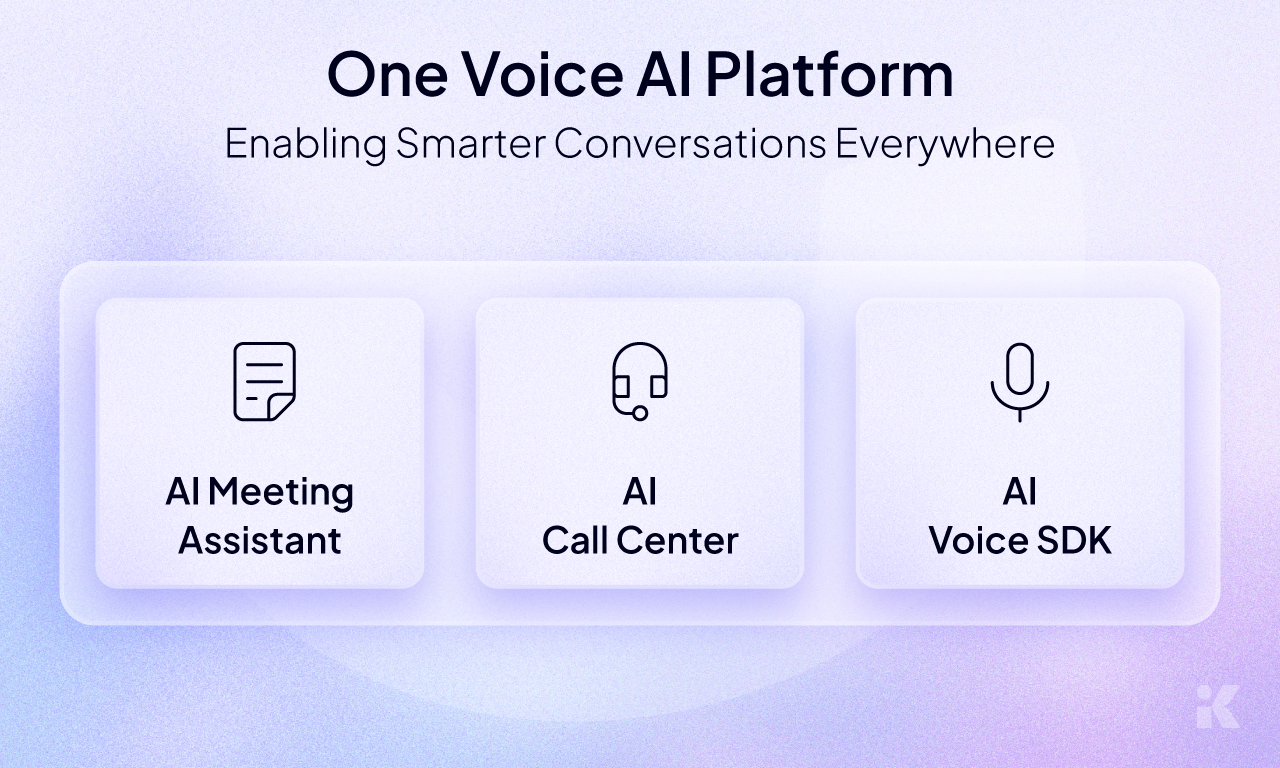
Krisp Demo - One Voice AI Platfrom
A unified Voice AI ecosystem that powers smarter conversations across meetings, contact centers, and applications through AI Meeting Assistant, AI Call Center, and AI Voice SDK
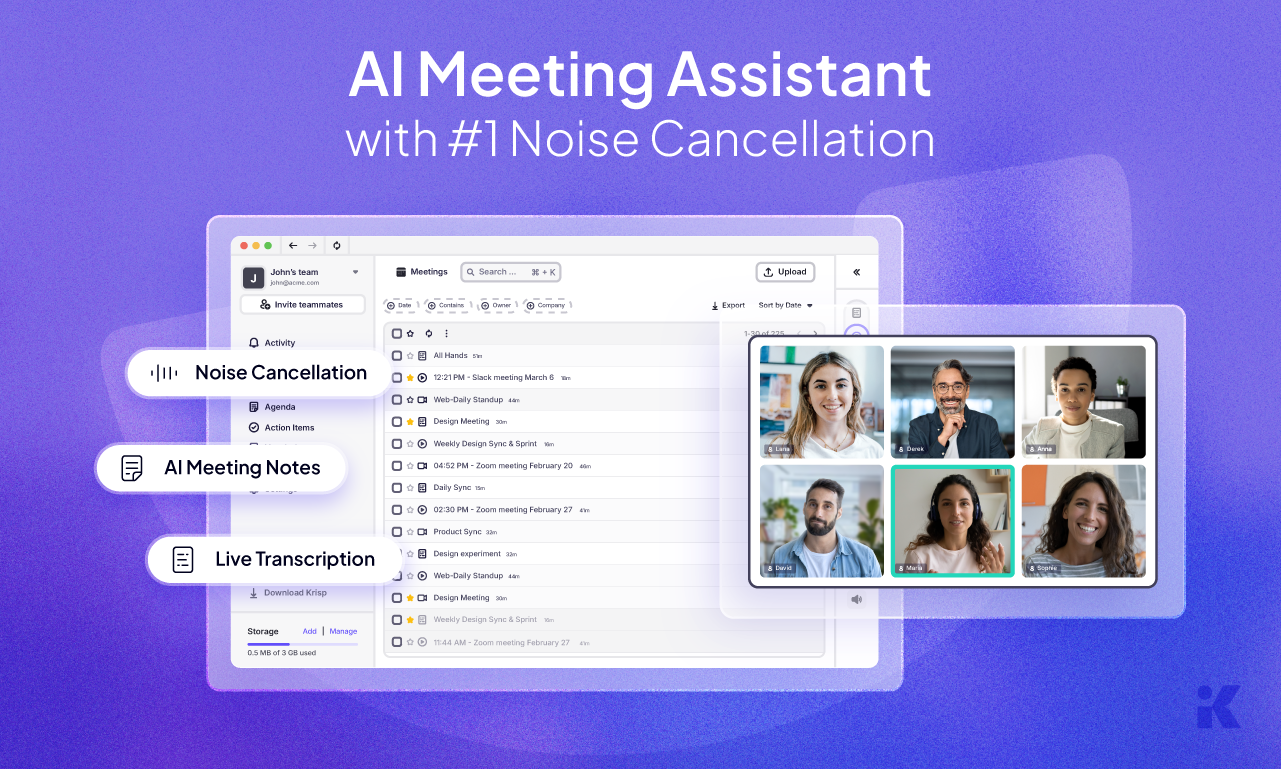
Krisp Demo - Krisp AI Meeting Assistant
Boost meeting productivity with the AI Meeting Assistant that offers industry-leading noise cancellation, live transcription, and automated meeting notes.
Krisp Demo - Real-time Voice AI for Call Centers
Empower support teams with real-time voice AI capabilities including accent conversion, voice translation, noise cancellation, and agent assistance.
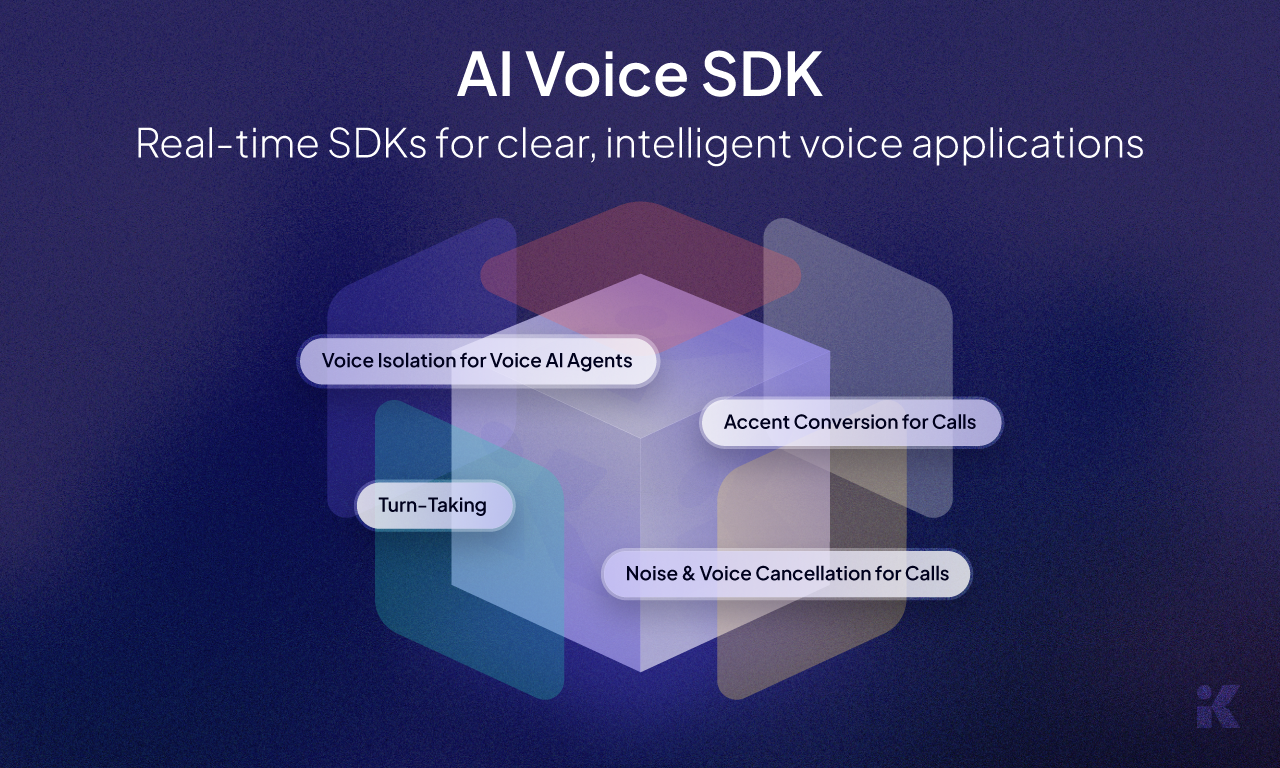
Krisp Demo - AI Voice SDK
Integrate real-time voice intelligence into your applications with SDKs for noise and voice cancellation, accent conversion, and voice agent optimization.
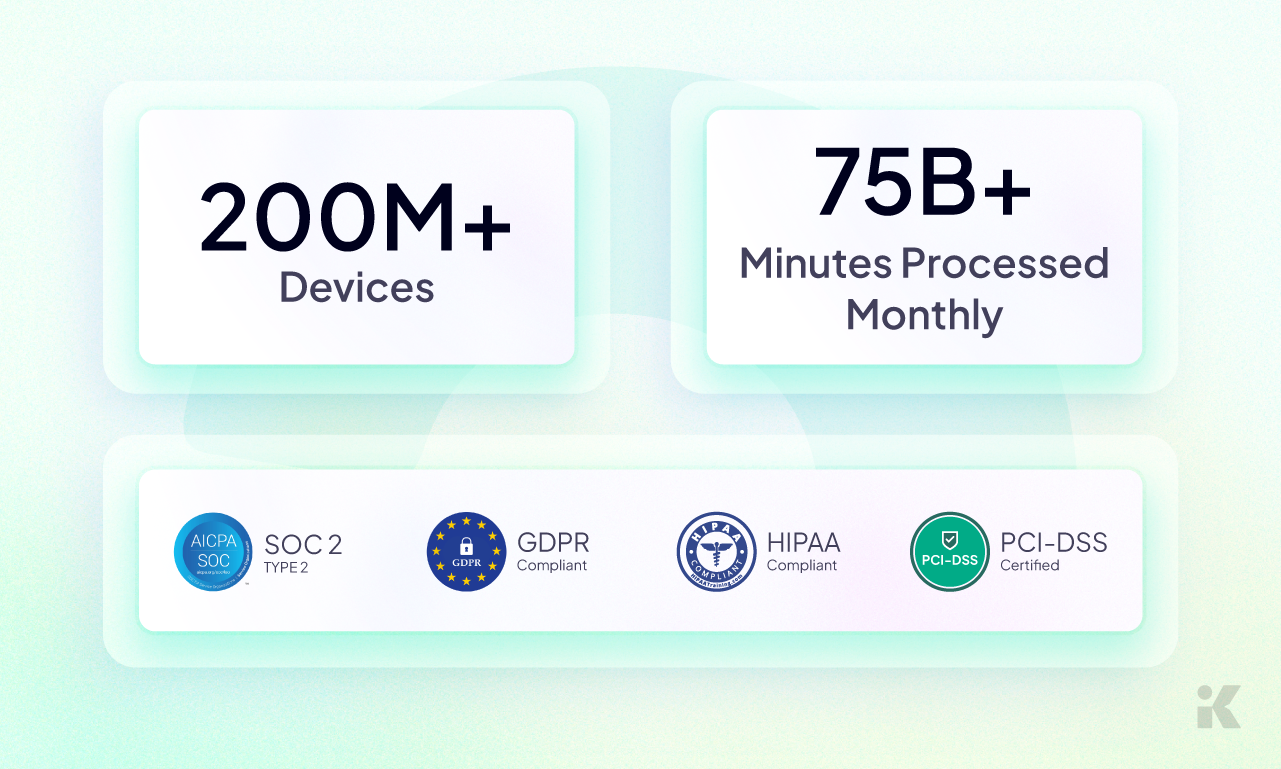
Krisp Demo - Scale and Security
Trusted by over 200 million devices processing 75 billion minutes monthly, Krisp is SOC 2 Type 2, GDPR, HIPAA, and PCI-DSS compliant
Play Krisp Video
Play Krisp Video
Play Krisp Video
Play Krisp Video
Play Krisp Video
Product Avatar Image

Have you used Krisp before?

Answer a few questions to help the Krisp community

Avis Krisp (1,104)

Voir les avis vidéo de 19
Avis

Avis Krisp (1,104)

Voir les avis vidéo de 19
4.6
Avis 1,105

Review Summary

Generated using AI from real user reviews
Les utilisateurs louent constamment Krisp pour son annulation de bruit efficace, qui améliore considérablement la clarté des appels dans des environnements bruyants. Beaucoup apprécient sa facilité d'utilisation et son intégration transparente avec diverses plateformes, en faisant un outil fiable pour la communication professionnelle. Cependant, certains utilisateurs notent que la fonction de transcription peut parfois être inexacte, en particulier avec certaines langues.

Avantages & Inconvénients

Généré à partir de véritables avis d'utilisateurs
Voir tous les avantages et inconvénients
Rechercher des avis
Filtrer les avis
Effacer les résultats
G2 reviews are authentic and verified.
Marquis J.
MJ
CEO
Mid-Market (51-1000 emp.)
"Boosts Productivity with Seamless Operation"
What do you like best about Krisp?

I like that Krisp is automatic and mostly stays out of the way. My favorite feature is the closed captions, or CC, which helps turn my meetings into subtitles. This feature is really helpful because if my name is called and I wasn't listening, I can easily look at the subtitles and respond effectively. Having subtitles allows me to pay less attention to meetings and focus more on work, and if I need to engage, I can quickly understand the current conversation. It has increased my productivity significantly now that I can rely on it instead of manual note-taking. The initial setup was super easy, not just for me but also for my coworkers who aren't very computer-savvy, they found it easy to install with little IT help. Review collected by and hosted on G2.com.

What do you dislike about Krisp?

I get notified that I need to use the Krisp audio system as my default device, but run into mic and speaker issues. I have had the best luck with ignoring that notification and overriding the system audio to my headset to ensure I can always be heard and listen to the meeting. But there are many driver errors and audio issues my co-workers experience. Review collected by and hosted on G2.com.

Raiti Gaspar R.
RR
Especialista en implementación
Small-Business (50 or fewer emp.)
"Essential Tool for Crystal-Clear Calls and Productivity"
What do you like best about Krisp?

What I like best about Krisp is how reliably it removes background noise without affecting my voice quality. I’ve been using it for over a year, and it has become an essential part of my daily workflow. Whether I’m in a noisy environment or dealing with unexpected sounds, Krisp consistently delivers crystal‑clear audio for both sides of the call.

I also really appreciate the transcription feature and the built‑in AI for searching through past conversations. These tools save me a lot of time and help me stay organized, especially when I need to revisit key points from meetings. The combination of noise cancellation, accurate transcriptions, and smart AI assistance makes Krisp one of the most valuable tools in my productivity stack. Review collected by and hosted on G2.com.

What do you dislike about Krisp?

There’s hardly anything to complain about, but if I were to point out one issue, it would be that the transcription feature sometimes loses context during longer conversations. This isn’t a major problem—the overall accuracy remains high—but I do find myself needing to manually correct a few lines on occasion. Aside from that, the product has proven to be extremely reliable for me. Review collected by and hosted on G2.com.

JandG S.
JS
IT Director
Small-Business (50 or fewer emp.)
"AI-Powered Meetings Made Effortless"
What do you like best about Krisp?

I like the AI feature of asking questions against the content as the responses are amazingly spot-on and the re-caps sound like me. The reports are accurate and sensitive to my context. I use the AI Chat for important conversations and it helps with Minutes for the Elders Meetings, Summaries of Counseling Sessions, and Task lists for myself and my colleagues after team meetings. I also appreciate how it assesses certain aspects of a conversation, offering feedback on my responses like attentiveness and defensiveness. It's great for capturing audio and transcripts of meetings, allowing me to create action item lists and reports based on the transcripts. It prevents me from having to write things down during meetings, helping me fully engage and reflect on conversations to improve my communication style. Additionally, Krisp was our first product, and we've found it to be the best among the AI transcription tools we've tried. The initial setup was pretty simple. Review collected by and hosted on G2.com.

What do you dislike about Krisp?

Sometimes, the mic and speaker aren't set properly, and I have difficulty getting it reset, especially if I undock and re-dock my computer. Review collected by and hosted on G2.com.

Response from Lusine Mnatsakanyan of Krisp

Thank you for the incredible feedback. We’re thrilled that Krisp has become such a valuable part of your workflow and helps you stay fully engaged during meetings without worrying about missing key details. We appreciate your note on deeper calendar and task manager integration — it’s great input and something we’re exploring.

AO
Senior UX/UI Designer
Small-Business (50 or fewer emp.)
"The best and more accurate AI note-taking software for meetings"
What do you like best about Krisp?

Seamless integration with all meeting platforms I use (Zoom, Meet, Teams). Noise cancellation (on mine and others' audio). High fidelity and accurate summaries—better than other platforms I've tried. Multi-language support (supports one language per meeting). AI chat to interact with the meeting content. Easy editing and sharing. Audio and video recording. Fast and responsive customer support. Review collected by and hosted on G2.com.

What do you dislike about Krisp?

Doesn't support multiple languages in the same meeting. Exports in TXT, but not in rich text format, and files must be downloaded one by one (transcript, notes, recording). Search only shows best matches (instead of filtering the meeting list). Pricing is a little high. Review collected by and hosted on G2.com.

Rosaura T.
RT
Medical Biller
Small-Business (50 or fewer emp.)
"Excellent for Transcriptions, but with Performance Issues"
What do you like best about Krisp?

I like that the transcriptions last a week, which gives me enough time to document and save all the important information without worrying about it being lost. Also, I value that the transcriptions are well done almost all the time, as they are well written and always processed correctly. This allows me to focus on other aspects without the stress of constantly checking the accuracy of the transcriptions. Additionally, the initial setup of Krisp was very easy for me, as I only had to enter my email. This level of simplicity and effectiveness really enhances my overall experience and makes me confidently recommend Krisp. Review collected by and hosted on G2.com.

What do you dislike about Krisp?

I think the application is not working well because sometimes it freezes. It is very slow even on high-end devices. I am forced to reinstall it in order to continue using it. Review collected by and hosted on G2.com.

Admin M.
AM
Small-Business (50 or fewer emp.)
"Effortless Meeting Summaries, Needs Language Tweaks"
What do you like best about Krisp?

I like Krisp because it provides the ability to transcribe meeting notes, generate summaries and outlines without sending bots, which can create friction in meetings. The software operates in the background capturing all the meeting notes directly, which is really helpful. I also appreciate the pricing segment for the tasks it offers. This setup is important for us, especially since we need all our meeting minutes, summaries, and action items accurately captured and documented for our startup. Review collected by and hosted on G2.com.

What do you dislike about Krisp?

I think the auto translation and the identification of languages aren't great because most of the time our meetings are in Hindi and the transcribing for the language is not that good. The auto identification is not good because most of the time, I would say, it takes Arabic and other languages which we don't even speak. I think that can be improved. The payment part was hard because it was not accepting the credit card, and I had to contact them to get a link. After that, it was easy, but the payment part was really difficult. Review collected by and hosted on G2.com.

Arame B.
AB
Small-Business (50 or fewer emp.)
"Essential for Remote Work in Noisy Environments"
What do you like best about Krisp?

I use Krisp for noise cancellation because as a remote worker I often work from different locations, including crowded environments. In my role as operations lead, I receive many unexpected calls from colleagues, and using Krisp allows me to ensure my voice is clear and free from background noise, which shows respect for my colleagues' time and attention. I like the ease of use and integratability of Krisp. As an operations manager, I can have meetings with Zoom, Google Meet, Teams, or other tools on the same day. I can simply set up Krisp for all of those apps, join meetings, and be sure that background noise is cancelled properly. It gives me confidence. The initial setup of Krisp was easy and convenient. Review collected by and hosted on G2.com.

What do you dislike about Krisp?

nothing Review collected by and hosted on G2.com.

Eric M.
EM
Senior Solutions Consultant
Information Services
Small-Business (50 or fewer emp.)
"Incredible Noise Cancellation and Call Transcription, Minor Performance Glitch"
What do you like best about Krisp?

I love Krisp for its integrated noise cancellation, which has been incredible at eliminating all background noise. This feature is exceptionally reliable, as I can cancel out noise even when I'm in busy places like an airport terminal. I also appreciate the transcription of meeting info because I can do it without having to record the meeting itself. It's great that the transcription happens on-device with minimal transmission, which respects user privacy. Having everything in one app, regardless of whether I'm using Teams, Zoom, Webex, or other platforms, keeps all my meetings, to-dos, and action items centralized and makes follow-ups quick and easy. The initial setup was as simple as download, install, and go, which was nice. Review collected by and hosted on G2.com.

What do you dislike about Krisp?

Unfortunately, because the app does so much, it tends to eat quite a bit of RAM on my computer, which can drag down performance. It would be great if they'd enabled dark mode, but that's in data as we speak. Review collected by and hosted on G2.com.

Response from Lusine Mnatsakanyan of Krisp

Thank you for being with us since 2020 and for your kind words. We’re glad Krisp continues to deliver on core reliability while our AI and recording features add value to your workflow. We’ve noted your feedback on resource usage, and the team is working on further optimizations.

Sebastian T.
ST
Principal Consultant
Small-Business (50 or fewer emp.)
"Effortless Noise Control & Powerful AI Assist, a few bumps in Voice Detection and Dictionary"
What do you like best about Krisp?

Krisp shines with its easy-to-use interface and reliable noise cancellation, it’s seamless in muting barking dogs, typing clatter, and background chatter in real time. The AI-powered meeting assistant is helpful automatically recording, transcribing, and summarising my calls (with action items and structured summaries), all without needing bots.

I also love the AI summaries and task lists, which are genuinely helpful.

There’s a strong emphasis on on-device processing and privacy, everything runs locally unless you opt for cloud storage. Plus, Krisp integrates smoothly with Zoom, Teams, Meet, Slack, Tuple and Hangouts, etc. Review collected by and hosted on G2.com.

What do you dislike about Krisp?

The voice detection/dictionary (custom vocabulary) can be a bit odd, sometimes it groups multiple words under the same association and doesn’t allow correction for both, which frustrated me.

Sometimes I've noticed extreme noise suppression can make voices sound slightly robotic or clipped and if you leave it running for a long time the app can sometimes cause CPU spikes, use up excess RAM or auto-disable unexpectedly. Review collected by and hosted on G2.com.

Response from Krisp Technologies, Inc. of Krisp

We’re really happy to know Krisp is making such a difference in your calls by keeping them clear and helping you capture key details with summaries and tasks. It’s great to hear that both the noise cancellation and AI assistant are saving you time and reducing stress.

We also appreciate you sharing the challenges with custom vocabulary, noise suppression, and performance. These are exactly the areas we’re focused on improving so that the experience feels even more natural and reliable.

Your feedback is incredibly valuable as we continue to refine Krisp and make it work better for you and your team.

jose v.
JV
CEO and owner
Small-Business (50 or fewer emp.)
"Noise Cancellation That Truly Works—Krisp Is the Best"
What do you like best about Krisp?

It really works with the noise cancellation, and this feature is very important in my field of work. The way I noticed it truly works is when I put my mouthpiece upward and the client still wasn’t able to hear me while I was talking. Krisp, you are the best. Review collected by and hosted on G2.com.

What do you dislike about Krisp?

I hope the icon that shows when a call is coming in can be placed flat, so I can put it at the bottom of the screen. Other than that, you are great. Review collected by and hosted on G2.com.

Pricing Options

Pricing provided by Krisp.

Free Trial

Free Trial
Per Month

Pro

Starting at $8.00
1 User Per Month

Business

Starting at $15.00
1 User Per Month
Krisp Comparaciones
Imagen del Avatar del Producto
Otter.ai
Comparar ahora
Imagen del Avatar del Producto
Fathom
Comparar ahora
Imagen del Avatar del Producto
Fireflies.ai
Comparar ahora
Krisp Features
Audio Conferencing Integration
Video Conferencing Integration
Webinar Software Integration
Acoustic Echo Removal
Room Echo Removal
Outside Noise Cancellation
Agenda Management
Virtual Meeting Hosting
Automated Note-Taking
Voice Recognition
Action Item Tracking
Product Avatar Image
Krisp