Introducing G2.ai, the future of software buying.Try now
Sumanyu M.
SM
Small-Business (50 or fewer emp.)
"Better alternative for Calendly"
What do you like best about Cal.com?

It is free and super fast. It helps me schedule meetings without any cost. Review collected by and hosted on G2.com.

What do you dislike about Cal.com?

Interface could have been a little better. Review collected by and hosted on G2.com.

Cal.com Reviews & Product Details

Pricing

Pricing provided by Cal.com.

Teams

$15.00
1 user Per Month

Cal.com Media

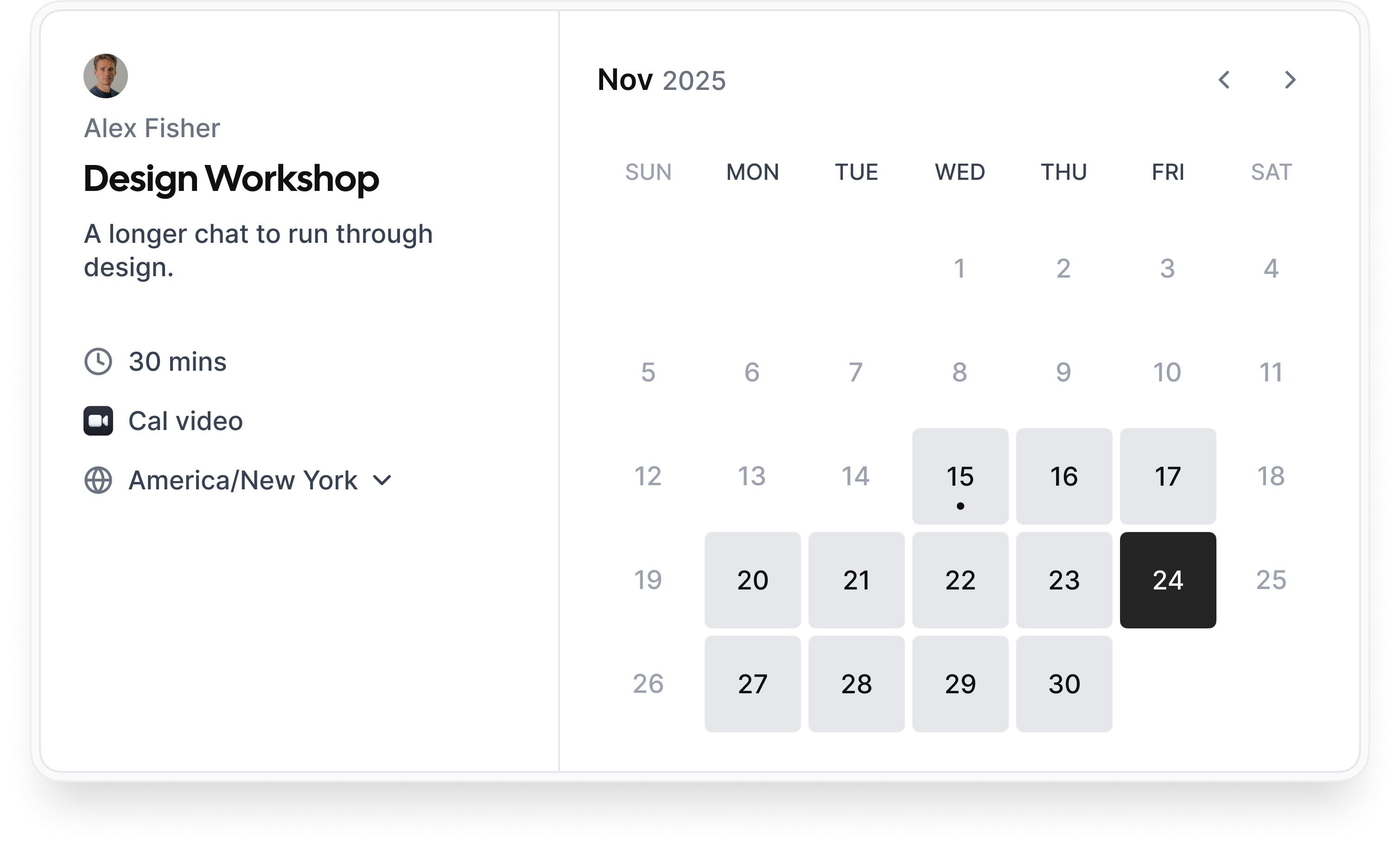
Cal.com Demo - Booking flow
Simple booking flow to schedule calls with customers, businesses, partners, and friends. Easily integrated into modern websites and application.
Cal.com Demo - Secure bookings protect your data
Your scheduling system shouldn’t be the weakest link in your compliance stack. Cal.com’s privacy-by-design architecture gives you the confidence of HIPAA, SOC 2 Type II, ISO 27001, CCPA, and GDPR compliance, without sacrificing usability.
Cal.com Demo - Slack Connect for support
We offer Slack Connect support, allowing direct and rapid communication with our team for quicker resolutions and personalized assistance.
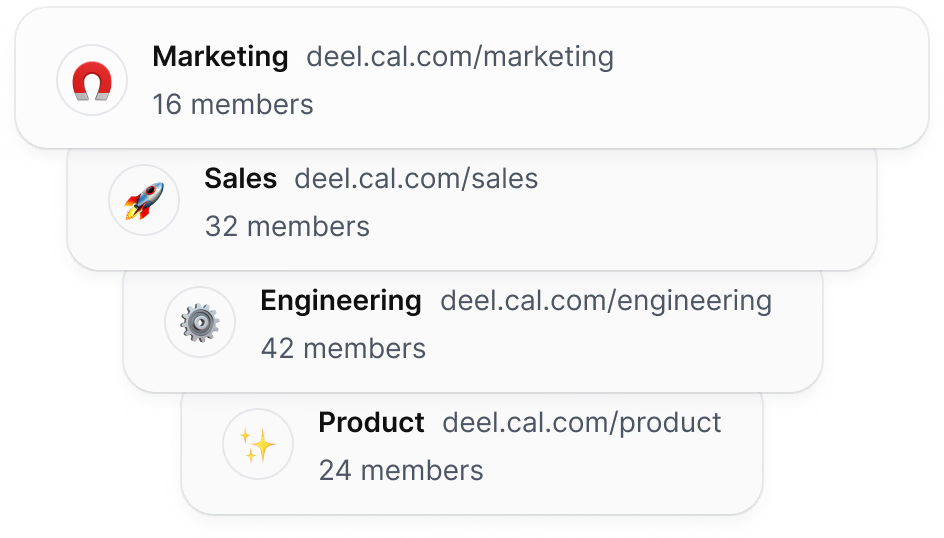
Cal.com Demo - Unlimited sub-teams
Easily organize your teams by creating a parent team and adding unlimited sub-teams, ensuring seamless management and collaboration across your organization.
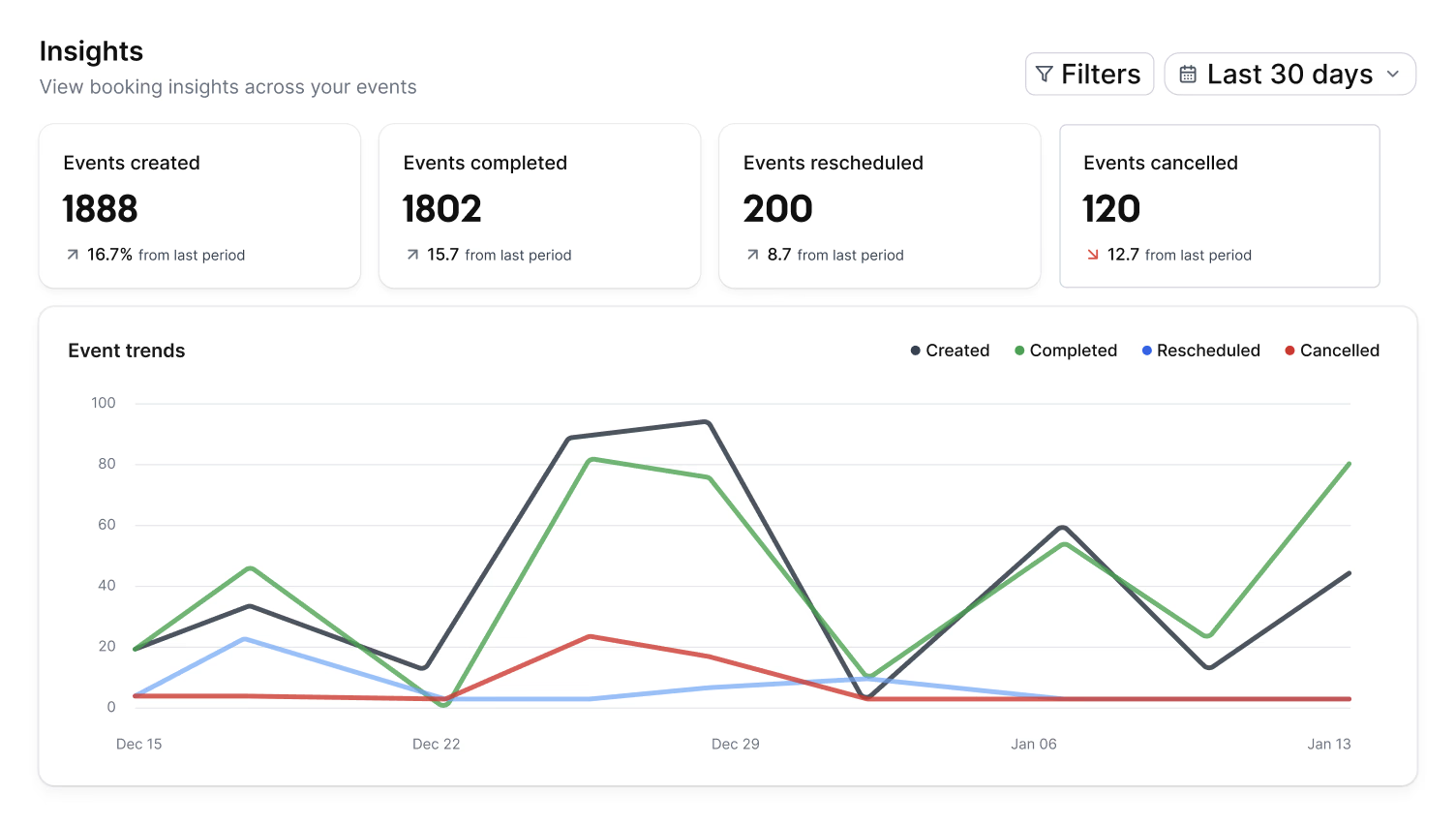
Cal.com Demo - Organization wide insights
The Insights dashboard provides a clear overview of booking data, helping you spot opportunities and top performers with ease.
Cal.com Demo - Domain-wide delegation
Simplify setup and ensure compliance across your organization. Cal.com gives administrators centralized control over calendars, bookings, and access.
How does cal.com compare to other schedulers? Watch this review to find out.
Play Cal.com Video
How does cal.com compare to other schedulers? Watch this review to find out.
Take control of your schedule with
Play Cal.com Video
Take control of your schedule with "Requires confirmation" feature
Instant meetings! Connect with clients instantly
Play Cal.com Video
Instant meetings! Connect with clients instantly
Phone based bookings
Play Cal.com Video
Phone based bookings
Introducing: Cal.com Routing – Cal.com v5.0:
Play Cal.com Video
Introducing: Cal.com Routing – Cal.com v5.0:
Product Avatar Image

Have you used Cal.com before?

Answer a few questions to help the Cal.com community

Cal.com Reviews (146)

Reviews

Cal.com Reviews (146)

4.6
147 reviews

Pros & Cons

Generated from real user reviews
View All Pros and Cons
Search reviews
Filter Reviews
Clear Results
G2 reviews are authentic and verified.
Aryan P.
AP
UI/UX Designer and Full Stack Dev
Small-Business (50 or fewer emp.)
"Effortless Scheduling with Open-Source Flexibility"
What do you like best about Cal.com?

Cal.com has quietly become one of my most dependable tools. I love how it blended into my workflow without a big learning curve or forcing me to rethink everything. The interface feels calm with no unnecessary pop-ups or confusing settings. Setting up a scheduling link was easy and the clean look of the booking was satisfying. The flexibility to fine-tune details like buffers and automations without a tech headache is a big plus. The open-source nature makes it feel like it's always evolving with its community, which I appreciate for its transparency and reliability. It syncs smoothly with Google Calendar, aligns meetings well, and the integration with Zoom and Notion helps keep things organized. Automations like reminders operate seamlessly in the background, and the time-zone handling is flawless. The setup was surprisingly easy with a straightforward onboarding process. I especially appreciate the simplicity in setting different event types and letting people book without confusion, which is genuinely time-saving. Review collected by and hosted on G2.com.

What do you dislike about Cal.com?

A few things could definitely be smoother. The customization options are powerful, but some of the advanced settings feel a bit tucked away and take time to figure out. Integrations work well overall, but occasionally I wish the setup process was more guided, especially for first-time users. Also, the UI while clean could benefit from clearer labels or tooltips in certain places to reduce trial-and-error. Nothing major, but small refinements would make the experience even more intuitive. Review collected by and hosted on G2.com.

Ahire Vaishnav Tanaji D.
AD
Team Coordinator
Small-Business (50 or fewer emp.)
"Effortless Scheduling with Flexible Features"
What do you like best about Cal.com?

I use Cal.com to schedule and manage meetings efficiently, and it really helps me share my availability with others. What I like most about Cal.com is how simple and flexible the scheduling experience is. The interface is very clean, so it's easy to create different event types, set my availability, and share a single link instead of going back and forth to fix a time. I really appreciate the automatic time zone handling, which makes it much easier to book calls with people in other regions without confusion. Cal.com's flexible scheduling lets me create different meeting types with custom durations and availability, keeping my calendar organized. These features save time. I use Cal.com with my Google Calendar and video conferencing tools like Zoom and Google Meet, and the integrations keep my schedule synced and make joining meetings quick and seamless. The initial setup was quick and straightforward, and connecting my calendar and creating my first booking link took only a few minutes. I would definitely recommend Cal.com because it's reliable, flexible, and saves a lot of time in scheduling. Review collected by and hosted on G2.com.

What do you dislike about Cal.com?

The initial setup can feel a bit complex for new users, and some advanced features could use cleaner guidance. Adding better onboarding and in-app tips would make the experience even smoother. Review collected by and hosted on G2.com.

Nirmal B.
NB
Retail Manager
Computer Software
Mid-Market (51-1000 emp.)
"Highly Customizable, Time-Saving Scheduler"
What do you like best about Cal.com?

I use Cal.com to manage all my scheduling in one place which makes my workflow smoother, saves a lot of time, and keeps everything organized. I love how it allows people to book a time that works for both of us automatically, which avoids back-and-forth messaging. It also syncs with my calendar to prevent double-booking and adjusts for time-zone differences, solving a lot of scheduling headaches. The flexibility and customization of Cal.com are its biggest advantages, allowing me to control every detail—my availability, meeting types, workflows, reminders, and even the design of my booking page. I appreciate that I can tailor the booking flow to my needs, adapt to different types of work, and create a personal and professional booking page that matches my brand. Automations like customizable reminders and follow-ups reduce manual work, and integrations with my existing tools provide flexibility without changing my current setup. The tool feels like it adapts to me, not the other way around. Review collected by and hosted on G2.com.

What do you dislike about Cal.com?

Even though Cal.com is powerful and flexible, there are a few areas where I think it could be even better: 1. Initial setup can feel overwhelming. Because the platform offers so many customization options, the first-time setup can take longer than expected. A more guided, step-by-step onboarding could make the process smoother for new users. 2. Some advanced features require more clarity. Features like workflows, routing forms, or complex automations are great but sometimes need better explanations or visual previews to help users understand how things connect. 3. Mobile experience could be smoother. The mobile interface works, but some parts—especially settings and advanced options—are easier to manage on a desktop. A more optimized mobile layout would help users make quick updates on the go. 4. Booking-page speed with heavy customizations. When too many custom rules or embed options are added, the booking page can feel slightly slower. Better performance optimization for very customized setups would be great. 5. More detailed analytics. While basic analytics exist, deeper insights—like conversion rates, drop-off points, or booking patterns—could help users understand their scheduling flow better. Review collected by and hosted on G2.com.

reaihero j.
RJ
operations manager
Small-Business (50 or fewer emp.)
Business partner of the seller or seller's competitor, not included in G2 scores.
"Flexible Scheduling with Room for Improvement"
What do you like best about Cal.com?

What I appreciate most about Cal.com is the freedom it offers to create a scheduling system that truly matches my workflow. Unlike many other tools that feel restrictive, Cal.com allows me to personalize the booking process, appearance, and even the finer details, all without adding complexity or extra costs. The interface is straightforward and clean, and the integrations with my calendar and meeting applications function seamlessly, which really cuts down on unnecessary back-and-forth. I also value that useful features aren’t hidden behind paywalls, so I can make full use of the platform without being pressured to upgrade. All in all, it’s a flexible, modern solution that genuinely helps me manage my time. Review collected by and hosted on G2.com.

What do you dislike about Cal.com?

One thing I find frustrating about Cal.com is that parts of the interface still come across as somewhat disorganized. Some settings are more difficult to locate than I would expect, and I often have to click around to figure out where everything is. The setup process could definitely be smoother, particularly for users who aren’t familiar with customizing tools. The mobile experience could also use some improvement; certain layouts don’t adapt well, and it doesn’t always feel as polished as the desktop version. While none of these issues are deal-breakers, they do make the platform feel less intuitive than it should be. Review collected by and hosted on G2.com.

Sayeed B.
SB
Ms exel
Small-Business (50 or fewer emp.)
Guest users or non-business users of the software, not included in G2 scores.
"Streamlined Scheduling with Intuitive Features"
What do you like best about Cal.com?

At BahiyaTech Solutions, we manage a high volume of client and internal meetings, and Cal.com has helped us organize this work more efficiently. I like how the shared team scheduling pages and round-robin assignment reduce the manual effort of distributing meetings. Custom booking forms also help us collect details before calls, which improves preparation and saves time. The integrations with our calendars and video tools work reliably, and the admin controls allow us to set consistent working hours and buffer times across departments. The thing I like most about Cal.com is how simple it makes team scheduling. The shared booking pages and automatic round-robin assignment remove a lot of manual work and make it easy for clients to book with any available team member. I also really appreciate how customizable the booking flows are. Being able to add our own questions, instructions, and reminders helps create a more professional experience for our clients. The calendar and video call integrations work reliably, and once everything is set up, the scheduling process runs smoothly without needing constant attention. One thing that works especially well for us is how quickly new team members can learn the platform. The setup is straightforward, and most features are easy to understand without needing technical knowledge. The automated reminders and confirmation emails also work smoothly, which reduces missed meetings. We also like the way Cal.com handles time zones for international clients, since it removes confusion about meeting times. Overall, the combination of automation, simplicity, and reliability makes the scheduling process very efficient for our teams. Review collected by and hosted on G2.com.

What do you dislike about Cal.com?

One area that could be improved is the visual customization of booking pages. Having more design options would help match the pages more closely with our company branding. Another thing that could be more flexible is the ability to create more advanced automation templates without relying on external tools. Review collected by and hosted on G2.com.

Madhu V.
MV
Manager
Small-Business (50 or fewer emp.)
"Effortless Scheduling, Automated Happiness"
What do you like best about Cal.com?

I use Cal.com mainly to streamline how people book time with me. I like that it syncs directly with my calendar, prevents double-booking, and even automatically adjusts for different time zones without me doing anything. Setting up different types of meetings with Cal.com, from quick check-ins to strategy sessions and group calls, each with its own rules and availability, saves me a lot of mental load and keeps my schedule organized. The control it gives me over my time without complicating the setup is fantastic. I can design my availability exactly the way I want, with buffers, meeting limits, and custom workflows, which hardly need any adjustment once set up. I appreciate its flexibility in creating different booking flows for various conversation types. The automatic time-zone functionality saves me tons of time and removes the stress of doing manual conversions. Syncing all of my calendars with Cal.com has been fantastic, reducing the stress of double-booking myself and enabling easy personal activity, focus time, or travel planning. Its seamless integration with my calendar applications like Google Calendar and Outlook and video conferencing tools like Zoom and Google Meet is extremely helpful. Cal.com generates a video conferencing link each time an appointment is created, saving me time in creating and sending out follow-up links. Integrating with my email and messaging apps, I get reminders and updates automatically, which helps decrease the number of missed appointments. The transition of my team to Cal.com gave us more flexibility, allowing us to create custom scheduling flows without adapting to a rigid structure and integrating easily with other tools. Overall, Cal.com eliminates most of the hassles of scheduling. Review collected by and hosted on G2.com.

What do you dislike about Cal.com?

Cal.com has a learning curve that can be intimidating, especially when creating complex events or workflows. Navigating configurations and understanding how settings relate to each other can be challenging. Better onboarding and clearer documentation would help new users. Additionally, some complex integrations and automated workflows may require extra steps or troubleshooting on occasion, impacting the simplicity of a set-it-and-forget-it philosophy. Review collected by and hosted on G2.com.

Vandg C.
VC
Vansh expressed
Small-Business (50 or fewer emp.)
Guest users or non-business users of the software, not included in G2 scores.
"“Cal.com: The Scheduling Platform That Transformed Our Team’s Workflow”"
What do you like best about Cal.com?

I really like the high level of customization that Cal.com offers. It lets us tailor almost every part of the scheduling experience, including booking pages, routing forms, and automation, which is great because this flexibility makes it easy to match our internal processes without forcing us into a rigid system. Additionally, the switch to Cal.com from our previous scheduling tool has been smooth, particularly with its integration capacities with Google Workspace and Zoom. Even though the initial setup required some attention due to its customizable nature, it was fairly smooth overall. I am pleased enough with Cal.com that I highly recommend it to my friends. Review collected by and hosted on G2.com.

What do you dislike about Cal.com?

1. Deeper analytics and insights. 2. Smoother onboarding for complex setup. 3. Make built-in workflow templates. 4. Additional integration. 5.Handles complex team scheduling Coordinating meetings that require multiple team members used to be confusing. Cal.com’s collective and round-robin scheduling makes it effortless. Review collected by and hosted on G2.com.

Nikhil B.
NB
Student
Small-Business (50 or fewer emp.)
Guest users or non-business users of the software, not included in G2 scores.
"Essential Tool for Student Scheduling"
What do you like best about Cal.com?

I started using Cal.com to organize my academic and extracurricular schedule, and it has made managing meetings much easier. I appreciate how easy it is to set up different types of meetings. Whether I need to schedule a group discussion, arrange a meeting with a faculty member, or plan sessions for the sports club, the platform makes it very simple. My availability updates automatically when I connect my calendar, which ensures I don’t get double booked. The interface is clean and beginner-friendly, which is helpful for students. The customization options, like adding questions for attendees or limiting the number of meetings, help me maintain a balanced schedule. Cal.com has helped me stay more organized and manage my academic and extracurricular responsibilities more efficiently. The automatic syncing with my calendar keeps all my activities in one place and the reminders ensure I don’t forget important discussions or deadlines. Being able to set different meeting types for various tasks helps me separate my college work from extracurricular activities. The setup was very easy and took just a few minutes to connect my calendar. Review collected by and hosted on G2.com.

What do you dislike about Cal.com?

One thing that could be improved is the mobile experience. Sometimes the interface feels a bit small or slightly slow on my phone, which I use most often as a student. A more optimized mobile view or app would make it even easier to manage my schedule on the go. A more responsive layout with larger buttons would make it easier to use on a small screen. Review collected by and hosted on G2.com.

KW
IT Admin
Computer Software
Small-Business (50 or fewer emp.)
"Effortless Onboarding and Intuitive Scheduling Experience"
What do you like best about Cal.com?

I found it very straightforward to get started with Cal.com as a new user. The interface is clean and intuitive, which made setting up an event type and a booking page effortless. I also appreciated how quickly I could link my calendar and experiment with different scheduling options, all without any confusion. Review collected by and hosted on G2.com.

What do you dislike about Cal.com?

As a newcomer, I found that some of the advanced features, such as workflows and team settings, required a bit of time to grasp. It would be beneficial if there were more guided explanations or tips available for beginners within certain settings. Review collected by and hosted on G2.com.

RP
Product manager
Small-Business (50 or fewer emp.)
"Cal.com’s Teams Plan Has Streamlined Scheduling Across Our Entire Organization"
What do you like best about Cal.com?

I like how Cal.com’s Teams and Organizations plan gives us centralized control over scheduling across the entire company. The ability to manage team availability, create shared event types, enable round-robin routing, and use detailed team analytics has made a huge difference in how efficiently our teams operate. The platform is flexible enough for sales, support, and internal operations to customize their own workflows while staying aligned under one organization dashboard. Review collected by and hosted on G2.com.

What do you dislike about Cal.com?

There are very few downsides, but one area that could improve is providing more granular admin-level reporting templates so managers can generate insights even faster. Sometimes new team members need a short learning curve to understand all the organizational features, simply because there are many powerful options. However, once familiar, everything works smoothly. Review collected by and hosted on G2.com.

Pricing Options

Pricing provided by Cal.com.

Teams

$15.00
1 user Per Month

Enterprise

Contact Us
Per Year

Organizations

$37.00
1 user Per Month
Cal.com Comparisons
Product Avatar Image
Calendly Sales
Compare Now
Product Avatar Image
TidyCal
Compare Now
Product Avatar Image
zcal
Compare Now
Cal.com Features
Confirmations & Reminders
Appointment Follow-Up
Scheduling Notifications
Time Zone Detection
Availability Settings
Blocked Time Settings
Branding
Links
Multi- Calendar Integration
Website Integration
Payment Acceptance
Product Avatar Image
Cal.com