Compare this with other toolsSave it to your board and evaluate your options side by side.
Save to board

Vyond Reviews & Product Details

Pricing

Pricing provided by Vyond.

Free Trial

Free Trial

Vyond Media

Vyond Demo - Videos made fast.
Create videos that land with your audience in minutes, not weeks.
Vyond Demo - Videos made easy.
All the tools you need, all in one place. Reduce your tech stack, costs, and effort with our all-in-one AI video creation platform.
Vyond Demo - Any style. Every audience.
Engage any audience with the flexibility to create videos in multiple styles.
Vyond Demo - Fast, easy, scalable videos that make an impact and drive outcomes.
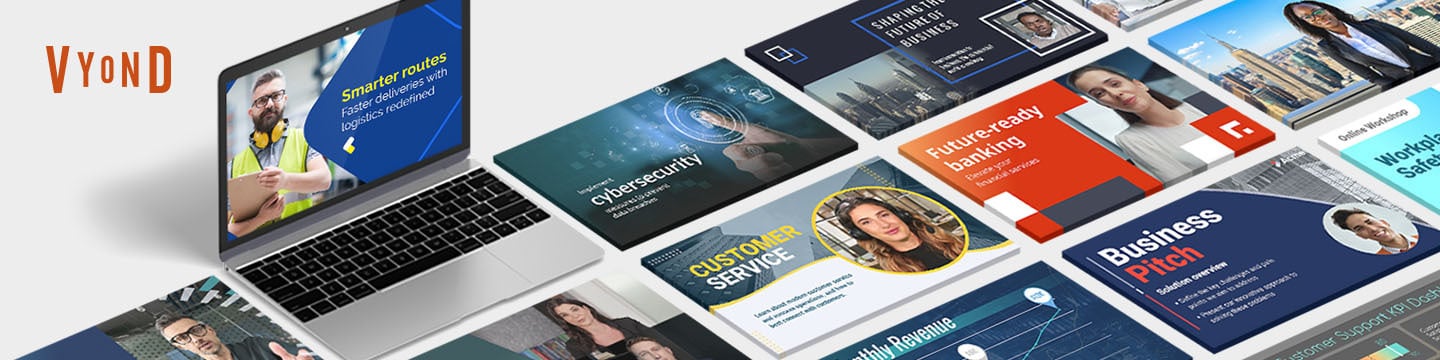
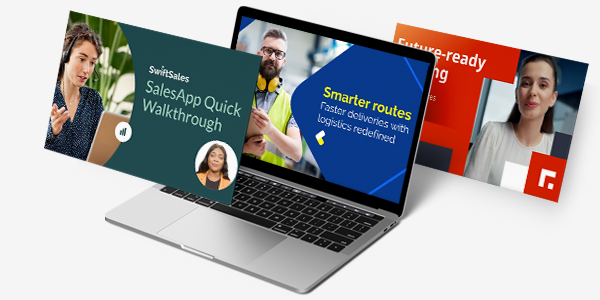
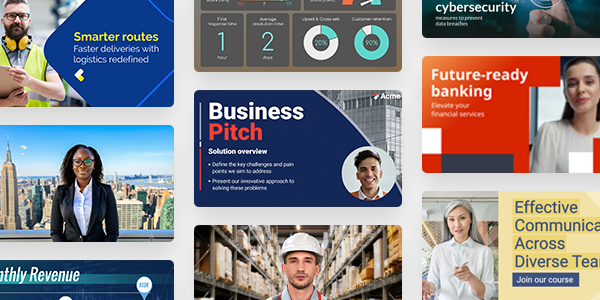
Only Vyond lets you mix avatars with branded templates, charts, real video, and screen recordings so you can deliver content that is both credible and compliant.
Welcome to Vyond
Play Vyond Video
Welcome to Vyond
See what Vyond can do for you
Play Vyond Video
See what Vyond can do for you
Watch how you can turn meeting notes into a video recap in only eighty three seconds.
Play Vyond Video
Watch how you can turn meeting notes into a video recap in only eighty three seconds.
Visual versatility to engage every audience
Play Vyond Video
Visual versatility to engage every audience
Interactive Demo
Try an interactive demo created by the software seller (right here on G2).
Product Avatar Image

Have you used Vyond before?

Answer a few questions to help the Vyond community

Vyond Reviews (471)

View 1 Video Reviews
Reviews

Vyond Reviews (471)

View 1 Video Reviews
4.8
472 reviews

Review Summary

Generated using AI from real user reviews
Users consistently praise Vyond for its ease of use and extensive library of templates and assets, which allow for quick and engaging video creation. The platform's intuitive interface and helpful customer support enhance the overall experience, making it accessible for users of all skill levels. However, some users note limitations in character animations and the need for more diverse templates.

Pros & Cons

Generated from real user reviews
View All Pros and Cons
Search reviews
Filter Reviews
Clear Results
G2 reviews are authentic and verified.
Shawn C.
SC
Senior E-Learning Developer
Enterprise (> 1000 emp.)
"Constant Innovation and Customer Success That Truly Delivers"
What do you like best about Vyond?

What I love about Vyond is their constant innovation. From integrating new technologies to adding more feature-rich content, they’re always refining what the tool can do. I also really appreciate the personal touch from their Customer Success Managers. Our team has shared feedback many times—whether it was to make the tool better, help us move off other tools, streamline our development process, or even just give us cool transparent backgrounds so we can integrate Vyond more easily into our workflows—and they’ve delivered every time. Review collected by and hosted on G2.com.

What do you dislike about Vyond?

If I had one wish, it would be for the uploaded files library to be improved. Right now it feels cumbersome and difficult to organize, and it’s also hard to re-use previous uploads because they can be so difficult to find. Review collected by and hosted on G2.com.

Silvana .
S
Sr. Instructional Designer
Enterprise (> 1000 emp.)
"Easy-to-Use, Powerful Tool for Polished Videos"
What do you like best about Vyond?

Vyond is an easy‑to‑use animation platform that makes it simple to create professional, engaging videos. Its character builder, diverse asset library, and smooth animation tools allow you to bring ideas to life quickly without needing advanced design skills. Videos export in high quality, the interface is intuitive, and support is solid. Overall, Vyond is a powerful, reliable tool for creating polished training or communication content. Review collected by and hosted on G2.com.

What do you dislike about Vyond?

I wish we had the option to show the back of characters. Review collected by and hosted on G2.com.

Deepika V.
DV
Trainer
Enterprise (> 1000 emp.)
"Transformational Tool for Training Videos with Excellent Support"
What do you like best about Vyond?

I find Vyond extremely helpful for our organization. I'm super happy with the characters and templates we keep getting many enhancements. We switched from our traditional way of training with PPTs to using Vyond for creating training videos, making learning more engaging and effective for our employees. The support from the Vyond team is tremendous, always following up to ensure issues are addressed. I also like the animations and storyboarding features which help me create a variety of microlearning videos, and the entire team enjoys it. The GoAnimate feature is great because I can just give a prompt and it creates a storyboarding concept with limited templates, which is amazing. It eases my time and effort. Additionally, the initial setup was as easy as a click of a button with no challenges. Review collected by and hosted on G2.com.

What do you dislike about Vyond?

The templates seem quite repetitive. Maybe adding more templates in GoAnimate could help me. Review collected by and hosted on G2.com.

Mikey S.
MS
Instructional Designer
E-Learning
Small-Business (50 or fewer emp.)
"Effortless Video Creation with Vast Asset Library"
What do you like best about Vyond?

I use Vyond to create AI videos, both AI avatar and animated, for our L&D department, and I appreciate how it helps me explain complex concepts better and more deeply than other mediums. As a non-native video creator, I found Vyond easy to use, which drastically shortened my learning curve. I like that Vyond is easy to edit and has thousands of pre-made assets to choose from, so I rarely need to upload anything new. The Go functionality for creating videos using ideas or scripts has greatly increased the number of videos I can produce without reducing their quality. I'm grateful for the AI avatars and the plethora of voice options available. Editing those Go videos is simple once they're opened in the Studio. The user interface is also easy to navigate, and I was ready to go with my new account very quickly. Review collected by and hosted on G2.com.

What do you dislike about Vyond?

As much as I love the Go videos, I'd love to see more variety and more editing capabilities before moving to Studio. For example, sometimes it narrates without the chosen character, and I'd rather the character narrate it on screen. Being able to change who is talking; having more options to switch out images that are chosen by AI. Review collected by and hosted on G2.com.

ED
Enterprise (> 1000 emp.)
"Intuitive and Visuals-Driven Animation Tool Boosting Creativity"
What do you like best about Vyond?

I like the visuals in Vyond, as they stand out to me. I do enjoy the library of props, even though I would like to see more options. It's great for putting things into context by creating real-world scenarios or examples and then applying them to technical training. I find the templates really excellent and often use them to customize for my needs. The way Vyond makes it intuitive to build animations is definitely something I appreciate. Review collected by and hosted on G2.com.

What do you dislike about Vyond?

Sometimes the selection of an object in Vyond gets a little buried. I almost want to zoom in more to see things better or right-click through layers. Maybe even a layers panel would help, so everything gets locked at one time as a background for example. There should be a way to specify if you drop in a floor or wall as a background layer or something, and then it gets locked altogether. I would keep it simple, like in art when talking about a painting...you have the background - midground - foreground...I would like to assign and lock things into these 3 groups. Review collected by and hosted on G2.com.

Juan H.
JH
Customer Success Manager
Small-Business (50 or fewer emp.)
"Effortless Video Creation with Powerful AI and Multilingual Support"
What do you like best about Vyond?

What I like most about Vyond is how easy it is to use, its AI integrations, its stock shutter library, its mobile app for quick video editing, and how easy it is to diversify content into different languages ​​and add subtitles. Review collected by and hosted on G2.com.

What do you dislike about Vyond?

My reference point is Canva, one of the video platforms I work with, and its strength lies in its diverse range of templates. While Vyond has a rich template library, I still struggle to find what I need easily. I've also tried creating templates using AI, but the rework is similar to creating them from scratch. Additionally, when importing a PowerPoint presentation, the text and graphics become misaligned, which is a drawback compared to Canva. Review collected by and hosted on G2.com.

Vickey H.
VH
Multimedia Developer
Mid-Market (51-1000 emp.)
"Easy-to-Use Animation Tool Perfect for Learning Scenarios"
What do you like best about Vyond?

Vyond is a solid animation program that I found easy to learn. I use it often to create and present learning scenarios. When my team first adopted Vyond, the training provided by their team was excellent. The customer support team is consistently available and helpful whenever we need assistance. In our workflow, we combine Vyond with Storyline 360 and Rise, and the videos integrate seamlessly with these tools. Review collected by and hosted on G2.com.

What do you dislike about Vyond?

Vyond characters offer only a limited range of movements. When I created a video about a child with behavioral issues who was banging his head, I found that I couldn't find a suitable movement to represent this action. As a result, I had to insert an additional screen to clarify what was happening in the scene. Review collected by and hosted on G2.com.

CL
Manager of Instructional Design
Enterprise (> 1000 emp.)
"Creative and Cost-Saving Tool with Easy Setup"
What do you like best about Vyond?

I love the translation features for on-screen and voice-over in Vyond, which save us money by eliminating the need to hire a translating company. I also love how creative I can be with all the assets when creating videos, which helps in creating engaging content that keeps our learners interested. The initial setup of Vyond was very easy. Review collected by and hosted on G2.com.

What do you dislike about Vyond?

I wish there was an easy way to hide features like PowerPoint so you can work on the layers below without having to move things around or change where the layer is. Creating a selection pane that can hide assets would make others easier to edit or change. Review collected by and hosted on G2.com.

Brian W.
BW
Senior Instructional Designer
Enterprise (> 1000 emp.)
"Go one step beyond with Vyond..."
What do you like best about Vyond?

The latest additions, such as AI Avatars and Vyond Go, which allow you to create content from a text prompt, are truly elevating Vyond to a new level. I have been following and using Vyond since its early GoAnimate days, and it continues to improve with each update. These new features help me develop fresh approaches to presenting my training materials more quickly, which makes me very satisfied. Review collected by and hosted on G2.com.

What do you dislike about Vyond?

There is definitely room for further improvement when it comes to templates; in my opinion, updating and refining templates should be an ongoing effort. Another area that could use attention is the limited availability of backward views for characters and props. I often find myself needing to animate a character from behind or create an over-the-shoulder perspective, but the current options make this difficult. While it is possible to approximate these views by constructing characters out of shapes, this approach is both time-consuming and limits the range of animation possible. Review collected by and hosted on G2.com.

Tuli D.
TD
Learning Experience Design & Development Sr. Analyst
Logistics and Supply Chain
Enterprise (> 1000 emp.)
"Very Easy to use product"
What do you like best about Vyond?

There are few good things about Vyond that I love:

1. Once you set a backdrop for a video, you can actually save it as a template and use it next time. This is helpful when I create videos that should reflect the Brand

2. The fact that now I can give a topic or a script and Vyond can create videos out of it is really awesome!

3. Creating Avatars using my own image or something that I would love in an avatar is simply amazing

4. The text to Image really works well, though with time I guess it will get better Review collected by and hosted on G2.com.

What do you dislike about Vyond?

1. The pre-existing templates needs to be checked by the team on a regular basis and improvise or increase the inventory of it.

2. The Modern avatars do have limited customization compared to the traditional characters, like the lipstick colors, shoe styles, hair styles and body types.

3. I guess integrating a higher or better version of AI in text to video generation feature would bring fantastic results. I am sure the team is working on it though.

4. If you can add a tool like AI Prompt writer, which will assist us in refining prompts specifically for Vyond video/text generation, that would be an absolute show. Review collected by and hosted on G2.com.

Questions about Vyond? Ask real users or explore answers from the community

Get practical answers, real workflows, and honest pros and cons from the G2 community or share your insights.

Rachel E.
RE
Rachel Eichen
Last activity over 3 years ago

How can I use one long audio file with lip-syncing?

Amit K.
AK
Amit Kumar
Last activity almost 4 years ago

How do add multiple action in single scene

Pricing Options

Pricing provided by Vyond.

Free Trial

Free Trial

Starter

$99.00
Per Month

Professional

$199.00
Per Month
Vyond Comparisons
Product Avatar Image
Powtoon
Compare Now
Product Avatar Image
Animaker
Compare Now
Product Avatar Image
VideoScribe
Compare Now
Vyond Features
Slide Design
Presenter Tools
Auto Save
Template Library
Template Creator
Collaborative Editorial Calendars / Scheduling Content
Scheduling Integration
Execute Content Publication
Product Avatar Image
Vyond