Vizard

By Vizard. Corp

4.7 out of 5 stars

How would you rate your experience with Vizard?

Compare this with other toolsSave it to your board and evaluate your options side by side.
Save to board

Vizard Reviews & Product Details

Pricing

Pricing provided by Vizard.

Free

Free
1 User Per Month

Vizard Media

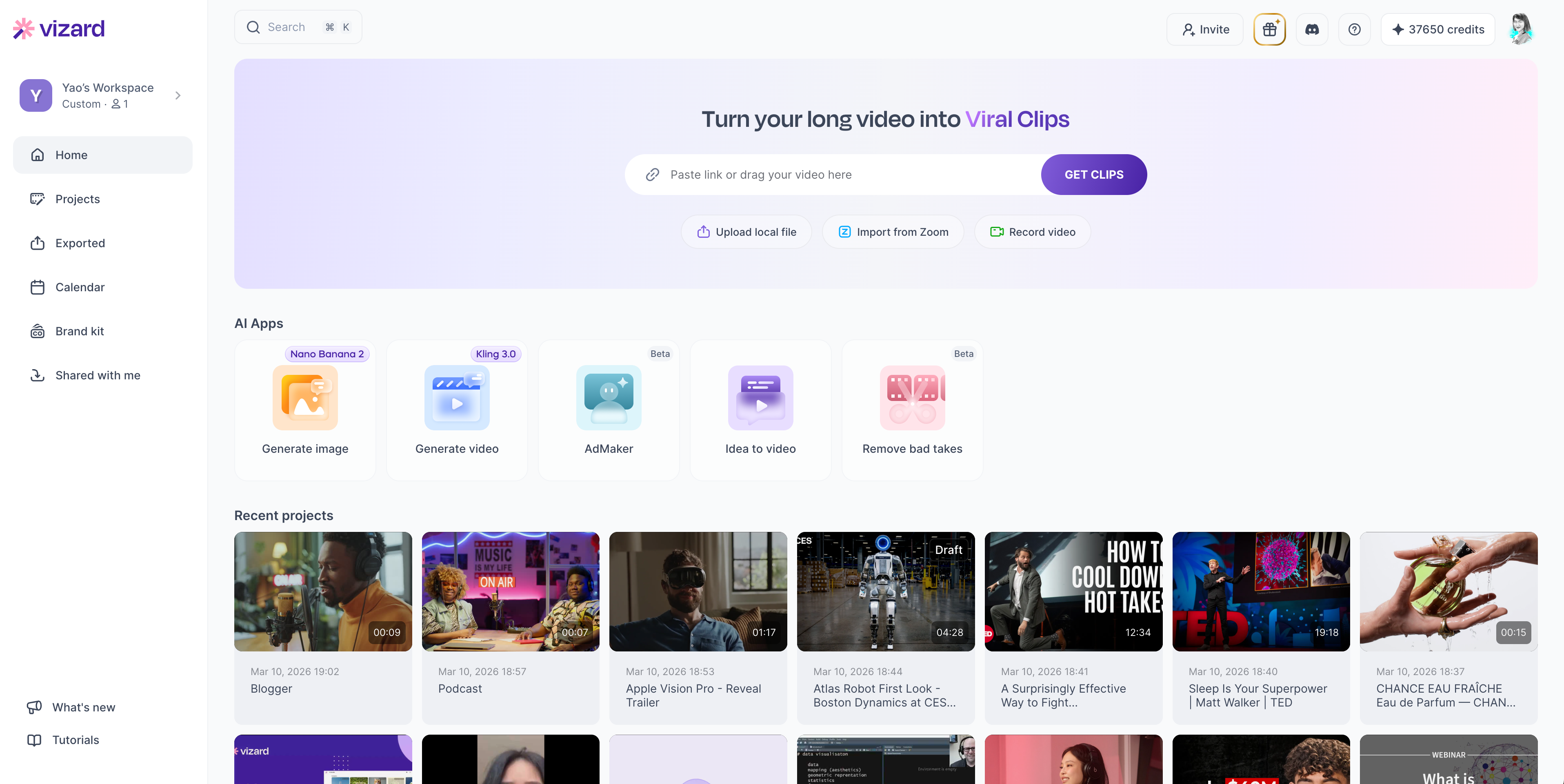
Vizard Demo - Workspace overview
Upload videos and manage all your projects in Vizard Workspace. Use AI Apps such as AI Studio for text to image and text to video generation, AdMaker for UGC ads, and more in Workspace. You can also manage your social media accounts, team collaboration and brand kit in Workspace.
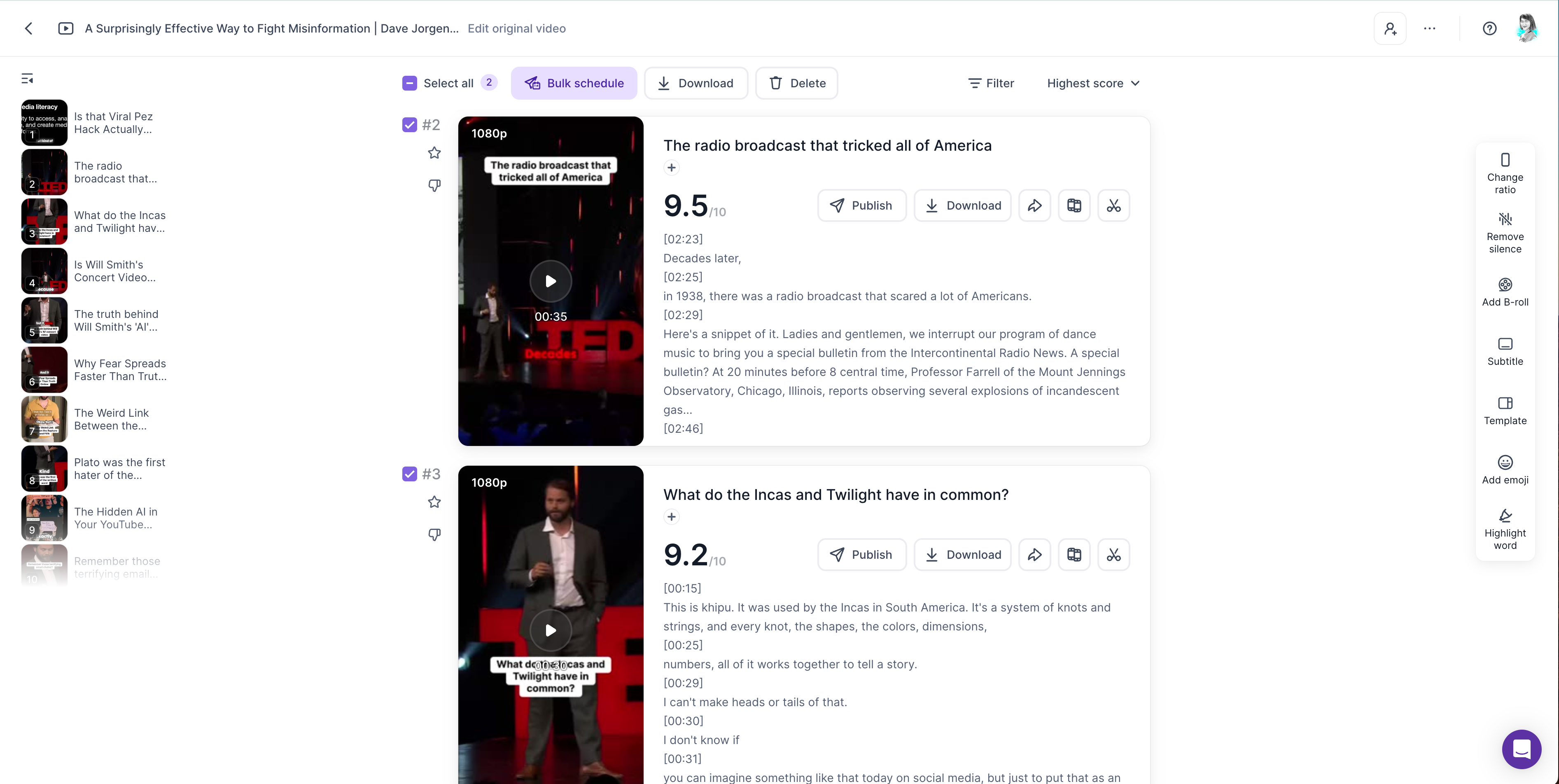
Vizard Demo - AI clipping
Vizard is an AI video editor that identifies the most engaging parts of your videos, automatically editing raw footage into polished content. Plus, it provides a viral score to inform you about the likelihood of your clip trending on social media platforms.
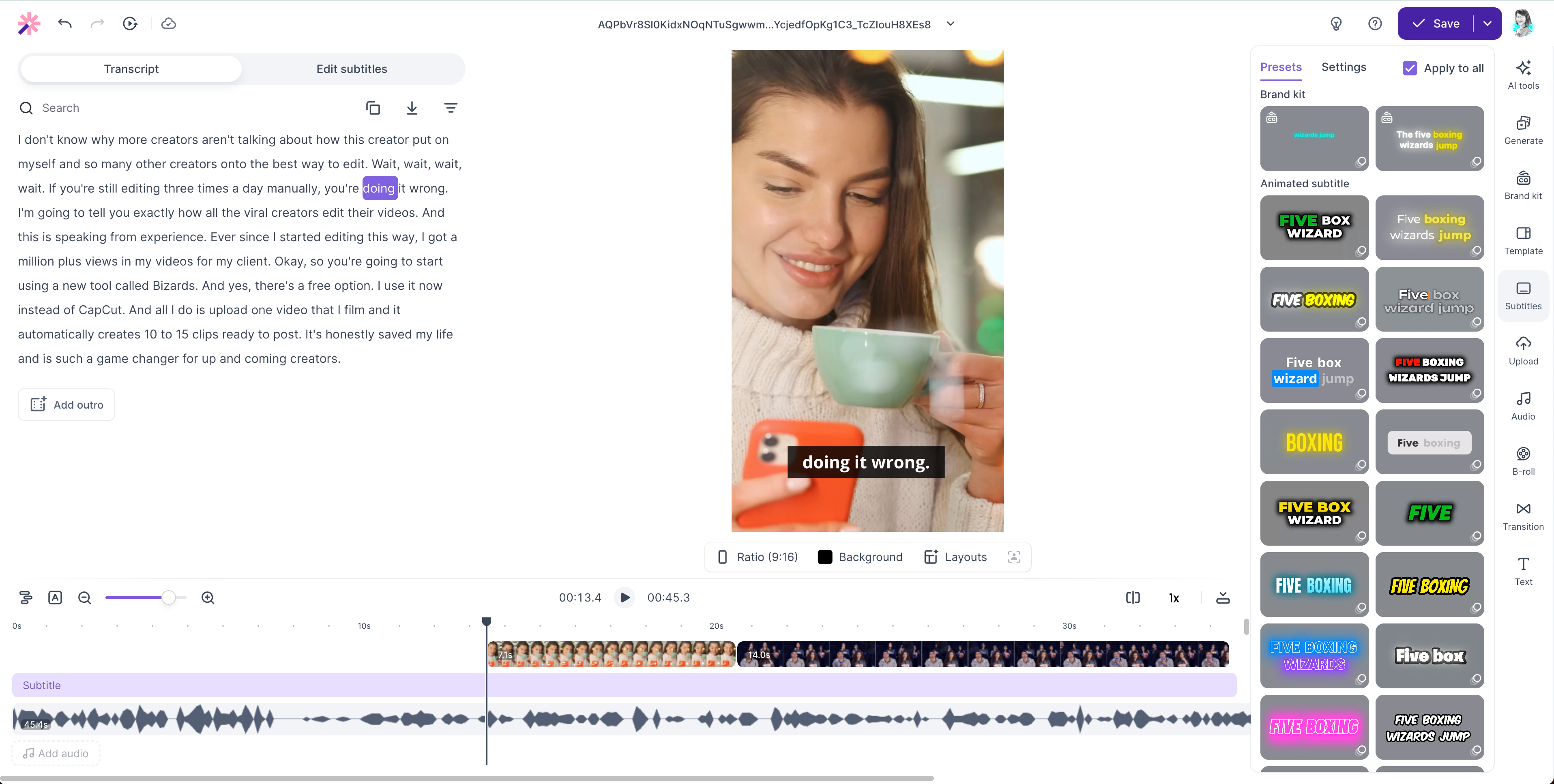
Vizard Demo - AI captions & editing
Generate accurate captions and customize subtitle styles to make your videos more engaging.
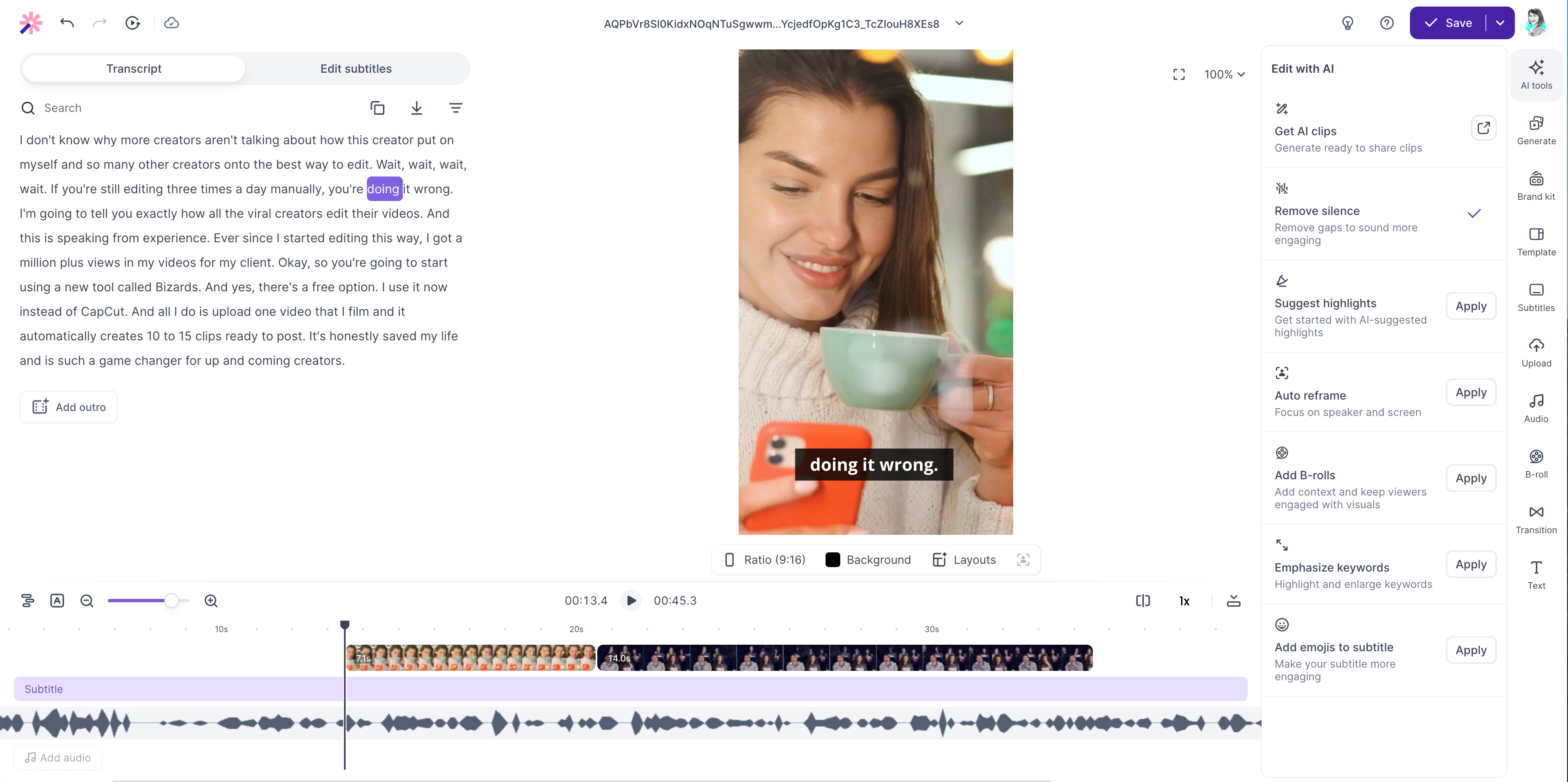
Vizard Demo - AI Enhancements
Automatically add B-roll, emojis, keyword emphasis, and remove silence to enhance your videos.
Vizard Demo - AI video description generating & direct publishing
Auto-generates captivating descriptions and hashtags to give your videos the extra boost they need. Plus, you can publish your videos directly to social media platforms including YouTube, TikTok, Instagram, LinkedIn, Facebook and Twitter.
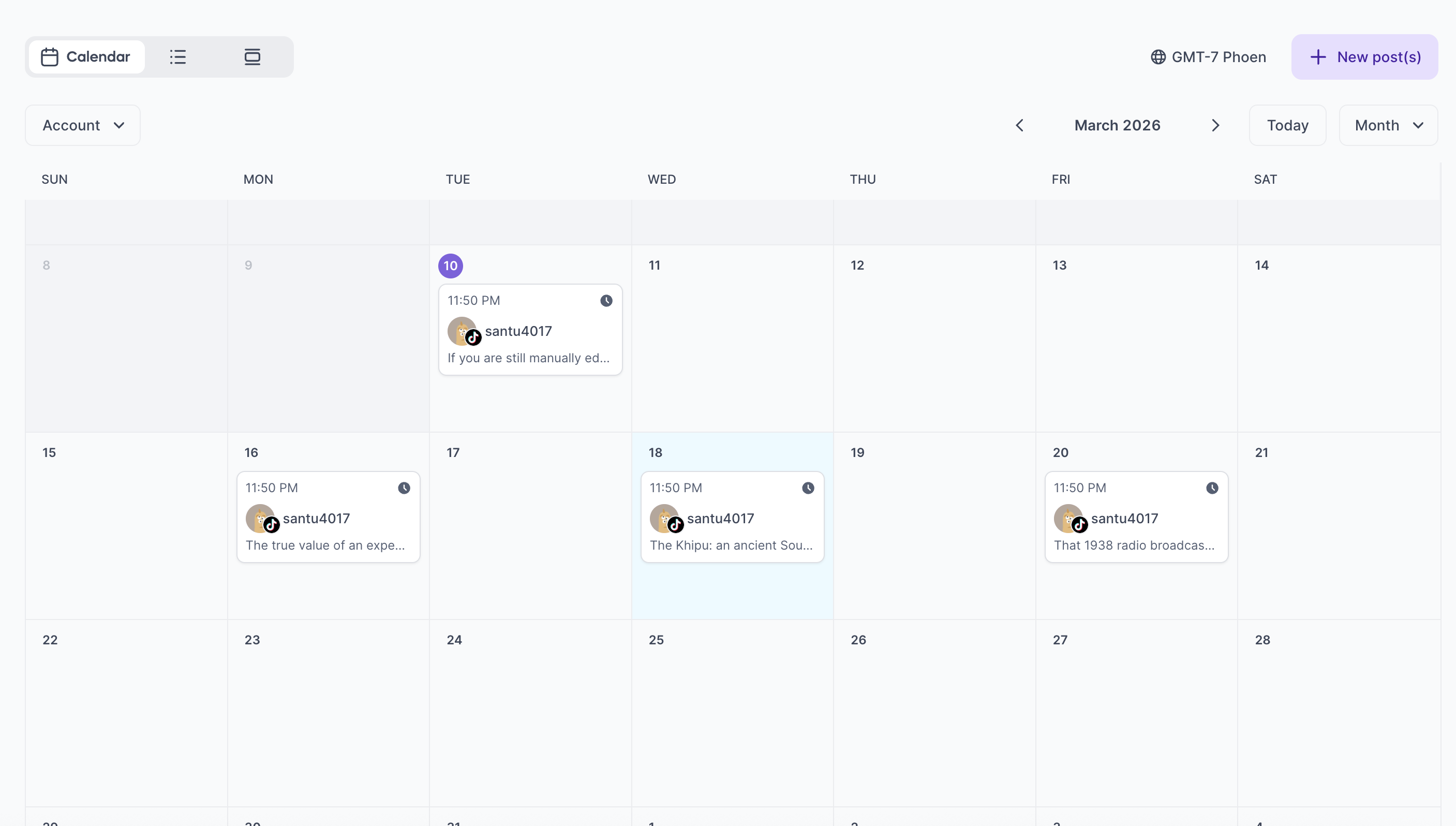
Vizard Demo - Content calendar & scheduling
Organize and schedule your video content across multiple platforms with an integrated content calendar. Plan your publishing strategy and manage your social media workflow in one place.
Vizard supports motion graphics generation - simply type in your idea and get motion graphics from your Vizard editor.
Play Vizard Video
Vizard supports motion graphics generation - simply type in your idea and get motion graphics from your Vizard editor.
Vizard's built-in content calendar helps you plan and schedule video contents for social media all on one place.
Play Vizard Video
Vizard's built-in content calendar helps you plan and schedule video contents for social media all on one place.
Workflow with Vizard's Idea to Video
Play Vizard Video
Workflow with Vizard's Idea to Video
Tutorial on Vizard's full editor
Play Vizard Video
Tutorial on Vizard's full editor
Product Avatar Image

Have you used Vizard before?

Answer a few questions to help the Vizard community

Vizard Reviews (351)

Reviews

Vizard Reviews (351)

4.7
351 reviews

Review Summary

Generated using AI from real user reviews
Users consistently praise Vizard for its ease of use and time-saving capabilities, allowing content creators to quickly generate engaging clips from long videos. The AI effectively identifies key moments and produces accurate captions, making the editing process much faster and more efficient. However, some users note that the AI occasionally requires manual adjustments for optimal results.

Pros & Cons

Generated from real user reviews
View All Pros and Cons
Search reviews
Filter Reviews
Clear Results
G2 reviews are authentic and verified.
Artur M.
AM
Director
Small-Business (50 or fewer emp.)
"AI Video Clipping That Saves Real Time"
What do you like best about Vizard?

What I like most about Vizard is how quickly it turns long-form video into short, engaging clips that are actually ready to publish. The interface is clean and easy to understand, so the workflow feels fast even for someone without advanced editing skills. The AI does a good job identifying strong moments, generating captions, and saving a lot of manual work. It has improved our content production speed, helped us stay more consistent, and made short-form video creation much more efficient overall. Review collected by and hosted on G2.com.

What do you dislike about Vizard?

What I dislike about Vizard is that the AI is not always accurate in selecting the best moments, so some clips still require manual review and editing. Captions and framing can also need corrections, especially with fast speech or more complex content. The editing options feel a bit limited compared with more advanced video tools, which can slow things down when you want finer control. In addition, processing longer videos can sometimes feel slow, and the pricing may be hard to justify for smaller teams if they need to produce content at scale. Review collected by and hosted on G2.com.

Marios P.
MP
Entrepreneur
Small-Business (50 or fewer emp.)
"The Bridge Between Deep Insights and Daily Engagement"
What do you like best about Vizard?

As a life advisor focused on building trust and security, my time is best spent connecting with people. Vizard.ai has become an essential partner in my workflow. It allows me to take long, meaningful conversations and transform them into bite-sized "messages of hope" without the technical headache of traditional editing. It’s not just a tool; it’s a multiplier for my message. Review collected by and hosted on G2.com.

What do you dislike about Vizard?

Precision Trimming: Occasionally, the AI might cut a clip a second too early or late, requiring a quick manual adjustment to get the flow perfect. ​Processing Speed: For very long videos, the rendering can take a bit of time, though the quality of the output makes the wait worthwhile. Review collected by and hosted on G2.com.

Michelle P.
MP
Business Development
Aviation & Aerospace
Small-Business (50 or fewer emp.)
"Speeds Up Social Clip Editing with AI Magic Clips and Accurate Auto-Captions"
What do you like best about Vizard?

The biggest win for me is how much it speeds up the editing process for social media clips. Instead of scrubbing through hours of footage, the AI identifies the best hooks and 'Magic Clips' almost instantly. I love the text-based editing—being able to cut video just by deleting words in the transcript is a massive time-saver. The auto-captions are also impressively accurate and save me the headache of manual subtitling, which is essential for platforms like TikTok and YouTube Shorts. Review collected by and hosted on G2.com.

What do you dislike about Vizard?

While the AI is great, it occasionally clips a segment a second too early or late, requiring a bit of manual fine-tuning to get the timing perfect. I also find that the background B-roll suggestions can sometimes be a hit or miss depending on the niche of the video. It would be great to see even more granular control over the 'Spark' video understanding model to help it better grasp very technical or fast-paced dialogue. Review collected by and hosted on G2.com.

Toluwanimi A.
TA
Educator
Small-Business (50 or fewer emp.)
"The Best Video Extraction and Editing Software."
What do you like best about Vizard?

I like that every time I visit the website, I learn something new that would help my workflow and my small business in editing videos and putting content together. The Integration of Instagram and TikTok is the best I have ever seen, and the number of features is just exceptional. I don't know how I am just getting to know about this website but I do know that this is the beginning of a very long relationship. Review collected by and hosted on G2.com.

What do you dislike about Vizard?

At first, I thought it was expensive, but I have long since changed my mind when I saw just how many features I was paying for. I have zero complaints, I love it! Review collected by and hosted on G2.com.

Mostafa R.
MR
Owner
Small-Business (50 or fewer emp.)
"Game-Changing AI Video Editing with Amazing Results"
What do you like best about Vizard?

This is an absolute game changer! I've tried so many ai editing software to do this but this one just ticks all the boxes! It super easy to use and user friendly it does not require much to setup. you simply either share a link or upload your videos and leave it do its thing and it always comes back with amazing results just like what I wanted. I also like that they enable you to fine tune the edits to your own manual liking which is something that almost non of the other tools offer. Highly Highly recommended!! Review collected by and hosted on G2.com.

What do you dislike about Vizard?

Nothing at all to be honest, and this is one of the very few tools where I find myself liking almost everything about it. Review collected by and hosted on G2.com.

Rio B.
RB
content creator/social jack
Small-Business (50 or fewer emp.)
"Effortless Multi-Platform Video Scheduling in Minutes with Vizard.ai"
What do you like best about Vizard?

Vizard.ai helps me post multiple videos on multiple platforms at once with ease. With just a few minutes and so can you! All you have to do is use a youtube or any 1 hour clip either by link or export and boom your ai videos are ready to schedule in a timely manner. I also love how quickyl the staff responds when i have an issue. I feel very welcomed Review collected by and hosted on G2.com.

What do you dislike about Vizard?

I wish Vizard would clearly specify how many videos per day each social media platform allows, or at least show a “limited amount of posts per day” notice based on the platform I’m using. That way, I could avoid having my video uploads canceled. Review collected by and hosted on G2.com.

Roger P.
RP
Cámara y editor de video.
Small-Business (50 or fewer emp.)
"AI Instantly Finds Viral-Ready Clips and Saves Hours of Editing"
What do you like best about Vizard?

What I liked most was the AI's ability to automatically identify the most engaging moments from long-form videos. It saved me hours of manual editing by suggesting 'viral-ready' clips instantly Review collected by and hosted on G2.com.

What do you dislike about Vizard?

What I liked least is the lack of dynamic subtitle positioning. If the AI chooses a full-screen layout, I want the captions in one spot, but if it chooses a letterboxed horizontal layout, I want them in another. Currently, I have to manually adjust them for every single clip instead of having default positions based on the video format. Review collected by and hosted on G2.com.

Jonathan M.
JM
Creator
Small-Business (50 or fewer emp.)
"Effortless Short Creation—Hassle-Free and Impressive Results"
What do you like best about Vizard?

The process just works. You give it you VOD link or upload your video and the system picks out 10 or so great shorts. It was completely hassle free. I'm very happy with it and I haven't even tried the other features yet. Review collected by and hosted on G2.com.

What do you dislike about Vizard?

It was frustrating trying to get a sample before I had to pay. My livestream was 90 minutes long so it wouldn't take it straight from YouTube, and my upload was over the gig limit, so I ended up having to edit my video down to an acceptable size just to try the feature. Review collected by and hosted on G2.com.

GS
Influencer
Small-Business (50 or fewer emp.)
"A game changer"
What do you like best about Vizard?

Title: A Game-Changer for Content Creators! Saves Time and Maximizes Virality.

​Rating: 5 Stars

​Review Text:

​"Vizard.ai has completely revolutionized my video content workflow. As a content creator, the biggest challenge was always manually finding those 15-30 second viral moments within long-form content. Vizard solves this perfectly and is essential for rapid scaling.

​What I appreciate the most about Vizard.ai:

​Spot-On Auto-Clipping: The AI’s ability to instantly pinpoint the most engaging, debate-worthy parts of a podcast or video is uncanny. It cuts the right segments and keeps the context intact.

​Excellent Credit Management: I specifically love the efficiency. By uploading only the necessary segments (like 3-4 minutes from a long video), I conserve my credits massively, making it a highly cost-effective tool for a creator like myself.

​Instant Viral Output: The auto-reframing and dynamic captioning are top-notch. It ensures that the clips are instantly ready for YouTube Shorts, Reels, and TikTok without needing extra editing time.

​Vizard.ai is a true time-saver and an essential tool for maximizing reach. I highly recommend it to any creator looking to multiply their video output and see faster viral growth."

Review collected by and hosted on G2.com.

What do you dislike about Vizard?

Nothing problem face any time or any wherea Review collected by and hosted on G2.com.

Milan V.
MV
Geodetic Engineer - Engineering Surveying & Project Documentation
Small-Business (50 or fewer emp.)
"Effortless Video Clipping—A Time-Saver for Beginners"
What do you like best about Vizard?

I literally signed up for Whop 3 days ago and started messing with Vizard yesterday, so I’m still figuring everything out.

So far the best thing is just how fast it turns a long video into a bunch of short clips without me having to do much. I uploaded a 40-minute interview, clicked the button, and like 3 minutes later it gave me 18 ready clips with captions and everything. As a complete beginner who has no clue about editing, that part felt pretty handy. I don’t have to sit there scrubbing through the timeline for hours trying to find good moments myself.

It’s not perfect, some clips it picks are kinda random and the captions need fixing here and there, but for something I started using 24 hours ago it already saved me a ton of time. Good enough that I’ll keep using it while I’m getting the hang of posting clips on my Whop. Review collected by and hosted on G2.com.

What do you dislike about Vizard?

For now I do not having any coments toward a bed side. Review collected by and hosted on G2.com.

People Icons

Start a Discussion about Vizard

Have a software question? Get answers from real users and experts.

Start a Discussion

Pricing Options

Pricing provided by Vizard.

Free

Free
1 User Per Month

Creator

Starting at $14.50
1 User Per Month

Business

Starting at $19.50
1 User Per Month
Vizard Features
Audio Mixing
Transcription
Text Animation
Operating System
Format Compatibility
Team Review
AI Text-to-Speech
Autonomous Task Execution
Multi-step Planning
Cross-system Integration
Product Avatar Image
Vizard