Compare this with other toolsSave it to your board and evaluate your options side by side.
Save to board

Visla Reviews & Product Details

Profile Status

This profile is currently managed by Visla but has limited features.

Are you part of the Visla team? Upgrade your plan to enhance your branding and engage with visitors to your profile!

Pricing

Pricing provided by Visla.

Free Plan

Free
1 Workspace + Unlimited Users Per Month

Pro Plan

Starting at $22.00
1 Workspace + Unlimited Users Per Month

Visla Integrations

(5)
Integration information sourced from real user reviews.

Visla Media

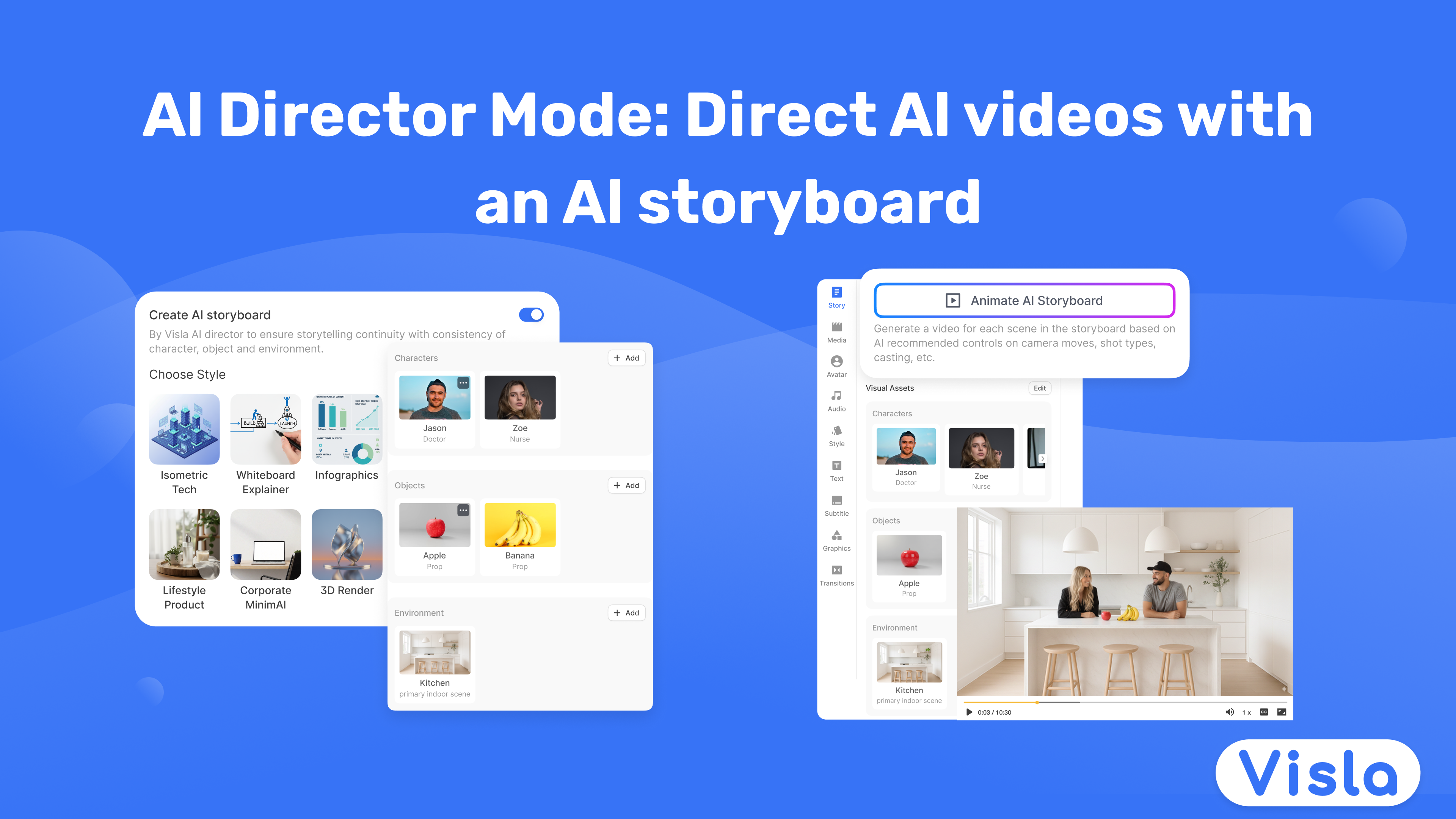
Visla Demo - Introducing: AI Director Mode!
Direct AI videos with an AI storyboard. Choose what appears in every scene, like characters, objects, and environments. Then, shape the AI storyboard and approve the shots you turn into AI video clips.
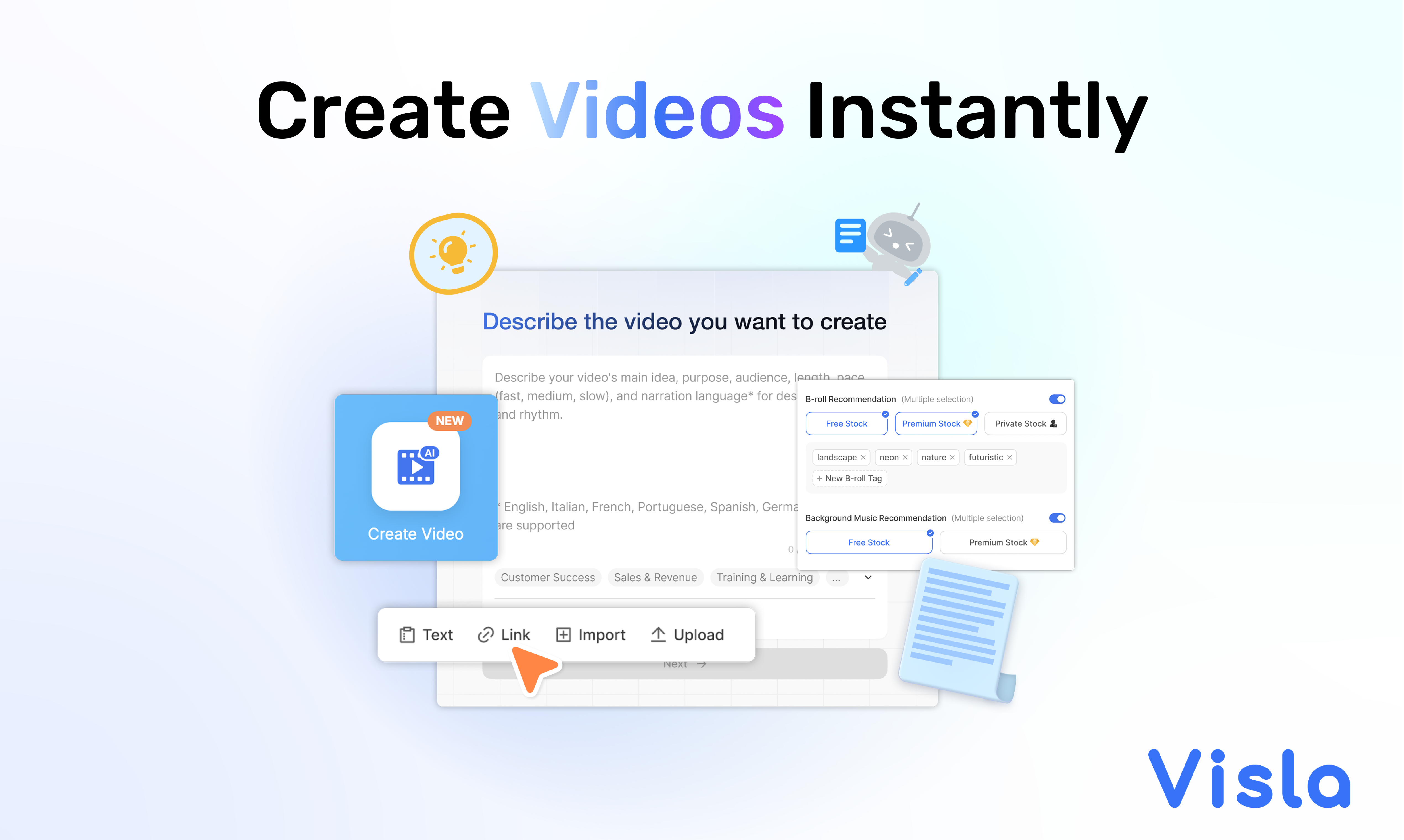
Visla Demo - Create Videos Instantly
Visla's AI Video Agent automates video creation with AI- powered tools that convert text, scripts, and ideas into engaging videos.
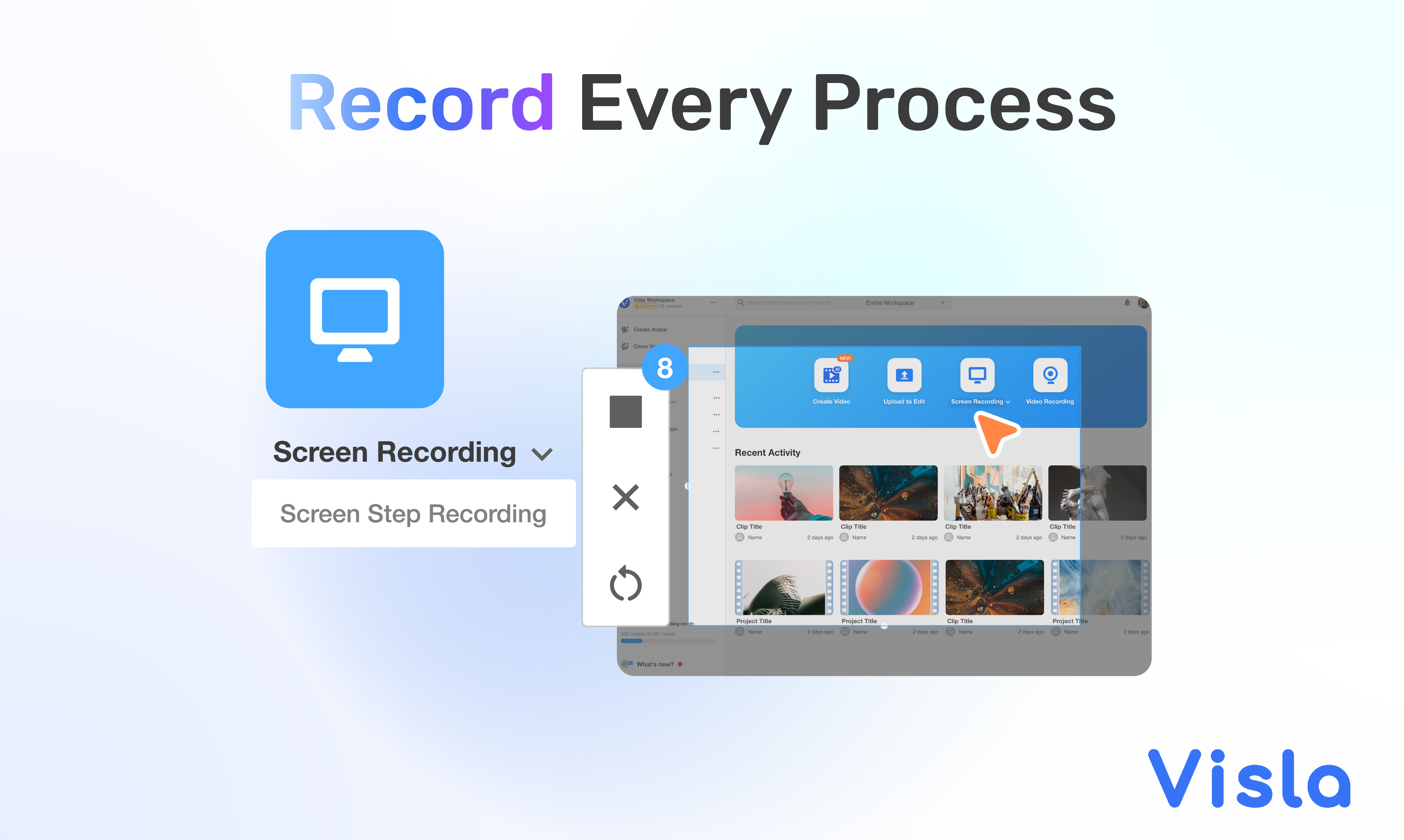
Visla Demo - Record Every Process
Visla's screen recording tools are a dynamic way to capture and share content for professional purposes or educational endeavors.
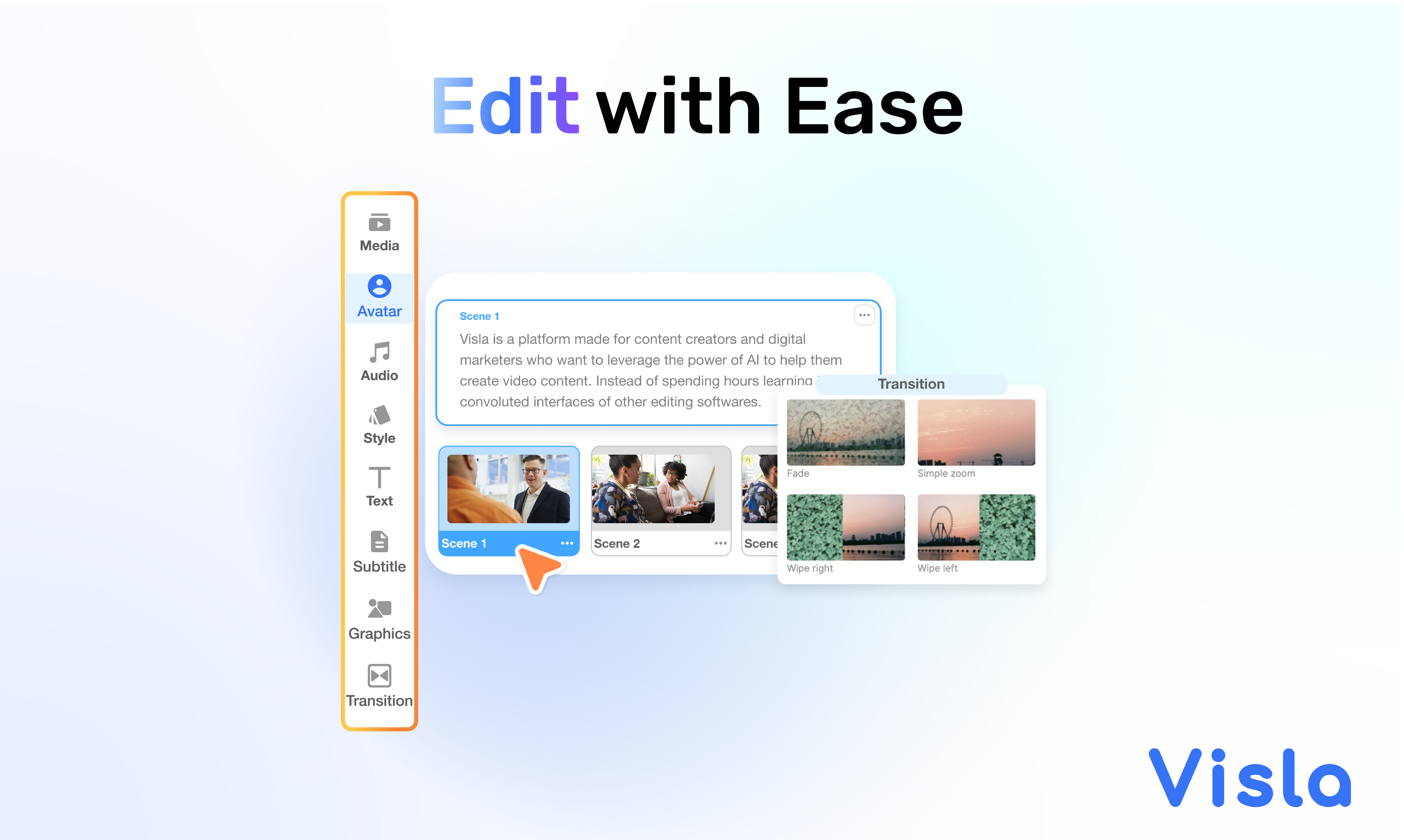
Visla Demo - Edit With Ease
Edit and enhance videos using AI features for seamless transitions, voiceovers, and scene-based editing.
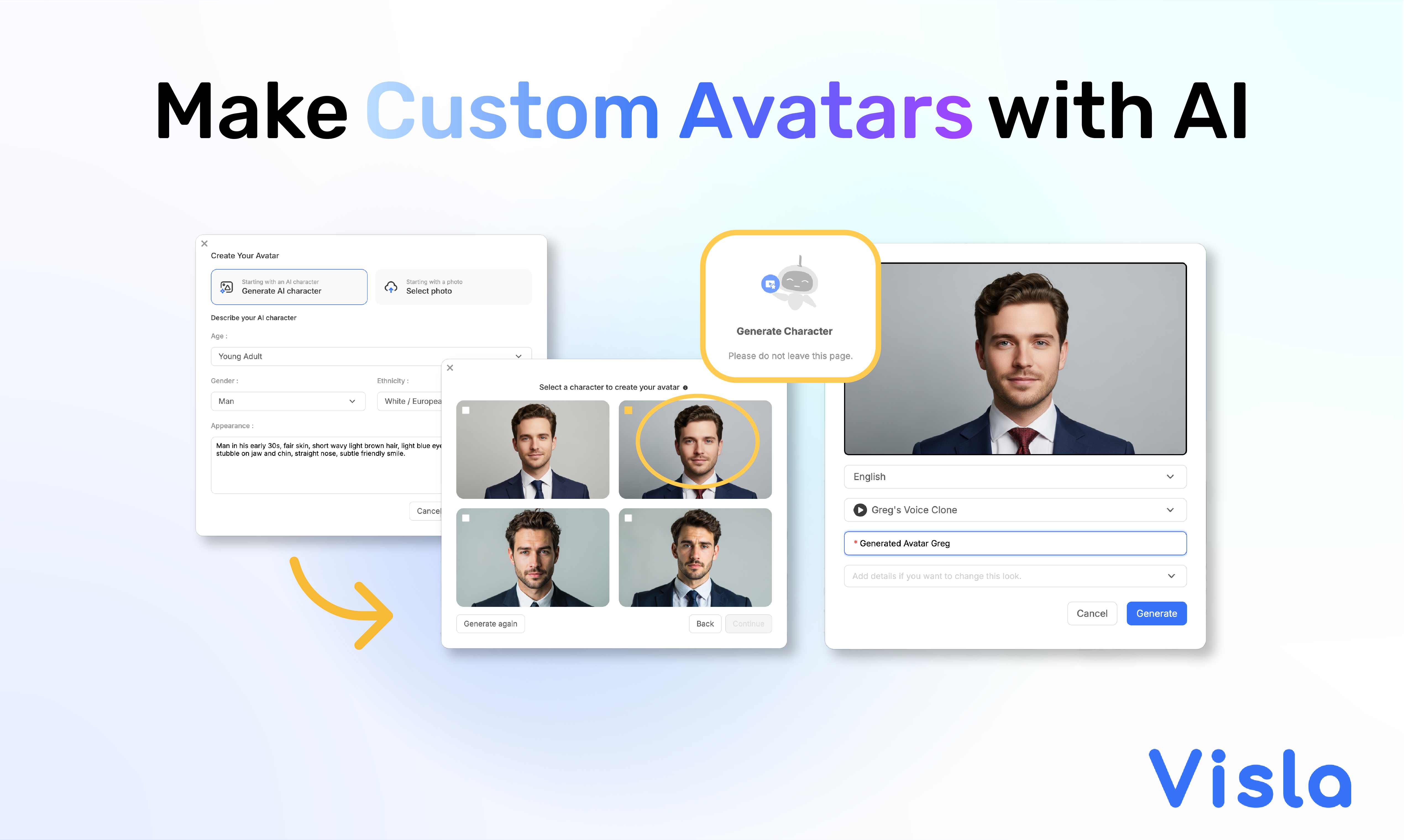
Visla Demo - Make Custom Avatars with AI
Visla's AI Avatars let you create lifelike avatars from a prompt or photo, choose natural voices, and personalize them for your videos in just minutes.
Product Avatar Image

Have you used Visla before?

Answer a few questions to help the Visla community

Visla Reviews (24)

Reviews

Visla Reviews (24)

4.6
24 reviews

Review Summary

Generated using AI from real user reviews
Users consistently praise Visla for its user-friendly interface and fast video creation capabilities, making it accessible even for beginners. The AI-driven features streamline the editing process, allowing for quick production of professional-quality videos. However, some users note a desire for more advanced editing options and better tutorials.

Pros & Cons

Generated from real user reviews
View All Pros and Cons
Search reviews
Filter Reviews
Clear Results
G2 reviews are authentic and verified.
Andrew T.
AT
Manager
Small-Business (50 or fewer emp.)
"Effortless Professional Video Creation with Room for Improvement"
What do you like best about Visla?

I found it really easy to create professional videos with Visla. It was great for our go-to-market pitch, enabling us to convey our message to a professional audience, which helped raise our credibility. The tools are easy to use, and there's a lot of stock footage available. The AI tools were really helpful in getting the design of the content to a good state. Having preselected stock footage that aligned with our script and content was particularly helpful as it saved me from having to look for different media assets. The tutorial video was decent and made the initial setup not too bad. Review collected by and hosted on G2.com.

What do you dislike about Visla?

The credits and tokens are hard to identify, like, the actual usage. More transparency on the token usage would be helpful. Review collected by and hosted on G2.com.

Raeleen K.
RK
Small-Business (50 or fewer emp.)
"Disappointing AI Features, Switching Back to Canva"
What do you like best about Visla?

I don't like Visla Review collected by and hosted on G2.com.

What do you dislike about Visla?

I'm really disappointed with Visla because it doesn't actually help me solve any problems, and I'm planning to cancel next month. The AI generation of video scripts and the execution of videos aren't working well for me. I expected the AI built into Visla to be more user-friendly, deliver better quality output, and have a quicker response time, but it's actually longer and the quality is quite less than Canva. AI is not easily controlled and poor quality imagery is constant. I end up using all my credits and spend way too much time only to have the video poor quality and then I rush back to Canva to create it before the deadline. Review collected by and hosted on G2.com.

Angelina S.
AS
UGC Creator
Small-Business (50 or fewer emp.)
"Good functions, but potential for optimization"
What do you like best about Visla?

I like the zoom-in and pan function when recording something. The teleprompter function is especially important to me because it is very helpful, especially when I'm making tutorials. Review collected by and hosted on G2.com.

What do you dislike about Visla?

It would be great if one could use the teleprompter during screen recordings and not just with a regular camera recording. In general, more could be made of the features in screen recording. For example, the zoom-in function could be improved, perhaps also adding an auto-zoom or making the cursor effects nicer. There's still a lot of room for improvement. Review collected by and hosted on G2.com.

KB
Director
Small-Business (50 or fewer emp.)
"Quick, easy and GOOD video creation"
What do you like best about Visla?

I love that I can use my own voiceover, or generate a voiceover, and the tool picks up on the key information and context and adds relevant stock footage. The updates in the platform over the past few months have been excellent, making it easier to use and customise videos. Because of the transcription process in creating the video, the VTT/SRT file export is always correct! We were able to create quite a lot of content in a short amount of time, to a very high standard. Review collected by and hosted on G2.com.

What do you dislike about Visla?

I'd love to be able to more easily include content on the slides, and have more transitions and panning options available. I find the panning difficult to use. Review collected by and hosted on G2.com.

Melinda D.
MD
Content Creator
Small-Business (50 or fewer emp.)
"The best time saving tool to make business videos if you are new to video editing."
What do you like best about Visla?

Visla’s powerful AI makes video creation fast and easy, even for users with no prior editing experience. I especially love how it automatically generates videos from website url, text or scripts, adds music, suggests visuals, and produces captions—all in one intuitive platform. The transcript-based editing feature is a game-changer, making it incredibly easy to cut or rearrange content just by editing the text. Review collected by and hosted on G2.com.

What do you dislike about Visla?

I’d love to see more customizable branding options like templates. Review collected by and hosted on G2.com.

OC
Marketing Specialist
Small-Business (50 or fewer emp.)
"Allows us to make professional-looking videos on a small budget"
What do you like best about Visla?

I love the large range of high-quality stock videos that make our videos look extremely professional. Review collected by and hosted on G2.com.

What do you dislike about Visla?

A great feature to add would be one that allows us to add our logo or any image overlay on the video. Review collected by and hosted on G2.com.

Greg D.
GD
I use Visla as the Owner/Operator of RogueNewz. My 9-5pm job is at the Weather Channel
Small-Business (50 or fewer emp.)
"Visla is the video disrupter you’re looking for"
What do you like best about Visla?

Simply put, everything.

When I use Visla all I can see is the future of video editing.

I was a news producer for decades.

I never imagined being able to do what Visla does.

If I was still producing shows, Visla could create the bulk of my shows.

The prompts create such well told stories complete with video and audio.

I really feel like Visla falls into one of the top 5 video inventions for storytelling. Review collected by and hosted on G2.com.

What do you dislike about Visla?

Visla tells a very formal and informative story.

I wish it had an “over the top” button that leaned more towards creating attention getting stories. Review collected by and hosted on G2.com.

Tamara C.
TC
Co-Founder
Small-Business (50 or fewer emp.)
"I've tried others, this one is the best"
What do you like best about Visla?

I've tried at least a dozen other video creation sites online and Visla is the one I've stuck with. It is easy to use, has a ton of different features, and charges by credits -- not seats. Review collected by and hosted on G2.com.

What do you dislike about Visla?

I haven't found any downsides. They keep adding new features and the app creator is super helpful if you get stuck anywhere. Review collected by and hosted on G2.com.

Pallavi S.
PS
Content Creator
Small-Business (50 or fewer emp.)
"Create impactful videos in minutes"
What do you like best about Visla?

Extremely user friendly UI helps me create videos in minutes. Love the new voice clone feature which lets me use my natural sounding voice in all my future videos. Its not just the video creation, but editing features which make this an extremely well rounded platform for people who are new to video creation.

I use Visla multiple times a week to create social posts, and educational videos. Review collected by and hosted on G2.com.

What do you dislike about Visla?

I would love to see Visla include an Avatar feature which would help users like me who don't always want to be in front of the camera. Review collected by and hosted on G2.com.

Verified User in Market Research
IM
Mid-Market (51-1000 emp.)
"Visla is a Reliable AI Video Platform That Helps Us Create Stunning Videos and Boost Efficiency"
What do you like best about Visla?

Visla has completely transformed how I approach video content in my role on a B2B marketing team. I especially love how fast and easy it is to turn a script into a polished video with AI voiceover, subtitles, and branding — all without needing a video editor. The Ken Burns effect, scene layering, and the ability to upload our customer’s fonts make it feel like an enterprise-grade studio in my browser. It's a huge win for sales, marketing, and onboarding content. The tool is intuitive and saves us hours every week. Review collected by and hosted on G2.com.

What do you dislike about Visla?

While Visla is incredibly easy to use, I’d love to see more advanced animation options or scene transitions in the future. Also, having more stock video templates variety would be a nice upgrade. But these are minor compared to the value it already provides. Review collected by and hosted on G2.com.

People Icons

Start a Discussion about Visla

Have a software question? Get answers from real users and experts.

Start a Discussion

Pricing Options

Pricing provided by Visla.

Free Plan

Free
1 Workspace + Unlimited Users Per Month

Pro Plan

Starting at $22.00
1 Workspace + Unlimited Users Per Month

Business Plan

Starting at $59.00
1 Workspace + Unlimited Users Per Month