


Compare this with other toolsSave it to your board and evaluate your options side by side.
Save to board

Viedoc Reviews & Product Details

Value at a Glance

Averages based on real user reviews.

Time to Implement

2 months

Viedoc Media

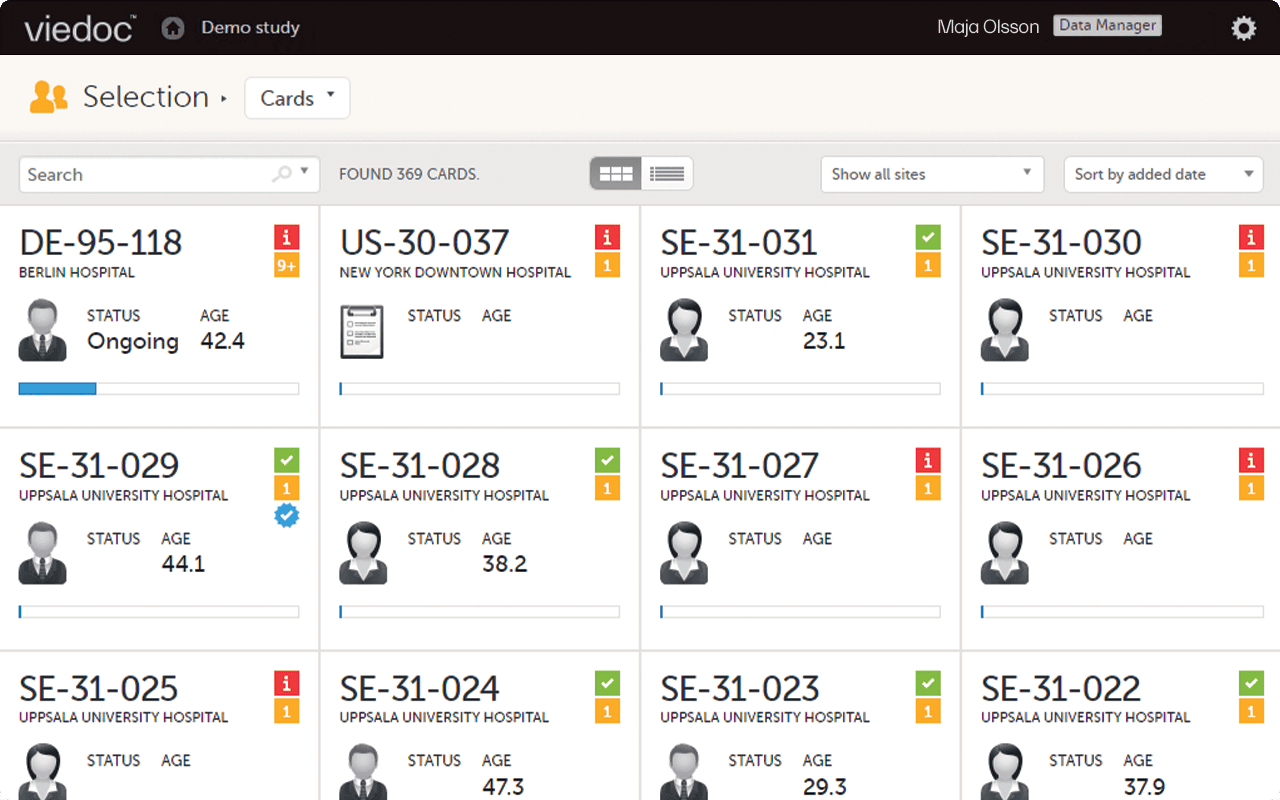
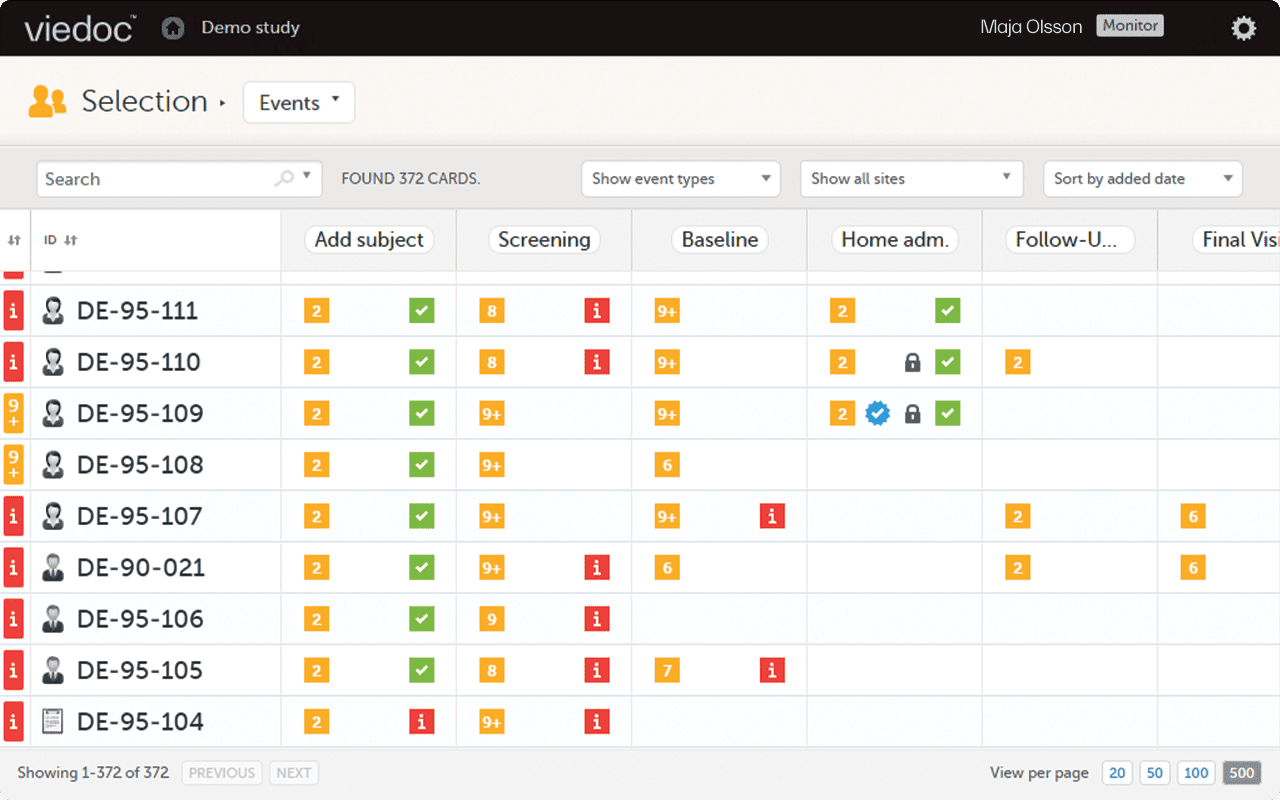
Viedoc Demo - Viedoc Clinic
Through one modern, streamlined interface, Viedoc Clinic allows you to efficiently access, manage, review, and share clinical trial data—from any device, at any time.
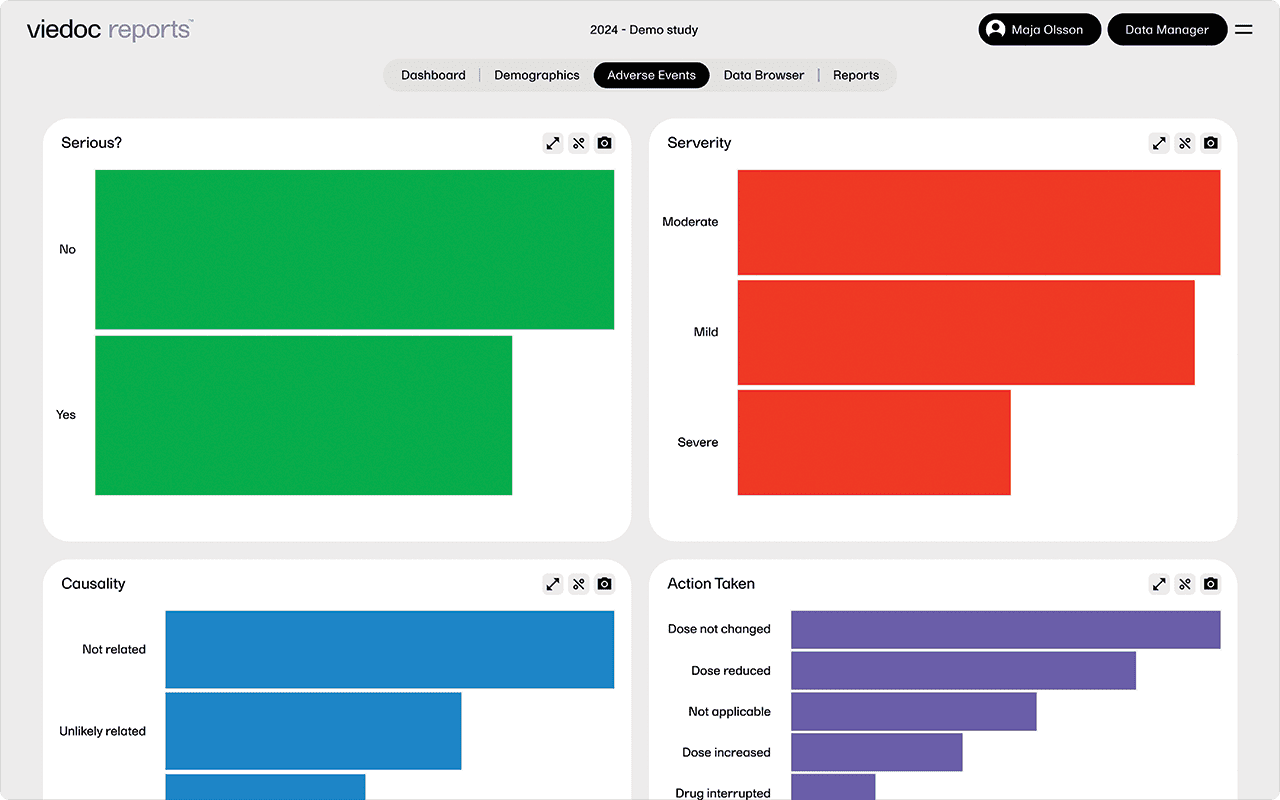
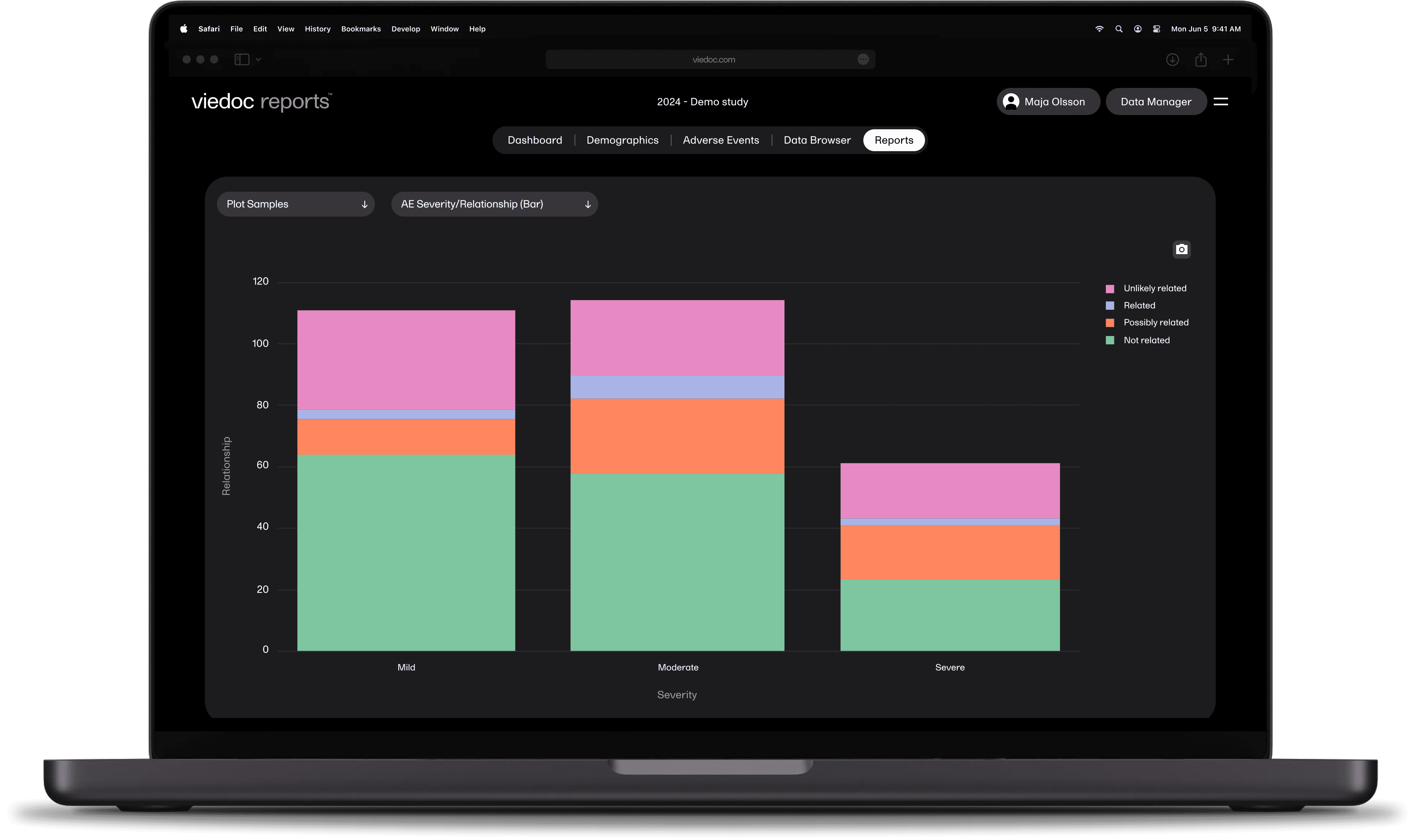
Viedoc Demo - Viedoc Reports
Viedoc Reports is a fully integrated reporting tool for the busy project manager – available 24/7, wherever you are. Access high-level metrics for a quick overview, dig deep into details, and make sure important data reaches the right people.
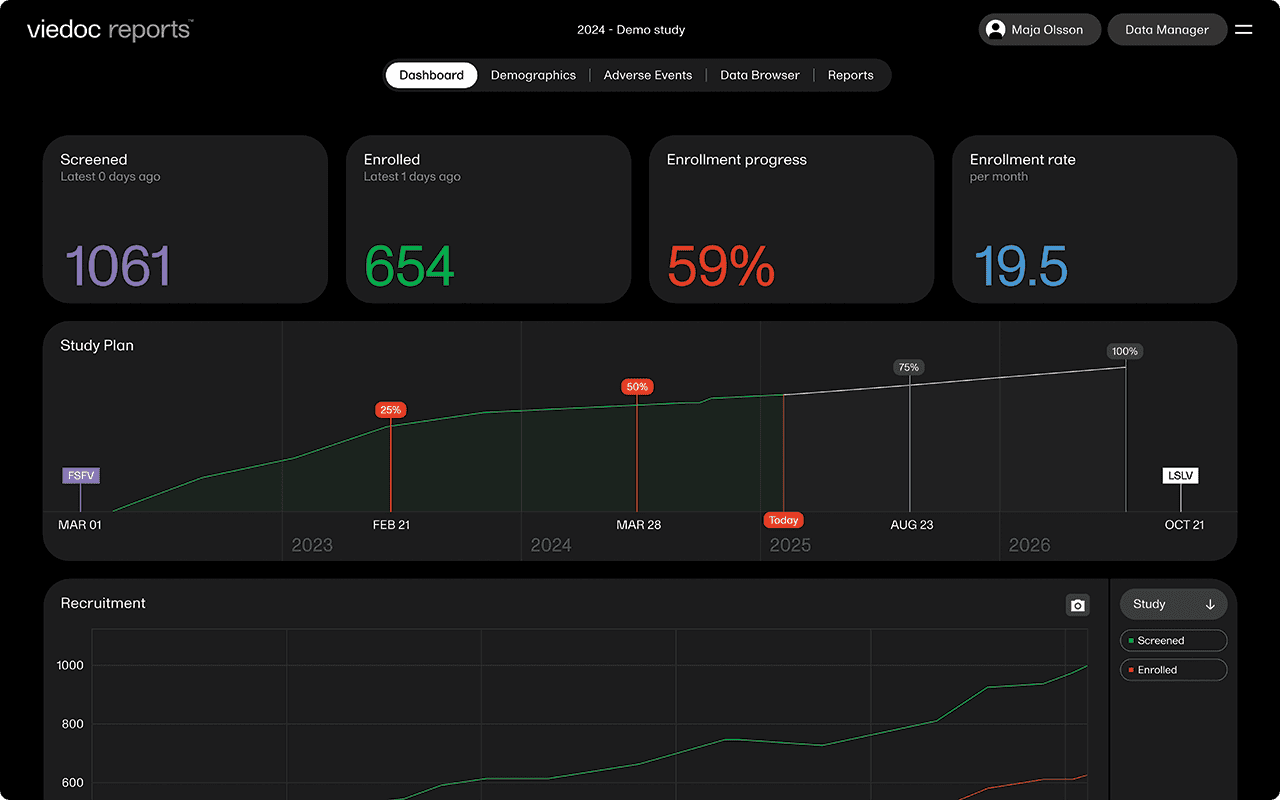
Viedoc Demo - Viedoc Reports - Dark mode
Viedoc Reports is a fully integrated reporting tool for the busy project manager – available 24/7, wherever you are. Access high-level metrics for a quick overview, dig deep into details, and make sure important data reaches the right people.
Viedoc Demo - Viedoc Reports - Dark mode
Viedoc Reports is a fully integrated reporting tool for the busy project manager – available 24/7, wherever you are. Access high-level metrics for a quick overview, dig deep into details, and make sure important data reaches the right people.
Viedoc Demo - Viedoc Clinic
Through one modern, streamlined interface, Viedoc Clinic allows you to efficiently access, manage, review, and share clinical trial data—from any device, at any time.
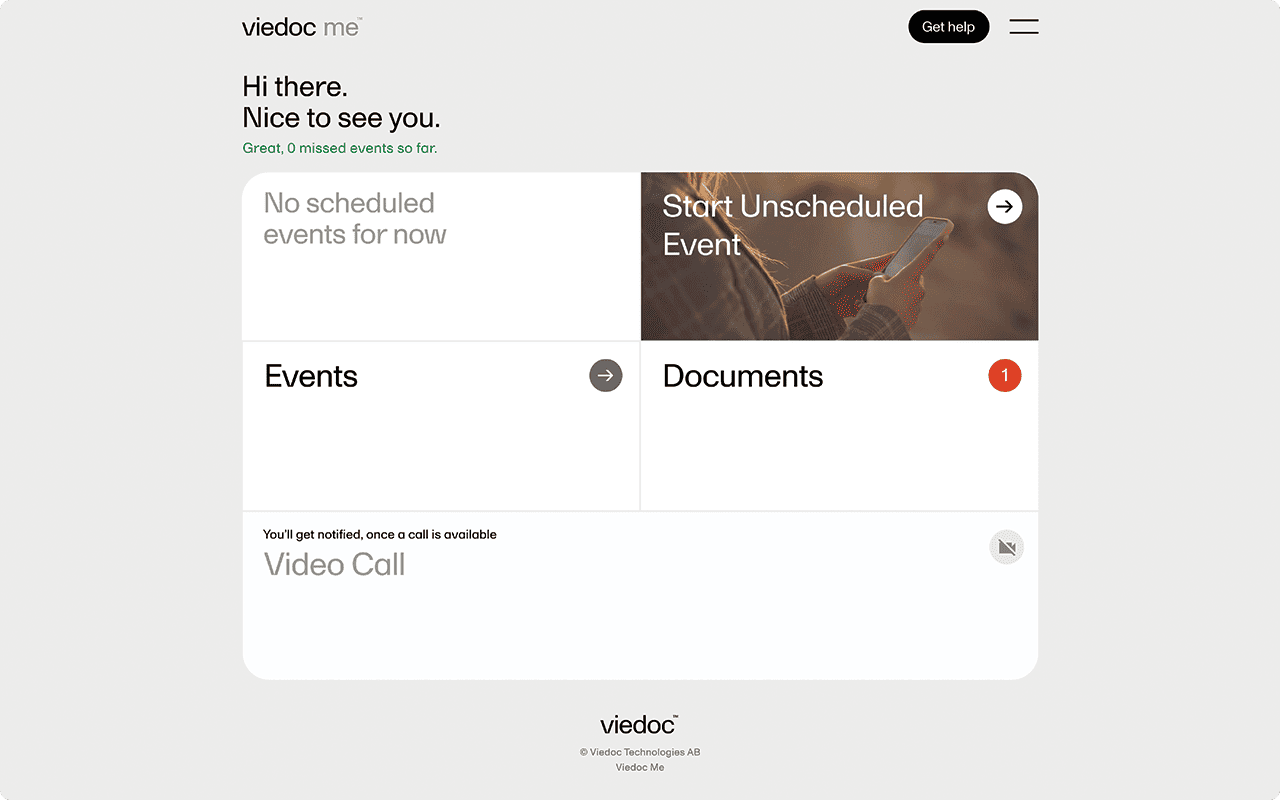
Viedoc Demo - Viedoc Me
Smarter, faster, and more personal, Viedoc Me is the future of data collection. Fully integrated with Viedoc, this ePRO/eCOA module lets your subjects report their own data via their smartphones, tablets, or computer for maximum flexibility.
Play Viedoc Video
Play Viedoc Video
Play Viedoc Video
Play Viedoc Video
Product Avatar Image

Have you used Viedoc before?

Answer a few questions to help the Viedoc community

Viedoc Reviews (258)

Reviews

Viedoc Reviews (258)

4.5
259 reviews

Review Summary

Generated using AI from real user reviews
Users consistently praise Viedoc for its user-friendly interface and intuitive design, which simplify data entry and management tasks. The platform's responsive customer support and comprehensive training resources further enhance the user experience, making it accessible even for beginners. However, some users note that the system can be slow when handling large datasets.

Pros & Cons

Generated from real user reviews
View All Pros and Cons
Search reviews
Filter Reviews
Clear Results
G2 reviews are authentic and verified.
RJ
Analyst
Small-Business (50 or fewer emp.)
"User-Friendly, Secure, and Exceptionally Flexible for Clinical Research"
What do you like best about Viedoc?

Viedoc stands out for its user-friendly and intuitive interface, making navigation straightforward for both clinical data managers and site users. This thoughtful design helps minimize the learning curve and boosts overall efficiency. In terms of compliance and security, Viedoc adheres to major global regulatory standards such as 21 CFR Part 11, ICH-GCP, and GDPR, ensuring that data is managed securely and ethically—an essential aspect for clinical research.

The platform also offers a high degree of customizability and flexibility. Users can adapt forms, workflows, and edit checks to meet the unique requirements of each study, all without needing extensive programming knowledge.

Real-Time Data Access & Monitoring

Viedoc provides real-time access to study data, which is vital for making timely decisions. Its built-in dashboards and reporting tools make it easier to monitor study progress and maintain data quality.

Integration Capabilities

The system integrates smoothly with other platforms such as ePRO, eCOA, and wearables, supporting a more comprehensive and efficient data collection process.

Mobile Accessibility

With features like Viedoc Me and Viedoc Connect, both patients and investigators can access the system through mobile devices, which helps increase engagement and improve data accuracy. Review collected by and hosted on G2.com.

What do you dislike about Viedoc?

While Viedoc is flexible, it may not offer the same level of deep customization or scripting capabilities as some other platforms like Medidata Rave or OpenClinica, especially for highly complex studies.The built-in reporting tools are useful but may not be as robust or customizable as some users would like. For advanced analytics, teams often need to export data and use external tools like SAS or R. Review collected by and hosted on G2.com.


JJ
Project Lead - Clinical
Information Technology and Services
Enterprise (> 1000 emp.)
"Streamlined Data Management with Viedoc EDC – Great Features, Minor Gaps"
What do you like best about Viedoc?

Viedoc EDC stands out as a robust platform for managing clinical trial data. Its ease of use is impressive—the interface is intuitive, making navigation and data entry straightforward even for new users. The implementation process is smooth, supported by clear documentation and helpful onboarding resources.

One of the strongest aspects is customer support. The team is responsive and knowledgeable, and the availability of training materials and webinars ensures quick adoption.

In terms of features, Viedoc offers a comprehensive suite including eCRF design, randomization, ePRO/eCOA integration, and real-time reporting. Advanced options like risk-based monitoring and API connectivity add significant value for complex studies.

The platform is used frequently in daily operations and performs reliably with minimal downtime. Integration with other systems (CTMS, eTMF) is straightforward via APIs, though custom integrations may require technical assistance.

Overall: Viedoc EDC is a dependable, feature-rich solution that balances usability with advanced capabilities. Ideal for both small and large-scale studies, backed by strong support and integration options.

Now the Repeating Item groups addition to Viedoc stands out as one of the breakthroughs in the current industry trends. Review collected by and hosted on G2.com.

What do you dislike about Viedoc?

Advanced Features Complexity: Some of the more sophisticated functionalities, like risk-based monitoring and custom integrations, require additional training or technical expertise, which can slow down adoption.

Limited Customization in UI: Although the interface is user-friendly, customization options for dashboards and reports are somewhat limited compared to other EDC solutions. Review collected by and hosted on G2.com.

HR
Lead Analyst - Clinical Research Data Management
Enterprise (> 1000 emp.)
"User friendly EDC"
What do you like best about Viedoc?

Viedoc EDC is user-friendly and easy to navigate. Since I’ve mostly worked in medical coding, I find it simple, straightforward, and direct to use.

And I've done Lab integration as well, it is very seamless and easy.

And for access issues, we are getting almost instant responses for the customer helpdesk. Review collected by and hosted on G2.com.

What do you dislike about Viedoc?

In Coder, I’ve noticed a couple of issues with ATC codes. First, generally for medications there will two or multiple ATCs available, but for some medications a few ATCs don’t show up in Coder even though they are available in WHODRUG.

Second, when I export the medical coding, only ATC level 4 is included. I understand that we code at level 4, but some sponsors require (or ask for) ATC level 2 codes as well. Right now, adding those manually takes a lot of effort, so it would be better if the export could include all ATC levels. Review collected by and hosted on G2.com.

PP
Analyst - Clinical Research Data Management
Enterprise (> 1000 emp.)
"Intuitive Subject View, Clean Exports, and Flexible Reporting"
What do you like best about Viedoc?

As a daily Viedoc user, I find the user interface easy to use and well designed compared to other EDC systems, especially at the subject level. The subject view is clear and well organized, making it easy to navigate between visits and forms and quickly understand subject status. Data exports are clean and easy to work with, and the option to include the corresponding SAS script is very helpful for programmers and during data review. The custom reports module is flexible and user‑friendly. The alert system is also useful in keeping users informed about important actions or issues, which helps make daily work more efficient. In addition, from a designer’s point of view, the system makes it easy to implement and manage different modules, and overall Viedoc provides strong and responsive customer support. Review collected by and hosted on G2.com.

What do you dislike about Viedoc?

As a frequent user, I have noticed an issue in the Data Export module. After selecting all the required checkboxes and clicking the “Data Export” button, there is no clear visual feedback to show that the action has been triggered. Because there is no noticeable hover effect, click animation, or loading indicator, users may be unsure whether the button was successfully clicked, which can cause confusion or repeated clicks. Adding a more visible hover or click response, such as an animation or progress indicator, would improve user confidence and overall usability.

Viedoc is easy to use, but it can feel limited when studies become complex. Customization options for forms, edit checks, and workflows are not as flexible as some larger EDC systems, which can be a challenge for complicated protocols. The reporting and exports, while clean, are sometimes too basic, and advanced custom reporting may need external tools. For programmers, derivations and complex data transformations are not handled within the system and require more downstream work. Integration options exist, but they may not be as deep. Review collected by and hosted on G2.com.

HM
Project Lead- Clinical
Small-Business (50 or fewer emp.)
"Streamlined Clinical Trials with Impressive Features"
What do you like best about Viedoc?

I find Viedoc to be user-friendly and legible, and it's being used by sponsors all around the world. Viedoc has many features that ease clinical trials. I love how the Viedoc Guide is designed; it's very in-detailed and helpful for programmers. The EDC is used for many clinical trials, offering crucial features like data mapping, reference range setup, Viedoc Me, Translation, Medical Coding, and Allocations, all of which are very useful in meeting sponsor demands. It's great that Viedoc covers most protocol types, whether retrospective, investigational, observational, or interventional studies. The PMS study feature is impressive and something I haven't seen in other EDCs. I also appreciate the new repeating item group setting in the 4.92 release, which minimizes work and errors. The initial setup was really smooth, thanks to the excellent Viedoc help guide. Review collected by and hosted on G2.com.

What do you dislike about Viedoc?

Reports area loading and syncing is little off when compared to other features. But it has been improved from initial times. I think this can be given some importance and checked how well these reports section can be managed. Review collected by and hosted on G2.com.

DV
Analyst
Mid-Market (51-1000 emp.)
"Smart Tools for Smarter Trials"
What do you like best about Viedoc?

I have worked in Study setup and Data Management and Statistics and below are the best i liked about viedoc

1. Viedoc offers a highly intuitive and visually appealing interface that enhances user focus during extended data‑entry activities.

2. Its streamlined and user‑friendly navigation allows users to effortlessly locate forms, monitor tasks, and identify required actions without ambiguity.

3. The system is designed to be straightforward and beginner‑friendly, requiring minimal training even for newly onboarded site staff.

4. The platform enables rapid study setup and supports quick implementation of updates, ensuring users experience minimal delays when database modifications are needed.

5. Clear participant overview panels, complete with query indicators, allow users to immediately assess each subject’s status. With integrated ePRO/eCOA, eConsent, and RTSM functionalities, users benefit from a unified workflow without the need to switch between multiple systems.

6. Comprehensive documentation and accessible tutorials further support users in learning features quickly, resolving issues independently, and building confidence in using the platform.

7.Additionally, Viedoc delivers stable performance with high system uptime, allowing users to work without technical interruptions. Its responsive and dependable customer support ensures timely issue resolution, reducing user frustration and helping maintain smooth study operations Review collected by and hosted on G2.com.

What do you dislike about Viedoc?

Enhancements to the messaging system, particularly automatic read/unread tracking, would improve communication clarity. Similarly, reinforcing page‑locking controls with clear notifications when previously locked data is edited would support stronger data integrity. Increasing flexibility in visibility rules and configuration options would better accommodate complex protocol designs, while improved tools for workflow visualization and data mapping would help users navigate studies with numerous visits more easily.

Adding offline functionality remains a valuable opportunity for environments with unstable connectivity, and further refining the accuracy of exported SAS code would streamline downstream statistical programming workflows. Review collected by and hosted on G2.com.

BS
Data Manager
Enterprise (> 1000 emp.)
"Streamlined Reporting with Top-Notch Automation"
What do you like best about Viedoc?

I like using Viedoc for its seamless reports that come in a format needing minimal customization, which helps us complete analysis quickly. I also appreciate the coding module, which significantly reduces time due to its automatic coding feature, cutting medical coding efforts by up to 50% for simple studies and 30% for complex terminologies. The initial setup was very simple. Review collected by and hosted on G2.com.

What do you dislike about Viedoc?

It will be helpful if Viedoc support can also offer clarification resolution via calls in case of urgent issues. One more aspect will be to provide an expected resolution time for already known issues. A vague timeline would also help us! Review collected by and hosted on G2.com.

Kristina R.
KR
Small-Business (50 or fewer emp.)
"Intuitive Design, Responsive Support, Minor Layout Issues"
What do you like best about Viedoc?

I really appreciate Viedoc's ease of use, especially how the form design, field dynamics, and validation checks are all in one place. The design settings are intuitive, and building the workflow is straightforward. The field OIDs are easily visible on the form, which helps with writing the logic, and the built-in error checks save time by identifying issues before deployment. I also value the ability to preview and test the form. Additionally, customer support is very responsive and provides clear steps to overcome challenges. Review collected by and hosted on G2.com.

What do you dislike about Viedoc?

I spend more time than I would like to adjust field sizes to visually align and for drop-down fields, ensuring they are long enough to see all options once selected. Review collected by and hosted on G2.com.

Verified User in Information Technology and Services
UI
Mid-Market (51-1000 emp.)
"User-Friendly, Colorful UI with Fast Navigation and Minimal Loading Time"
What do you like best about Viedoc?

The UI of the Viedoc really boosts me to work on it as it looks so user-friendly and colourful. Also, the navigation part of the Viedoc is very easy for everyone to understand and use. The switching of different studies is also very helpful and very minimal loading time which helps us to work faster. Review collected by and hosted on G2.com.

What do you dislike about Viedoc?

One thing that I disliked is I could not take the deleted pages/ forms as a separate report. It only comes along with the present forms in a subject pdf. It would be really helpful if we can able to take the deleted pages report alone. Review collected by and hosted on G2.com.

Verified User in Hospital & Health Care
UH
Mid-Market (51-1000 emp.)
"Beginner-Friendly and Easy to Navigate"
What do you like best about Viedoc?

Viedoc is known for being quick to set up, thanks to its simple drag‑and‑drop study builder that doesn’t require any coding. It’s also very easy for sites and data managers to use, with an intuitive interface that helps reduce training time. The platform brings multiple tools—like EDC, ePRO, eConsent, and randomization—together in one place, which makes day‑to‑day trial operations smoother. It’s built with strong regulatory compliance in mind, meeting standards like FDA 21 CFR Part 11 and GDPR, and includes real‑time dashboards that give teams clear visibility into enrollment, queries, and data quality. Overall, it’s a reliable, user-friendly, and efficient system widely adopted across thousands of global studies Review collected by and hosted on G2.com.

What do you dislike about Viedoc?

Sometimes it will log out without any reason and high loading time Review collected by and hosted on G2.com.

Questions about Viedoc? Ask real users or explore answers from the community

Get practical answers, real workflows, and honest pros and cons from the G2 community or share your insights.

GU
Guest User
Last activity about 2 years ago

What is Viedoc used for?

Pricing Insights

Averages based on real user reviews.

Time to Implement

2 months

Return on Investment

10 months

Average Discount

9%

Viedoc Comparisons
Product Avatar Image
Castor
Compare Now
Product Avatar Image
Medrio EDC
Compare Now
Product Avatar Image
Medidata Rave
Compare Now
Viedoc Features
Cloud Security - Electronic Data Capture (EDC)
Role-Based User Permissions - Electronic Data Capture (EDC)
Query Management - Electronic Data Capture (EDC)
eCRFs - Electronic Data Capture (EDC)
Audit Trail - Electronic Data Capture (EDC)
Data Capture - Electronic Data Capture (EDC)
Data Centralization
Documentation
Reporting
Product Avatar Image
Viedoc