UpSlide

By UpSlide

4.6 out of 5 stars
3 star
0%
2 star
0%
1 star
0%

How would you rate your experience with UpSlide?

Compare this with other toolsSave it to your board and evaluate your options side by side.
Save to board

UpSlide Reviews & Product Details

Value at a Glance

Averages based on real user reviews.

Time to Implement

2 months

UpSlide Integrations

(7)
Verified by UpSlide

UpSlide Media

UpSlide Demo - An Overview
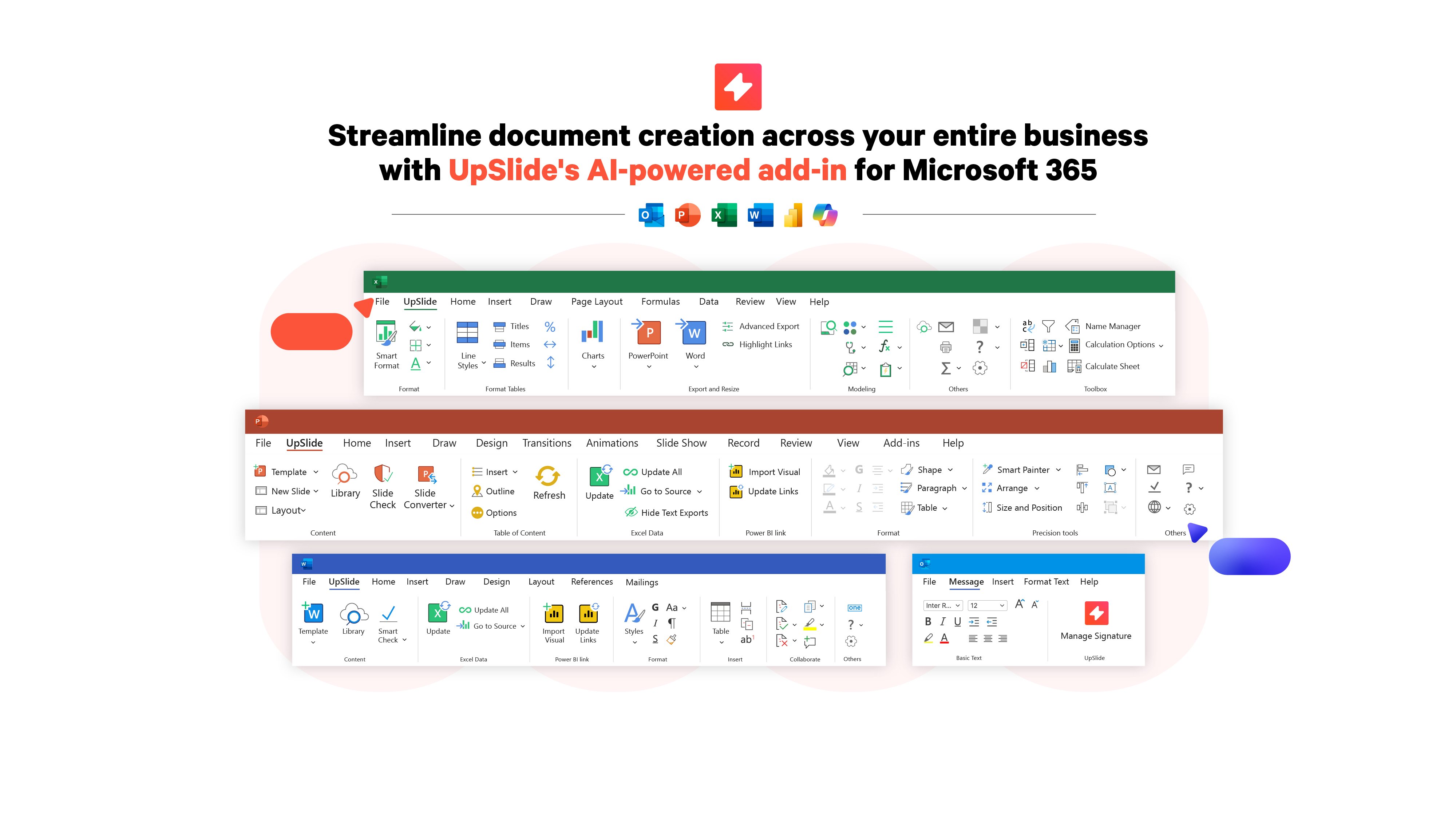
UpSlide is an AI-enabled document automation add-in for Microsoft 365 that helps teams across your firm produce exceptional documents in less time. With innovative, intuitive features across PowerPoint, Excel, Power BI, Outlook, and Word, UpSlide streamlines the entire document workflow, from...
UpSlide Demo - Excel to PowerPoint Link
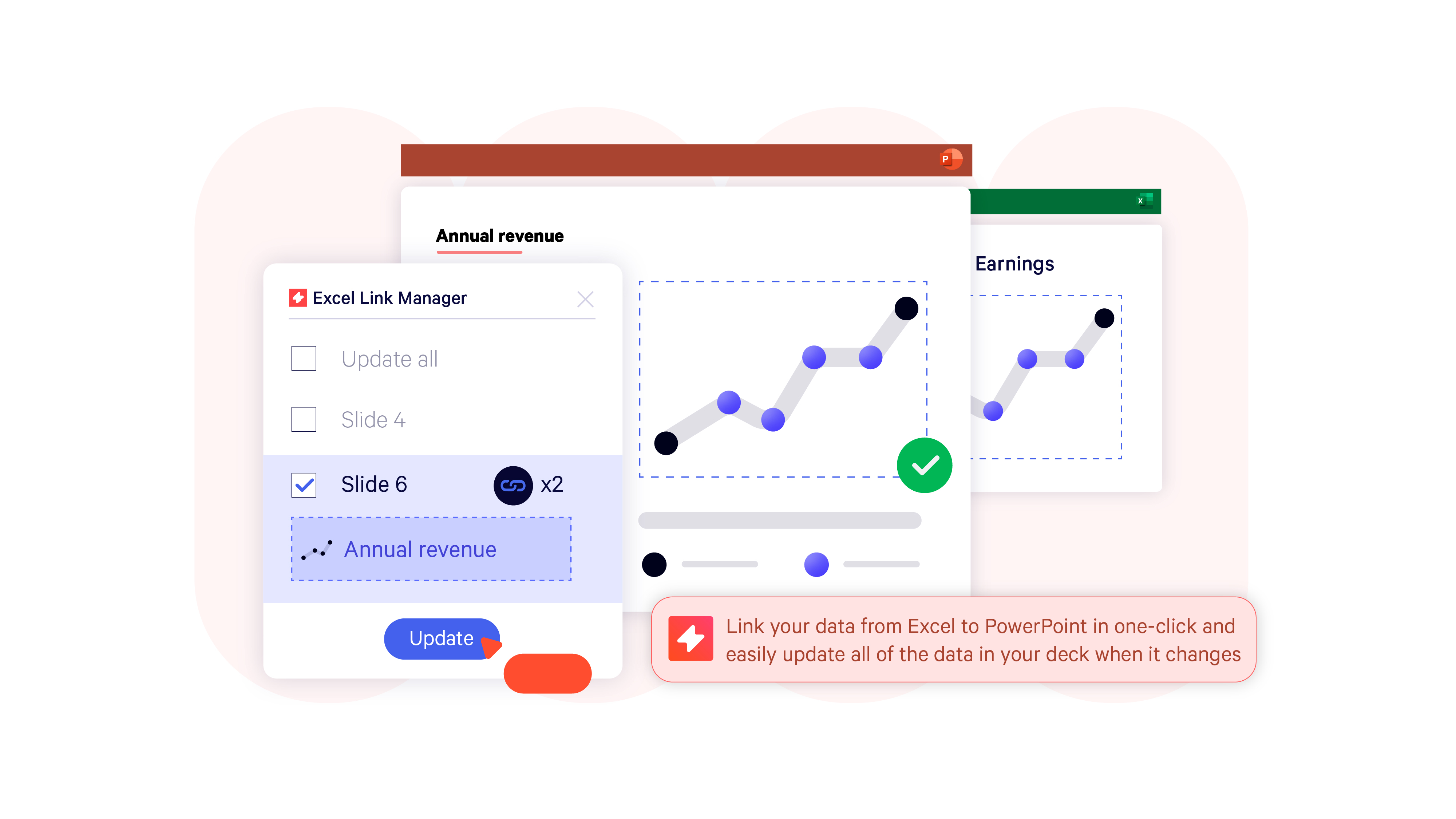
Use UpSlide to ensure data accuracy in your pitchbooks and reports, by eliminating painful, repetitive manual data updates. Easily link high resolution tables, charts and text from your Excel or Power BI workbooks to PowerPoint or Word - in just one click. As your data or report version chang...
UpSlide Demo - AI Functionality
Equip your teams with AI-powered automation which will transform their daily workflows. Ask our AI Assistant to shorten, translate, and refine your presentation commentary and analysis to ensure maximum impact. Automatically detect any abbreviations within your deck and build a pre-formatte...
UpSlide Demo - Financial Modeling Tools
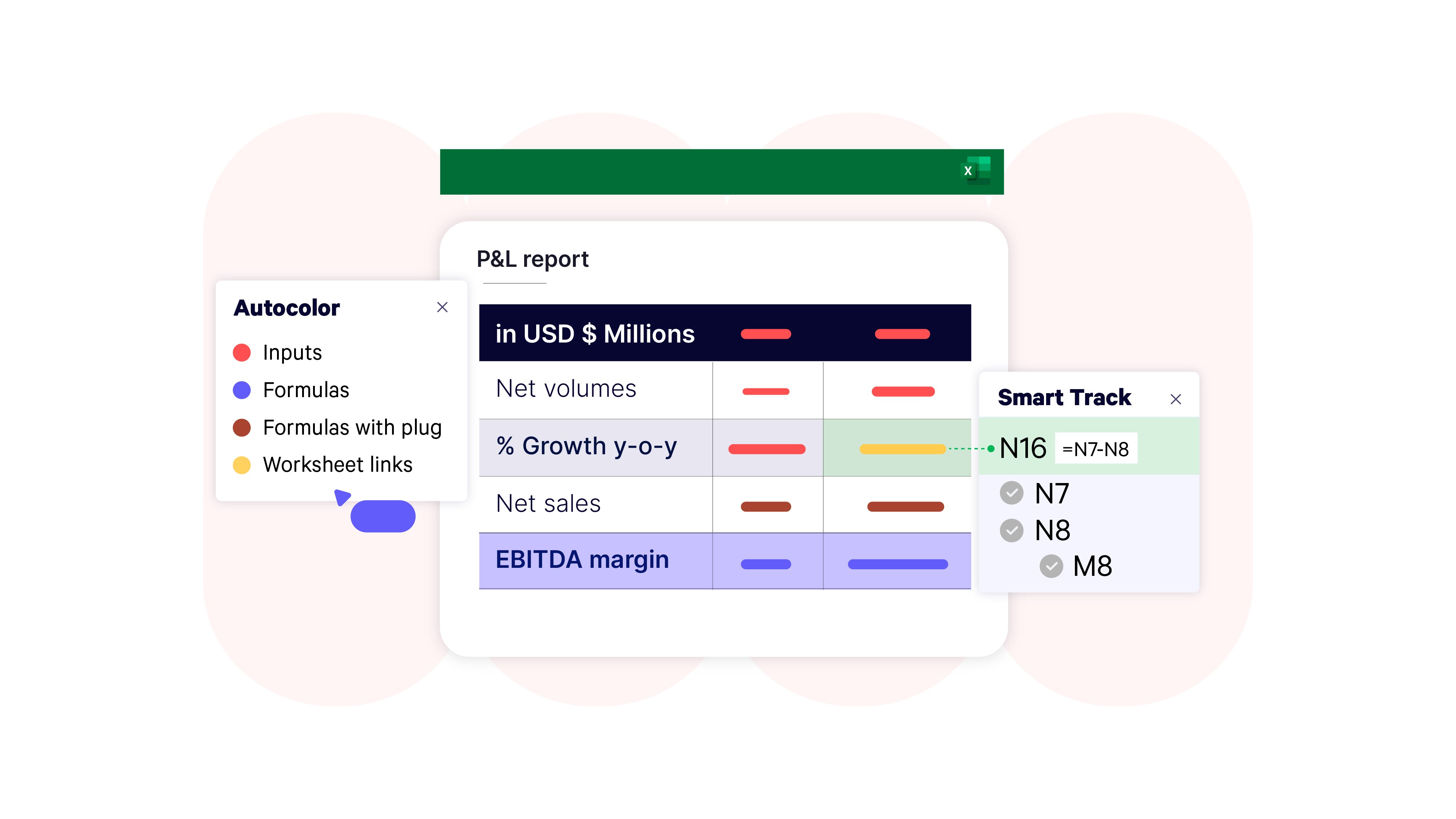
Build, navigate, and review complex financial models faster with UpSlide's smart financial modeling tools. Spend less time auditing and more time impressing investors. Quickly add formulas, track precedents, and solve errors to ensure all financial models are consistent, error-free, and well-s...
UpSlide Demo - Tombstones, Bios, and Case Studies Library
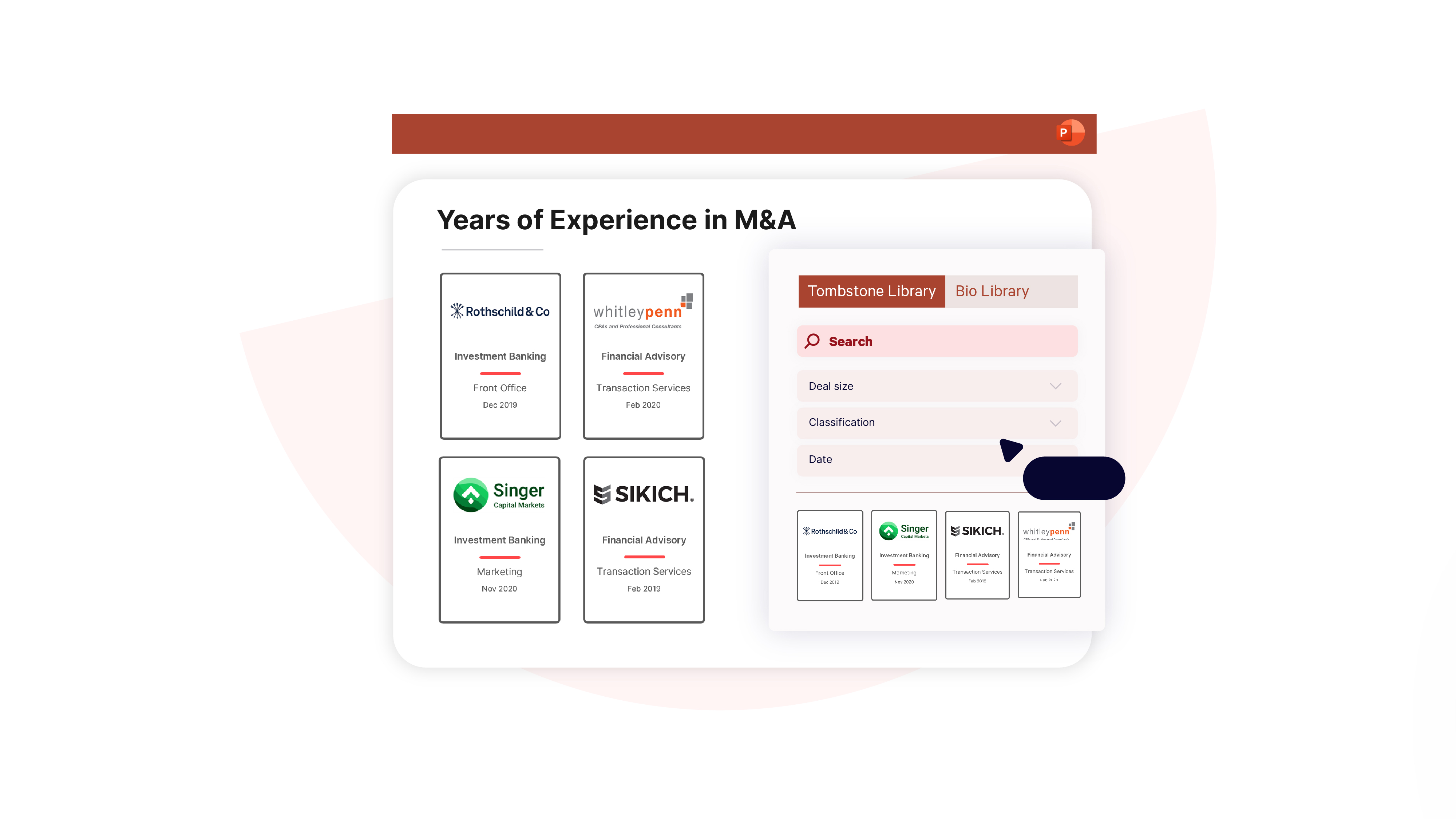
Showcase the most relevant, up-to-date credentials in your pitchbooks and proposals by giving teams access to your firm’s tombstones, bios, and case studies within PowerPoint. Easily filter and search for credentials - based on customizable criteria - select the pre-branded format and insert t...
UpSlide Demo - Track Changes and Slide Check
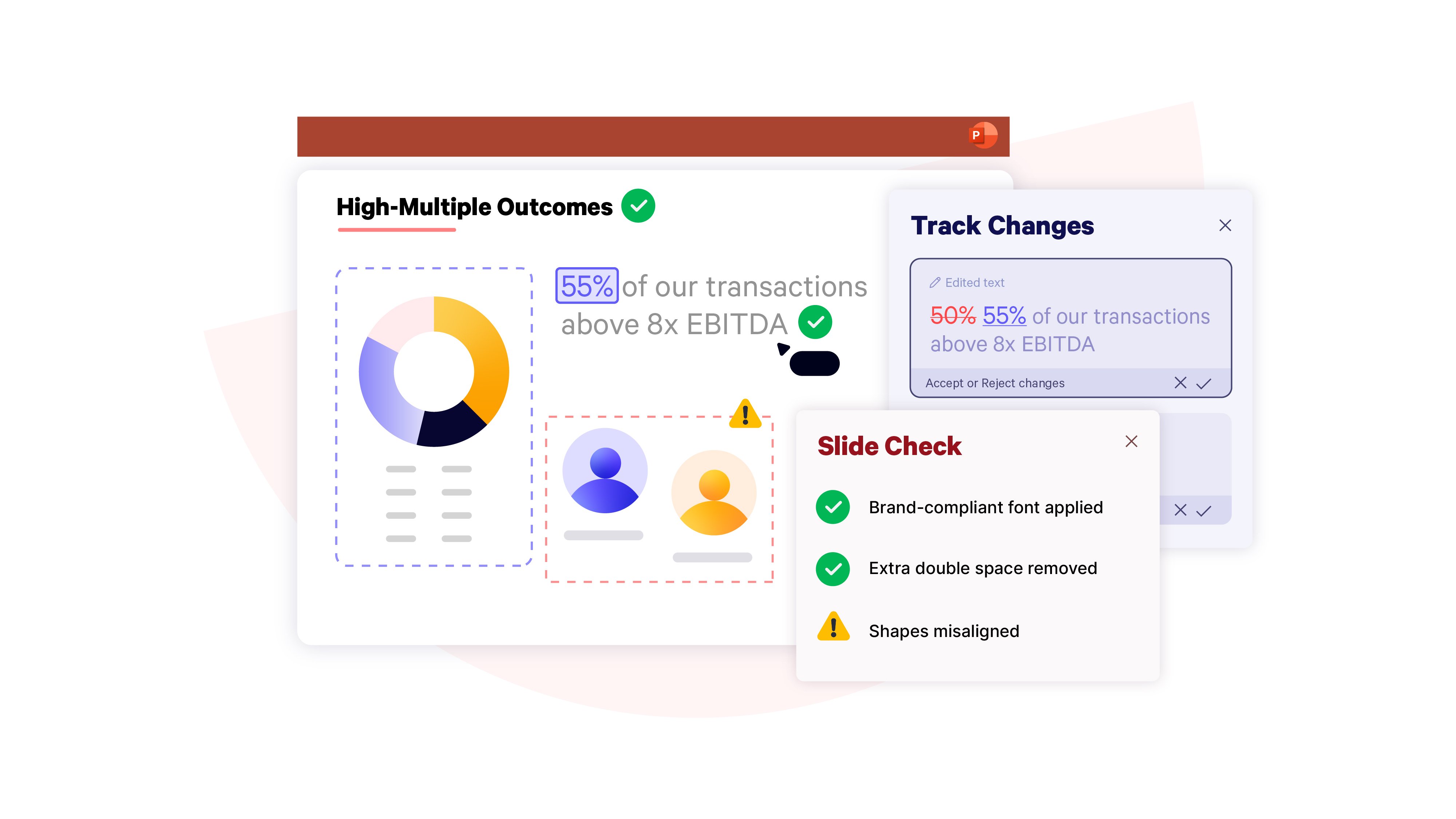
Significantly reduce reviewing time and ensure accuracy by keeping track of all changes to your deck in PowerPoint, even when collaborating with a large team. Quickly identify all edits made to your presentation across tables, charts, text, and linked Excel Data through an integrated pane. Onc...
Learn why financial services companies in over 60 countries have been trusting UpSlide to help them achieve their goals for the past 12 years.
Play UpSlide Video
Learn why financial services companies in over 60 countries have been trusting UpSlide to help them achieve their goals for the past 12 years.
Discover 65+ automation features, built for finance workflows in Microsoft 365.
Play UpSlide Video
Discover 65+ automation features, built for finance workflows in Microsoft 365.
How UpSlide helped Singer Capital Markets rebrand all client-facing deliverables to achieve long-term brand consistency.
Play UpSlide Video
How UpSlide helped Singer Capital Markets rebrand all client-facing deliverables to achieve long-term brand consistency.
How the marketing team at world-leading shipping firm, Clarksons, achieves brand consistency and improves collaboration with UpSlide.
Play UpSlide Video
How the marketing team at world-leading shipping firm, Clarksons, achieves brand consistency and improves collaboration with UpSlide.
Product Avatar Image

Have you used UpSlide before?

Answer a few questions to help the UpSlide community

UpSlide Reviews (62)

Reviews

UpSlide Reviews (62)

4.6
62 reviews

Review Summary

Generated using AI from real user reviews
Users consistently praise the ease of use and time-saving features of UpSlide, highlighting its ability to streamline formatting and enhance productivity across Microsoft Office applications. The intuitive interface and responsive customer support contribute to a positive user experience, although some mention that library performance can be slow during updates.

Pros & Cons

Generated from real user reviews
View All Pros and Cons
Search reviews
Filter Reviews
Clear Results
G2 reviews are authentic and verified.
MR
Director Global Syndicate & Capital Markets
Mid-Market (51-1000 emp.)
"UpSlide Makes Corporate-Style Decks Fast with Smart Linking and Slide Libraries"
What do you like best about UpSlide?

1. The Office layout solutions. UpSlide makes it extremely easy to convert tables and charts into full corporate design with a single click, automatically applying the correct colours, fonts, and styles. This saves so much time when creating client or management presentations.

2. The linking solutions. This includes text links, which allow PowerPoint and Word documents to update automatically from an Excel source. In addition, our department updates thousands of league tables in PowerPoint every month. These are connected to the league-table Excel file in a very smart way, because UpSlide’s linking remains intact regardless of the file name or the file location. This makes sharing files seamless and ensures all links stay functional.

3. The PowerPoint library solutions. Here you can pick and choose single slides or standard decks available for all or for a predefined group of licence holders; private library sections for sensitive data are also possible. My clear favourite is the easy access to our tombstone database, which was set up with support from the UpSlide team. Everyone in the bank with an UpSlide licence can quickly browse, filter, and select tombstones across all products, countries, and sectors. Review collected by and hosted on G2.com.

What do you dislike about UpSlide?

This is hard to answer, as there are no real pain points. However, I would appreciate it if links from Excel to another Excel file (not only from Excel to PowerPoint or Word) were also possible. This would be extremely helpful, as such links – when created without any UpSlide functionality – are still sensitive to file location and file name changes. Review collected by and hosted on G2.com.

MB
Intern in DCM - FIG Origination
Enterprise (> 1000 emp.)
"UpSlide Makes Excel-to-PPT Graph Updates as well as Tombstone creation fast and effortless"
What do you like best about UpSlide?

We currently use UpSlide extensively to upload graphs from Excel to PowerPoint. Our entire market pitch is built with UpSlide‑linked graphs, which makes updating extremely easy and saves us a significant amount of time.

In addition, I also used UpSlide at my former employer (a large German bank) to create Tombstones and to connect Excel graphs. For these use cases, it is one of the best tools I have worked with so far. Review collected by and hosted on G2.com.

What do you dislike about UpSlide?

I’m not a big fan of the fact that the graphs are uploaded in image format, as it makes it difficult to resize them properly afterward. We often change the slide layout and need the graph to be larger or smaller, so having to reupload it every time is not very convenient. Other than that, I have no negative comments about the tool. Review collected by and hosted on G2.com.

Cade S.
CS
Transaction Advisory Services Manager
Enterprise (> 1000 emp.)
"Upslide feedback"
What do you like best about UpSlide?

Product is very easy to use and is explained very well by the customer service team. I appreciate that the team is always there to help with any questions / bring up new features. Review collected by and hosted on G2.com.

What do you dislike about UpSlide?

The least helpful features of Upslide based on feedback from our team would be the formatting features, mainly due to a lack of using it. I think this is something we could use a refresh / update as we work to use more tools in Upslide. Review collected by and hosted on G2.com.

NC
Mid-Market (51-1000 emp.)
"Essential for Reducing Errors with Linked Slides"
What do you like best about UpSlide?

I really appreciate UpSlide because it allows me to use the linked slides feature, which isn't available in PowerPoint otherwise. This feature is particularly valuable as it reduces the risk of errors because I only need to edit the slide once, not across all my decks. I also found the UpSlide team to be very responsive and helpful during the setup process, even though it involved a lot of back and forth. Review collected by and hosted on G2.com.

What do you dislike about UpSlide?

All PowerPoints using the linked slides feature must live in the UpSlide library. The initial setup was difficult with a lot of back and forth, but the UpSlide team was very responsive and helpful throughout the process. Review collected by and hosted on G2.com.

Verified User in Venture Capital & Private Equity
UV
Enterprise (> 1000 emp.)
"Powerful PowerPoint Shortcuts That Make Resizing and Swapping Shapes Effortless"
What do you like best about UpSlide?

I like the poweropint shortcuts the best, especially the ability to copy width and height with two simple shortcuts and the ability to swap shapes really easily Review collected by and hosted on G2.com.

What do you dislike about UpSlide?

I don't use the excel functionality as much and i have had issues with excel outputting in the past (i.e., it doesn't output correctly or when i hit refresh outputs it will crash my excel) Review collected by and hosted on G2.com.

Verified User in Venture Capital & Private Equity
AV
Small-Business (50 or fewer emp.)
"Great Library and Formatting Tools. Fantastic Training & Support"
What do you like best about UpSlide?

1. The library functionality saves us a lot of time in accessing latest slides, as well as eradicating the version control issues we were previously struggling with.

2.Slide checker tool is excellent to catch formatting inconsistencies, and the UpSlide formatting tools (alignment, swap shapes, format painter etc) make slide creation much quicker.

3. The links to excel/word have made our reporting production far more efficient (and accurate).

4. Training and general Q&A/support has been excellent from day one. Review collected by and hosted on G2.com.

What do you dislike about UpSlide?

From an admin's perspective:

1. Adding new content to the library can be slow with long loading/buffering time.

2. Would love to be able to add a deck to the library and individual slides from that deck then be inserted by the team in isolation from that deck - that's currently not possible, so as admin I have to load decks twice - once as individual slides, and again as a full deck, to allow the team full flex on deck creation.

3. Slide converter tool is ok, but usually requires a fair amount of manual intervention to convert old (not UpSlide created) slides into the UpSlide format. Review collected by and hosted on G2.com.

Verified User in Insurance
AI
Enterprise (> 1000 emp.)
"Effortless Brand Consistency and Stellar Support"
What do you like best about UpSlide?

The fact that UpSlide is really easy to use and it integrates directly with PowerPoint, so we don't have to learn new software. The library feature is a game changer for us, having everything in one place and easily updatable is huge for our company. It saves a lot of time since everything is easily searchable. We have also found it easy to implement in Word and Excel, using the same library is super convenient. The setup process was simple thanks to the fantastic support from the UpSlide team, who have been great in getting templates set up and offering well-attended training sessions. Review collected by and hosted on G2.com.

What do you dislike about UpSlide?

We have only had one struggle which was mass-uploading images to the library. But Natasha has been extremely helpful and given us a lot of support throughout the onboarding process, so it's not slowed us down or made an impact. Review collected by and hosted on G2.com.

Verified User in Investment Management
UI
Mid-Market (51-1000 emp.)
"Linked Slides Save Hours Each Week—Easy to Implement with Great Support"
What do you like best about UpSlide?

The linked slides feature which allows multiple decks to update from a single slide is excellent. This feature along would save hours each week.

It has been easy to implement and integrate with plenty of support from the Upslide team. Review collected by and hosted on G2.com.

What do you dislike about UpSlide?

We are yet to come across any major issues, so far we have liked what we have seen. Review collected by and hosted on G2.com.

TW
Associate Director - Designer
Enterprise (> 1000 emp.)
"A very easy to use, intuitive and high quality productivity tool for business"
What do you like best about UpSlide?

UpSlide’s client and user support is superb.

The client team is always friendly and professional, and are highly responsive, offering clear, practical advice and guidance.

For our management team, this has made reporting and decision making easier.

For our users, this has meant quick resolution of any issues—whether through detailed written instructions or live walkthroughs over calls.

Functionality:

UpSlide’s intuitive user interface makes it easy to use, especially for new users who can get up to speed quickly. Other key features that stand out include:

• Template & Slide Layouts: having these embedded in the UpSlide ribbon makes it easy to keep our whole team on-brand and visually consistent.

• UpSlide Library: having pre-prepared content in one location saves users from across our whole team significant time, and also helps us to present ourselves consistently to clients.

• Slide Library Linking: Simplifies the process of making updates to frequently used slides, ensuring consistency and saving time.

• Automated Table of Contents: Removes the need for manual renumbering and removes the chance of mistakes, streamlining document preparation.

• Formatting Tools: Makes formatting accessible even to those who are less familiar with PowerPoint, reducing reliance on our Graphic Design support.

• Continuous Improvement: The introduction of new features—like the Dynamic library module—shows UpSlide’s commitment to evolving the product. This particular update looks to significantly improve what is currently a manual and time-consuming task.

• Monthly Reporting: Helps us identify adoption gaps and target specific teams, ensuring they understand and benefit from UpSlide’s capabilities. Review collected by and hosted on G2.com.

What do you dislike about UpSlide?

UpSlide is a very powerful tool, but there are a few areas where improvements would enhance the user experience:

• Library Performance: Updating items in the UpSlide Library via PowerPoint can be slow. After making an update, there is often a delay before you can continue working in the library, which can interrupt workflow efficiency.

• Limited Customisation of Automated Features: The automation around the Table of Contents and divider slides is helpful, but it restricts design flexibility. Greater control over layout and styling would provide useful freedom for different designs.

• Dynamic Library Module Navigation: Currently, all images in the Dynamic Library module are stored in a single large folder, making it difficult to navigate. The ability to organise content into subfolders would significantly improve usability on our side and speed up content selection.

• Update Master Layouts in the UpSlide Library: Currently, the Library allows linked slides to be updated individually. However, it would be useful to have a tool that can automatically update all older master layouts in the library to a new master template.

• Excel to PPT Link Limitations

o Charts not editable: Because the charts are imported as images, it becomes difficult to quickly edit and format them in PPT. It would be helpful if charts exported to PowerPoint were fully editable.

o Editable tables: When tables are exported from Excel to PowerPoint as editable objects, they do not retain their original formatting. After updates, the formatting reverts to PowerPoint’s default style. It would be helpful if the “export as editable table” feature preserved the formatting from both Excel and PowerPoint. Review collected by and hosted on G2.com.


ED
Director
Small-Business (50 or fewer emp.)
"Time-Saving and Centralized Slide Management"
What do you like best about UpSlide?

Its saves time with formatting.

It also gives us one place to hold key team slides in the library Review collected by and hosted on G2.com.

What do you dislike about UpSlide?

Having to revisit training - not always possible to take onboard all of the information in one go! Review collected by and hosted on G2.com.

People Icons

Start a Discussion about UpSlide

Have a software question? Get answers from real users and experts.

Start a Discussion

Pricing Insights

Averages based on real user reviews.

Time to Implement

2 months

Return on Investment

6 months

Perceived Cost

$$$$$
UpSlide Comparisons
Product Avatar Image
Templafy
Compare Now
Product Avatar Image
Macabacus
Compare Now
Product Avatar Image
Conga Composer
Compare Now
UpSlide Features
Software
Spreadsheets
Templates
Automation
Branding
Workflow
Revision History
Document Editor
Product Avatar Image
UpSlide