
RA
Rafael A.
Sales Manager
Small-Business (50 or fewer emp.)
""
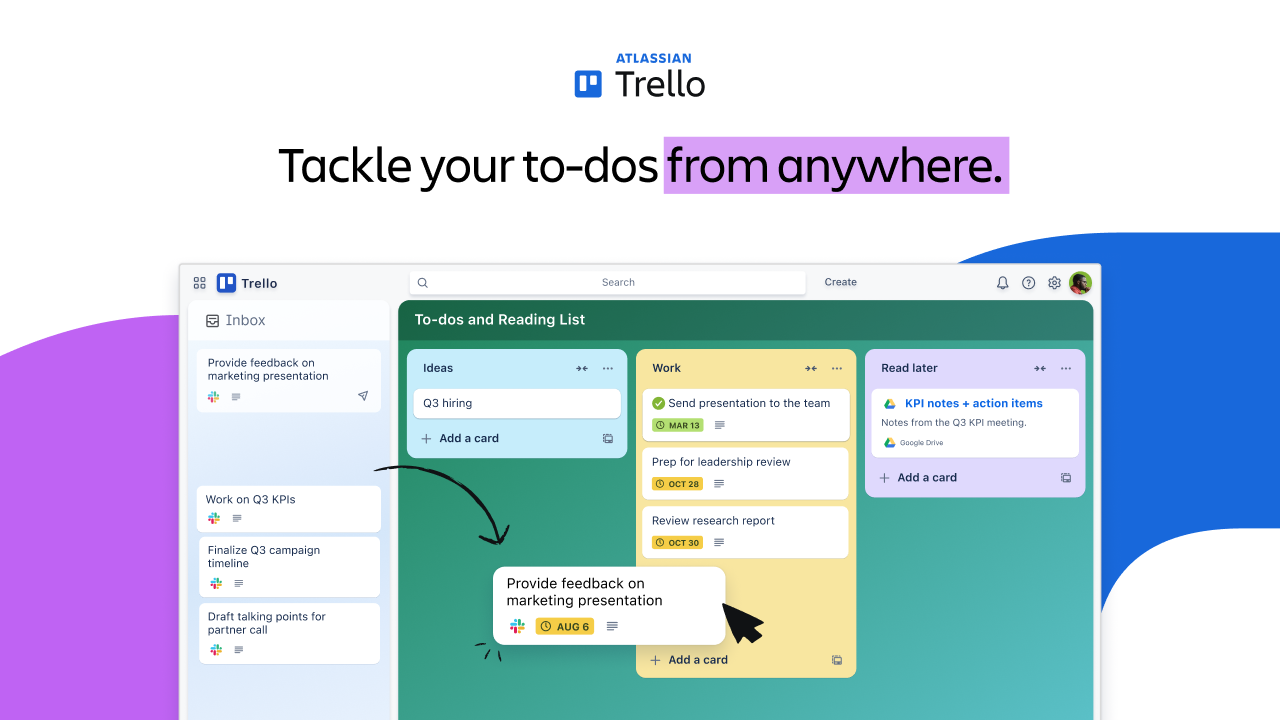
I find Trello very easy to use in daily work. I work as a Dietician and Nutritionist, manage a homeopathy clinic, and also create health education content, so I need a simple way to keep my follow-ups, clinic work, and content tasks in one place. With Trello, I can quickly add tasks, move them between Today, In Progress, and This Week, and see what needs my attention.
I usually open Trello during the day when I am planning my work or checking what is still pending. It helps me not forget follow ups and small work items. Adding notes, due dates, and files to a card is simple, so all details stay with the task and I don’t have to search in different places. The board view is clear, and even with many tasks, it does not feel confusing.
Trello fits well with how I already work. It does not take time to set up, and I was able to start using it right away. It runs smoothly in the browser, and I can update my tasks quickly during busy work hours. It helps me stay organized and keep my daily work moving without extra effort. Review collected by and hosted on G2.com.
Nothing big bothers me in daily use. Sometimes when the board gets busy with many cards, it takes a little effort to keep things tidy. On slower internet, cards with attachments can open a bit slowly. Apart from these small things, It works fine for my work. Review collected by and hosted on G2.com.
Trello is an excellent digital work system that offers the most advanced digital tools and resources to organize, manage and plan your professional tasks, improving the productivity and efficiency with which you handle your business projects.
I also like how Trello's digital features align with my work systems and applications, making it easy to adopt its virtual systems and improving my user experience. Review collected by and hosted on G2.com.
I can't think of anything negative about Trello's digital features and resources, I can assure you that it is an advanced system that is extremely useful for all kinds of digital purposes. Review collected by and hosted on G2.com.
I really like the drag and drop features in Trello; it was easy to use, and I enjoyed using it. The UI is also very user-friendly and easy to navigate for any user. Trello was the first task management system I ever used, and though I was a bit nervous at first, it turned out to be very easy to navigate. All the features were very self-explanatory, and the UI of Trello is well-researched to suit any person of any level of technical understanding. The initial setup was very easy and convenient for new users. Review collected by and hosted on G2.com.
When I was using Trello, I felt like there were limitations on user display information. For example, there are multiple tasks, so we were informed to join the task so that other people know someone is working on it, and there's no need to address it. But there was another person with the same initials as mine, 'MD', in the firm, so both were shown as 'MD' in the task. If they allowed adding a picture icon, it would really solve this kind of issue. Review collected by and hosted on G2.com.
I love Trello for the visual aspect, the ease of use, and how it keeps me on track. It just brings my to-do list to an easy-to-see page and makes it easier to move tasks around. In one glance, I can see what my priorities are for the day, the week, etc. I can easily change the status of a task or update what needs to be done. The initial setup was super easy, even on the free version. Review collected by and hosted on G2.com.
I wish it could be like a calendar view in a way. So that something that is for tomorrow would appear as today the next day. Just having the option of doing daily to-do lists that would move gradually as days go by. Outstanding tasks would be in red or move to the following day. Review collected by and hosted on G2.com.
It helps me visualize tasks and projects. It creates cards that let me centralize and organize everything in one place, so I’m not constantly trying to track down information scattered everywhere. Review collected by and hosted on G2.com.
There are lots of useful power-ups and features locked behind a subscription. The way you use the power-ups can also be a bit daunting, and setting them up sometimes takes more effort than I’d like. Review collected by and hosted on G2.com.
It helps me do things in a more organized way by using this kind of Kanban board. I can customize it to match the responsibilities and tasks I need to manage. The fact you can set up meeting with Calendar or just put it for visibility is helpful. Review collected by and hosted on G2.com.
I don't like the step-by-step process for adding a link and so on. I think it would be more user-friendly if you could just type in the date instead of having to edit it into the predefined format—that would be more effective. Review collected by and hosted on G2.com.
I’ve used Trello for several of my projects, and its biggest strength is how simple and flexible it is. It’s a straightforward Kanban-based system built around boards, lists, and cards, which makes it useful for both technical and non-technical teams.
The interface is very user-friendly, with fast drag-and-drop interactions. Because the learning curve is minimal, you can set up a board and start managing tasks within minutes. It also includes helpful features such as checklists for subtasks, assignments, and deadline tracking, along with labels and filters to keep work organized.
Trello’s functionality can be expanded through third-party integrations, and it supports apps like Slack, Google Drive, and Jira. It also includes an inbuilt no-code automation tool called Butler Automation, which helps reduce manual effort—for example, by automatically moving cards when a checklist status changes.
For teams, updates made to a board are reflected instantly for everyone, which supports smooth real-time collaboration. Trello is also cheaper than many other solutions, and the free plan allows you to manage up to 10 boards. Review collected by and hosted on G2.com.
Trello is popular for its smooth user experience and simple UI, but it still has some limitations. After using it on a few projects, I found it isn’t very scalable. As you grow from a small team to a larger one, it becomes harder to manage an increasing number of boards, lists, and cards. Keeping a large backlog organized across multiple boards can also get complicated, and that often pushes you to look for another solution.
Another drawback is the lack of advanced analytics and reporting. To get those capabilities, you typically have to pay extra for third-party software.
Trello also offers limited functionality in the free version. Features such as Gantt charts, timelines, automation, and other advanced integrations require a paid subscription.
Overall, I’d say it’s useful for small projects with a limited backlog, but it starts to feel restrictive as complexity and team size grow. Review collected by and hosted on G2.com.
Trello is very simple and easy to use. The board and card layout makes it easy to organize tasks, track progress, and see what everyone is working on. It’s helpful for managing projects and keeping things organized without needing a complicated system. Review collected by and hosted on G2.com.
One downside is that larger or more complex projects can become cluttered if there are too many cards or lists. Some advanced features also require paid plans, which can limit functionality for teams using the free version. Review collected by and hosted on G2.com.
I find Trello highly useful for managing tasks efficiently, helping us meet deadlines on time. It effectively solves major problems for companies by allowing us to manage our developers and track everyone simultaneously. I like using the tags for various timelines, which help me make quick decisions about task priorities. The timers are also a great feature that enhances my efficiency. I also appreciate how I can manage my tasks and see all task timelines in one place, fostering team collaboration efficiently. The initial setup was quite easy as we could use the logins provided by our admin, making the transition smooth. Review collected by and hosted on G2.com.
There are some limited advance features like detailed reports and sometime its get messy due to a-lot of cards in same board . Review collected by and hosted on G2.com.
Get practical answers, real workflows, and honest pros and cons from the G2 community or share your insights.
How trello board acts like a notice board
Pricing provided by Trello.