Compare this with other toolsSave it to your board and evaluate your options side by side.
Save to board

Designcenter Solid Edge Reviews & Product Details

Pricing

Pricing provided by Designcenter Solid Edge.

Solid Edge Design and Drafting XaaS

Starting at $90.47
Per Month

Designcenter Solid Edge Media

Designcenter Solid Edge Demo - Large Assembly
Faster performance and memory load time when developing large assemblies. New support for embedded components inside the assembly with no file reference, for simplified supplier data workflow.
Designcenter Solid Edge Demo - Next-generation Cloud-Based Collaboration
Synchronize files with cloud storage, while you work; view, measure and markup any computer-aided design (CAD) on any device; securely share projects with anyone; and, review designs in augmented reality (AR) on phones and tablets.
Designcenter Solid Edge Demo - CAM & Machining
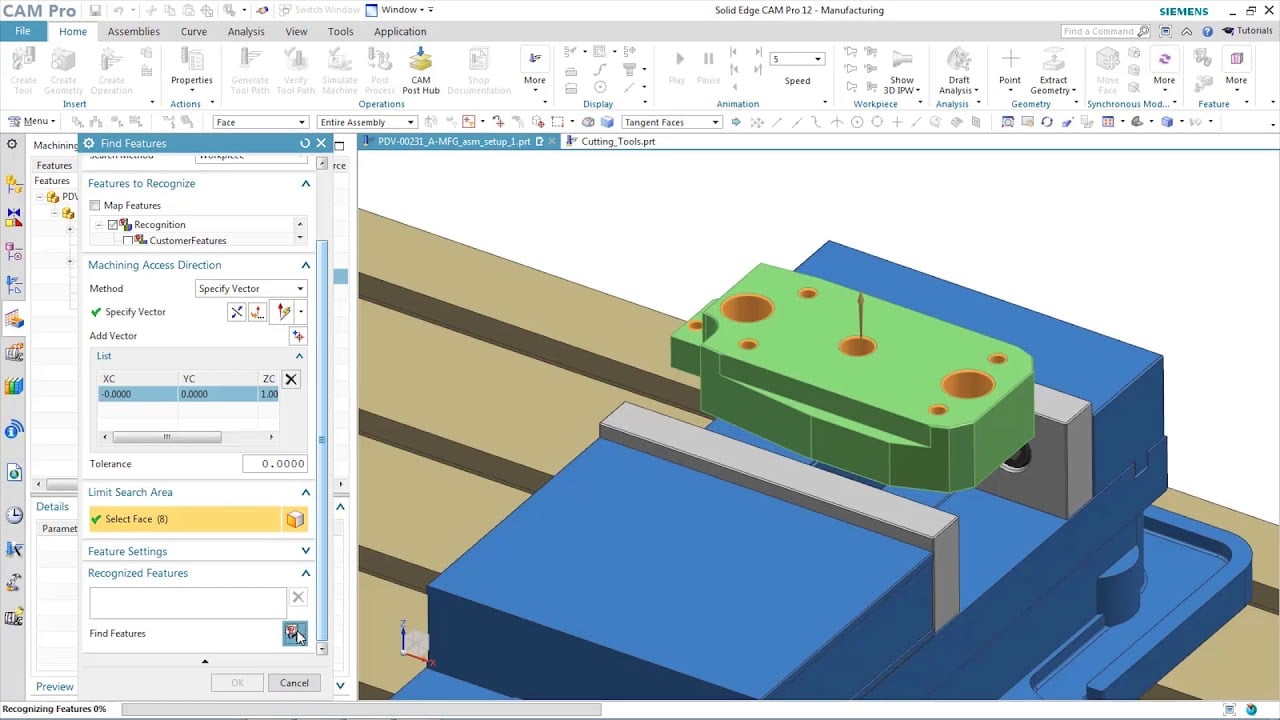
Solid Edge manufacturing solutions provide fast and easy feature-based machining, allowing you to automatically determine the machining process for a wide range of features.
Designcenter Solid Edge Demo - Faster reverse engineering
Reduce time spent on reverse engineering with lightning-fast performance enhancements including deviation analysis.
Designcenter Solid Edge Demo - Technical Publications
Open, save and revise data from Teamcenter, Siemens’ powerful PLM solution, with tight integration to ensure your working with the right data, every time. Go from engineering to documentation quickly and seamlessly working directly with Solid Edge 3D models; leveraging the digital twin ensures al...
Designcenter Solid Edge Demo - FLOEFD
Better integration between flow simulation and structural simulation help create a more accurate digital twin. Add fluid pressure and temperatures results from Simcenter FLOEFD for Solid Edge for analysis in Solid Edge Simulation. Digitally validating and optimizing parts, assemblies and complete...
Play Designcenter Solid Edge Video
Product Avatar Image

Have you used Designcenter Solid Edge before?

Answer a few questions to help the Designcenter Solid Edge community

Designcenter Solid Edge Reviews (594)

View 1 Video Reviews
Reviews

Designcenter Solid Edge Reviews (594)

View 1 Video Reviews
4.3
594 reviews

Review Summary

Generated using AI from real user reviews
Users consistently praise the intuitive interface and synchronous technology of Designcenter Solid Edge, which streamline the design process and facilitate quick modifications. Many appreciate its ability to handle complex assemblies efficiently, making it a reliable choice for mechanical design. However, some users note that performance can lag with larger projects, and the learning curve may be steep for beginners.

Pros & Cons

Generated from real user reviews
View All Pros and Cons
Search reviews
Filter Reviews
Clear Results
G2 reviews are authentic and verified.
NS
Technical Manager
Small-Business (50 or fewer emp.)
"Solid Edge offers a comprehensive suite covering CAD/CAM/CAE/PLM."
What do you like best about Designcenter Solid Edge?

Solid Edge stands out as a premier CAD/CAM/CAE/PLM solution in today's market. Developed by SIEMENS DISW, it boasts remarkable capabilities not only in CAD but also in Manufacturing, Electrical Design, Validation & Simulation, Data management, and collaboration. Solid Edge effortlessly integrates these various solutions, allowing users to minimize time spent switching between complex tools. Review collected by and hosted on G2.com.

What do you dislike about Designcenter Solid Edge?

At times, performance can slow down when working with very large assemblies or highly detailed imported models. We also feel the UI and command discovery for less frequent tools could be more intuitive, especially for newer users. Further improvements in AI-assisted automation and faster handling of dense assembly selections would make the overall experience even better. Review collected by and hosted on G2.com.

Response from Kyzmen Wood of Designcenter Solid Edge

Nirav, thanks so much for your honest review of your experience with Solid Edge! We appreciate you as apart of our community and will continue to provide a powerful portfolio for your design needs.

SP
DESIGN ENGINEER
Enterprise (> 1000 emp.)
"DesignCenter in Solid Edge: Powerful Parametric Reuse and Standardization"
What do you like best about Designcenter Solid Edge?

From a CAD design engineering standpoint, the most valuable aspect of DesignCenter in Solid Edge is how effectively it drives design reuse, parametric consistency, and controlled standardization directly within the modeling environment. DesignCenter operates as an intelligent engineering library, enabling designers to store, manage, and reuse validated parts, assemblies, features, sketches, and hardware components while maintaining full associativity.

One of DesignCenter’s key technical strengths is its support for parametric, associative reuse. Components inserted from DesignCenter retain their design intelligence, constraints, and relationships, which allows engineers to adapt them to new requirements without compromising model integrity. This is particularly useful in configurable designs, where standard geometry needs to be reused with controlled dimensional changes or feature-level variations.

DesignCenter also improves modeling efficiency across both synchronous and ordered workflows. Engineers can drag and drop library components into active assemblies while preserving design intent, which helps ensure robust updates when downstream changes occur. This tight integration with Solid Edge’s hybrid modeling approach supports rapid iteration while keeping geometry fully constrained and manufacturable.

Another major advantage is the way DesignCenter helps enforce design standards and best practices. By centralizing approved fasteners, mechanisms, profiles, and feature sets, it reduces variability across models and helps eliminate non-standard geometry. The result is cleaner CAD data, improved BOM accuracy, and fewer issues during manufacturing, simulation, and PLM handoff.

From a system-level perspective, DesignCenter strengthens engineering knowledge capture and reuse. Proven design solutions—such as weld features, cutouts, mounting interfaces, and standard subassemblies—can be stored once and applied across projects. This reduces repeat engineering effort, minimizes human error, and accelerates new product development, especially in high-volume or variant-driven design environments.

I strongly recommend DesignCenter in Solid Edge for professional CAD and mechanical design teams because it helps reduce design cycle time, improves data consistency, and reinforces engineering quality control. Used correctly, it supports scalable design processes, enables concurrent engineering, and helps maintain reliable, maintainable CAD models—making Solid Edge a powerful, production-ready solution for modern mechanical design and manufacturing organizations. Review collected by and hosted on G2.com.

What do you dislike about Designcenter Solid Edge?

One of the most genuine and critical challenges with Solid Edge, particularly from a day‑to‑day CAD engineering perspective, is the risk associated with unexpected crashes and data saving or backup reliability. Sudden application crashes—especially during complex modeling, large assembly handling, or intensive feature operations—can lead to partial data loss, unsaved changes, or file corruption.

Although Solid Edge does offer autosave and recovery mechanisms, they are not always fully reliable in real‑world design scenarios, particularly when working on Review collected by and hosted on G2.com.

AS
Tech and Business Head
Small-Business (50 or fewer emp.)
"Clean UI, Fast Model Edits, and Smooth CAD Reuse with Quick ROI"
What do you like best about Designcenter Solid Edge?

Clean UI and solid synchronous tech, with add-on modules and integrations that fit in well. Model edits are fast, assembly work is quick, and the generative design tools help move things along. I can import and reuse CAD data from any source, which makes the overall workflow smoother. Support is responsive, and the quick ROI is a nice bonus. Review collected by and hosted on G2.com.

What do you dislike about Designcenter Solid Edge?

Some features still need to be added compared to competing platforms. Right now there are very few of them, and there are some workarounds, but it would be better to have them built in. For example, a smart pattern that changes shape when a parameter changes (in Solid Edge, we create a custom feature for this). Review collected by and hosted on G2.com.

AK
Application Engineer
Mid-Market (51-1000 emp.)
"Solid edge Bringing simplicity in modelling"
What do you like best about Designcenter Solid Edge?

We are in the service business, providing end-to-end solutions from design to manufacturing of packaging automation machines. Solid Edge Synchronous Technology helps us design faster and significantly improves our editing speed. The Retrieve Dimensions feature reduces our time in drawing creation. Overall, Solid Edge has a very simple user interface, so new users can learn it in less time. Review collected by and hosted on G2.com.

What do you dislike about Designcenter Solid Edge?

It crashes sometimes leads to spend time again to rework the same thing.so IF solid edge has the backup capability so user and resume its work where Solid edge was Crashed. Review collected by and hosted on G2.com.

Rohan H.
RH
Continuous Improvement Engineering Manager
Mid-Market (51-1000 emp.)
"Simulation-Driven Digital Twin Design with Solid Edge + FLOEFD"
What do you like best about Designcenter Solid Edge?

We use Siemens Solid Edge as the backbone of our product and factory development lifecycle, from concept through to commissioning. All machinery layouts, custom equipment designs, and factory expansion models are developed in Solid Edge, allowing us to rapidly iterate designs, validate fit within real-world constraints, and maintain a single, accurate digital representation of our production environment.

By integrating Simcenter FLOEFD directly within Solid Edge, we move beyond traditional CAD into simulation-driven design. We actively simulate airflow, temperature distribution, and humidity behaviour across our processing and packaging environments—critical for drying performance, product consistency, and hygiene compliance. This enables us to identify issues such as condensation risk, airflow inefficiencies, and thermal inconsistencies before physical implementation.

The value this delivers is substantial:

Reduced risk: Problems are identified and solved digitally before capital is committed or equipment is installed.

Faster decision-making: Design iterations that would take weeks physically are completed in hours.

Optimised performance: Equipment and facility layouts are engineered for real operating conditions, not assumptions.

Cost efficiency: Minimises rework, avoids overdesign, and improves ROI on major capital investments.

Scalable digital foundation: As we expand, our full factory exists as a validated digital twin, supporting future automation, upgrades, and process optimisation.

In short, Solid Edge combined with FLOEFD allows us to design smarter, de-risk faster, and execute expansion projects with a level of confidence and precision that would not be achievable with CAD alone.

The UI has been greatly improved in its feel and operation. Making it more modern and user friendly. Really happy about the dark mode addition as well.

In overall the performance has improved on the operation of the software. Enjoying the performance mode it has to offer.

Pricing is ok but feel like better options and bundles should be created to allow for adding more employees easier.

The Siemens Academy use to be the go to but needs more work done, cannot wait for the revamp to be completed. There are tons of resources online that are helpful when required.

New AI features are really helpful for speeding up daily use!

Keep adding more please! Review collected by and hosted on G2.com.

What do you dislike about Designcenter Solid Edge?

It really is a one of a kind Digital creation software that can be used in all industries globally. Its hard to dislike since it is so versatile and adaptable. But if I had to choose something, maybe not utilizing enough multi core threading would be one. Review collected by and hosted on G2.com.

Om U.
OU
Sr.Advance Software Engineer
Small-Business (50 or fewer emp.)
"Simplified Teamcenter Integration with Solid Edge"
What do you like best about Designcenter Solid Edge?

I really appreciate how Designcenter Solid Edge helps manage product configurations, family of parts, and alternate assemblies, especially since we often deal with engineer-to-order (ETO) orders. These simplified features have been saving a huge amount of time for the business to complete CAD models and drawings on time. I also love the tight integration with Teamcenter, which makes collaboration with the global team much smoother. The Teamcenter integration is simplified compared to other CAD tools, thanks to its interactive window that validates information in real-time before uploading files. This is a must-have feature for CAD designers. Additionally, using Solid Edge integrated with Rulestream has been a great experience. The initial setup was straightforward, and surprisingly, no training was needed because all the features are easily understandable by looking at its icons. It's very easy to understand what each button is meant for. Review collected by and hosted on G2.com.

What do you dislike about Designcenter Solid Edge?

Working with large assemblies is still a challenge. It would have been great if we were able to edit and handle the assembly configuration file which is generated along with the assembly. This can solve some automation challenges. Review collected by and hosted on G2.com.

JR
Channel Technical Manager - South
Small-Business (50 or fewer emp.)
"Highly Efficient with Impressive Data Management"
What do you like best about Designcenter Solid Edge?

I really like the interface of Designcenter Solid Edge; it's very handy and intuitive, making it easy to access most commands directly. I appreciate the individual commands in the automation parts, like in the assembly environment, where similar commands have unique features for different scenarios. The advancements in the draft environment, especially the AI drawings, give me extra leverage to work efficiently. The most impressive aspect for me is that it's a complete power pack solution, meaning I can do everything from part design to assembly design without needing to switch to other software. The integration of simulation tools to check stress and strain is really beneficial. I also love the design configurator options for automating assemblies. Overall, it's my favorite part of the Siemens solution. Review collected by and hosted on G2.com.

What do you dislike about Designcenter Solid Edge?

Like any improvement part, I'd say some things have been converting into bug reports recently, and doing so, some IRs are being converted to PRs. These areas could use more active focus. I understand designcenter Solid Edge's 2026 version has just released, and there've only been about four update patch files so far. It's early days to judge the software. These things could be improved a bit. Also, the license generation process seems quite big, involving too many steps. If a user has any licensing issues, it needs to go through the administrator, or maybe the partner channel partner, and they have to raise a request to the GSS team and wait for a reply about the licensing part. This creates an initial lag, and a lot of time is consumed. If there were any direct improvements or portals to contact the GS team effectively, rather than through main communications, that would be great. Review collected by and hosted on G2.com.

Dipak D.
DD
Assistant Sales Manager Enterprise
Small-Business (50 or fewer emp.)
"Powerful CAD Tool with Synchronous Flexibility"
What do you like best about Designcenter Solid Edge?

I use Designcenter Solid Edge for my design work, and overall it provides a good experience. The software is quite user-friendly, especially once you get familiar with it. I like the synchronous technology feature, which makes design faster and more flexible compared to other traditional CAD tools. The performance is stable and handles complex assemblies quite well. The drafting and detailing functions are also very strong, helping create accurate manufacturing drawings. It allows me to import and edit files from other software like Creo, SOLIDWORKS, and Autodesk Inventor easily, which really helps in doing design work. Designcenter Solid Edge is a powerful and reliable CAD solution, especially suitable for mechanical design and engineering applications in industrial machinery manufacturing. It's a very robust and user-friendly software that helps reduce design cycle time and increase the profitability of my organization. I strongly recommend it to other professionals looking for robust 3D modeling software. Review collected by and hosted on G2.com.
What do you dislike about Designcenter Solid Edge?

I think some surfacing commands are limited in this compared to other CAD tools like CATIA or NX. So sometimes we require surfacing, and at that time, I think that's a limitation. Review collected by and hosted on G2.com.

Response from Kyzmen Wood of Designcenter Solid Edge

Dipak, thank you so much for your honest review of your Solid Edge experience! It is great to hear that Solid Edge has helped you solve problems in 3D modeling and 2D drafting.

Álvaro A.
ÁA
Small-Business (50 or fewer emp.)
"Real-Time Collaboration, User Limit Improvable"
What do you like best about Designcenter Solid Edge?

I find Designcenter Solid Edge very practical, especially the use of Temacenter Share for sharing files and projects in real-time. It allows us to have all 3D models updated and avoids errors when working on outdated parts. Additionally, by working in the cloud, it saves us from using hard drives to send very large models, as everything is in the cloud. I also appreciate the support, which was very effective in solving the initial problems within a few days after a couple of email exchanges. Review collected by and hosted on G2.com.

What do you dislike about Designcenter Solid Edge?

One of the limitations we have with Teamcenter Share is the limit on the number of people that can be added to each project, as we have reached the limit and there are still people who are not included. Review collected by and hosted on G2.com.

Seif S.
SS
Sales Engineer | Measurement & Analytics
Mid-Market (51-1000 emp.)
"Solid Edge: Powerful for Digital Twin Creation with Room for AI Enhancement"
What do you like best about Designcenter Solid Edge?

I like the simplicity of Designcenter Solid Edge and how it's laid out. It makes it easy to access all the features, which are plentiful. It's also easy to duplicate my work. I can effortlessly create any product and download specific items, like a motor with its dimensions, from the company's website to upload into Solid Edge. This is done very simply, allowing me to build around it for the intended purpose. Additionally, I can create a full autonomous digital tool, which is invaluable. Review collected by and hosted on G2.com.

What do you dislike about Designcenter Solid Edge?

Well, in my opinion, as good as it is, and nowadays with AI and AI advancements, it should be more straightforward that we should no longer need to have to design as much, but rather tell it what we need to design and then rather the small changes to fix it up and to match our calls. AI should be implemented a lot. Review collected by and hosted on G2.com.

Questions about Designcenter Solid Edge? Ask real users or explore answers from the community

Get practical answers, real workflows, and honest pros and cons from the G2 community or share your insights.

GU
Guest User
Last activity 8 months ago

Is Solidworks or Solid Edge better?

GU
Guest User
Last activity over 2 years ago

What is Solid Edge used for?

Pricing Options

Pricing provided by Designcenter Solid Edge.

Solid Edge Design and Drafting XaaS

Starting at $90.47
Per Month

Solid Edge X Standard

Starting at $261.00
Per Month

Solid Edge X Advanced

Starting at $312.00
Per Month

Solid Edge X Premium

Starting at $413.00
Per Month

G2 Deals

Exclusive savings on Designcenter Solid Edge through G2 Deals

Get 25% off any monthly or annual subscription of Solid Edge and accelerate your product development process using best-in-class 3D design tools.

How to claim this offer

Claim the offer via G2 and use code G2START25 during checkout.

Designcenter Solid Edge Comparisons
Product Avatar Image
SOLIDWORKS
Compare Now
Product Avatar Image
Inventor
Compare Now
Product Avatar Image
Designcenter NX
Compare Now
Designcenter Solid Edge Features
CAD-CAM Import
Drawing
Modeling
Visualize
File Import
Push/Pull
Views
Annotate
Documentation
Data Extract
Product Avatar Image
Designcenter Solid Edge