Plumsail Org Chart enables you to create interactive, company-wide organizational charts and embed them into SharePoint pages or Microsoft Teams tabs. Key features include:
- Friendly search and navigation: Easily find colleagues by department, location, job title, or other fields such as biography or skills. Use breadcrumb navigation for intuitive browsing.
- Various layouts and conditional formatting: Choose from different layouts and box orientations to best display your organizational structure. Apply conditional formatting based on department, job title, skills, and more.
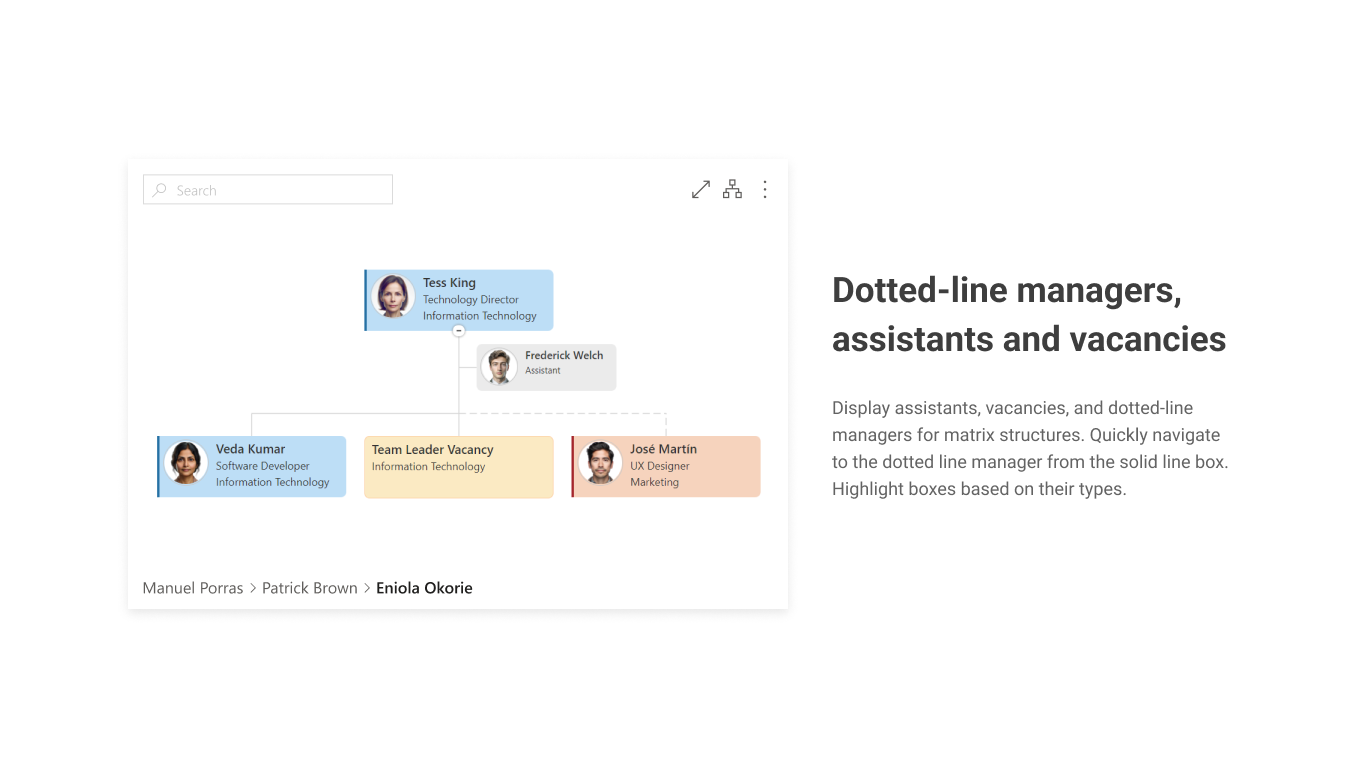
- Assistants, vacancies, and dotted-line managers: Display roles like dotted-line managers, vacancies, and assistants. Highlight boxes conditionally and navigate easily between roles.
- Automatic data synchronization: Keep your Org Chart updated with automatic data synchronization from Entra ID (formerly Azure AD), SharePoint lists, or user profiles.
- Printing & CSV export: Generate detailed PDF reports for stakeholders, including employee lists and navigation links. Export data to CSV for Excel or Power BI analysis, and convert views to PNG for presentations.
Seller
PlumsailDiscussions
Plumsail Org Chart CommunityOverview by
Plumsail Team