Optimal

By Optimal

4.4 out of 5 stars

How would you rate your experience with Optimal?

Optimal Reviews & Product Details

Pricing

Pricing provided by Optimal.

Starter

$199.00
Per Month

Optimal Integrations

(7)
Verified by Optimal

Optimal Media

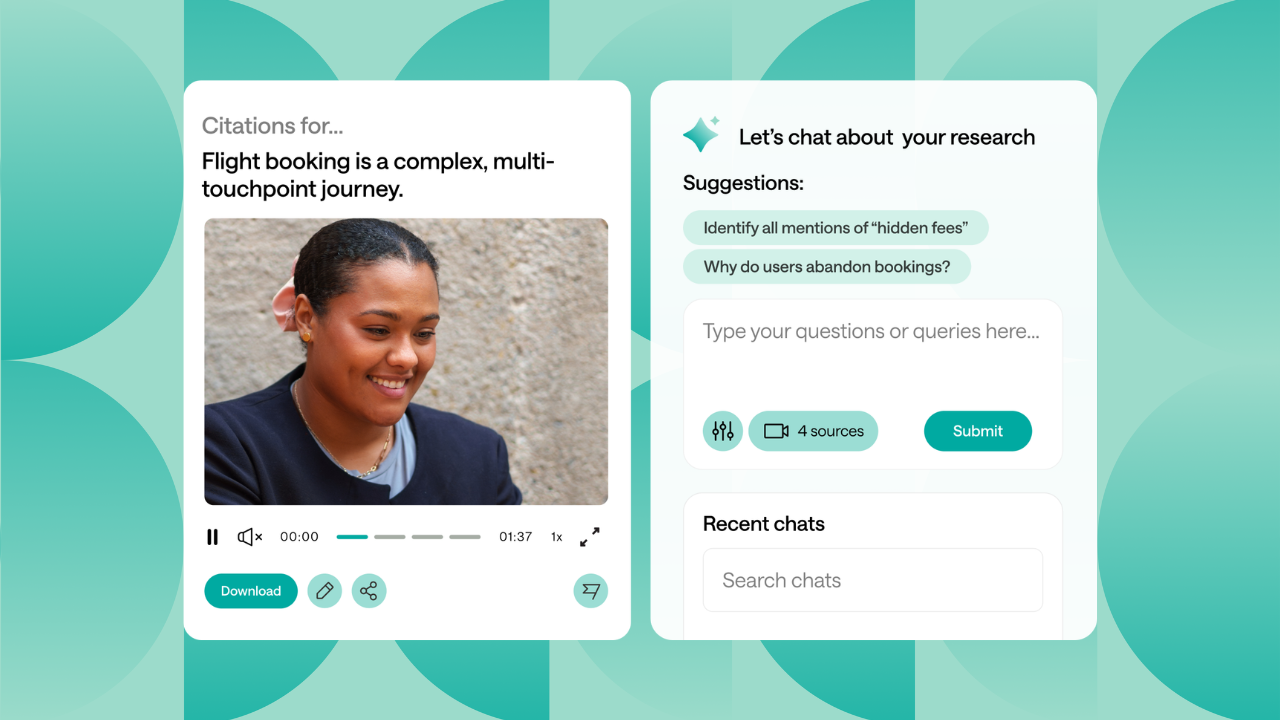
Optimal Demo - Discover User Needs with Confidence
Uncover real user needs with Optimal's platform. Our Interviews, Qualitative Insights and Survey tools transform feedback into actionable requirements, reveal opportunities early, and build data-driven concepts—helping you create experiences your users will love.
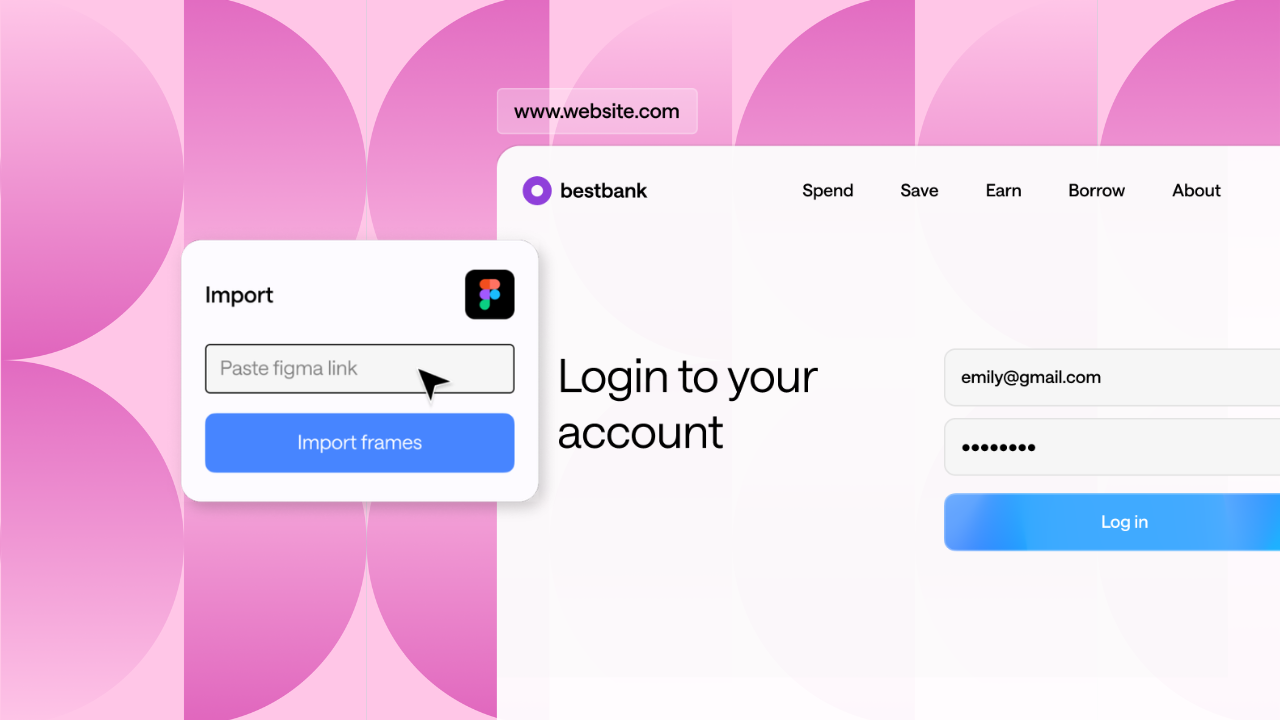
Optimal Demo - Validate Designs At Every Stage
Discover how users naturally organize information and navigate your site, catch frustrating issues early by testing with real people, and then test again post-launch. You'll make design decisions with confidence, fix problems before launch, and create products people genuinely love to use.
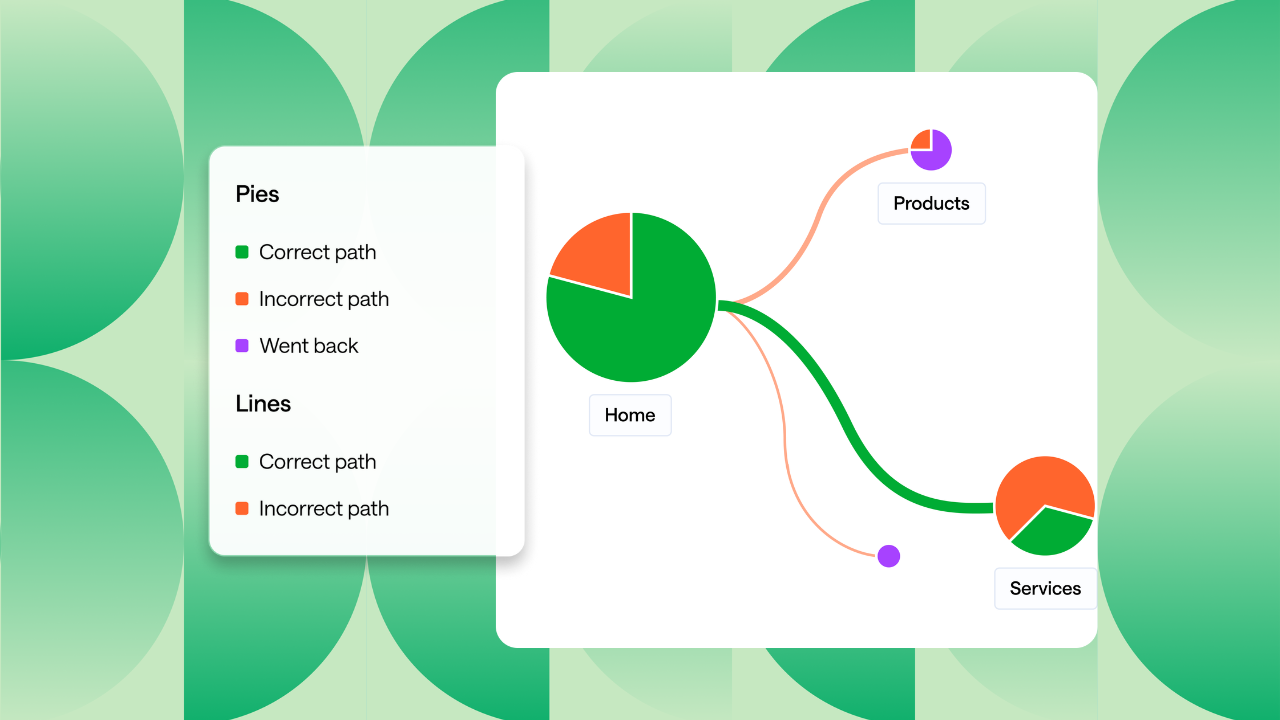
Optimal Demo - Optimize for Maximum Impact
See exactly what drives your business forward. Track success metrics like task completion and user satisfaction, benchmark against competitors, and quantify each improvement's impact. Test rapidly, focus on high-value changes, and build a feedback-driven culture. The result? A product that measur...
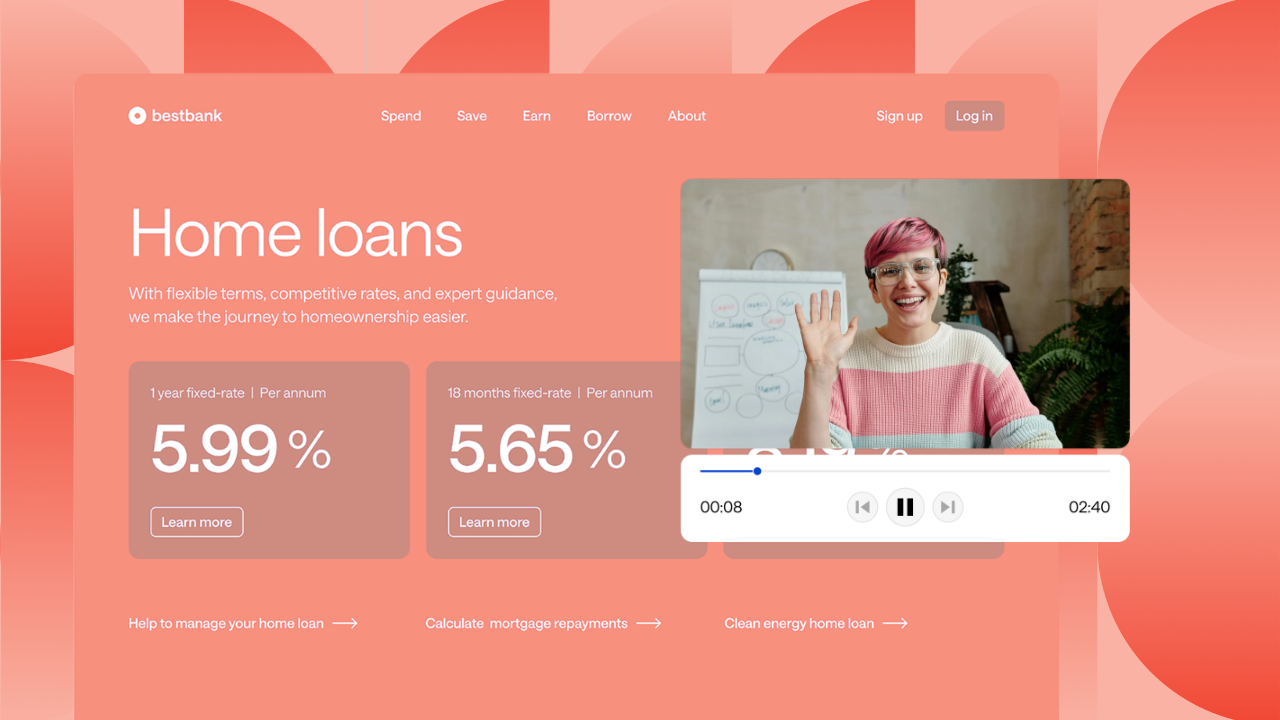
Optimal Demo - Turn User Insights into Business Results
Optimal helps you quickly gather user insights that inform product decisions and drive real business impact.
Optimal Demo - Get to Actionable Insights Faster.
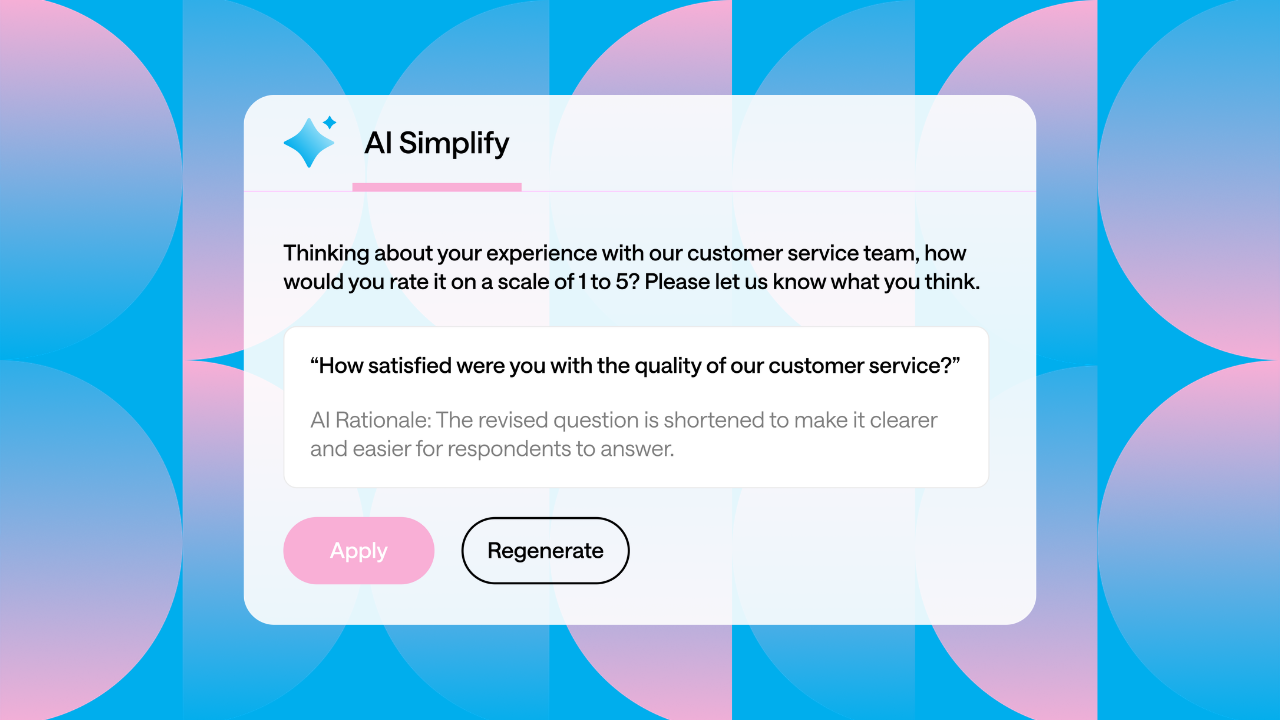
Use our AI-powered tools to cut manual work, uncover hidden patterns and insights in your data, and accelerate your study launches.
Optimal Demo - Build Products Users Love.
Fast, intuitive, and built for teams, Optimal’s user insight platform is trusted
by the world’s biggest brands, including Netflix, Lego, Apple, and Toyota.
Play Optimal Video
Play Optimal Video
Play Optimal Video
Interactive Demo
Try an interactive demo created by the software seller (right here on G2).
Product Avatar Image

Have you used Optimal before?

Answer a few questions to help the Optimal community

Optimal Reviews (54)

Reviews

Optimal Reviews (54)

4.4
54 reviews

Review Summary

Generated using AI from real user reviews
Users consistently praise the ease of use and intuitive interface of Optimal, which allows for quick setup and efficient execution of various research methods. The platform's robust analysis tools and visual outputs enhance the research experience, making it easier to derive insights. However, some users note limitations in participant recruitment and survey logic, which could benefit from further enhancements.

Pros & Cons

Generated from real user reviews
View All Pros and Cons
Search reviews
Filter Reviews
Clear Results
G2 reviews are authentic and verified.
Ines A.
IA
User Researcher
Enterprise (> 1000 emp.)
"Simple to use, and provides a good participant experience"
What do you like best about Optimal?

I often turn to Optimal Workshop when working on usability or information architecture questions, and it is my go-to for simple surveys.

What I like best about it is the ease of use (it is very user-friendly on the side of the researcher) and the fact that it provides a good user experience for my research participants.

Lately I have also been enjoying the quick AI summaries of collected survey data, although only as a "at a glance" way to keep up with the data rolling in and not as a final analysis or deliverable. Review collected by and hosted on G2.com.

What do you dislike about Optimal?

Nothing, really! More methodologies would be a nice to have, but as a solution I quite like it. Review collected by and hosted on G2.com.

OY
Senior UX Researcher
Logistics and Supply Chain
Enterprise (> 1000 emp.)
"Simplified Prototyping & Decision-Making Tool"
What do you like best about Optimal?

I like Optimal for its exceptional prototyping capabilities, which are easy to set up and intuitive to use. The platform simplifies the validation of ideas and building of prototypes, allowing me to efficiently test and receive rapid feedback on proposed designs. The way results are presented is straightforward and easy to understand, with AI-driven insights that provide valuable metrics like time per task and ease-of-use assessments. Additionally, video highlights supplement my analysis, making the comprehensive performance tracking of prototypes extremely helpful. Overall, Optimal enhances my ability to make informed decisions regarding design directions by providing clear understanding of customer wants and needs. Review collected by and hosted on G2.com.

What do you dislike about Optimal?

I find it problematic that sometimes the images for the prototypes come out small on small screens. This issue requires users to zoom in to view details, which can be cumbersome and disrupts the seamless experience. It would be greatly beneficial if they could fix this by ensuring the images retain their intended resolution and size, so users don't have to struggle with viewing them. The change would enhance the usability significantly by allowing users to focus on content rather than image clarity issues. Review collected by and hosted on G2.com.

David G.
DG
Information Architect
Enterprise (> 1000 emp.)
"Industry leading UX tool in particular for information architecture"
What do you like best about Optimal?

Feels like it's designed by designers for designers, really intuitive to use and the analysis tools are super helpful and informative.

Tools like tree testing and card sorting are the OG and still best options out there for research and testing in the IA realm. Qualitative insights tool is a definite time saver for capturing notes and pulling together insights.

The participant recruitment is a useful addition and the platform provides clarity on the cost per participant before you commit to using the service.

On the occasions I've needed to use customer support they've been super responsive and helpful.

I've been a heavy user of tree testing and card sorting over the past year or two and have been through a few cycles of benchmarking and subsequent testing of improvements to a large website IA. This has been really impactful and the analysis tools have helped deliver clear insights to stakeholders.

The platform includes code for an intercept widget so you can capture users from a live site if needed.

Also the 101 guides are brilliant resources to guide you through setting up studies. Review collected by and hosted on G2.com.

What do you dislike about Optimal?

Not really a dislike but it's a shame that the qualitative insights tool doesn't allow you to upload video and auto generate transcripts, then capture insights based on this, similarly to Dovetail. I understand that the tool is intended to be used while conducting qual interviews /usability tests but I would rather take notes on paper and then come back to do a more detailed annotation after the fact.

Also the marketing website has perhaps oversimplified things and doesn't provide much clarity on exactly what you can do with the tools. For example the prototype testing feature is for remote testing sessions only which isn't super clear on the website. Also the detail of things like the card sort and tree testing features aren't communicated very well on the site apart from in the 101 guides, so potential customers who are practitioners need to dig quite deep to get more details on the capabilities (or start a trial) , which may be the business goal I guess. Review collected by and hosted on G2.com.

"Streamlines Survey Creation, Needs Enhanced Testing Features"
What do you like best about Optimal?

I appreciate Optimal's simplicity in creating surveys with ready-made templates that expedite my workflow without much setup needed for introductions or screenings. The ease of use is outstanding, and the user experience design of the forms is simple and unintimidating, encouraging more participants to complete surveys. It's also beneficial how Optimal permits screening out participants who don't align with our study targets, enhancing the relevance of our data collection. Furthermore, I like how Optimal integrates with Figma for prototype testing and plan to integrate it with Usersnap, showcasing its compatibility with other tools we use. Additionally, Optimal was easy to set up initially, posing minimal issues aside from a minor intercept code snippet problem. Review collected by and hosted on G2.com.

What do you dislike about Optimal?

I find the unmoderated testing feature in Optimal not very smooth. A significant drawback is the lack of a recording of participant interactions during unmoderated tests. While I can see if participants reach the right completion screen based on their clicks, it leaves much to be desired in terms of insight. Detailed interaction data, such as cursor movement and failed clicks, would be much more informative. Additionally, during the initial setup, we encountered some problems with the intercept code snippet, which posed challenges. Review collected by and hosted on G2.com.

Verified User in Research
UR
Small-Business (50 or fewer emp.)
"My So-Far Experience with Optimal"
What do you like best about Optimal?

1. Diverse Tools for Different Research Methods

Optimal supports a variety of UX research needs: card sorting, tree testing, prototype testing, surveys, and qualitative interviews. This range means I can use one platform for much of my workflow rather than stitching together multiple tools.

2. Ease of Setup and Frequency of Use

For most studies, it’s relatively straightforward to get started. Building tasks, uploading prototypes, configuring surveys, or setting up interview note-taking has a decent learning curve, but once familiar, I can move quickly.

3. Analysis Features & Visualisation

The reporting / results dashboards are helpful. Visualisations of how users move through tree tests, what categories they use in sorts, tagging / coding qualitative notes — these help in making patterns visible and communicating findings to stakeholders.

4. Remote & Unmoderated Research Capability

The ability to run unmoderated tests, reach participants remotely, and let them do tasks at their own pace has been very useful. For prototype testing and early feedback, this is efficient and avoids log-jams.

5. Customer Support Resources / Best Practices

There are good help documents, examples, and guides. When in doubt, documentation or articles on best practices (e.g. how to structure a tree test, how to analyse card sort) have been genuinely helpful. Review collected by and hosted on G2.com.

What do you dislike about Optimal?

1. Participant Quality and Recruitment Issues

One recurring issue is that some recruited participants deliver low-quality or superficial responses (for example rushing through tasks, not engaging deeply). If you use Optimal’s participant panel, filtering is possible but still takes effort to manually inspect and discard noise.

2. Survey / Questionnaire Limitations

When I need more advanced logic (branching, conditional questions), or want to customize appearance deeply, the survey features feel somewhat limited. In some cases, once a survey is launched, editing items / rearranging questions isn’t very flexible.

3. Feature Depth vs. Expectation

Because Optimal does many things, some features feel less mature or powerful compared to specialised tools. Prototype testing sometimes lacks some expected capabilities (e.g. richer interaction or session recordings) relative to dedicated usability-testing tools.

4. Cost & Pricing Structure

Depending on how many studies are run, how many participants are recruited, etc., the cost can become significant. If you don’t use all features regularly, you may feel you're paying for more than you need. Also, plans sometimes require commitment or have limited flexibility.

5. Data Access / Subscription Constraints

There are reports / experiences (outside my own or similar to what I’ve seen) that once certain subscription periods lapse, access to past studies or ability to analyse them further is restricted. This can be a concern for longitudinal tracking or revisiting past work.

6. Performance Issues at Larger Scale

With large participant numbers, big datasets, or complex studies, things can slow down. Load times, responsiveness in dashboards, exporting large data sets, etc., may lag, thus affecting the frequency of use.

7. Steep Learning for Some Analysis / Tagging

Especially for qualitative parts (note-taking, tagging themes), there’s a nontrivial overhead in defining tags, keeping consistency, cleaning up duplicates, etc. If your team hasn’t done much qualitative synthesis before, it takes time to establish a process that works well with the tool. Review collected by and hosted on G2.com.


Verified User in Marketing and Advertising
UM
Mid-Market (51-1000 emp.)
"Intuitive and user-friendly platform to use that makes user testing very easy to do."
What do you like best about Optimal?

As someone who uses Optimal rather frequently for work, it is a very easy platform to get the hang of. It is super intuitive to build out surveys and I like the updated layout for survey building. I have also appreciated the AI insights tool pulling out the key takeaways, as it has been a huge timesaver and has made it really easy for me to skim through and start to see themes based on what participants have said. Tree testing, card sorting, and first click testing are all also very easy to use and have been incredibly helpful in validating assumptions about user behaviors for interacting with our clients' websites. I love Optimal and highly recommend it for others who are doing user testing. Review collected by and hosted on G2.com.

What do you dislike about Optimal?

I wish there was a way to setup more specific settings for individual questions (example - for ranking questions, making it so that users can only rank their top 3 or for multi-select checkboxes only allowing them to select x number). I don't believe these capabilities currently exist in Optimal and think it could make the platform and survey testing that much better. Review collected by and hosted on G2.com.
Linda X.
LX
UX Design
Mid-Market (51-1000 emp.)
"Intuitive survey and research platform for UX teams"
What do you like best about Optimal?

Optimal Workshop makes it simple to set up and run surveys for user research. The interface feels designed for researchers — it’s straightforward to create studies, recruit participants, and quickly analyze responses. I especially like how the analysis tools turn raw survey data into clear, visual insights that can be shared directly with stakeholders. Review collected by and hosted on G2.com.
What do you dislike about Optimal?

The qualitative insights tool could be stronger. It doesn’t allow for uploading videos or transcripts the way other research repositories do, which limits how I consolidate findings across different research types. Also, the marketing site sometimes oversimplifies — for example, it isn’t always clear what’s possible within each tool unless you dig into the help guides or start a trial. Review collected by and hosted on G2.com.
JG
CRO Specialist
Small-Business (50 or fewer emp.)
"A good tool for understanding how users organize our products in their minds"
What do you like best about Optimal?

That I can set up pre and post questionaries to recollect feedback, comments and any other meaningful data that support and contextualize tree testing and card sorting results. Review collected by and hosted on G2.com.
What do you dislike about Optimal?

I cannot set up card sorting studies with subcategories. It could be very useful to include subcategories! Especially for menu redesigns. Review collected by and hosted on G2.com.
Zonja S.
ZS
Senior CRO specialist
Mid-Market (51-1000 emp.)
"All human experience and real user insights"
What do you like best about Optimal?

I work with a digital agency called All human, where a big part of my role is running user research and conversion optimisation projects for a range of clients. Over the years, I’ve used a lot of different research tools, and Optimal Workshop has become one of my go-tos when it comes to understanding how people navigate, make decisions, and interact with content.

What I Like Best

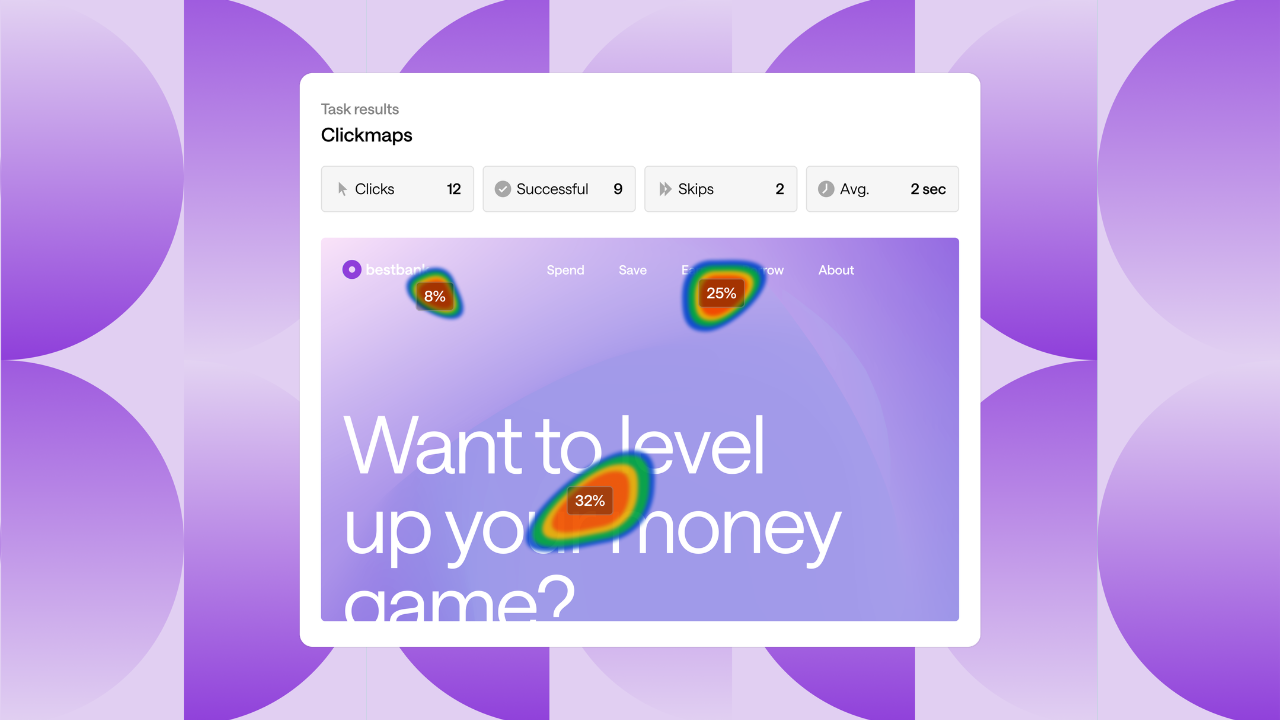
Tree testing & card sorting: These are by far the strongest tools on the platform. They’ve helped me validate and restructure site navigation for clients where information architecture was causing drop-offs. The visual outputs (like dendrograms and heatmaps) are incredibly useful when sharing insights back to stakeholders who don’t want to wade through raw data.

Ease of use: It’s intuitive, both to set up studies and for participants to complete them. That means I can get projects into the field quickly without needing endless training or workarounds.

Great for CRO projects: As someone focused on measurable uplifts, I like that Optimal Workshop’s tools bridge the gap between qualitative insight and quantitative validation. It gives me evidence I can tie back to experiment hypotheses and recommendations.

Collaboration: Having unlimited seats is a big plus. It means I can easily involve designers, content specialists, and other colleagues without worrying about license restrictions.

Support & learning resources: The guides and tips are genuinely helpful, and their team is responsive when questions come up. Review collected by and hosted on G2.com.
What do you dislike about Optimal?

What I Like Least

Pricing: It’s on the higher side. For us, it’s worth it because we use multiple tools across projects, but I can see smaller teams or clients struggling to justify the cost if they only need one or two features.

Survey functionality: While decent, it’s not as advanced as dedicated survey platforms. Branching logic and quotas can feel limited, so for more complex surveys I tend to use other tools.

Qualitative tool (Reframer): It’s handy for tagging notes and running affinity mapping, but it would be even better if it supported video/audio uploads with transcription built in. That’s one area where I sometimes still have to stitch together multiple tools.

Recruitment flexibility: The participant panel is broad, but I’d like more control over quotas and targeting in certain cases. Review collected by and hosted on G2.com.

Meghan U.
MU
Senior User Reseracher
Enterprise (> 1000 emp.)
"Reframer is my favorite!"
What do you like best about Optimal?

I really love all of OW tools. I use Reframer the most for all of our user interviews. I love that they keep adding new analysis tools for their tree testing and card sort platforms. For simple surveys their survey tool is great. Another wonderful thing about OW is the information avaialble. So many great resources, best practices and tips for their tools and how to best leverage them. Review collected by and hosted on G2.com.

What do you dislike about Optimal?

I metinoned using Reframer the most. The biggest frsutration I have is not beign able to export my themes and obseravtions to Miro. Sometimes performance is an issue when my studies get larger. Review collected by and hosted on G2.com.

Pricing Options

Pricing provided by Optimal.

Starter

$199.00
Per Month

Enterprise

Contact Us
Per Year
Optimal Comparisons
Product Avatar Image
Maze
Compare Now
Product Avatar Image
UserTesting
Compare Now
Product Avatar Image
Lyssna
Compare Now
Optimal Features
Survey
Video Snippets
Video Interview
In-App
In-Store
On-Site
Analytics
Collaboration
Sorting
AI Text Summarization
Product Avatar Image
Optimal