Compare this with other toolsSave it to your board and evaluate your options side by side.
Save to board

OnTheClock Employee Time Clock Reviews & Product Details

Pricing

Pricing provided by OnTheClock Employee Time Clock.

Time Tracking, Scheduling, and PTO Management

Starting at $4.00
Per Month

OnTheClock Employee Time Clock Media

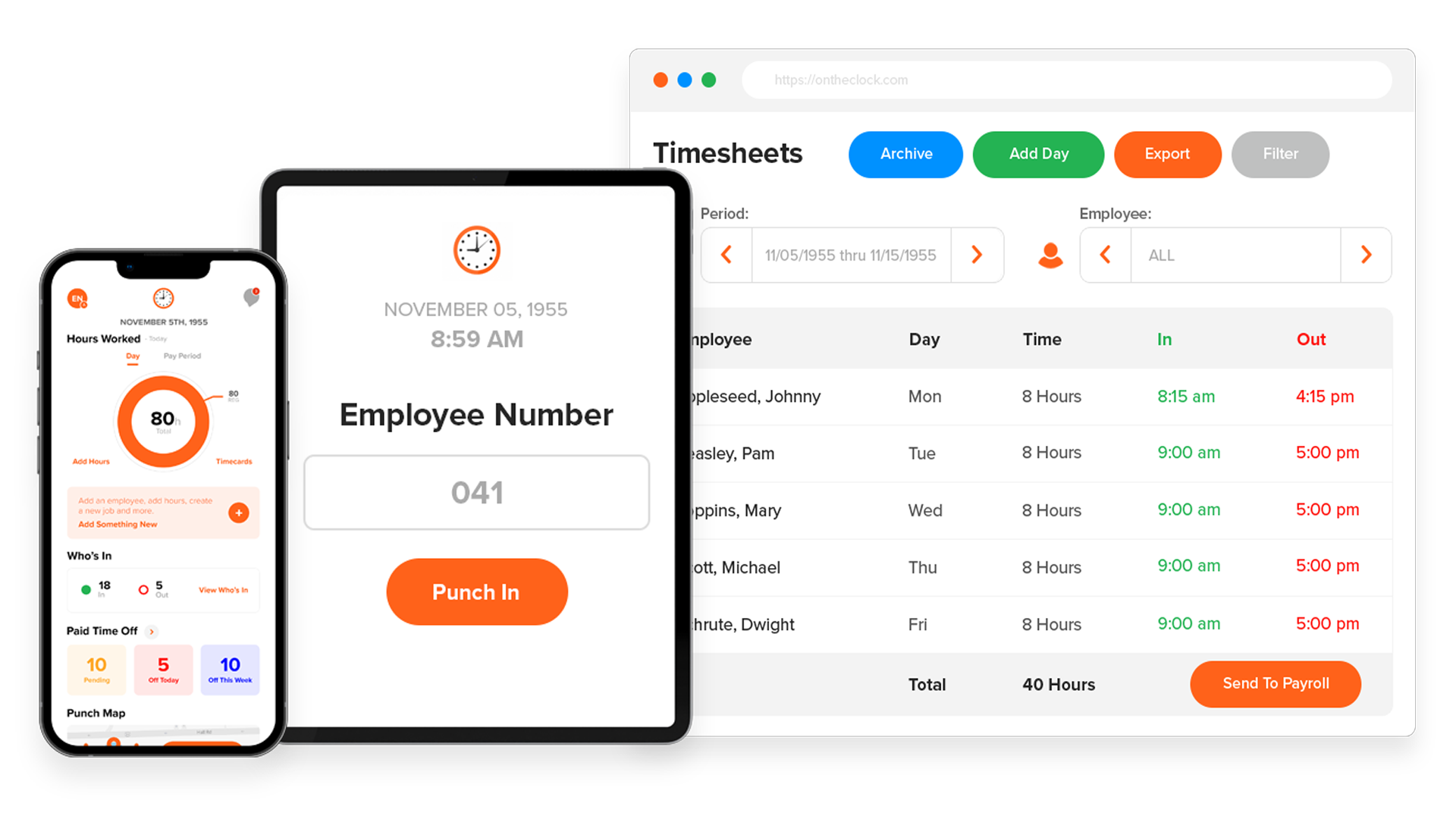
OnTheClock Employee Time Clock Demo - Multi Device Access
Access your time clock account from multiple devices with an internet, WiFi or mobile data connection.
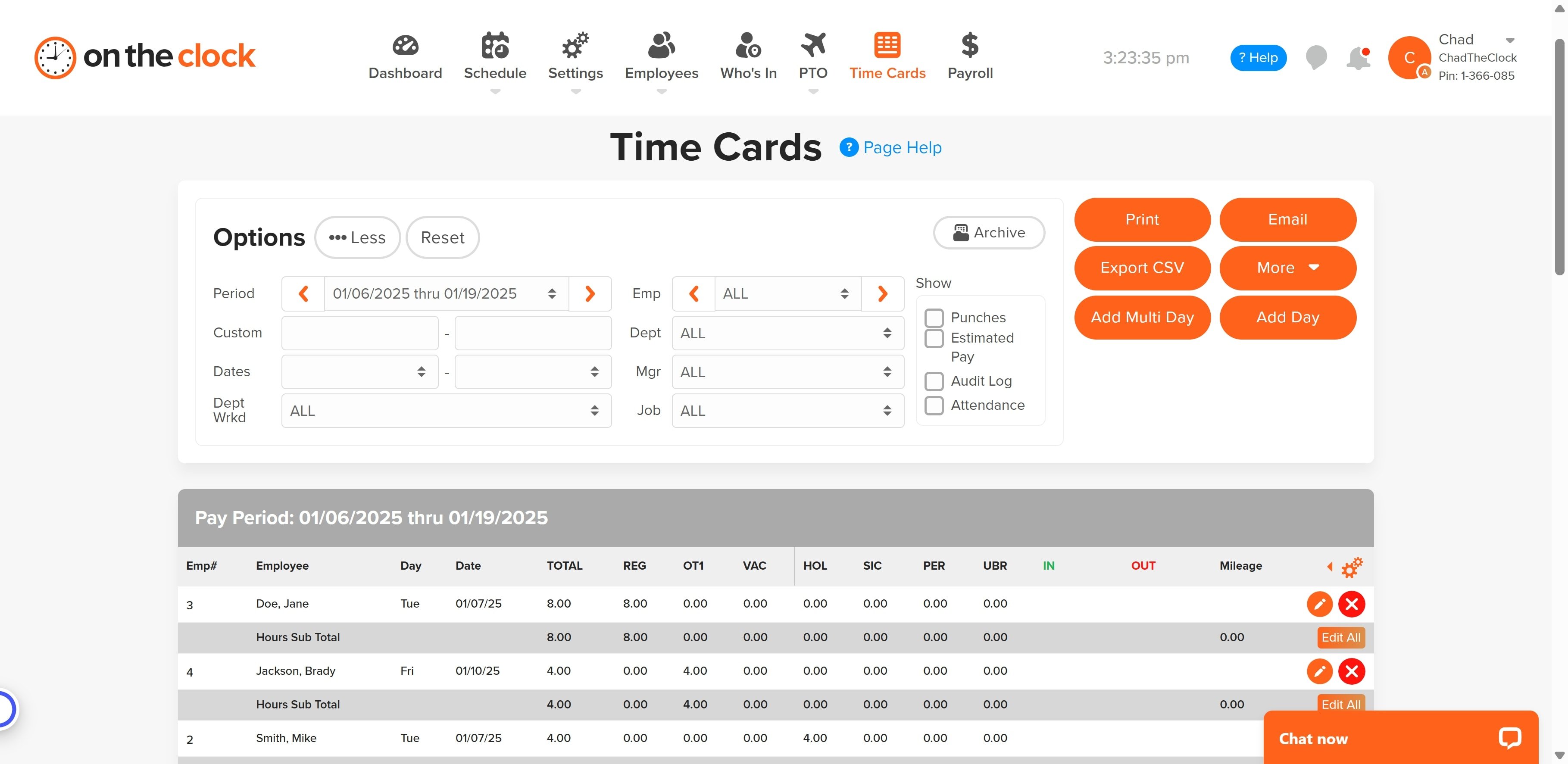
OnTheClock Employee Time Clock Demo - View Time Cards
Conveniently view employees' time cards for regular hours worked, overtime, PTO and more.
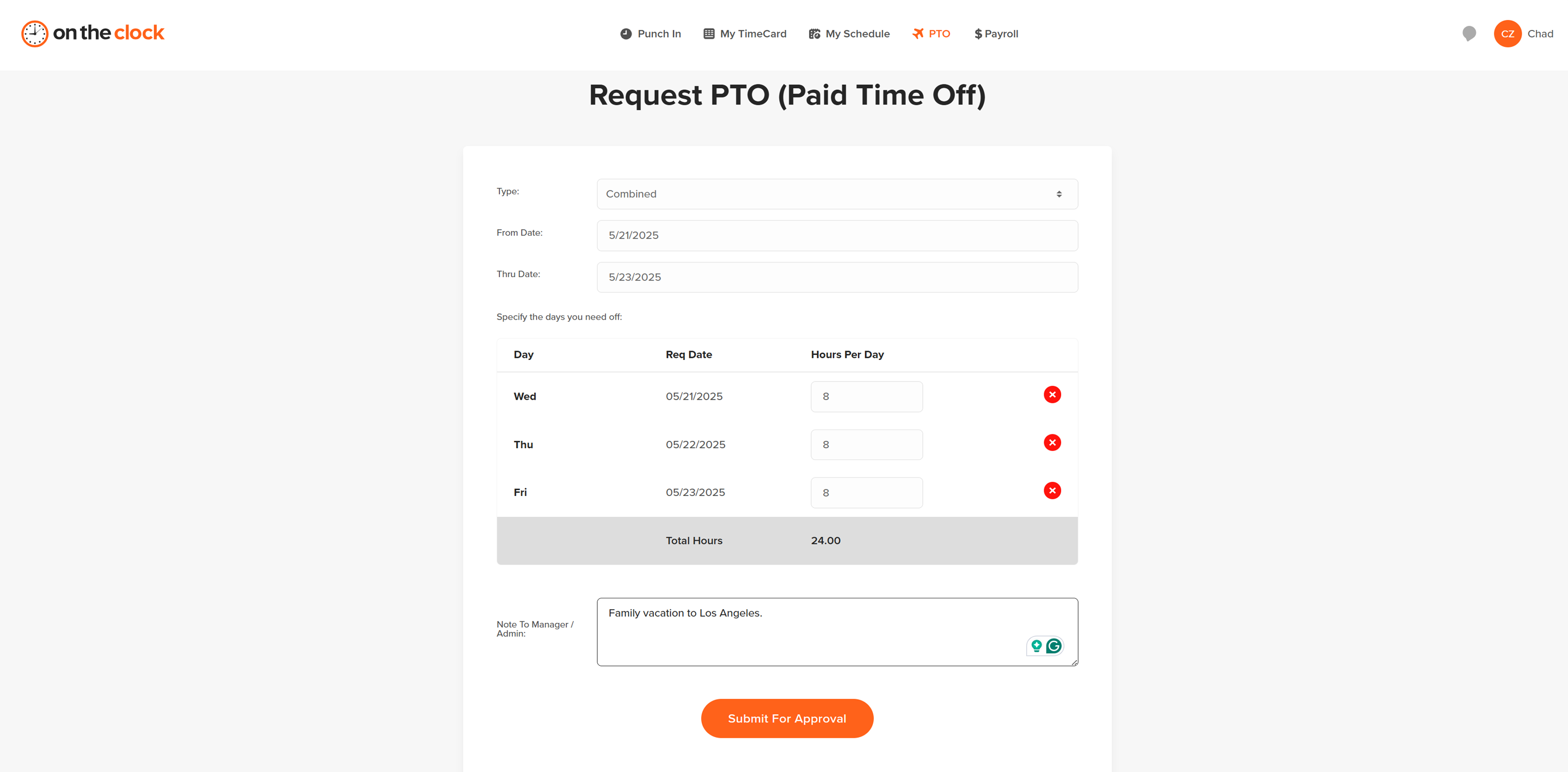
OnTheClock Employee Time Clock Demo - Request, Approve, and Track PTO
Employees can request PTO directly in the system. Managers can approve and track. Accruals happen automatically based on employee settings.
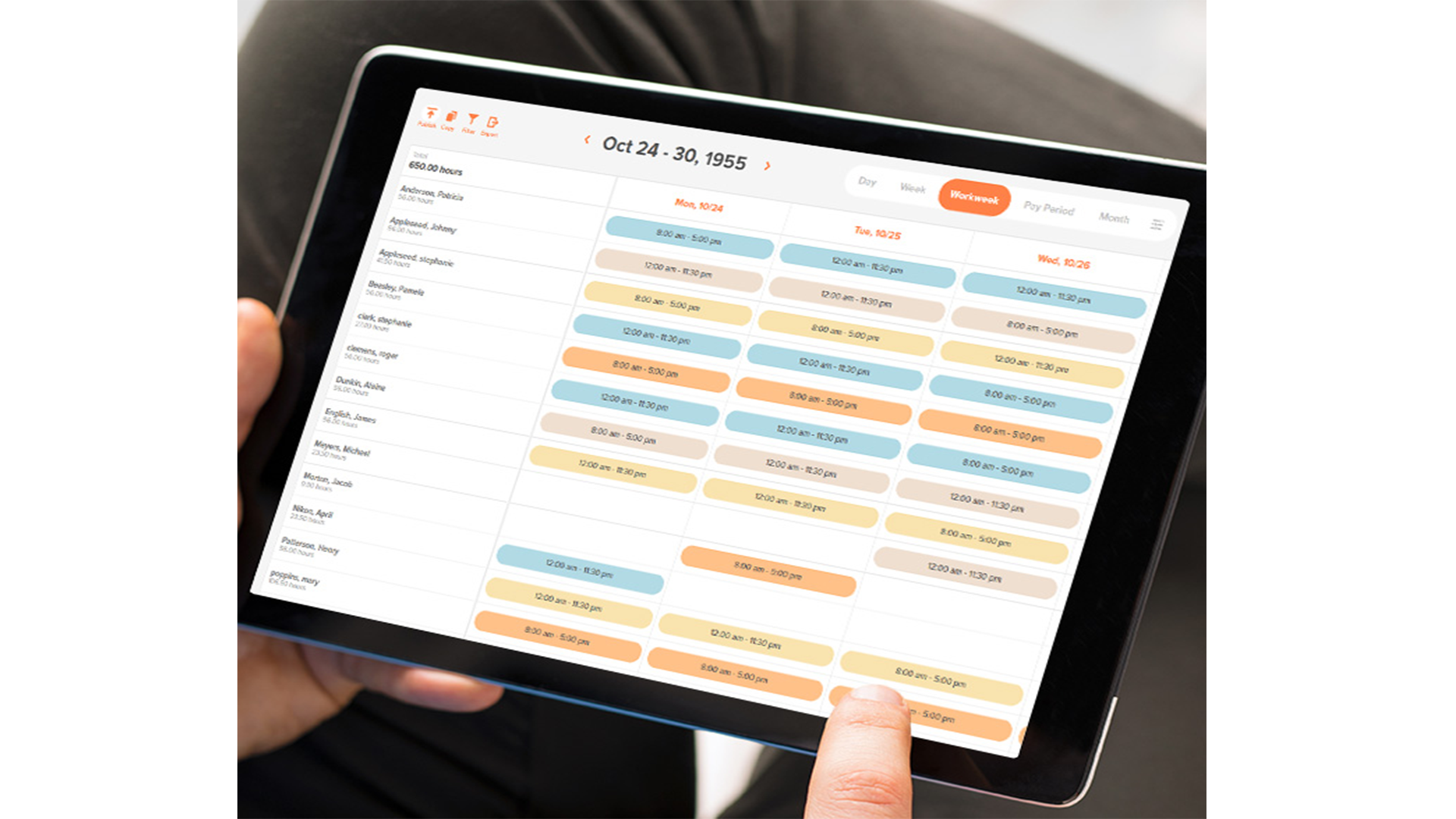
OnTheClock Employee Time Clock Demo - Employee Scheduling
Always know who is supposed to work and when with our easy-to-use employee scheduling feature.
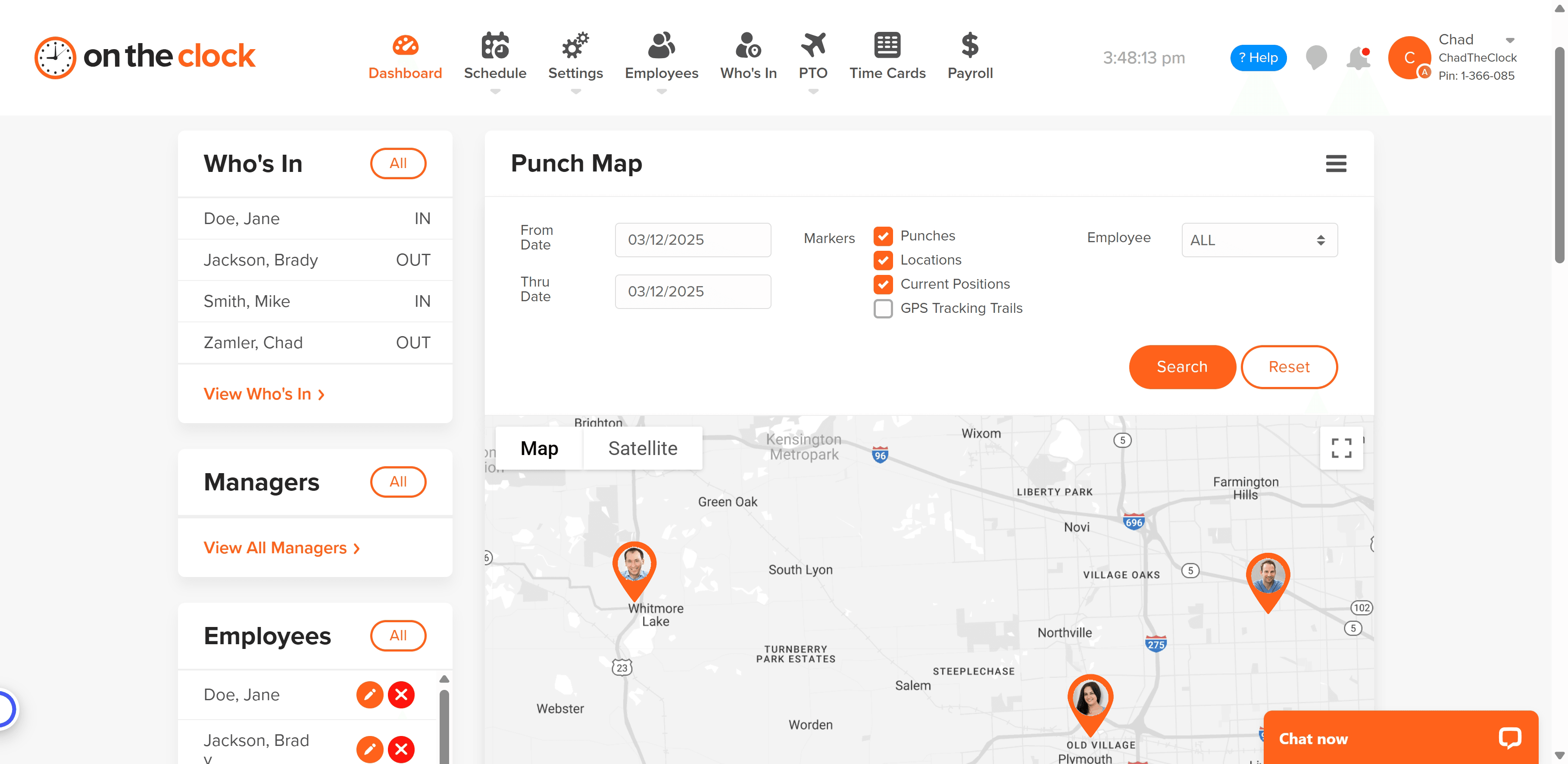
OnTheClock Employee Time Clock Demo - GPS
Gain an understanding on where your employees are punching in and out.
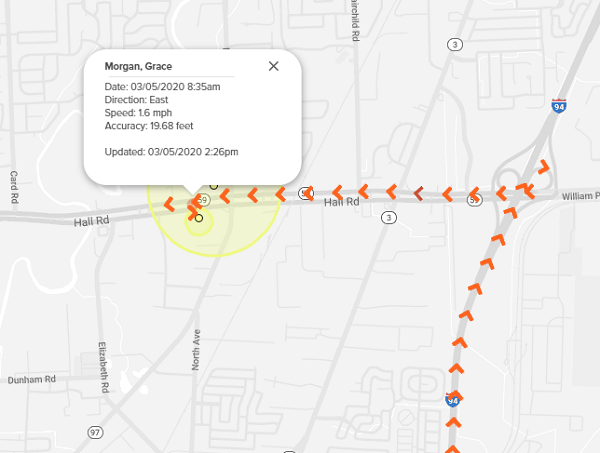
OnTheClock Employee Time Clock Demo - Live GPS Tracking
Understand the route an employee on the road has taken to help improve time and expenses.
📽️ In this video, we explore several benefits of OnTheClock. You will see how the system works, and how easily you can save time and money with OnTheClock.
Play OnTheClock Employee Time Clock Video
📽️ In this video, we explore several benefits of OnTheClock. You will see how the system works, and how easily you can save time and money with OnTheClock.
📢 Don’t spend so much time tracking time that you lose track of time. Who’s ready to take control of their time?
Play OnTheClock Employee Time Clock Video
📢 Don’t spend so much time tracking time that you lose track of time. Who’s ready to take control of their time?
Play OnTheClock Employee Time Clock Video
Interactive Demo
Try an interactive demo created by the software seller (right here on G2).
Product Avatar Image

Have you used OnTheClock Employee Time Clock before?

Answer a few questions to help the OnTheClock Employee Time Clock community

OnTheClock Employee Time Clock Reviews (185)

View 1 Video Reviews
Reviews

OnTheClock Employee Time Clock Reviews (185)

View 1 Video Reviews
4.5
185 reviews

Review Summary

Generated using AI from real user reviews
Users consistently praise the software for its ease of use and convenient mobile access, allowing employees to clock in and out effortlessly from their phones. The intuitive interface and straightforward design enhance the overall experience, making time tracking simple and efficient. However, some users note occasional lagging issues when punching in or out.

Pros & Cons

Generated from real user reviews
View All Pros and Cons
Search reviews
Filter Reviews
Clear Results
G2 reviews are authentic and verified.
Alan M.
AM
Insurance broker
Mid-Market (51-1000 emp.)
"Simple, Intuitive Interface"
What do you like best about OnTheClock Employee Time Clock?

I like how simple the interface is and how convenient it is to clock in rather than walking inside to work in the morning and standing in line waiting to punch in. Review collected by and hosted on G2.com.

What do you dislike about OnTheClock Employee Time Clock?

I used to have adb and if we forget to clock out it would just leave a blank on the out time for that day so it would allow us to clock in the next morning if we forgot to clock out the night before. It just helps because then I don’t have to wait on the person to fix my out time and then have to put in my in time for the following day. Other than that no complains. Review collected by and hosted on G2.com.

DS
HR Manager
Mid-Market (51-1000 emp.)
"Mobile Punch and GPS Tracking Make Workforce Management a Breeze"
What do you like best about OnTheClock Employee Time Clock?

This software offers mobile punch capabilities and GPS tracking, which are both very useful. The texting notification feature lets you know exactly when someone clocks in or out. I’ve also found that the Customer Support chat responds almost instantly, which is very convenient. Review collected by and hosted on G2.com.

What do you dislike about OnTheClock Employee Time Clock?

I would appreciate it if restricting a device were more straightforward, especially when an employee should only have access to specific devices. Currently, I need the employee to log into the device before I can limit their access to just that device. It would be helpful if there were an option to authorize a list of devices in advance, particularly for our kiosk devices. Review collected by and hosted on G2.com.

"Effortlessly Tracks Time, Top Choice for Remote Work"
What do you like best about OnTheClock Employee Time Clock?

I like OnTheClock Employee Time Clock because it's so easy to work with. I used to have another platform, but it wasn't as easy as this one. This is quite perfect, and I've never had problems with it. The initial setup was pretty easy, I didn't have to read any instructions or ask questions. I just followed my instincts, and it's so easy to work with. I also value that I can ask for anything on the platform, like adjusting my hours if I forget to clock in or requesting time off for vacation or doctor visits. It's very specific and targeted to what I need. Review collected by and hosted on G2.com.

What do you dislike about OnTheClock Employee Time Clock?

I work remotely and would like a phone app to clock in from my phone. I think it doesn't allow clocking in from the phone if the employer permits it. Review collected by and hosted on G2.com.

Verified User in Hospital & Health Care
UH
Small-Business (50 or fewer emp.)
"Helpful Scheduling and Team Visibility, but Clock-In Can Be Slow and Internet-Dependent"
What do you like best about OnTheClock Employee Time Clock?

Being able to see who all was working the same day as you instead of interrupting your task. Also, seeing your schedule on the app. Review collected by and hosted on G2.com.

What do you dislike about OnTheClock Employee Time Clock?

It takes time to clock in. So if running late to work, instead of just going to the physical time clock to punch in, on this system we have to log on to the computer wait till that starts then clock in through the website. Also, if the internet is down and our company won't let us clock in on the app then we can't clock in. Review collected by and hosted on G2.com.

Verified User in Mining & Metals
UM
Small-Business (50 or fewer emp.)
"User-Friendly Interface and Handy Mobile App Make Work Easy"
What do you like best about OnTheClock Employee Time Clock?

What I like best is that the site is easy to use, and has a very user friendly interface with the employee. I have only been an employee at this company for a couple of months, and I feel like it did not take more than 5 minutes to feel like I knew how to use the site and do what I needed to do. Also the availability of the app to use on the phone is a nice plus! Review collected by and hosted on G2.com.

What do you dislike about OnTheClock Employee Time Clock?

The only downside I have seen so far (and it is not a big thing at all), is that it rounds to 6 minute intervals. It does feel like sometimes you lose a few minutes here and there, if the rounding goes a certain way. As I said, though, it really isn't a big downside, because I'm sure it rounds "up" a lot of times too. So it all works out. Overall, I feel like it is a great tool. Review collected by and hosted on G2.com.

Verified User in Real Estate
UR
Small-Business (50 or fewer emp.)
"Convenient Mobile Time Clock with Easy Notes and Adjustments"
What do you like best about OnTheClock Employee Time Clock?

I enjoy that the time clock is an App that I am able to use on my phone and be able to clock in immediately and not wait for my computer to boot. I am also able to put notes in if I forgot to clock in/out on time and ask for adjustment right then and there. Convenience! Review collected by and hosted on G2.com.

What do you dislike about OnTheClock Employee Time Clock?

Sometimes it does not load correctly and have to back out and reload, and not capturing the punch here and there . But it works great most of the time. Review collected by and hosted on G2.com.

Eric A.
EA
Director of Operations & Finance
Small-Business (50 or fewer emp.)
"Easy Time Tracking with Automatic Totals and Powerful PTO Features"
What do you like best about OnTheClock Employee Time Clock?

The fact that the system automatically totals all the time for each pay period. Very easy to use and has many features that we take advantage of, like timecard approval, PTO, etc. Review collected by and hosted on G2.com.

What do you dislike about OnTheClock Employee Time Clock?

There are not many downsides, but I don't like that I don't get notification if someone is requesting PTO and that I manually have to log in to see if there have been any requests. Review collected by and hosted on G2.com.

Oswaldo L.
OL
Data Entry
Small-Business (50 or fewer emp.)
"Simple and Intuitive Interface That Makes Clocking In Easy"
What do you like best about OnTheClock Employee Time Clock?

Simple intuitive interface for clocking in and out. Review collected by and hosted on G2.com.

What do you dislike about OnTheClock Employee Time Clock?

Sometimes it doesn't feel entirely clear if I've logged in. Also, I'm required to update a picture when clocking in, but the system allows me to clock in without the picture. I understand that some users won't have access to a webcam, but it makes this sometimes confusing at the beginning.

Also, when reviewing past clock ins, it can be hard to know where the timeline with the current week selector list. Review collected by and hosted on G2.com.

LG
sr collector
Small-Business (50 or fewer emp.)
"Effortless Time Tracking for Accurate Work Hours"
What do you like best about OnTheClock Employee Time Clock?

I appreciate how the time tracking works. When you clock out, you can immediately see how long you've worked. I use it 4 times a day Monday through Friday and Its user friendly. Review collected by and hosted on G2.com.

What do you dislike about OnTheClock Employee Time Clock?

I can't edit my time or make any corrections myself, so I have to wait for my boss to fix it. I need to be able to track the time Ive worked, Review collected by and hosted on G2.com.

Matt M.
MM
Line striper
Mid-Market (51-1000 emp.)
"Streamlined Time Tracking and Easy Remote Access"
What do you like best about OnTheClock Employee Time Clock?

More streamlined than the old system we had. Being able to clock in and out from anywhere the gps is set to makes it much easier. Do not have to physically go to the shop every day to punch in when we can access it thru the app. Review collected by and hosted on G2.com.

What do you dislike about OnTheClock Employee Time Clock?

Honestly, there is nothing I dislike so far. We are still new users, but our experience has been great up to this point. Review collected by and hosted on G2.com.

Questions about OnTheClock Employee Time Clock? Ask real users or explore answers from the community

Get practical answers, real workflows, and honest pros and cons from the G2 community or share your insights.

Verified User
G2
Verified User

Does dentrix have a time clock?

Verified User
G2
Verified User

What is OnTheClock com?

Pricing Options

Pricing provided by OnTheClock Employee Time Clock.

Time Tracking, Scheduling, and PTO Management

Starting at $4.00
Per Month

Pay Your Employees with OnTheClock (Time Tracking Plan Required)

Starting at $6.00
Per Month

100+ Employees

Contact Us
OnTheClock Employee Time Clock Comparisons
Product Avatar Image
TriNet
Compare Now
OnTheClock Employee Time Clock Features
Ease of Completing Timesheets
Tracking Time to Project/Task
Billable Time Rate Management
Invoice Creation and Delivery
Electronic Payments
Project Accounting / Revenue Recognition
Time Tracking
Business Tool Integration
Workflow
Automated Reminders
Product Avatar Image
OnTheClock Employee Time Clock