


Compare this with other toolsSave it to your board and evaluate your options side by side.
Save to board

Karbon Reviews & Product Details

Pricing

Pricing provided by Karbon.

Team

$59.00
1 Users Per Month

Karbon Media

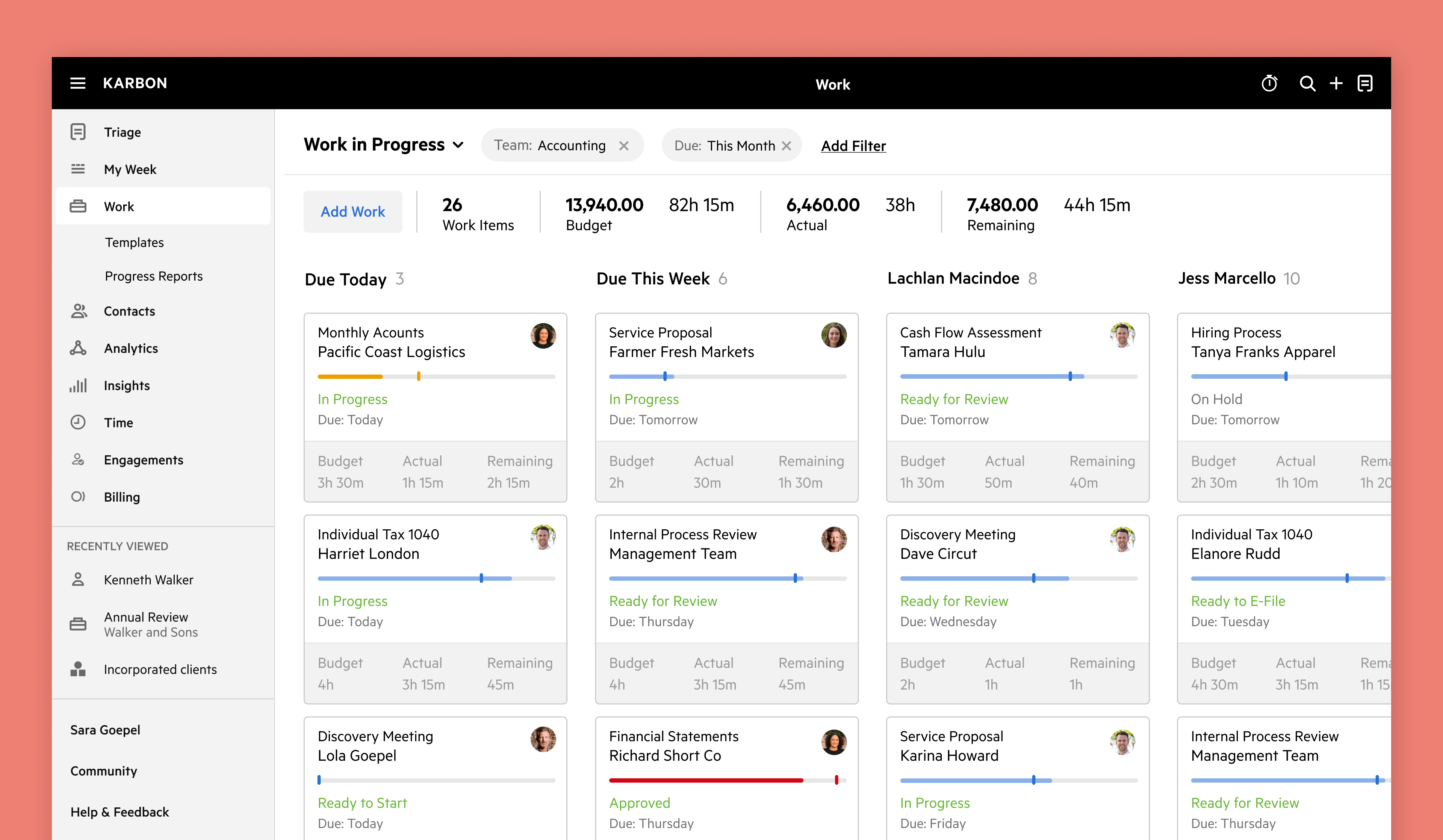
Karbon Demo - Workflow kanban board
Workflow kanban board
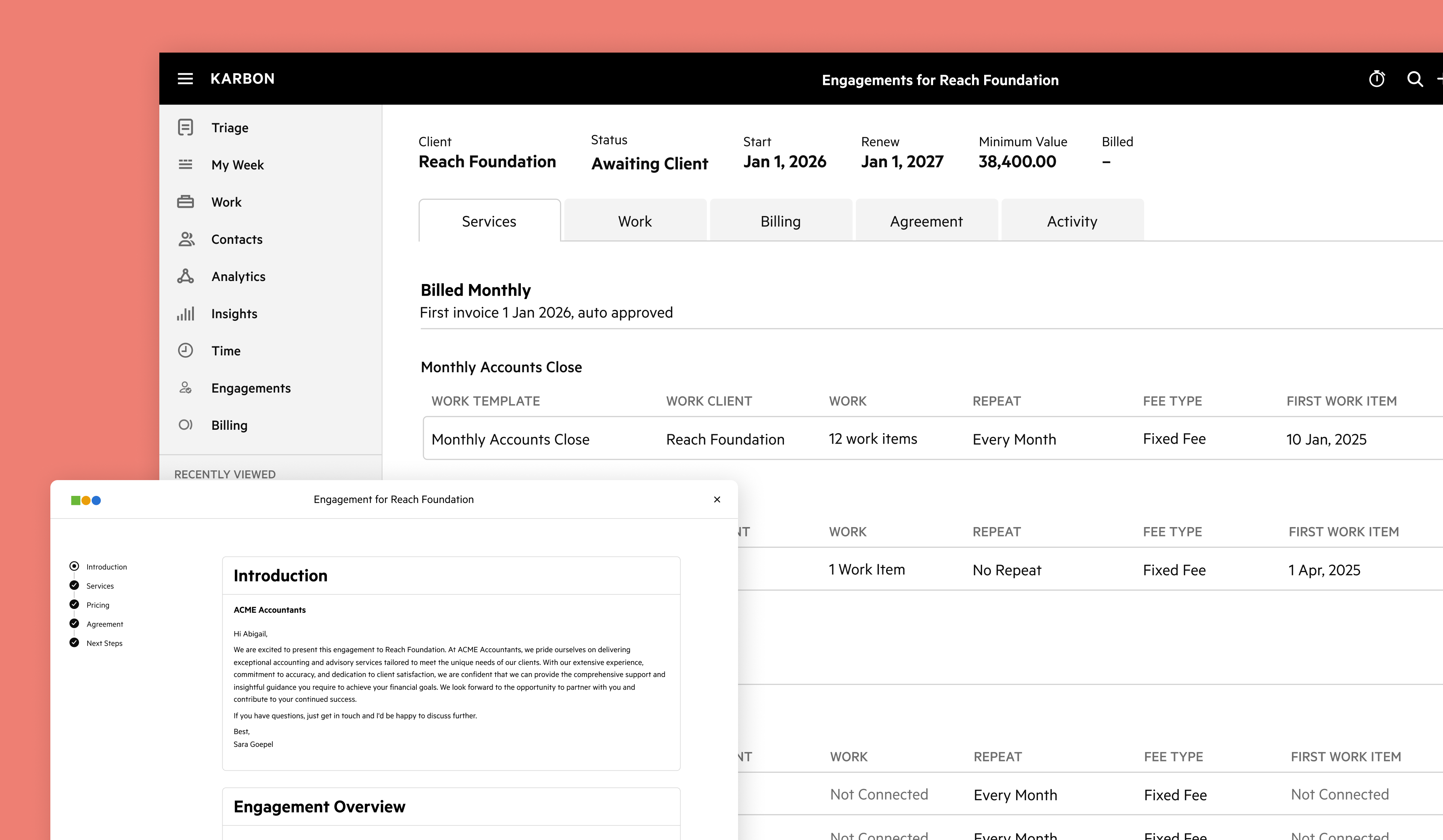
Karbon Demo - Karbon Engagements
Karbon Engagements
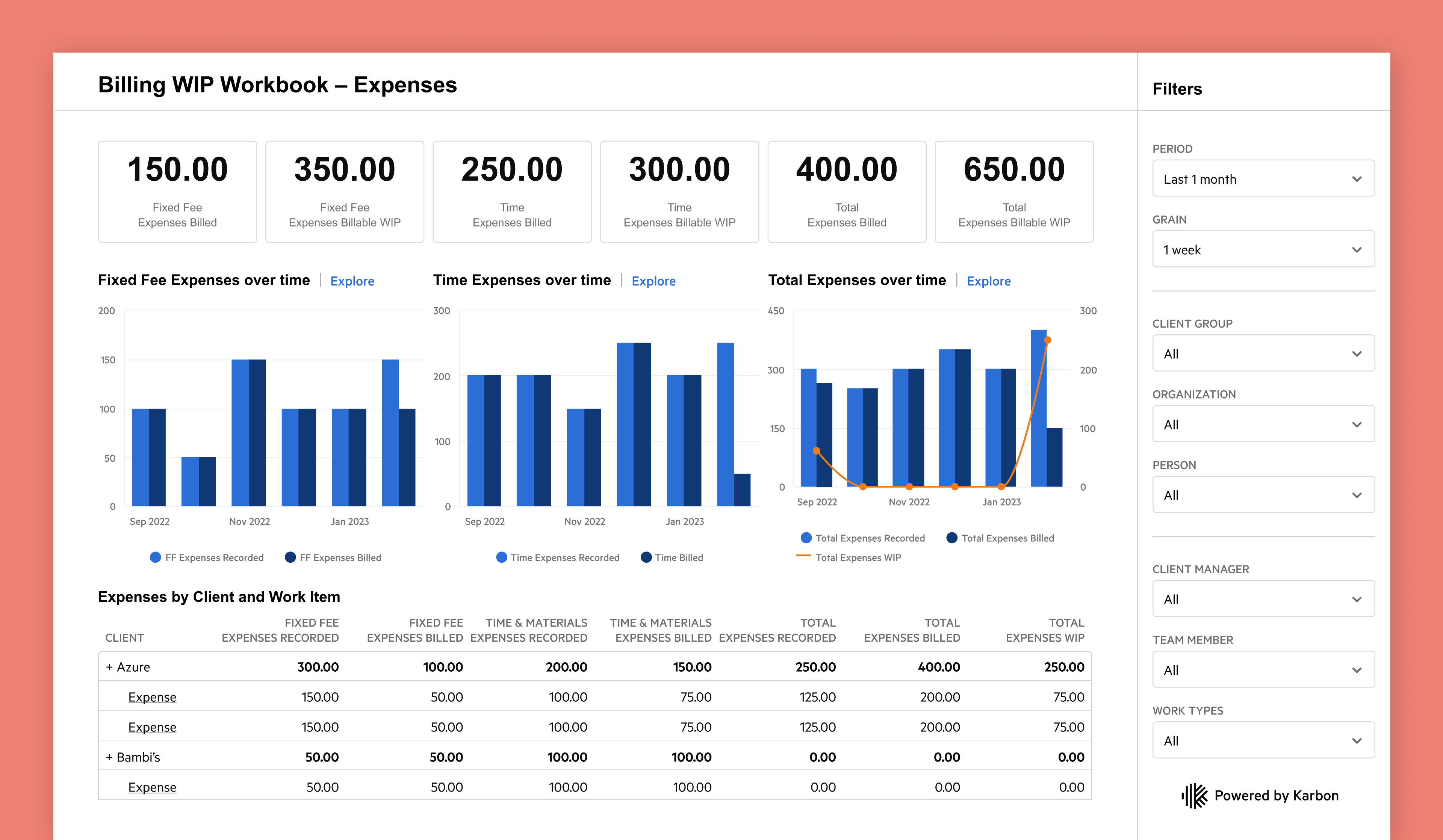
Karbon Demo - Karbon Billing WIP dashboard in Karbon Analytics
Karbon Billing WIP dashboard in Karbon Analytics
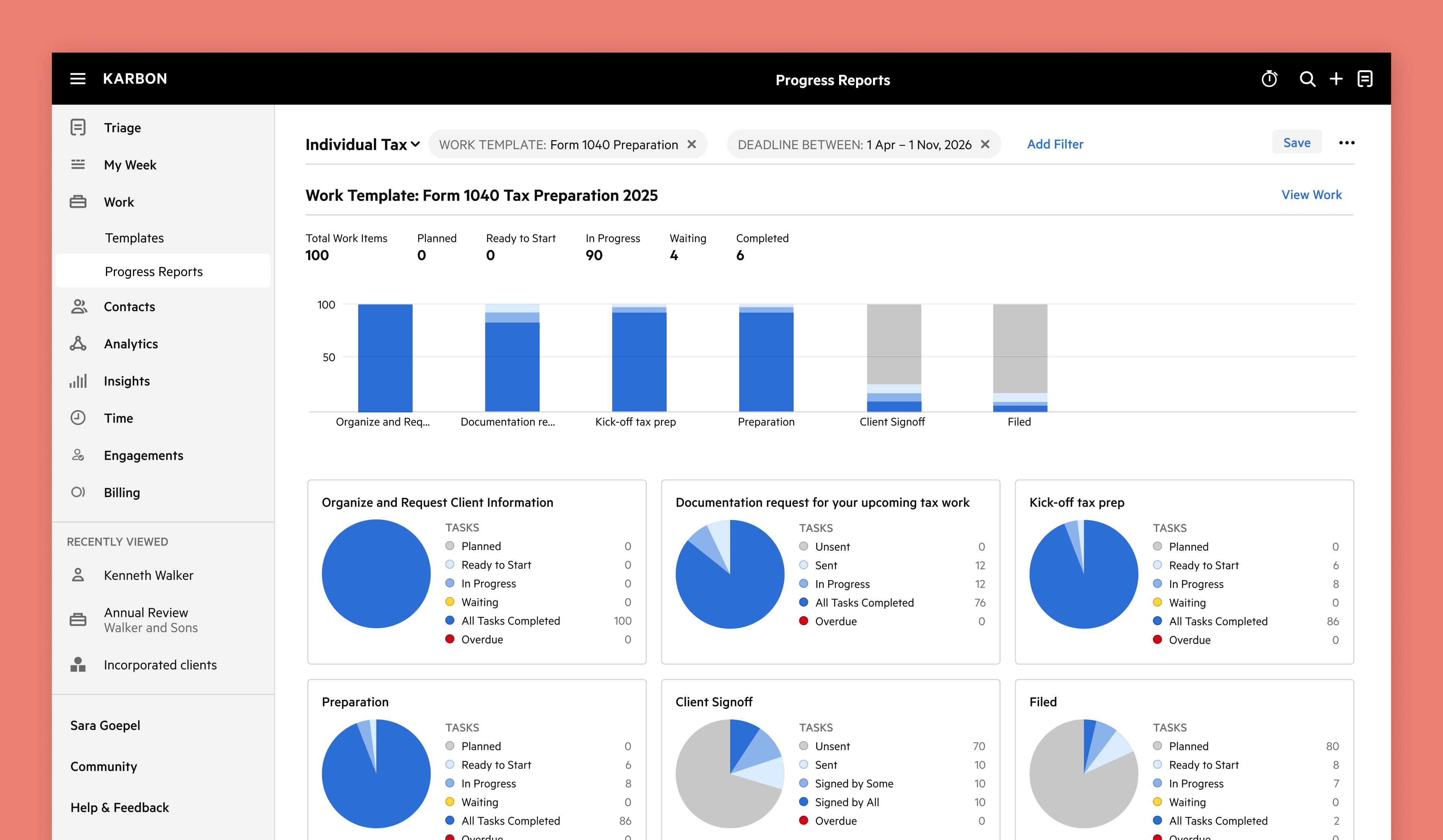
Karbon Demo - Worklfow progress reports
Worklfow progress reports
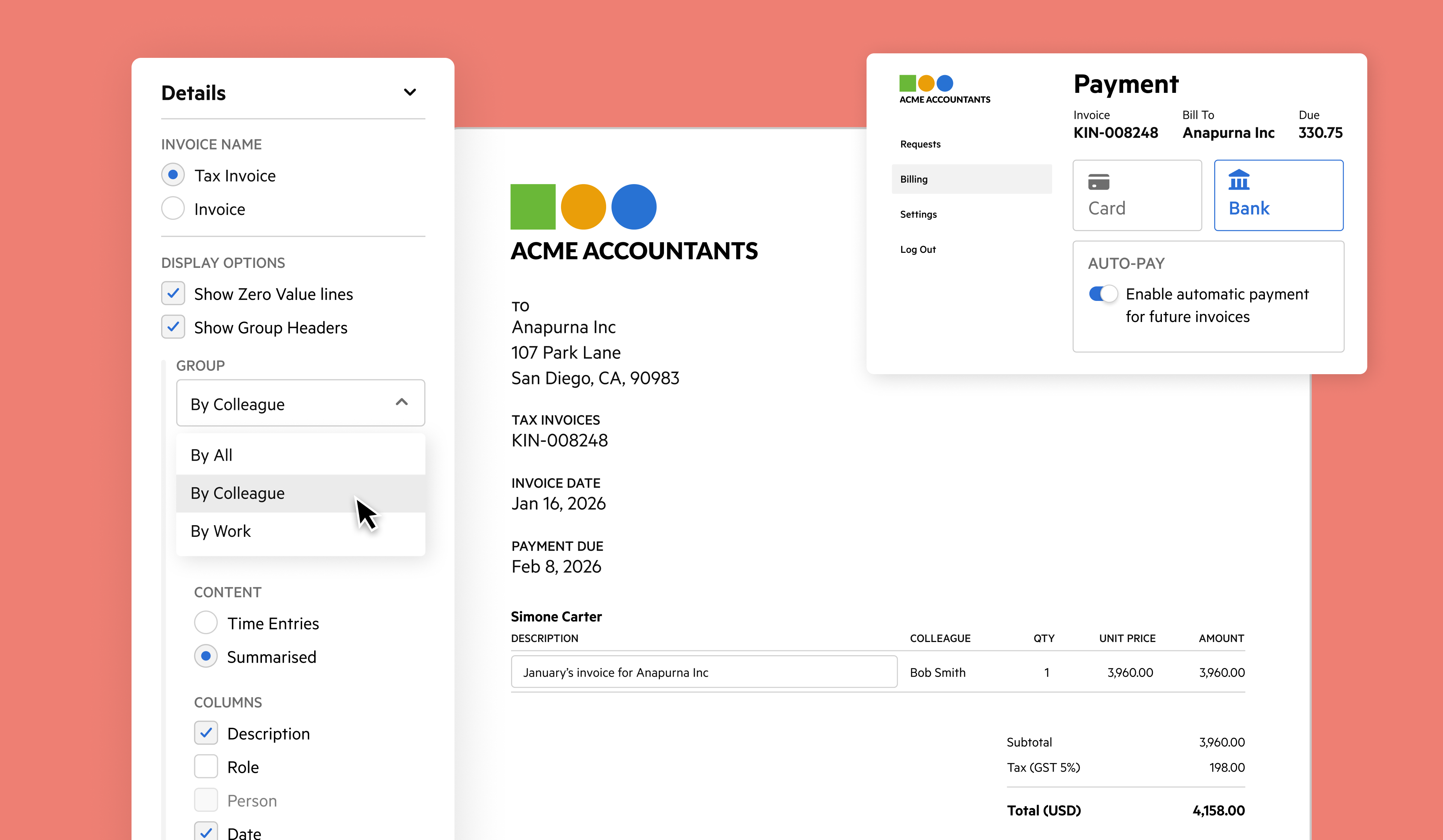
Karbon Demo - Karbon Billing & Payments
Karbon Billing & Payments
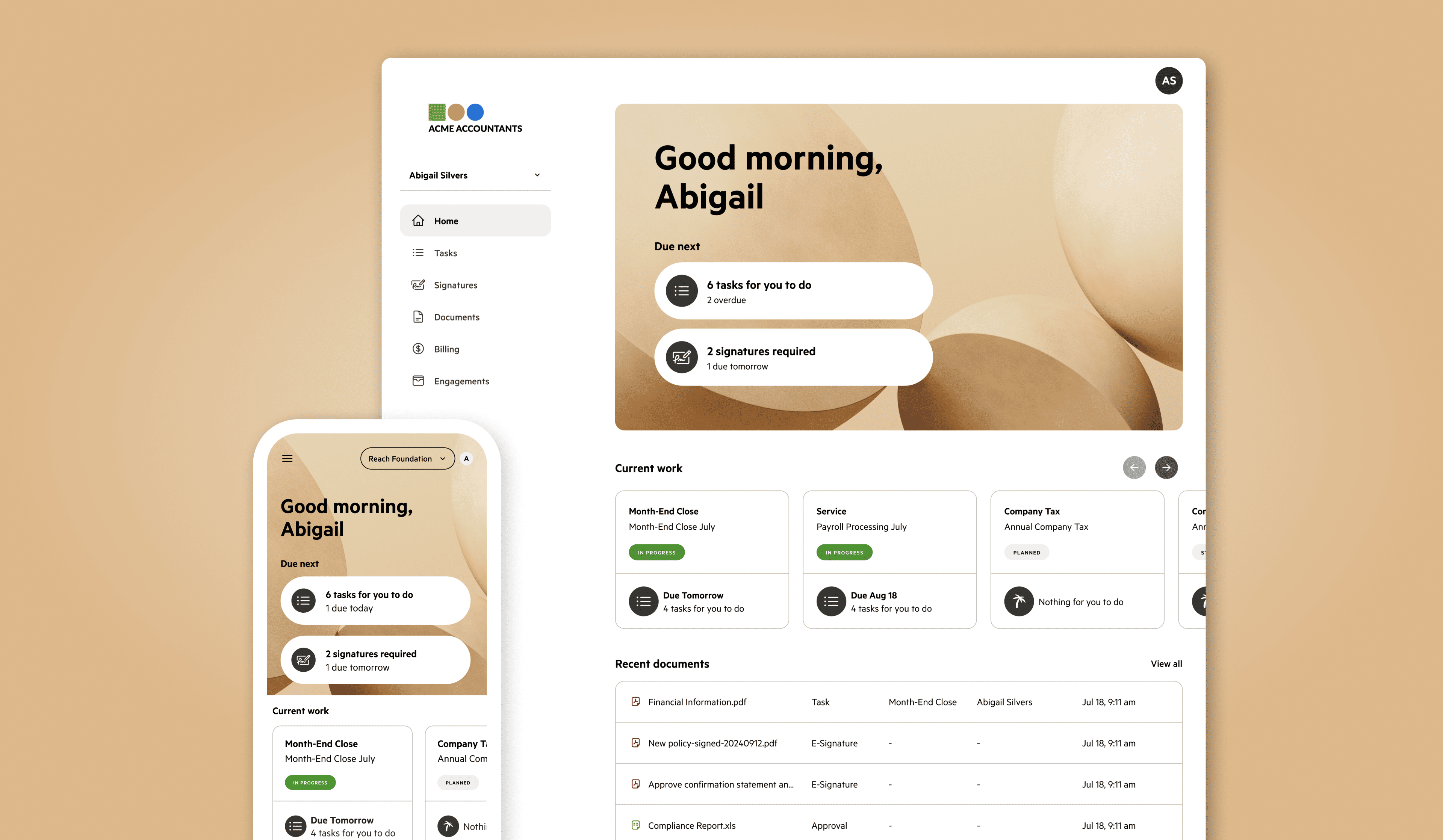
Karbon Demo - Karbon for Clients: client portal
Karbon for Clients: client portal
Play Karbon Video
Play Karbon Video
Play Karbon Video
Play Karbon Video
Play Karbon Video
Product Avatar Image

Have you used Karbon before?

Answer a few questions to help the Karbon community

Karbon Reviews (796)

View 4 Video Reviews
Reviews

Karbon Reviews (796)

View 4 Video Reviews
4.8
797 reviews

Review Summary

Generated using AI from real user reviews
Users consistently praise Karbon for its streamlined workflow management and centralized communication, which significantly enhance team collaboration and task organization. The platform's ability to integrate emails and tasks in one place allows for efficient project tracking and reduces the need for excessive email exchanges. However, some users note that the learning curve can be steep for new users.

Pros & Cons

Generated from real user reviews
View All Pros and Cons
Search reviews
Filter Reviews
Clear Results
G2 reviews are authentic and verified.
CZ
Director
Small-Business (50 or fewer emp.)
"Streamlined Workflow"
What do you like best about Karbon?

I like that I can see all my team and their work in Karbon. It's helpful to do e-signatures and send them to my clients. Recording my work, sending out emails, and keeping track of job statuses for lodgments are really convenient with Karbon. It's efficient and productive, giving us more value for money. We're able to fill out more time and make more profit because of the efficiencies. Review collected by and hosted on G2.com.

What do you dislike about Karbon?

I would love to have a better to-do list. I also would prefer to have a search functionality or, like, filtering in the triage. It would be great to filter per email address similar to Outlook. Review collected by and hosted on G2.com.

BK
Managing Shareholder
Small-Business (50 or fewer emp.)
"Karbon workflow and Team collaboration will save us time and frustration!"
What do you like best about Karbon?

The workflow and collaboration tools will be invaluable for managing our tax season and post-tax-season projects. Being able to link emails to client timelines so the team can easily reference them, will save time and effort and help keep everyone in the loop. In addition being able to assign tasks to team members with commenting and then see the status of completion will also be a huge time saver! Review collected by and hosted on G2.com.

What do you dislike about Karbon?

There are two challenges I’ve noticed so far with Karbon. First, we aren’t able to delete spam or garbage emails from triage, so they don’t clutter the cleared email bin. I receive at least 100 emails a day that I delete from Outlook as spam or junk, and I’d like to be able to remove those in Karbon as well. Second, we can’t roll back a task completion step to a prior step, including having the automators roll back the related work and task changes after an accidental or incorrect task completion. This will create some challenges in keeping the workflow properly aligned. Review collected by and hosted on G2.com.

Marinella C.
MC
Senior Accountant
Small-Business (50 or fewer emp.)
"Karbon Brings Clarity and Efficiency—Everything in One Place"
What do you like best about Karbon?

Karbon has completely transformed the way our team works. The most helpful part is having everything in one place—internal conversations, client emails, and documents—all connected to the right project. The triage and timeline features also make it much easier to prioritize tasks and keep multiple projects moving without losing track. The upsides are clear: better organization, faster workflows, smoother team collaboration, and no more missed emails or tasks. For an accounting firm managing multiple clients, Karbon brings clarity, efficiency, and real peace of mind. Review collected by and hosted on G2.com.

What do you dislike about Karbon?

While Karbon is incredibly helpful, the learning curve can feel steep at first—especially for teams transitioning from multiple tools. It takes time to get comfortable with the workflow and fully understand how the features fit together. This is most noticeable on the client request side: I’d personally prefer to have the same view as the client so that, when someone asks for help, I can immediately see exactly what they’re seeing and support them more efficiently. A dedicated “client perspective” view within Karbon would make handling and managing client requests even smoother. Review collected by and hosted on G2.com.

Anne Nicole S.
AS
Senior Accountant
Small-Business (50 or fewer emp.)
"Karbon Streamlines Our Workflow with Seamless Collaboration and Top-Tier Support"
What do you like best about Karbon?

Honestly, Karbon has been a total lifesaver for our team’s daily workflow. It’s easily the best tool we’ve found for keeping tasks organized and making collaboration feel seamless rather than chaotic. We’re in the app literally all day, every day, it’s the first tab I open and the last one I close.

I was honestly bracing myself for a nightmare during setup, but the implementation was surprisingly smooth. It didn’t feel like we had to reinvent the wheel. Whenever we did hit a snag, their customer support was top-tier. They don't just send you a link to a help article; they actually talk to you like a human. It feels like they’re genuinely invested in making sure the platform works for our specific quirks.

The sheer number of features is impressive, but it doesn't feel bloated. Everything feels intentional. For example, the ease of integration with our existing tech stack (like our email and document storage) was a huge win. I love that I can turn a random email into a prioritized task with just a click, no more copy-pasting between windows.

One of my favorite features is still the secure client portal. In our line of work, privacy is everything, and this gives both us and our clients real peace of mind knowing confidential files aren't just floating around in emails. Also, a huge shoutout to the automated reminders! It’s one less thing for me to worry about every day. Karbon handles the follow-ups automatically. It’s definitely made our workday much lighter. Review collected by and hosted on G2.com.

What do you dislike about Karbon?

If I had to nitpick, the one thing that bugs me is how the comment section handles copy-pasting. Often, I’ll have text already formatted (like with bolds, bullet points, or specific spacing) but when I paste it into a Karbon comment, all that formatting just disappears. It’s a bit of a pain to have to manually re-format everything just so my team can read it clearly. It’s a small detail, but fixing that would definitely speed up my workflow. Review collected by and hosted on G2.com.

Richie L.
RL
Founder, CEO
Small-Business (50 or fewer emp.)
"Boosts Clarity and Workflow with Minor Hurdles"
What do you like best about Karbon?

As the owner of Around Finance, I really appreciate how Karbon helps us manage and produce great work in every possible way. We call it our 'Factory' because it brings clarity to our team, making work delivery smooth. I like that Karbon is designed to promote good work practices by triaging emails into tasks and prioritizing them, which helps our accountants focus on task delivery without getting bogged down by email admin. It's a great piece of kit, the best on the market, and we're happy with it. The team at Karbon is also great, which adds to the positive experience. We're not inclined to move to another product anytime soon. Review collected by and hosted on G2.com.

What do you dislike about Karbon?

Data input around budget creation is super slow and manual. Also, creating repeating work items can be finicky and glitchy at times. Karbon's AI email bot is not great. Initial setup was very difficult and required a lot of effort. Review collected by and hosted on G2.com.

Verified User in Accounting
AA
Small-Business (50 or fewer emp.)
"Clear Weekly View, Fast Performance, and Insightful Analytics in Karbon"
What do you like best about Karbon?

I like being able to see everything that’s due within the week in one clear view. I also appreciate how easy it is to view all work by type or by client, whether it still needs to be completed or should already have been completed.

I like the option of different integration's within Karbon and with new ones on the horizon.

Its always working at a good speed between working on different sections.

Pricing is fare based on what business insights Karbon provides and the extra small cost for the signatures. As the approval process is great for most bits other than when needing the signature.

We had a great experience when we were onboarded as to help us move all tasks from our previous system. We have also had amazing calls with our client handler Ryan Field as to walk us through how we perform as a company against others with use of Karbon. And also with then using the analytics and engagement's beta.

There is the AI which I think with some more work will be better for when it is trying to generate the email based from the notes. Review collected by and hosted on G2.com.

What do you dislike about Karbon?

I think not having easy access to the email templates for when sending approval and signatures and also to have more flexibility on customisation of text. Review collected by and hosted on G2.com.

Lissa H.
LH
Small-Business (50 or fewer emp.)
"Transformative Task Management and Communication Tool"
What do you like best about Karbon?

Karbon has been a life-changing program for me, giving me back so much time. I love that I can track every job and see its status at any given time, which helps in managing tasks efficiently. The communication on the job through Karbon limits the need for emails, and the ability to upload workpapers for review is a game-changer. Logging all phone calls in Karbon makes it a one-stop shop that meets all my compliance needs. I appreciate that I can see which jobs are completed and manage my staff effectively by tracking where they are with a job. The feature to put notes on file with any issues and tag the staff members who need attention is very helpful. The weekly view and Excel view options are great, providing flexibility depending on personal preference. Once I got used to it, Karbon has been indispensable, and having used it for years, I've never looked back. Review collected by and hosted on G2.com.

What do you dislike about Karbon?

Nothing that i really dislike about this program, its just getting better and better, Review collected by and hosted on G2.com.

Adam P.
AP
Small-Business (50 or fewer emp.)
"Streamlined Our Accountancy Practice Seamlessly"
What do you like best about Karbon?

I like using Karbon to run my accountancy practice, schedule and delegate work. It solves most of my problems by allowing me to schedule work on a repeating basis and manage it to deadlines at scale across the team, so we never miss a beat. I appreciate the ability to schedule work as it ensures that nothing is left for someone to remember, and very little slips through the cracks. I love being able to allocate all communications to a contact and workflow for traceability, which eliminates any ambiguity in the work being done. Additionally, I enjoy templating our communications to standardize our voice and style and being able to @ the team to delegate work. The initial setup of Karbon was also very easy. Review collected by and hosted on G2.com.

What do you dislike about Karbon?

Time tracking could be a bit more flexible and operate at a client level. We need to track time across clients and have a clear view of how much throughout the year is spent. Review collected by and hosted on G2.com.

Janine A.
JA
Bookkeeper/ BAS Agent
Small-Business (50 or fewer emp.)
"Effortless Workflow Management Made Easy"
What do you like best about Karbon?

I use Karbon to keep emails from clients grouped together, set reminders, use workflows, and organize my work life effectively. I love how easy it is to use; it's like having my own personal assistant. The ease of setup was impressive as the Karbon team assisted with integration and training from day one. I also love the E-sign feature, which adds to the overall efficiency. Review collected by and hosted on G2.com.

What do you dislike about Karbon?

I would love for the current work items to be first on the list when adding an email to a work item. Review collected by and hosted on G2.com.

Ana Laura C.
AC
Bookkeeper
Small-Business (50 or fewer emp.)
"Intuitive and Comprehensive, But AI Needs Improvement"
What do you like best about Karbon?

I use Karbon every day to organize my work, receive emails, schedule work items, and stay in touch with my colleagues. I like that it's very intuitive; once you start working with Karbon, you realize it's very easy to use. It's a really good software for organizing not only my work but also communications, files, and contacts. I strongly recommend Karbon because it's really useful, allowing you to save a lot of time. Review collected by and hosted on G2.com.

What do you dislike about Karbon?

Sometimes when I use artificial intelligence to write an email from a draft, it's not very precise. And sometimes I try to write an email and the AI doesn't understand and writes a reply, so it's very confusing. I have to use a different tool for that. Review collected by and hosted on G2.com.

Questions about Karbon? Ask real users or explore answers from the community

Get practical answers, real workflows, and honest pros and cons from the G2 community or share your insights.

Heather K.
HK
Heather Kennedy
Last activity almost 4 years ago

Please tell me you are not going to remove "To Do",and the ability to focus in on only Today's Tasks

Mutya O.
MO
Mutya Otani-Yumang
Last activity about 3 years ago

Can I use karbon with IG, FB

Pricing Options

Pricing provided by Karbon.

Team

$59.00
1 Users Per Month

Business

$89.00
1 Users Per Month

Enterprise

Contact Us
Karbon Comparisons
Product Avatar Image
Canopy
Compare Now
Product Avatar Image
TaxDome
Compare Now
Product Avatar Image
Financial Cents
Compare Now
Karbon Features
Activities
Flows
Dependencies
Updates
Audit Trail
Client Portals
Automation
Consolidation
Collaboration
Tasks
Product Avatar Image
Karbon