






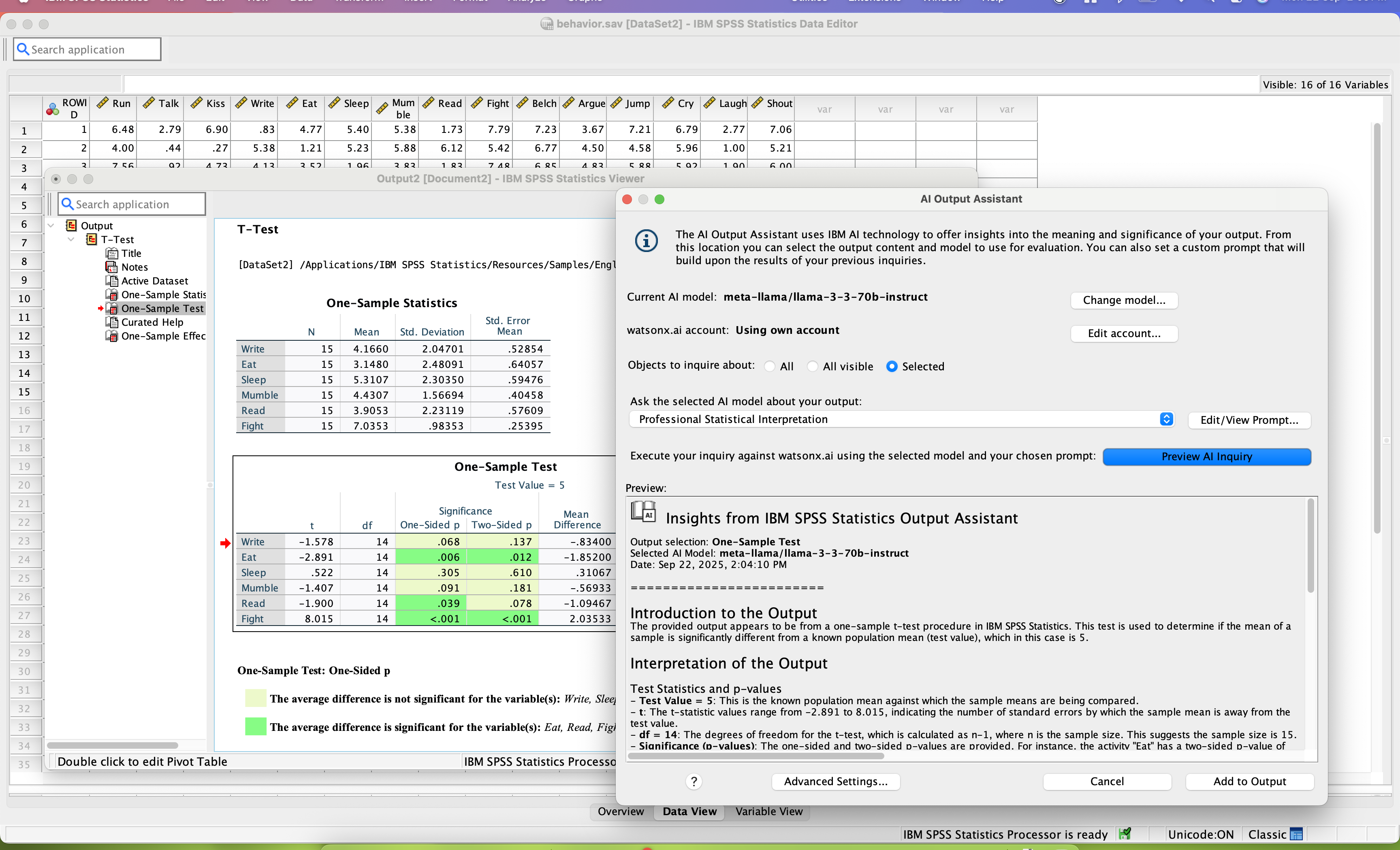


What I like most is the professional rigor, paired with how easy SPSS is to use. The biggest standout for me is the “point-and-click” interface for complex math. As a marketer, you may need to run a Cluster Analysis to identify customer segments or a Conjoint Analysis to understand which product features people actually value. In tools like R or Python, you typically have to write code to do this; in SPSS, you can simply select the variables from a menu. That makes high-level data science much more accessible for marketers who aren’t necessarily programmers.
The data management and cleaning capabilities are also far better than what you can do in standard spreadsheets. SPSS is built to handle “messy” survey data, like when respondents skip questions or provide inconsistent answers. It includes built-in options to flag outliers, handle missing values, and recode variables (for example, turning “Age” into “Age Brackets”) across thousands of rows in seconds, which helps ensure the final report is actually accurate.
I also really like the Direct Marketing Module. It’s a dedicated set of tools within SPSS designed specifically for marketing use cases. It lets you run RFM Analysis (Recency, Frequency, Monetary) to identify your most loyal customers, along with “Propensity to Purchase” modeling. Instead of guessing who to email, you can use statistics to predict which customers are most likely to buy. Review collected by and hosted on G2.com.
What I Dislike: Dated Aesthetics and High Cost
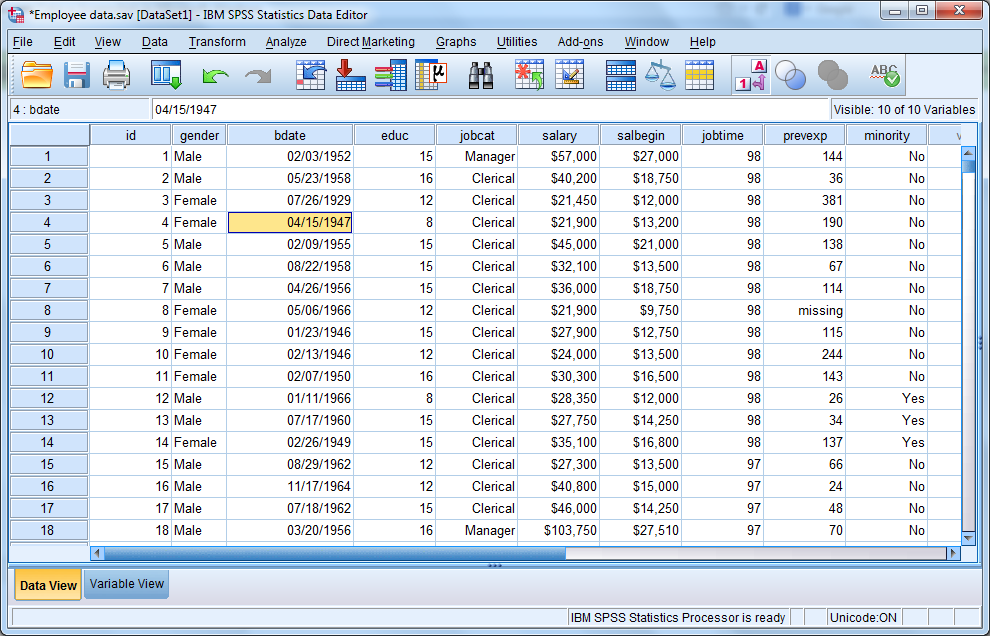
My biggest immediate dislike is the outdated user interface (UI). SPSS looks and feels like software from the early 2000s. Even though it’s functional, it doesn’t have the modern, sleek design you get with tools like Canva or Monday.com. That “gray box” vibe can make the software feel more intimidating and a lot less “fun” to use, especially during long data-crunching sessions.
Another recurring frustration is the limitation around visualization. SPSS can generate charts and graphs, but they often come out looking overly “academic” and dry. If you’re a marketer who needs to put a polished deck in front of a CMO, you’ll almost always end up exporting the data to something like Tableau, Power BI, or even just Excel to get visuals that look brand-compliant and more modern.
Finally, price and performance on big data can be a real barrier. SPSS is expensive and often comes with a significant annual license fee that can be tough for smaller marketing teams to justify. On top of that, if you’re trying to crunch “Big Data” (millions of rows from web traffic or live social feeds), it can get sluggish or even crash. It feels like it was originally built for structured, survey-style datasets, not massive, real-time data streams. Review collected by and hosted on G2.com.
Validated through LinkedIn
This reviewer was offered a nominal incentive as thanks for completing this review.
Invitation from a seller or affiliate. This reviewer was offered a nominal incentive as thanks for completing this review.


