
Gruveo

By Gruveo

Re-claim Profile

Unlock access to Gruveo profile for Free

Your G2 page is often the first place buyers evaluate you. Take control of how your brand shows up

WHAT YOU UNLOCK

Control your profile

Update logo, screenshots, pricing info

Engage with customers

Respond to reviews, build trust with prospects

See buyer activity

Track who’s viewing, understand engagement

Collect reviews

Create landing page and collect reviews

Sellers who actively manage their G2 profile build more trust and convert more buyers

4.4 out of 5 stars

How would you rate your experience with Gruveo?

Compare this with other toolsSave it to your board and evaluate your options side by side.
Save to board

Gruveo Reviews & Product Details

Value at a Glance

Averages based on real user reviews.

Perceived Cost

$$$$$

Gruveo Integrations

(3)
Integration information sourced from real user reviews.

Gruveo Media

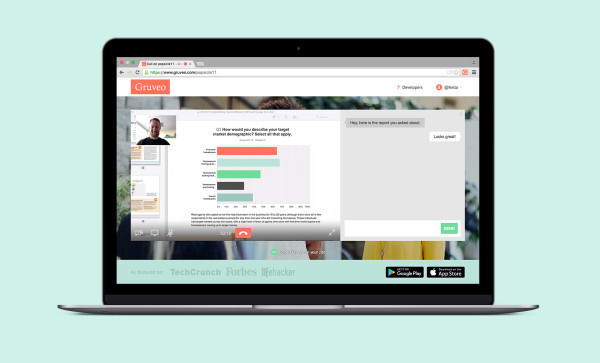
Gruveo Demo - Easy incoming calls
Take easy incoming calls from customers, no account or installs needed.
Gruveo Demo - Custom branding
Add credibility to your interactions with clients by allowing you to easily add your own logo and background to your call screen.
Gruveo Demo - Unlimited screen sharing
Never deal with compatibility issues on a screen share again.
Product Avatar Image

Have you used Gruveo before?

Answer a few questions to help the Gruveo community

Gruveo Reviews (43)

Reviews

Gruveo Reviews (43)

4.4
43 reviews

Review Summary

Generated using AI from real user reviews
Users consistently praise Gruveo for its ease of use and instant connectivity, allowing for quick video calls without the need for downloads or sign-ups. This simplicity makes it particularly appealing for those who are not tech-savvy, as it streamlines communication effectively. However, some users note that it lacks advanced features, which can limit its functionality for more structured meetings.

Pros & Cons

Generated from real user reviews
View All Pros and Cons
Search reviews
Filter Reviews
Clear Results
G2 reviews are authentic and verified.
RM
Budget Analyst III
Financial Services
Small-Business (50 or fewer emp.)
"Lightweight, HD Browser Meetings with Stable Calls and Handy Outlook Integration"
What do you like best about Gruveo?

Gruveo is very lightweight, doesn’t require any installation, and lets me start a meeting simply by sharing a link or code whenever I need to coordinate quick calls. I’ve been using it daily for about a year, and the interface feels clean and focused on what matters: jumping into calls, sharing screens, and getting things done.

Audio and video are consistently HD, even when I’m presenting multi-tab budget reports in real time. The chat, with instant alerts, works well alongside calls, and being able to use it straight from the browser or on a tablet helps me stay productive without interruptions.

Spinning up temporary rooms for ad hoc meetings is fast, and the connection has been stable, especially for one-on-one calls. The Outlook integration also makes it easy to schedule weekly budget reviews with the team. On the security side, SSL/RTMPS encryption gives me confidence when handling sensitive data, and email support has been quick and helpful whenever we’ve reached out. Review collected by and hosted on G2.com.

What do you dislike about Gruveo?

It charges extra for permanent links, and it’s also missing some more advanced features, such as a built-in collaborative whiteboard or AI meeting assistants for summaries. None of these are dealbreakers for day-to-day use, but they do mean we occasionally have to rely on other tools to fill in those gaps. Review collected by and hosted on G2.com.

Neisha D.
ND
N/A
Small-Business (50 or fewer emp.)
Guest users or non-business users of the software, not included in G2 scores.
"Gruveo Makes Client Calls Effortless with One-Click, No-Download Links"
What do you like best about Gruveo?

What I like best about Gruveo is its no-download, one-click simplicity — clients and contacts can join a video call instantly by clicking a shared link, without needing to install software, create an account, or enter a passcode, which removes the friction that typically slows down meetings with external participants. The ability to use a permanent, personalized call link means there's no need to generate a new invite for every meeting, and the built-in HD call recording, screen sharing, and in-call chat make it a surprisingly full-featured tool despite its minimal setup. For businesses that regularly connect with customers or leads who aren't tech-savvy, Gruveo's browser-based access across any device — Windows, Mac, Android, or iPhone — makes it an effortless and professional experience from the very first interaction. Review collected by and hosted on G2.com.

What do you dislike about Gruveo?

l love eb=everything about it. It is so helpful Review collected by and hosted on G2.com.

Sajawal Z.
SZ
product manager
Small-Business (50 or fewer emp.)
"Privacy-Focused with Room for Improvement"
What do you like best about Gruveo?

I like that Gruveo is very easy to use because there's no need for signup or installation. I can start a call just by sharing a link or code, which is great for instant video calls for business communication and customer support. What I like most about Gruveo is its privacy-focused calls, offering encrypted communication that makes it useful for secure conversations. The privacy feature is valuable to me mainly because it protects my identity, conversation, and personal data while communicating online. Review collected by and hosted on G2.com.

What do you dislike about Gruveo?

There are quite a few things that need improvement with Gruveo. It's not great for big meetings because it's too basic and is missing advanced features. I also face audio and video issues sometimes. The chat history needs to be saved. If I talk about audio issues, there's crackly sound or connection problems on weak internet. Occasionally, bugs like audio glitches or app instability make calls not always smooth, especially on mobile or with poor Wi-Fi. Review collected by and hosted on G2.com.

Verified User in Oil & Energy
AO
Mid-Market (51-1000 emp.)
"Simple, Private Browser-Based Calls—No Installs or Signups Needed"
What do you like best about Gruveo?

The best thing about this platform is that it's very simple in terms of initial setup, where we can easily set up and start a video call or voice call, directly from my web browser, just via link, no app installs and no signups needed. This is very useful for quick client and support call interactions. Their privacy-focused approach and its encrypted communication add a strong layer for professional use cases. Review collected by and hosted on G2.com.

What do you dislike about Gruveo?

Though it is a very simple-focused platform, this platform lacks some of the advanced features which is been offered by it other competitors in this space. Their deeper integration and large-scale meeting capabilities are lacking, Their integration ecosystem for opther platforms should be be extended as well. Review collected by and hosted on G2.com.

Ganja P.
GP
"Streamlined, Hassle-Free Video Calls"
What do you like best about Gruveo?

I love Gruveo's 'No-App' Magic; clients don't need to download Zoom or remember a PIN, just click a link and the video starts. Permanent handles are another favorite; having a permanent URL like ://gruveo.com in my email signature saves me from generating new links for every invite. The 'Call Me' Button is a game-changer for sales, converting passive browsers into live video leads instantly. Recording with one click is super convenient, saving directly to the cloud or my computer, which is a big win for consultants needing to review sessions. Reliable simplicity is essential to me, and Gruveo's clean interface doesn't distract from calls, delivering high stability and HD quality. Review collected by and hosted on G2.com.

What do you dislike about Gruveo?

I commonly cite the following as areas for improvement: Limited Group Size: Gruveo is primarily designed for one-on-one interactions; its group call capacity is capped at 12 participants, which makes it unsuitable for large team meetings or webinars. Audio/Video Handover Issues: Some users have reported technical quirks on mobile, such as the phone not automatically switching to speaker mode, requiring participants to hold the device to their ear during a video call. Missed Call Tracking: If you aren't available to answer a call, the system doesn't always provide detailed contact info for the person who tried to reach you, making follow-ups difficult unless they leave a text mail message. Minimal Moderation Tools: Unlike enterprise tools, it lacks "host" controls to easily eject unwanted participants or manage complex screen-sharing permissions. Storage Constraints: The built-in storage for call recordings is limited (often cited at 1GB or 5GB depending on the plan), which can lead to mass deletion of interactions if not synced to external drives like Dropbox or Google Drive. Browser Dependency: While it works on most modern browsers, it can be finicky with older versions or highly restrictive corporate firewalls that block the necessary WebRTC ports. Review collected by and hosted on G2.com.

Rekha m.
RM
"Effortless Video Calls, No Setup Needed"
What do you like best about Gruveo?

I use Gruveo for quick video calls with friends and work collaborators as it doesn't require signing up or installing anything. It lets me start instant calls with a simple link on my phone or laptop, and it feels smooth and easy to use every time. Gruveo solves the problem of complicated call setups and signup pain, making connecting with others easy and fast. It saves time, reduces stress, and makes communication feel natural. I also use Gruveo with calendar apps to share meeting links quickly, and its simple link-based calling fits well with the other apps I already use. The transition to Gruveo from heavier video tools was smooth, requiring no setup or training, and meetings became quicker and less stressful while communication felt more natural. I would rate my likelihood as 9 out of 10 because Gruveo is simple, fast, and reliable, removing setup stress and saving time, which makes it easy to recommend. Review collected by and hosted on G2.com.

What do you dislike about Gruveo?

Some things about Gruveo that could be improved are occasional connection delays and video quality drops in busy networks. I also wish its interface had more features like chat reactions and easy screen sharing for all users. Review collected by and hosted on G2.com.

CM
"Effortless Meetings with Click-to-Call Convenience"
What do you like best about Gruveo?

I love the permanent call link feature because my clients just click the link to start a video call with me, without needing to download an app or sign up, making daily business communication smooth. Setting a permanent Gruveo link in my freelance work and on my social profiles and proposal documents creates a professional impression while saving the time of back-and-forth messaging to schedule chats. Gruveo also fixes the issue of fumbling with complex settings for urgent small work syncs, saving me a lot of time. The initial setup is super effortless; I didn't have to do anything besides going to the Gruveo page; no account creation or app installs needed, it was ready to use in two seconds. Switching from Google Meet to Gruveo eliminated the meeting ID hassle and the need to be logged into a Google account, so we moved to Gruveo for all our instant syncs. Review collected by and hosted on G2.com.

What do you dislike about Gruveo?

There's no simple recording feature for calls, which is a bummer when I need to save important client discussions or work syncs, have to use other tools for that. Review collected by and hosted on G2.com.

SJ
"Effortless Screen Sharing, Perfect for Quick Support"
What do you like best about Gruveo?

I use Gruveo for remote tech support and love the no-sign-up, no-app download feature. It's super convenient since I never have to waste time getting people to create an account just for a 5-minute call. The ability to share screens instantly helps me fix issues without verbal explanations, which is a huge time saver. I can send the link via text, email, or Slack, and others can join without fumbling with meeting IDs or passwords, making the whole process smooth and effortless. The initial setup was totally effortless—zero actual setup steps, just click the link and go, no account to make or app to install, took literally 2 seconds. I like that Gruveo's linking and joining is way faster than Google Meet, with no extra steps for external clients. Review collected by and hosted on G2.com.

What do you dislike about Gruveo?

There’s no save for text chat history, so any quick links or notes sent during a call are gone once it ends, can’t look back at them later. The audio can get a little crackly sometimes on spotty Wi-Fi—nothing major, but it’s a small annoyance for longer calls. Review collected by and hosted on G2.com.

Adarsh  A.
AA
AI language model
Small-Business (50 or fewer emp.)
"Effortless Video Calls Without Hassle"
What do you like best about Gruveo?

I love how Gruveo allows for quick video calls without the need for downloads. It's incredibly fast to start a call, which is a huge advantage for quick meetings or client calls since there's no need for guests to create accounts or download any software. I just share a link or short code, and the process is seamless — the other person clicks, and we are talking. This is perfect for when I need to have client meetings, remote teaching, or tutoring sessions. With Gruveo, almost anyone can join in seconds, minimizing the time spent troubleshooting. The browser-based calls mean no app downloads, no account creation, and everything works smoothly on both phone and laptop. Plus, the calls are encrypted, so I get the privacy I need without jumping through hoops to set up security. The simple interface is easy for my clients and non-tech people to use, which is particularly beneficial in professional settings where people might struggle with apps or permissions. Review collected by and hosted on G2.com.

What do you dislike about Gruveo?

1. Not built for large meetings or webinars. Gruveo shines for quick one-on-one or small group calls. But if you need big team meetings, online classes with many students, or webinars, it can feel limited compared to heavier platforms made for large groups. Best for simple calls, not big audiences. 2. Fewer built-in scheduling tools. Some video platforms include calendars, meeting reminders, and automatic invites. With Gruveo, many users still rely on external tools (like email or calendar apps) to organize calls. Suggestion people often make: basic scheduling or reminder features. 3. Limited advanced collaboration features. It covers the basics well (video, audio, screen share), but lacks things like built-in whiteboards, file sharing inside the call, and breakout rooms. For teaching or team workshops, those extras can be useful. Review collected by and hosted on G2.com.

AH
student
Enterprise (> 1000 emp.)
"Fast and Efficient Video Calling Tool"
What do you like best about Gruveo?

Since I started using Gruveo, my communication has improved tremendously. I used to rely on more traditional video calling tools, but Gruveo has become my favorite because of its simplicity and efficiency. To start a call, you don't need to create an account or download complicated apps; you simply generate a unique link and you're good to go. This has been very useful, especially when I need to make quick video calls with people who aren't very tech-savvy or when meetings need to be spontaneous. Furthermore, the video call quality is quite stable, even when the connection isn't the best. In addition, their support team is very quick to respond to help tickets, and the price is very reasonable. Review collected by and hosted on G2.com.

What do you dislike about Gruveo?

The only thing I'd like to see improved is that the interface design on mobile devices can sometimes be a little confusing if you're not used to using it. But overall, the app is quite optimized, and the process is very straightforward. Review collected by and hosted on G2.com.

Questions about Gruveo? Ask real users or explore answers from the community

Get practical answers, real workflows, and honest pros and cons from the G2 community or share your insights.

GU
Guest User

What is Gruveo used for?

Pricing

Pricing details for this product isn’t currently available. Visit the vendor’s website to learn more.

Gruveo Comparisons
Product Avatar Image
Whereby Meetings
Compare Now
Product Avatar Image
Zoom Workplace
Compare Now
Product Avatar Image
Zoom Rooms
Compare Now
Gruveo Features
Screen Sharing
Live Chat
Scheduling
Recording
Participant Permissions
Mobile
Browser Application
Product Avatar Image
Gruveo