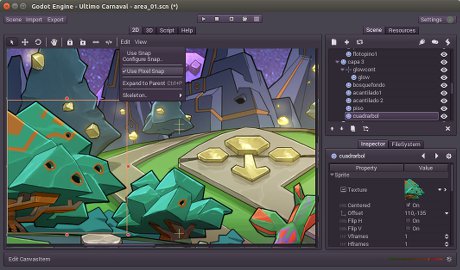

Godot opens quickly, is easy to experiment in, and runs smoothly on almost any machine. I can make a change and see the result immediately, which helps me stay focused instead of getting stuck waiting through long reloads.
One of the best parts is how much is built right into the editor. Scripting, animation, tilemaps, a visual shader editor, and a clean UI system are all there without needing extra plugins. Because of that, it feels genuinely self-contained and dependable for day-to-day work.
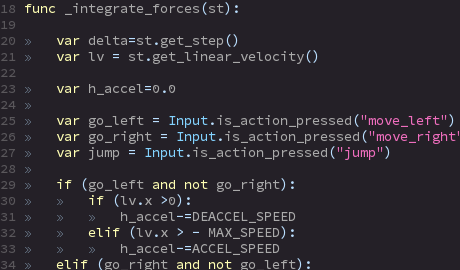
GDScript is also a big plus for me. It is simple and readable, and while it is not as heavy as C# or C++, it is quick to write and easy to maintain. That balance works especially well for small and mid-sized projects.
I also appreciate the freedom that comes with it being open source. You can study how the engine works, change it if you want, and avoid licenses or subscriptions. On top of that, the community keeps pushing steady improvements.
Even if you usually prefer Unity or Unreal, Godot still stands out for staying light, focused, and centered on the developer. It gets out of your way and lets you build without extra friction. Review collected by and hosted on G2.com.
Learning curve
Godot looks simple at first, but the scene-and-node system can become confusing once you start building real projects. If you’re coming from Unity or Unreal, the workflow feels unfamiliar, which can slow you down.
Less polished tools
A lot of features work, but they don’t feel as mature as the tools in larger engines. Animation, physics, shaders, and 3D workflows still need more refinement, and the experience can feel inconsistent from one area to another.
Smaller ecosystem
Unity and Unreal have huge libraries of plugins, assets, and tutorials. Godot’s community is growing, but it’s still more limited, so you often end up building solutions yourself.
3D still behind
Godot can handle 3D, but lighting, performance, and advanced rendering aren’t on the same level as the bigger engines. To get similar results, you usually need extra workarounds.
Workflow friction
Some parts of the editor behave in unexpected ways, and the overall workflow can feel uneven. It doesn’t always support large, structured projects as smoothly as Unity or Unreal. Review collected by and hosted on G2.com.