

Altair Hypermesh

By Altair

4.4 out of 5 stars

How would you rate your experience with Altair Hypermesh?

Compare this with other toolsSave it to your board and evaluate your options side by side.
Save to board

Altair Hypermesh Reviews & Product Details

Value at a Glance

Averages based on real user reviews.

Perceived Cost

$$$$$

Altair Hypermesh Media

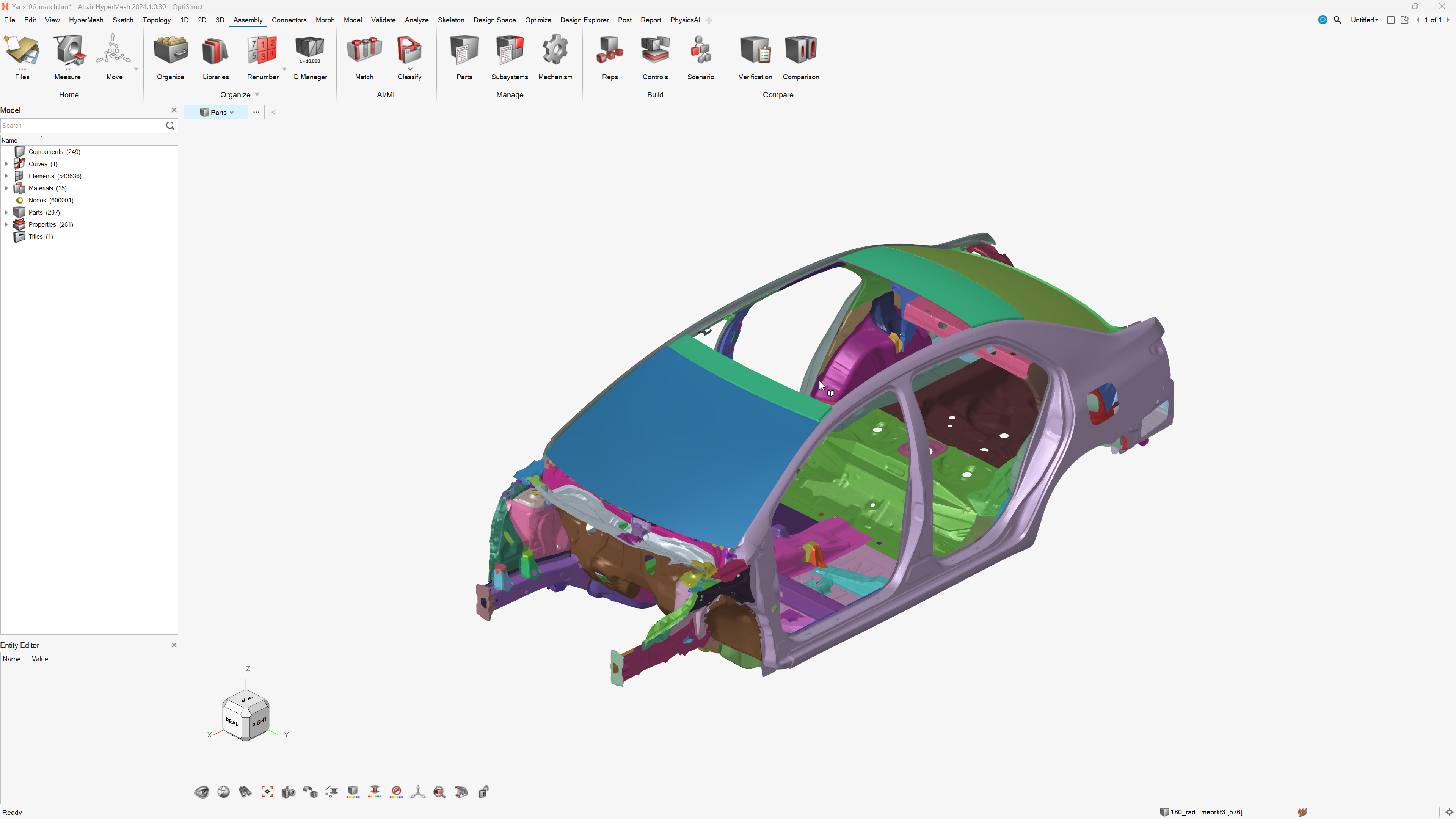
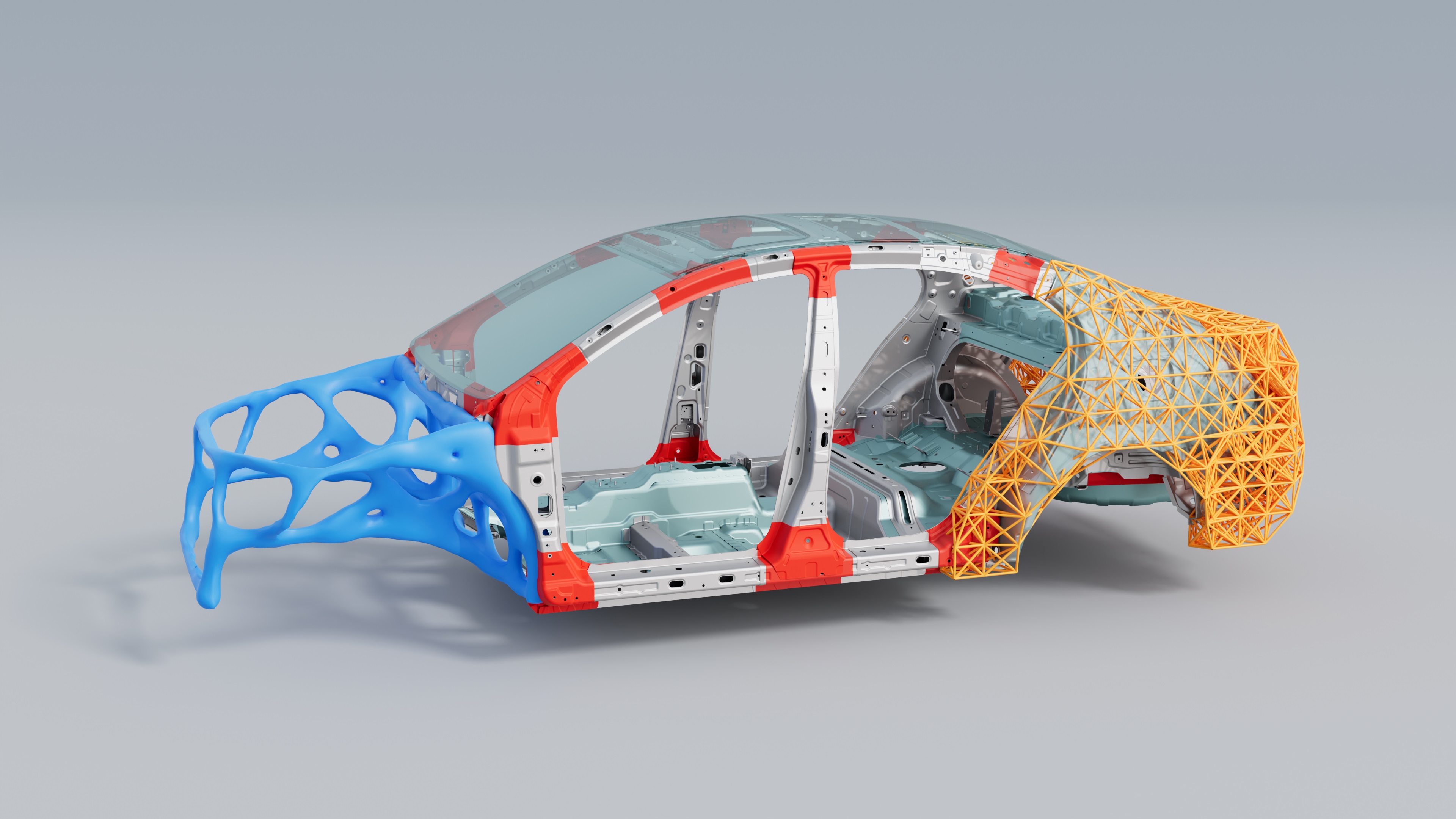
Altair Hypermesh Demo - Automotive Body Structure
Automotive Body Structure
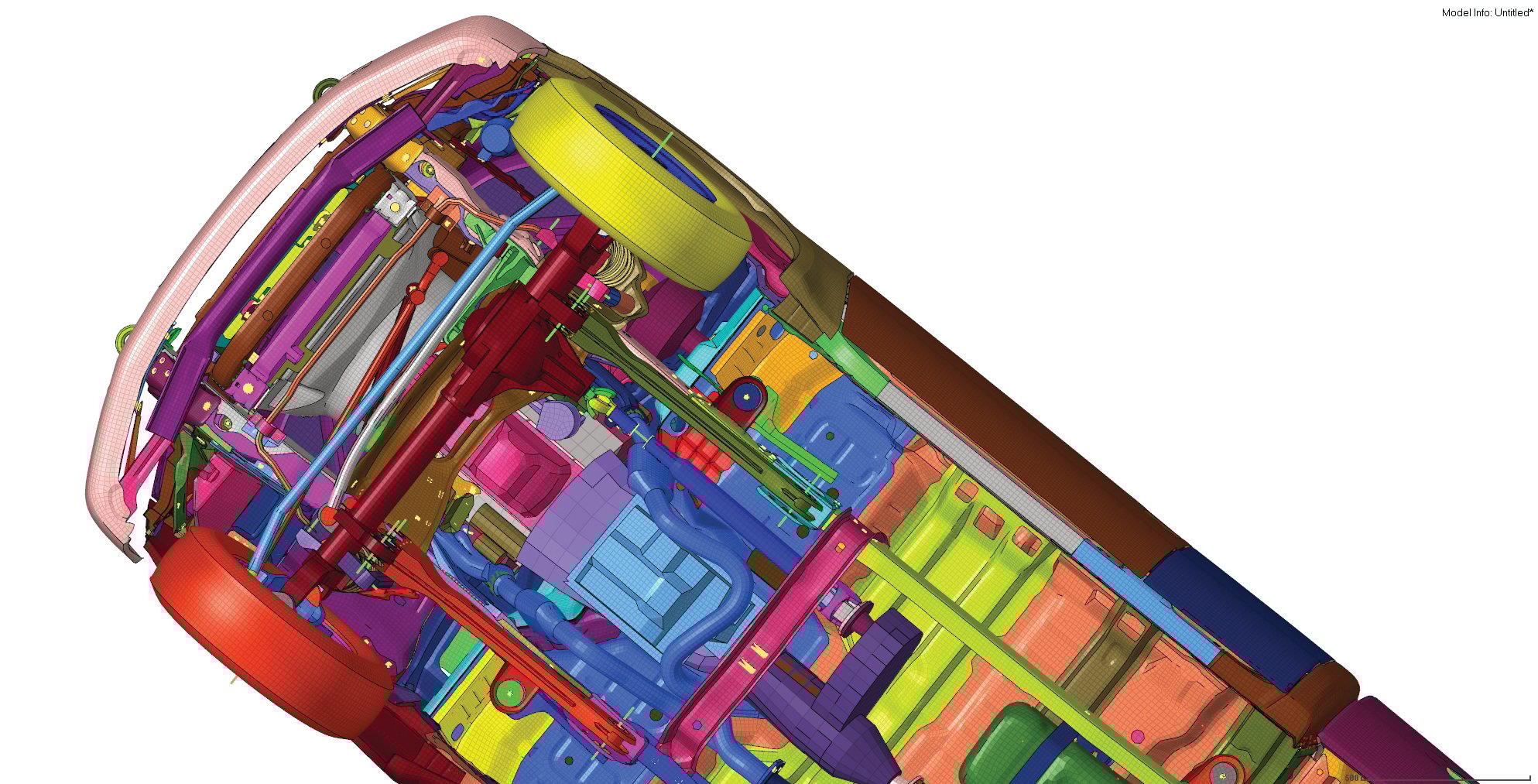
Altair Hypermesh Demo - Under Car
Under Car
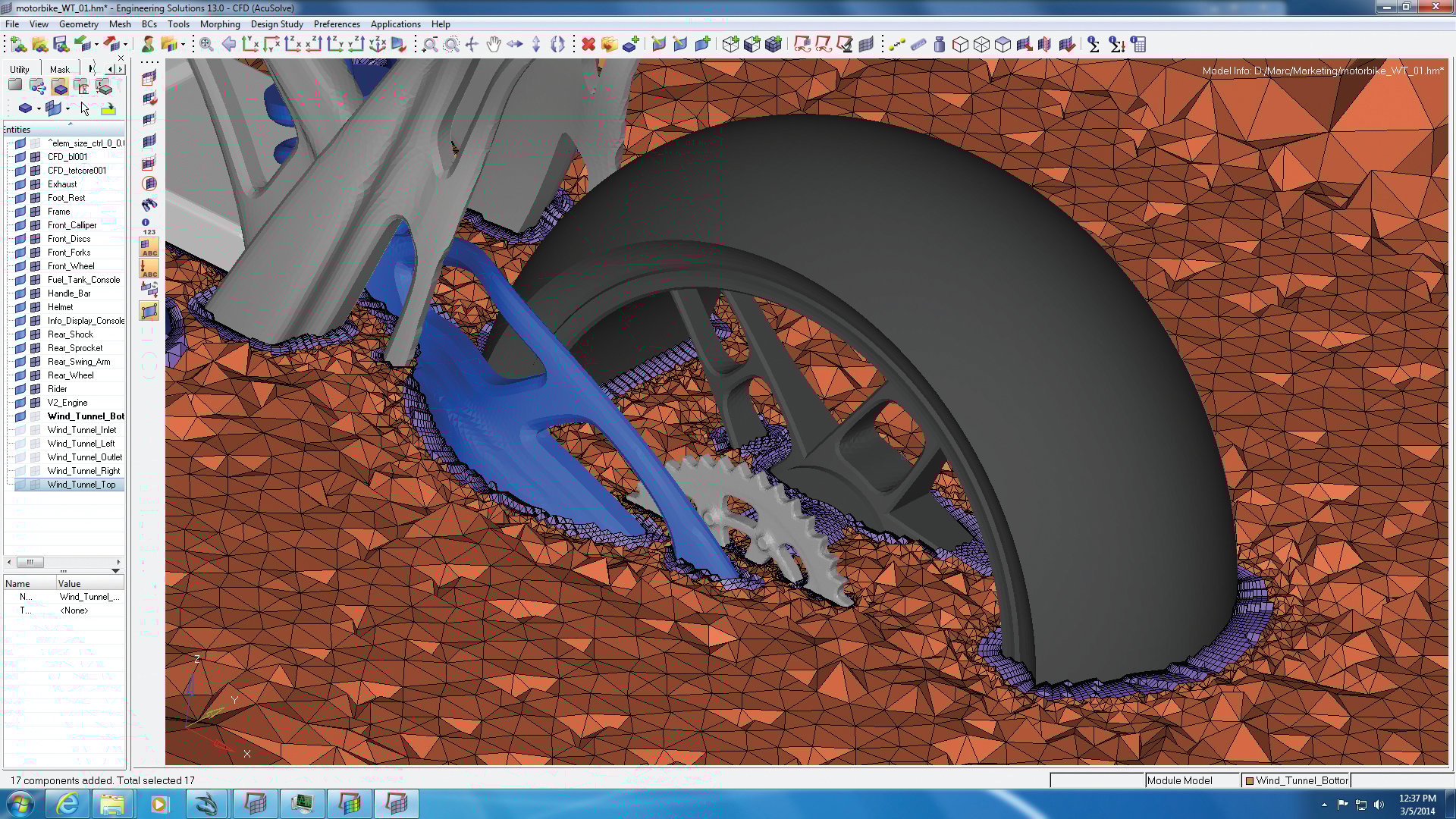
Altair Hypermesh Demo - Bike Tire Mesh
Bike Tire Mesh
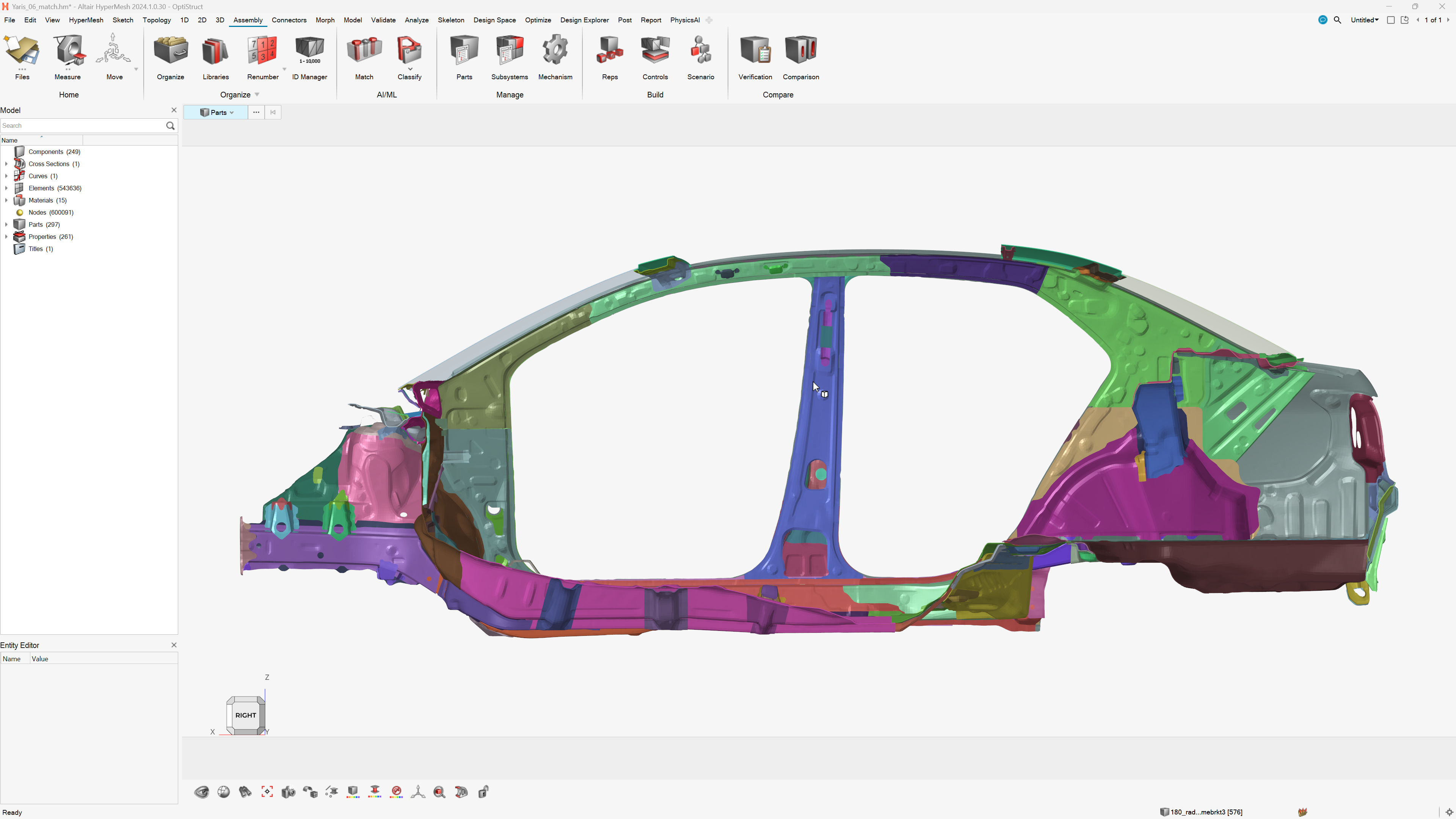
Altair Hypermesh Demo - Automotive Body Structure
Automotive Body Structure
Altair Hypermesh Demo - Automotive Body Structure
Automotive Body Structure
Product Avatar Image

Have you used Altair Hypermesh before?

Answer a few questions to help the Altair Hypermesh community

Altair Hypermesh Reviews (86)

Reviews

Altair Hypermesh Reviews (86)

4.4
86 reviews

Review Summary

Generated using AI from real user reviews
Users consistently praise the flexibility and ease of use of Altair Hypermesh, highlighting its powerful meshing capabilities that streamline complex modeling tasks. The intuitive interface and robust automation features significantly enhance workflow efficiency, making it a preferred choice for FEA professionals. However, many note a common limitation: the steep learning curve for new users, which can hinder initial productivity.

Pros & Cons

Generated from real user reviews
View All Pros and Cons
Search reviews
Filter Reviews
Clear Results
G2 reviews are authentic and verified.
Prabhat K.
PK
Fellow
Small-Business (50 or fewer emp.)
"Effortless High-Quality Meshing and Seamless Optimization Workflows"
What do you like best about Altair Hypermesh?

What I like most about Altair HyperMesh is how easily it handles complex geometry and generates clean, high-quality meshes. When I’m working on topology optimization or compliant mechanism design, the meshing step can make or break the whole analysis—and HyperMesh gives me a lot of control without slowing me down.

I also really appreciate the flexibility in setting up optimization and analysis workflows. Once you get used to the interface, you can prepare even detailed models very efficiently. The integration with OptiStruct is another big plus because it keeps the entire design–optimize–validate loop smooth and consistent. Review collected by and hosted on G2.com.

What do you dislike about Altair Hypermesh?

The main challenge with HyperMesh is the steep learning curve. It’s incredibly powerful, but the interface can feel overwhelming when you’re trying to do even basic operations in the beginning. A lot of tools are buried in menus, and you need to know exactly where to look.

Some workflows also feel a bit click-heavy, especially when you're doing repetitive tasks like geometry cleanup or setting up contacts and load cases. It works well once you’re used to it, but new users can get lost easily. Review collected by and hosted on G2.com.

Response from Sarthak Kumar of Altair Hypermesh

Hi Prabhat, Thank you for sharing your positive experience with Simcenter HyperMesh. We're pleased to hear that it has been instrumental in streamlining your design, analysis, and optimization workflows. We understand the challenges of the learning curve and are committed to providing more intuitive interfaces and support for new users.

Mariusz K.
MK
Senior Engineer
Mid-Market (51-1000 emp.)
"Fast and comfortable multi-pre-processor"
What do you like best about Altair Hypermesh?

easy workflow, new GUI, although I was not conviced is brilliant, I won't go backwards. Many options are simplified and works smarter. Review collected by and hosted on G2.com.

What do you dislike about Altair Hypermesh?

many bugs, in one version some features are working, in .1 version they are broken and even in further versions not fixed, it was not like that before... Customer support is trying to help, they are working quite well lokking for bypasses, but easy things like projection with vectors shall work, don't you think? Review collected by and hosted on G2.com.

Response from Sarthak Kumar of Altair Hypermesh

Hi Mariusz, We're glad to hear that you find Simcenter Hypermesh to be fast and comfortable to use, with a simplified workflow and new GUI. We apologize for any inconvenience caused by the bugs and issues you've encountered. Our team is continuously working to improve the software and address these issues in future updates. We appreciate your feedback and will strive to make the user experience even better.

Verified User in Automotive
UA
Small-Business (50 or fewer emp.)
"Helpful ALTAIR Support"
What do you like best about Altair Hypermesh?

It easily blends with LS DYNA. Performance could be better if allows a good automatic mesh. Pricing might be better when global orders are chosen. ALTAIR support has always been very good and quick. I have not yet used its AI/ Intelligent feature, will have to check and see. UI is okay, though 2021 version was much better. We sincerely need training on 2025/2026 ALTAIR HYPERMESH UI. Review collected by and hosted on G2.com.

What do you dislike about Altair Hypermesh?

Automatic meshes are poor. New UI is very complex and is not very friendly, first we need to have a good training on the same and then we may start using it in a best way possible. Review collected by and hosted on G2.com.

Response from Sarthak Kumar of Altair Hypermesh

Hello, We appreciate your feedback on Simcenter Hypermesh. We are glad to hear that you find our support helpful and quick. We understand your concerns about the performance and pricing, and we are constantly working to improve these aspects. Your input on the UI and automatic meshing will be shared with our development team for further consideration.

Raj kumar  C.
RC
"Powerful Mesh Generation with Automation Capabilities"
What do you like best about Altair Hypermesh?

I love Altair Hypermesh because it transforms what used to be a tedious, error-prone prep phase into a smooth and almost enjoyable workflow. It excels in speed and automation with features like batch meshing, allowing me to run dozens of parts overnight, saving days off a project schedule. Its scripting capabilities using Tcl/Tk make repetitive tasks much simpler, significantly enhancing efficiency. The mesh quality control is outstanding, with the interactive quality checker that highlights and addresses problematic elements in real time, ensuring high-quality meshes with improved element shapes for faster solver convergence. Altair Hypermesh offers seamless CAD integration, enabling direct import of major formats like CATIA, NX, and SolidWorks, reducing time spent on cleaning up imported files. It provides a unified environment where I can set up materials, boundary conditions, contacts, and loads all in one place, simplifying the process and reducing manual translation errors when exporting solver-ready decks for various tools like ANSYS or LS-DYNA. Additionally, its scalability is impressive, as it handles both small and extensive models with ease, maintaining performance regardless of the model size. These features collectively give me confidence that the mesh I create is ready for any analysis, making the engineering cycle significantly faster and more reliable. Review collected by and hosted on G2.com.

What do you dislike about Altair Hypermesh?

I'm glad you’re digging deeper! Here are the areas where I find Altair Hypermesh a bit frustrating or where I think it could evolve: - Steeper learning curve: The UI is very powerful, but the sheer number of menus and icons can overwhelm newcomers. A more streamlined “quick-start” workflow (maybe a guided-tour mode) would help new users get productive faster. - Scripting language: Altair Hypermesh uses Tcl/Tk for automation, which is functional but not as modern or widely known as Python. Adding a Python API (or at least better Python wrappers) would make scripting more accessible to the broader engineering community. - Performance on huge assemblies: When loading multi-million-element models, the interface can become sluggish, especially on older workstations. Optimizing memory handling and providing better progressive loading options would smooth those large-scale sessions. - Licensing cost: The software is a significant investment, and the per-seat pricing can limit access for smaller teams or occasional users. A more flexible, pay-as-you-go model (e.g., cloud-based tokens) could broaden adoption. - Documentation & tutorials: Some advanced features (like custom element quality criteria or complex contact setups) are sparsely documented. Expanding the online help with more step-by-step examples and video walkthroughs would reduce trial-and-error time. Review collected by and hosted on G2.com.

Response from Sarthak Kumar of Altair Hypermesh

Hi Raj, We're thrilled to hear that Simcenter Hypermesh has had such a positive impact on your workflow! Our team is constantly working to enhance the user experience and improve performance. Your feedback regarding the learning curve, scripting language, performance on large assemblies, licensing cost, and documentation is valuable, and we will take it into consideration for future updates. We're committed to providing a powerful and efficient solution for mesh generation and automation, and we appreciate your insights on how we can further improve.

satish k.
SK
Assistant Manager
Enterprise (> 1000 emp.)
"Flexible Design Tool with Some Limitations"
What do you like best about Altair Hypermesh?

I really appreciate the ease of usage that Altair Hypermesh offers, which makes my work much more efficient when handling finite element analysis. The flexibility to create new concepts with finite elements is remarkable, allowing me to develop innovative ideas effortlessly. I enjoy using the HyperMorph tool in Hypermesh, which provides exceptional control over shape creation or modification of concept designs in FEA. The ability to draw lines using free nodes effortlessly is a feature that distinguishes Altair Hypermesh from other software, enhancing my modeling experience. Additionally, the setup process is straightforward and efficiently managed by my IT team, smoothing out any initial hurdles and allowing us to start working without unnecessary delays. Review collected by and hosted on G2.com.

What do you dislike about Altair Hypermesh?

I find the Abaqus contact creation workflow not user-friendly, which can be a hindrance when working on detailed projects. The absence of automatic pitch adjustment for spot welds during Morphing is a drawback, as it limits efficiency in some complex design tasks. Additionally, the 1D skeleton modeling tool is restricted to Optistruct in Hypermesh, which restricts my ability to fully utilize it with other solvers. Large models take a significant amount of time to render, affecting my productivity when working on extensive projects. I also experience a lot of data loss when importing from ANSA to Hypermesh, which complicates the process and potentially leads to inaccuracies. Review collected by and hosted on G2.com.

Response from Sarthak Kumar of Altair Hypermesh

Hi Satish, Thank you for sharing your positive experience with Simcenter Hypermesh, especially with the HyperMorph tool and the setup process. We understand your concerns about the limitations in certain features and the rendering time for large models. Your feedback is valuable and will be considered for enhancing the user experience.

Ejaz Ahamed S.
ES
Full Stack Developer
Information Technology and Services
Small-Business (50 or fewer emp.)
"Flexible Modeling with Rendering Slowdowns"
What do you like best about Altair Hypermesh?

I appreciate the flexibility provided by Altair Hypermesh, which allows me to create and modify complex models with ease. I particularly enjoy using tools like Hypermorph that offer precise control over geometry and shape design. This level of detail and adaptability is immensely beneficial for mechanical and automotive engineering projects, where understanding the different mechanics of materials is critical. Review collected by and hosted on G2.com.

What do you dislike about Altair Hypermesh?

Large models can take longer to render, which can be time-consuming and inefficient during simulation processes.","Importing data from other platforms like ANSA can lead to data loss, which poses a significant concern for interoperability and reliability of the models.","The installation process can be tricky due to the need for specific system configurations, which adds complexity and potential difficulty during setup. Review collected by and hosted on G2.com.

Response from Sarthak Kumar of Altair Hypermesh

Hello Ejaz, We're glad to hear that you appreciate the flexibility and precise control offered by Simcenter Hypermesh, especially in creating and modifying complex models for mechanical and automotive engineering projects.

TB
Small-Business (50 or fewer emp.)
"Effortless Meshing, Needs Better Ansys Integration"
What do you like best about Altair Hypermesh?

I find that creating contact mesh between two bodies in Altair Hypermesh is very standout compared to other solutions on the market. I also appreciate the capability to edit mesh based on features in geometry. The initial setup was pretty easy; I had no problems with it. Review collected by and hosted on G2.com.

What do you dislike about Altair Hypermesh?

The integration with Ansys calculation modules could be done in a more streamlined way. Review collected by and hosted on G2.com.

Response from Sarthak Kumar of Altair Hypermesh

Hi Tymoteusz, Thank you for sharing your positive experience with creating contact mesh and editing mesh based on features in Simcenter Hypermesh. We understand your feedback about the integration with Ansys and will work on enhancing the streamlined integration for a better user experience.

Vitaliy F.
VF
Entwicklungsingenieur
Small-Business (50 or fewer emp.)
"Solid CFD optimization, but lacking options"
What do you like best about Altair Hypermesh?

I find the tool alright. The initial setup of Altair Hypermesh was quite easy, even though there are a few hidden settings that one only discovers with experience. Review collected by and hosted on G2.com.

What do you dislike about Altair Hypermesh?

A few important options are missing. The creation of a periodic mesh is only possible with tetrahedral boundary layers. In SimLab, not all tools are available for the post-processor, so one constantly has to switch to HMCFD or Hyperview, which is inconvenient. Review collected by and hosted on G2.com.

Response from Sarthak Kumar of Altair Hypermesh

Hi Vitaliy, We appreciate your feedback on Simcenter Hypermesh. We are constantly working to improve our software and your input is valuable to us. We will take your comments into consideration for future updates.

Juan O.
JO
Líder de Ingeniería
Enterprise (> 1000 emp.)
"Intuitive Interface and Powerful New AI/ML Tools"
What do you like best about Altair Hypermesh?

The intuitive interface and new tools like AI/ML models . Review collected by and hosted on G2.com.

What do you dislike about Altair Hypermesh?

The significant change from older versions and some software errors in daily usage. Review collected by and hosted on G2.com.

Response from Sarthak Kumar of Altair Hypermesh

Hello Juan, It's great to hear that Altair Hypermesh is helping you with meshing and pre-processing for complex simulations. We understand that significant changes from older versions and software errors can be frustrating. Our team is constantly working to improve the software and address any issues.

JB
Engineering Director
Small-Business (50 or fewer emp.)
"One package does plenty"
What do you like best about Altair Hypermesh?

Hypermesh 2022.3 marks the end of an era, offering users full control over mesh creation and model setup. It integrated seamlessly with other Altair tools, forming a comprehensive suite—particularly well-suited for OptiStruct and optimisation analysis. It's clear that Altair has aimed to unify the user experience by aligning Hypermesh’s interface with the look and feel of their broader software lineup. However, adapting to the new GUI will take time—something many users struggle to find amid the pressures of client-driven project work. Review collected by and hosted on G2.com.

What do you dislike about Altair Hypermesh?

The new GUI appears to offer less direct control over mesh creation, placing greater reliance on the software to handle tasks that were previously user-driven. The older versions of Hypermesh were fast, efficient, and offered a clean meshing workflow. For long-time users like myself—having worked with Hypermesh for over 30 years—the transition to the redesigned Hypermesh 2025 is challenging. Some familiar tools are now hidden or seem to be missing altogether, making the switch even more difficult. Review collected by and hosted on G2.com.

Response from Sarthak Kumar of Altair Hypermesh

Hi John, We appreciate your feedback on the new GUI and the changes in Simcenter Hypermesh 2025. We understand that transitioning to the redesigned interface can be challenging, especially for long-time users. We are continuously working to improve the user experience and provide support for a smoother transition. Thank you for sharing your thoughts with us.

Questions about Altair Hypermesh? Ask real users or explore answers from the community

Get practical answers, real workflows, and honest pros and cons from the G2 community or share your insights.

GU
Guest User
Last activity 9 months ago

What is Altair Hypermesh used for?

Pricing

Pricing details for this product isn’t currently available. Visit the vendor’s website to learn more.

Altair Hypermesh Comparisons
Product Avatar Image
Ansys LS-DYNA
Compare Now
Product Avatar Image
Ansys Mechanical
Compare Now
Product Avatar Image
Altair HyperWorks
Compare Now
Altair Hypermesh Features
3D/solid modeling Tools
Drawing Tools
Editing Tools
Fluid analysis
Finite element analysis
Multibody dynamics
Discrete event modeling
Continuous event modeling
Mechanical event simulation
Hardware support
Task
Manage Multiple Profiles
Product Avatar Image
Altair Hypermesh